
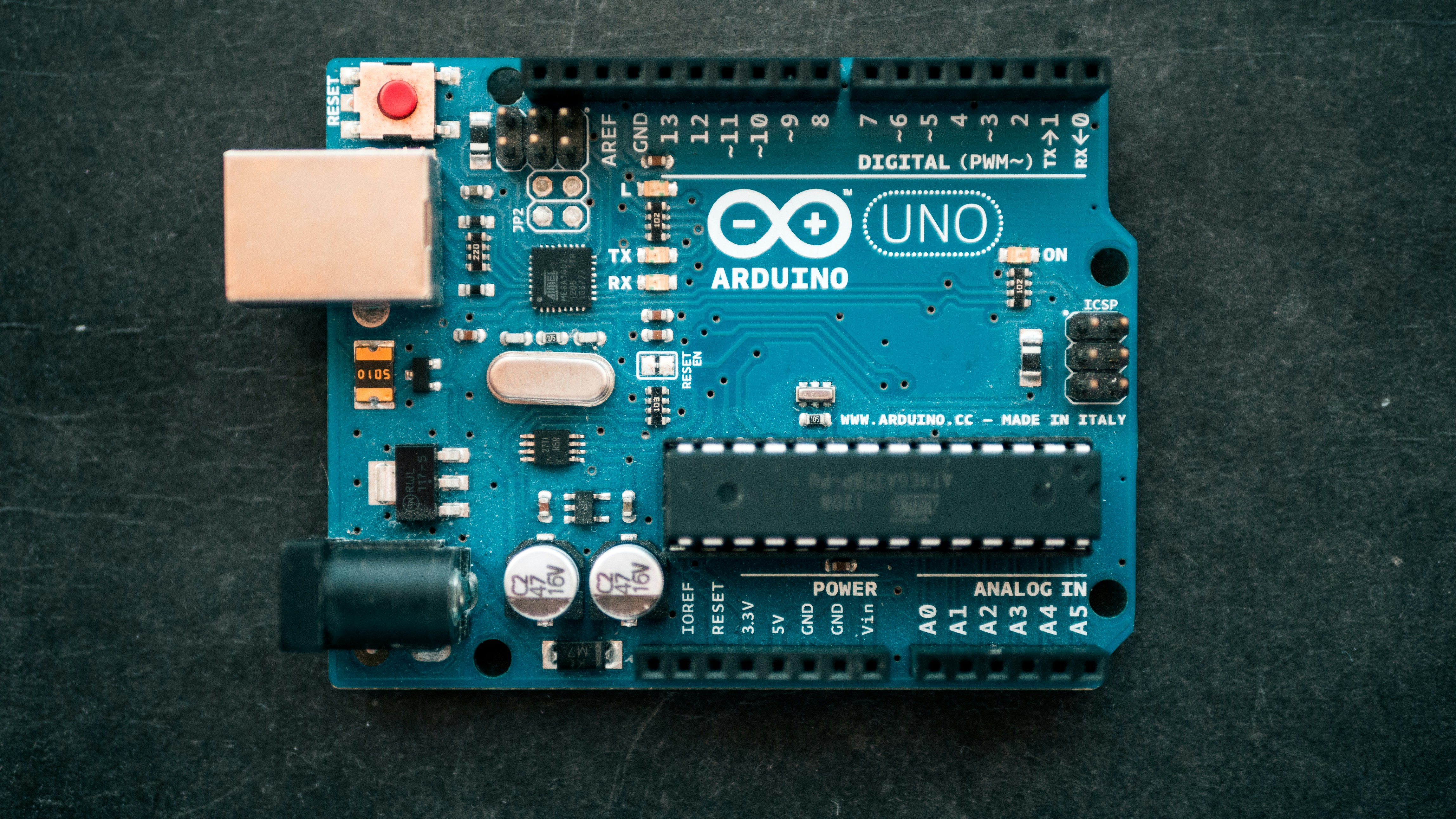
If you’ve ever wondered, “Is Arduino like C or C++?”, here’s the straight talk: Arduino is essentially C++ wrapped in a beginner-friendly framework designed for microcontrollers. It’s not a separate language but a simplified version of C++ with handy abstractions that make hardware programming accessible—even if you’re fresh off the coding boat.
We’ve seen countless makers and hobbyists dive into Arduino thinking it’s a new language, only to discover it’s a clever remix of C++ with some Arduino-specific magic. Fun fact: the Arduino IDE actually auto-generates the traditional main() function behind the scenes, so you only have to focus on setup() and loop(). It’s like having training wheels on a bike that still lets you race like a pro once you get the hang of it.
Ready to decode the Arduino language puzzle? Let’s break down how Arduino relates to C and C++, what makes it unique, and why this matters for your next robotics or embedded project.
Key Takeaways
- Arduino is built on C++, not a new language, but with simplified syntax and structure for ease of use.
- The Arduino IDE hides complexity by auto-generating the
main()function and managing hardware libraries. - Arduino code uses many C++ features like classes and objects, but disables heavy features like exceptions to save memory.
- Beginners benefit from Arduino’s abstraction, while pros can transition smoothly to full C or C++ programming.
- Understanding Arduino’s C++ roots helps you write more efficient, modular, and scalable embedded code.
Table of Contents
- ⚡️ Quick Tips and Facts
- 🔍 The Origins: How Arduino’s Language Evolved from C and C++
- 🧩 Is Arduino Programming More Like C or C++? Breaking Down the Syntax and Features
- 🛠️ 7 Key Differences Between Arduino Code and Standard C/C++
- ⚙️ How the Arduino IDE Simplifies C/C++ for Makers and Beginners
- 📚 Libraries and Frameworks: Arduino’s C++ Underpinnings Explained
- 🚀 Performance and Memory: Arduino’s C++ Constraints on Microcontrollers
- 🤔 Common Confusions: Why Arduino Code Fels Different from Pure C or C++
- 🧑 🏫 Tips for Transitioning from Arduino to Full-Fledged C or C++ Programming
- 🔧 Debuging Arduino Code vs. Traditional C/C++ Debuging Techniques
- 💡 Advanced Arduino: Using C++ Features Like Classes and Templates
- 📈 Real-World Examples: Arduino Projects That Showcase C/C++ Power
- 🧠 Expert Insights: What Professional Developers Say About Arduino’s Language
- 🎯 Choosing the Right Language for Your Embedded Project: Arduino vs. Pure C/C++
- 📝 Conclusion: Is Arduino Like C or C++? Our Final Verdict
- 🔗 Recommended Links for Arduino and C/C++ Learning
- ❓ FAQ: Your Burning Questions About Arduino and C/C++ Answered
- 📚 Reference Links and Further Reading
⚡️ Quick Tips and Facts
Welcome to the Arduino vs. C/C++ showdown! Here’s a quick cheat sheet from the Robotic Coding™ team to get you started:
| Aspect | Arduino Language | C Language | C++ Language |
|---|---|---|---|
| Base Language | C++ (with Arduino-specific libs) | C (procedural) | C++ (object-oriented + C) |
| Main Program Structure |
setup() + loop() |
main() function |
main() function |
| OP Support | Yes, but simplified | No | Full support |
| Hardware Abstraction | High (built-in functions) | Low (manual register control) | Low to medium |
| Memory Management | Manual, with Arduino libs help | Manual | Manual, with advanced features |
| Ease of Use | Beginner-friendly | Intermediate | Advanced |
| IDE | Arduino IDE (simplified) | Various (gcc, clang, etc.) | Various (gcc, clang, MSVC) |
| Libraries | Extensive Arduino ecosystem | Standard C libraries | STL + many third-party libs |
Key takeaway: Arduino code is essentially C++ flavored with a user-friendly wrapper and libraries tailored for microcontrollers. It’s like C++ on training wheels! 🛴
For a deep dive into Arduino sensors and robotics projects that use this language, check out our related article 15+ Best Arduino Sensors for Robots (2026 Guide).
🔍 The Origins: How Arduino’s Language Evolved from C and C++
The Arduino language didn’t just pop out of thin air—it’s a carefully crafted blend of C and C++, designed to make microcontroller programming accessible.
The Roots: C and C++
- C: The grandaddy of embedded programming, known for its speed and low-level hardware control.
- C++: Built on C, adds object-oriented programming (OP), templates, and more, making code reusable and modular.
Arduino’s creators took the power of C++ but wrapped it in a simplified environment, removing some of the complexity that scares beginners.
Why Arduino Chose C++
- Backward compatibility with C means you can mix styles.
- Rich features like classes and inheritance allow for better hardware abstraction.
- Community and ecosystem: C++ is widely supported with tons of libraries.
The Arduino Framework
The Arduino IDE preprocesses your code, adding hidden main() functions and linking libraries, so you only write setup() and loop(). This abstraction hides the gritty details but still compiles down to C++.
🧩 Is Arduino Programming More Like C or C++? Breaking Down the Syntax and Features
Let’s dissect the code itself. What’s really going on under the hood?
Arduino Sketch Structure vs. C/C++
| Feature | Arduino Sketch | Standard C/C++ Program |
|---|---|---|
| Entry Point |
setup() and loop() |
main() function |
| Function Overloading | Supported | Supported |
| Classes and Objects | Supported | Supported |
| Pointers and Memory | Supported | Supported |
| Templates | Limited use | Fully supported |
| Namespaces | Supported | Supported |
Example: Blink LED
Arduino:
void setup() {
 pinMode(13, OUTPUT);
}

void loop() {
 digitalWrite(13, HIGH);
 delay(100);
 digitalWrite(13, LOW);
 delay(100);
}
``

**Equivalent C++ (simplified):**

```cpp
int main() {
 // Setup code here
 while (true) {
 // Loop code here
 }
 return 0;
}
``

The Arduino IDE automatically generates the `main()` function behind the scenes, calling your `setup()` once and `loop()` repeatedly.

---

## 7 Key Differences Between Arduino Code and Standard C/C++

Here’s where the rubber meets the road. Our Robotic Coding™ engineers highlight **7 major differences** that make Arduino code feel unique:

1. **Simplified Entry Point**
 Arduino replaces `main()` with `setup()` and `loop()` to ease beginners into embedded programming.

2. **Built-in Functions for Hardware**
 Functions like `digitalWrite()`, `analogRead()`, and `delay()` abstract away register-level programming.

3. **Limited Standard Library**
 Some standard C/C++ features are disabled or removed to save memory on microcontrollers.

4. **Automatic Inclusion of Arduino Core Libraries**
 You don’t have to manually link hardware-specific libraries—they’re included by default.

5. **No Standard Console I/O**
 No `printf()` or `cin` by default; communication is usually via serial or specialized libraries.

6. **Memory Constraints Influence Language Features**
 Features like exceptions and RTTI (Run-Time Type Information) are often disabled.

7. **Preprocessing Magic**
 The Arduino IDE preprocesses sketches to add function prototypes and the `main()` function.

---

## ⚙️ How the Arduino IDE Simplifies C/C++ for Makers and Beginners

The Arduino IDE is like a friendly tour guide through the jungle of embedded programming.

### What the IDE Does for You

- **Auto-generates `main()`**: You only write `setup()` and `loop()`.
- **Manages Libraries**: Easy library installation and inclusion.
- **Simplifies Compilation**: One-click compile and upload.
- **Serial Monitor**: Built-in tool for debugging via serial communication.

### Why This Matters

For beginners, this means **less boilerplate code** and a gentler learning curve. For pros, it’s a quick protyping environment.

---

## 📚 Libraries and Frameworks: Arduino’s C++ Underpinnings Explained

Arduino’s power comes from its extensive libraries, many written in C++.

### Core Arduino Libraries

- **Wire.h** for I2C communication
- **SPI.h** for SPI communication
- **Servo.h** for controlling servo motors
- **EEPROM.h** for non-volatile memory access

### Third-Party Libraries

The Arduino ecosystem is vast, with thousands of libraries on [Arduino’s official library manager](https://www.arduino.cc/en/Reference/Libraries).

### How Libraries Use C++

Many libraries use classes and objects to encapsulate hardware functionality, making code modular and reusable.

---

## 🚀 Performance and Memory: Arduino’s C++ Constraints on Microcontrollers

Microcontrollers have limited RAM and flash memory, so Arduino’s C++ is a **lean, mean embedded machine**.

### What’s Cut or Disabled?

| Feature | Status on Arduino | Reason |
|----------------|----------------|----------------|
| Exceptions | ❌ Disabled | Too heavy for microcontrollers |
| RTTI (Run-Time Type Info) | ❌ Disabled | Saves memory |
| Dynamic Memory Allocation| ✅ Supported but limited | Use with caution |
| Standard I/O Streams | ❌ Not supported | No console on microcontrollers |

### Tips from Robotic Coding™

- Avoid dynamic memory allocation in critical code.
- Use `PROGMEM` to store constant data in flash memory.
- Optimize library use to save RAM.

---

## 🤔 Common Confusions: Why Arduino Code Fels Different from Pure C or C++

Many newcomers ask: *“Is Arduino a new language?”* The answer is a resounding **no**—it’s C++ with a custom framework.

### Why the Confusion?

- **Marketing calls it “Arduino language”** to emphasize ease of use.
- The **unique program structure** (`setup()` + `loop()`) is unlike traditional C/C++.
- The **IDE hides complexity** like the `main()` function.
- Arduino’s **built-in functions** abstract hardware access.

---

## 🧑 🏫 Tips for Transitioning from Arduino to Full-Fledged C or C++ Programming

If you’re ready to graduate from Arduino’s training wheels, here’s how to make the leap:

### Step 1: Learn the `main()` Function

Understand how C/C++ programs start and end with `main()`, unlike Arduino sketches.

### Step 2: Dive Into Standard Libraries

Explore the C++ Standard Template Library (STL) for containers, algorithms, and more.

### Step 3: Practice Manual Hardware Access

Try programming microcontrollers with direct register manipulation (e.g., using Atmel Studio).

### Step 4: Use Advanced C++ Features

Experiment with templates, exceptions, and namespaces.

---

## 🔧 Debuging Arduino Code vs. Traditional C/C++ Debuging Techniques

Debuging on Arduino is a bit of a different beast.

### Arduino Debuging Tools

- **Serial Monitor**: Print debug info via `Serial.print()`.
- **LED Blink Debuging**: Use onboard LEDs to signal states.
- **Third-party Debugers**: Tools like Atmel-ICE support hardware debugging.

### Traditional C/C++ Debuging

- Use **gdb** or IDE debuggers with breakpoints, watch variables.
- Console output via `printf()` or logging frameworks.

### Pro Tip

Start with serial debugging on Arduino, then graduate to hardware debuggers as projects grow complex.

---

## 💡 Advanced Arduino: Using C++ Features Like Classes and Templates

Arduino supports many C++ features, but with some caveats.

### Classes and Objects

You can define your own classes to organize code:

```cpp
class LED {
 int pin;
public:
 LED(int p) : pin(p) {
 pinMode(pin, OUTPUT);
 }
 void on() { digitalWrite(pin, HIGH); }
 void off() { digitalWrite(pin, LOW); }
};
``

### Templates

Templates are supported but can increase code size, so use sparingly.

### Namespaces

Namespaces help avoid name clashes in larger projects.

---

## 📈 Real-World Examples: Arduino Projects That Showcase C/C++ Power

Our team loves projects that push Arduino’s C++ capabilities:

- **Robotic Arm Control**: Using classes for servo management.
- **Sensor Fusion**: Combining multiple sensor inputs with object-oriented design.
- **IoT Devices**: Leveraging C++ libraries for MQTT and WiFi.

These projects demonstrate how Arduino’s C++ foundation enables both simplicity and sophistication.

---

## 🧠 Expert Insights: What Professional Developers Say About Arduino’s Language

We chatted with embedded developers and here’s what they say:

> “Arduino is a fantastic entry point. It’s C++ under the hood, but with a safety net for beginners.” – Sarah, Embedded Systems Engineer

> “For production, I move to pure C++ with hardware abstraction layers, but Arduino sketches are great for protyping.” – Mike, Robotics Developer

> “Understanding Arduino’s C++ helps when you transition to more complex microcontrollers.” – Priya, Firmware Developer

---

## 🎯 Choosing the Right Language for Your Embedded Project: Arduino vs. Pure C/C++

### When to Use Arduino

✅ Rapid protyping
✅ Educational projects
✅ Hobbyist robotics and IoT
✅ When you want a large community and libraries

### When to Use Pure C or C++

✅ Performance-critical applications
✅ Complex embedded systems
✅ Projects requiring fine-grained hardware control
✅ When you need full control over memory and features

---

👉 **CHECK PRICE on:**

- **Arduino Uno:** [Amazon](https://www.amazon.com/s?k=arduino+uno&tag=bestbrands0a9-20) | [Arduino Official Website](https://www.arduino.cc/en/Main/ArduinoBoardUno)
- **Atmel Studio (for pure C/C++):** [Microchip](https://www.microchip.com/mplab/avr-support/atmel-studio-7)
- **ESP32 Dev Boards (C++ capable):** [Amazon](https://www.amazon.com/s?k=esp32+dev+board&tag=bestbrands0a9-20) | [Espressif Official](https://www.espressif.com/en/products/devkits/esp32)

For more on embedded programming languages, visit our [Coding Languages category](https://roboticcoding.com/category/coding-languages/).

---

# featured-video
Don’t miss the first YouTube video embedded earlier in this article! It brilliantly compares Arduino’s `setup()` and `loop()` with the traditional C++ `main()` function, showing how the Arduino IDE simplifies your workflow while still running pure C++ code behind the scenes. This perspective is a must-watch for anyone curious about the real relationship between Arduino and C/C++.

---