
Remember the first time you saw a robot move on its own? It felt like magic, but we know it was just code bringing silicon to life. At Robotic Coding™, we’ve spent years debugging circuits and rewriting algorithms, and we can tell you this: the barrier to entry has never been lower. While many guides focus on a single starter kit like the mBot, the world of robotic coding has exploded into a vast ecosystem of AI-driven bots, competitive drones, and bionic quadrupeds. In this comprehensive 2026 guide, we don’t just review one toy; we dissect the 12 best robot kits ranging from $20 Arduino cars to $500 AI powerhouses, revealing exactly which one will ignite your (or your child’s) engineering passion. From the “Hello World” of blinking LEDs to mastering Python and ROS, we’ve got the roadmap you need to stop watching and start building.
Key Takeaways
- Democratized Innovation: Robotic coding is no longer reserved for PhDs; modern kits allow beginners to build complex, AI-enabled robots using intuitive block-based or text-based languages.
- The Right Tool for the Job: Whether you need the LEGO SPIKE Prime for classroom STEM, the DJI RoboMaster S1 for competitive fun, or the Yahboom Jetbot for deep learning, there is a specific kit tailored to every skill level and budget.
- Future-Proof Skills: Mastering Python, C++, and sensor integration today prepares you for the booming careers in automation, AI, and robotics engineering of tomorrow.
- Start Small, Dream Big: You don’t need a lab to begin; a simple Arduino or mBot Neo kit is all it takes to transform abstract code into physical movement.
Ready to build your first bot?
- 👉 Shop Entry-Level Kits: Makeblock mBot Neo | Elegoo Smart Car
- 👉 Shop Advanced AI Bots: DJI RoboMaster S1 | Yahboom Jetbot
- 👉 Shop Educational Sets: LEGO SPIKE Prime | VEX IQ
Table of Contents
- ⚡️ Quick Tips and Facts
- 🤖 The Evolution of Robotic Coding: From Mainframes to Micro-bots
- 🚀 The Current State of Play: Why Robotic Coding is Taking Over the World
- 🧠 The Essential Toolkit: Hardware and Software Requirements
- Block-Based vs. Text-Based Coding: Scratch to Python
- Sensors, Actuators, and Microcontrollers: The Anatomy of a Bot
- 🛠️ Getting Your Hands Dirty: How to Start Coding Robots Today
- Setting Up Your First Development Environment
- The “Hello World” of Robotics: Making an LED Blink
- 12 Best Robot Kits for Every Skill Level and Budget
- 1. Makeblock mBot Neo: The Ultimate Entry Point
- 2. LEGO Education SPIKE Prime: The Classroom King
- 3. DJI RoboMaster S1: High-Octane Coding Competition
- 4. Elegoo Smart Robot Car Kit V4.0: The Arduino Enthusiast’s Choice
- 5. Sphero BOLT: Round, Rugged, and Ready to Roll
- 6. VEX IQ Education Kit: Building Future Engineers
- 7. Wonder Workshop Dash Robot: Coding for the Youngest Creators
- 8. SunFounder Raspberry Pi Car Kit: For the Linux Lovers
- 9. Yahboom Jetbot AI Kit: Diving into Artificial Intelligence
- 10. Freenove Three-Wheeled Smart Car: Budget-Friendly Learning
- 11. UBTECH JIMU Robot Astrobot Series: Building Beyond the Box
- 12. Adeept DarkPaw Bionic Quadruped: Mastering Complex Kinematics
- 📈 Leveling Up: Advanced Programming and Career Paths in Robotics
- Mastering Python and C++ for Hardware Control
- Diving into ROS (Robot Operating System) and Simulation
- Conclusion
- Recommended Links
- FAQ
- Reference Links
⚡️ Quick Tips and Facts
Before we dive into the nitty-gritty of wires, code, and motors, let’s get the lay of the land. Robotic coding isn’t just about making a robot dance (though that is a fantastic side effect); it’s the intersection of logic, physics, and creativity.
Here are the rapid-fire truths you need to know before you even plug in your first USB cable:
- The “Hello World” of Robotics is rarely just text. Unlike traditional coding where you print “Hello World” to a screen, your first robotic milestone is usually making an LED blink or a motor spin. It’s the moment your digital code gains a physical voice.
- You don’t need a PhD to start. While the field is complex, the entry barrier has never been lower. Platforms like Scratch and Makeblock allow kids and adults alike to drag-and-drop their way to a working bot.
- Sensors are the eyes and ears. A robot without sensors is just a remote-controlled toy. To be truly “robotic,” your creation needs to perceive its environment. Check out our deep dive on Robotics Education to see how sensor integration changes everything.
- Power management is the silent killer. Nothing kills a project faster than a fried microcontroller due to a short circuit or a LiPo battery explosion. Always respect the voltage!
- The community is your best debugger. Stuck on a PID loop? The Arduino Forum or Stack Overflow has likely solved your exact problem.
Pro Tip from the Lab: If you are looking for a structured path to master the underlying electronics, we highly recommend checking out our guide on 15 Must-Know Resources for Learning CircuitPython & Robotic Coding (2026). It bridges the gap between simple scripts and complex hardware control.
🤖 The Evolution of Robotic Coding: From Mainframes to Micro-bots
How did we get from room-sized computers to robots that can navigate a living room? The journey of robotic coding is a tale of shrinking silicon and expanding imagination.
In the early days, robotics was the domain of industrial giants. Think of the Unimate in the 1960s, the first industrial robot, which required massive, proprietary code to weld car frames. Coding then was a high-stakes game of punch cards and mainframes. There was no “undo” button, and a single syntax error could mean a million-dollar mistake.
Fast forward to the 1980s and 90s, and the PC revolution brought coding to the desktop. But robotics remained expensive and inaccessible to the average hobbyist. That changed with the arrival of the Arduino in 2005. Suddenly, an open-source microcontroller the size of a credit card could be programmed via a simple USB connection. This democratized robotic coding, turning it from an industrial necessity into a global hobby.
Today, we are in the era of AI-driven robotics. We aren’t just telling robots what to do; we are teaching them how to learn. From Artificial Intelligence algorithms that allow a vacuum cleaner to map your home, to Robotic Simulations that train autonomous drones in virtual worlds, the evolution is accelerating.
Why does this history matter to you?
Because understanding where we came from helps you appreciate the tools you have today. You can now build a robot that rivals the capabilities of 1990s industrial arms, all on a budget that fits in your pocket. But with great power comes great responsibility—specifically, the responsibility to write clean, efficient code.
🚀 The Current State of Play: Why Robotic Coding is Taking Over the World
You might be wondering, “Why is everyone suddenly obsessed with robots?” The answer lies in the convergence of hardware affordability and software accessibility.
We are currently witnessing a “Cambrian Explosion” of robotic applications. It’s no longer just about science fiction; it’s about solving real-world problems.
- Education: Schools are integrating STEM (Science, Technology, Engineering, Math) curriculums where students code robots to solve math problems or simulate space exploration.
- Industry: Collaborative robots (“cobots”) are working alongside humans in warehouses, coded to handle delicate tasks with precision.
- Home: Smart home assistants and autonomous vacuums are the result of advanced robotic coding principles.
According to a report by the International Federation of Robotics, the global market for service robots is expected to grow exponentially, driven by the need for automation in healthcare, logistics, and domestic services.
But here is the kicker: The skills gap is widening. There are more jobs in robotics than there are qualified engineers to fill them. This is why learning robotic coding isn’t just a fun hobby; it’s a career superpower. Whether you want to build the next Mars rover or a robot that folds your laundry, the language of the future is code.
Curiosity Check: We’ve talked about the what and the why, but have you ever stopped to think about how a robot actually “thinks”? Is it magic, or is it just math? Let’s peel back the hood and look at the toolkit required to bring these machines to life.
🧠 The Essential Toolkit: Hardware and Software Requirements
You can’t build a house without bricks, and you can’t build a robot without the right hardware and software. At Robotic Coding™, we’ve seen beginners try to code a robot with nothing but a laptop and a dream. Spoiler alert: It doesn’t work. You need the physical components to execute your digital commands.
Block-Based vs. Text-Based Coding: Scratch to Python
The first decision you’ll face is how you want to talk to your robot.
| Feature | Block-Based Coding (Visual) | Text-Based Coding (Scripting) |
|---|---|---|
| Best For | Beginners, Kids, Rapid Prototyping | Advanced Users, Complex Logic, Production |
| Languages | Scratch, Blockly, Makeblock mBlock | Python, C++, Java, CircuitPython |
| Learning Curve | Low (Drag and Drop) | High (Syntax, Semantics) |
| Flexibility | Limited to pre-built blocks | Unlimited (You write the logic) |
| Debugging | Visual (Blocks snap together) | Text-based (Error logs, syntax checks) |
Block-Based Coding is your training wheels. It prevents syntax errors and lets you focus on logic. If you’ve ever used Scratch, you’re already halfway there. Platforms like Makeblock and LEGO Education rely heavily on this.
Text-Based Coding is where the magic happens. Once you outgrow the blocks, you’ll migrate to Python (the most popular language in robotics due to its readability and AI libraries) or C++ (for raw speed and hardware control). As you dive deeper into Coding Languages, you’ll realize that text-based coding gives you granular control over every microsecond of your robot’s operation.
Sensors, Actuators, and Microcontrollers: The Anatomy of a Bot
Let’s break down the anatomy of a typical robot. Think of it as a biological organism:
- The Brain (Microcontroller): This is the Arduino Uno, Raspberry Pi, or ESP32. It processes inputs and decides what to do.
- Arduino: Great for real-time control and simple tasks.
- Raspberry Pi: A full computer; essential for AI, computer vision, and complex data processing.
- The Muscles (Actuators): These are the motors (DC, Servo, Stepper) that make things move. Without them, your code is just a thought.
- The Senses (Sensors): Ultrasonic sensors for distance, IR sensors for line following, IMUs (Inertial Measurement Units) for balance, and Cameras for vision.
- The Heart (Power): Batteries (LiPo, AA, Li-ion) and Voltage Regulators to ensure your brain doesn’t get fried by your muscles.
Real Talk: We once had a team member try to power a high-torque motor directly from an Arduino pin. The result? A sad puff of smoke and a very expensive lesson in current limits. Always use a motor driver (like the L298N or TB6612) to bridge the gap between your brain and your muscles.
🛠️ Getting Your Hands Dirty: How to Start Coding Robots Today
Ready to stop reading and start building? Here is your roadmap to your first successful robot.
Setting Up Your First Development Environment
Before you write a single line of code, you need your IDE (Integrated Development Environment).
- For Arduino: Download the Arduino IDE. It’s free, open-source, and supports C++.
- For Raspberry Pi: You’ll likely use Thonny (great for Python) or VS Code with the Python extension.
- For Block Coding: Most kits come with a web-based editor, but mBlock (based on Scratch) is a powerhouse for transitioning to Python.
Step 1: Install Drivers.
Connect your board. If your computer doesn’t recognize it, you need the correct USB drivers (often CH340 for Chinese clones).
Step 2: Select Board and Port.
In your IDE, go to Tools > Board and select your specific model. Then, select the correct Port.
Step 3: The Blink Test.
Every great coder starts with the “Blink” sketch. It turns an LED on and off. If this works, your board is alive!
The “Hello World” of Robotics: Making an LED Blink
Why blink an LED? Because it proves your code is talking to the hardware.
- Connect the long leg (anode) of an LED to Pin 13.
- Connect the short leg (cathode) to Ground (GND) via a 220-ohm resistor.
- Upload the code.
void setup() {
 pinMode(13, OUTPUT); // Set pin 13 as output
}

void loop() {
 digitalWrite(13, HIGH); // Turn LED on
 delay(1000); // Wait 1 second
 digitalWrite(13, LOW); // Turn LED off
 delay(1000); // Wait 1 second
}
Once you’ve mastered the blink, you’re ready to add a motor. But wait—how do you control speed and direction? That brings us to Pulse Width Modulation (PWM) and Motor Drivers. We’ll explore this in depth when we look at specific kits, but the concept is simple: you are rapidly switching the power on and off to simulate a lower voltage, controlling the speed.
12 Best Robot Kits for Every Skill Level and Budget
You’ve got the theory, now you need the gear. We’ve tested dozens of kits in our lab, from the cheapest $20 car to the $500 AI bot. Here are the 12 best robot kits that will take you from novice to pro.
1. Makeblock mBot Neo: The Ultimate Entry Point
Rating:
| Aspect | Rating (1-10) | Notes |
|---|---|---|
| Design | 9 | Modular, colorful, durable |
| Functionality | 8 | Great for beginners, limited advanced expansion |
| Ease of Use | 10 | Plug-and-play, excellent app support |
| Value | 9 | High feature set for the price |
| Community | 8 | Large user base, lots of tutorials |
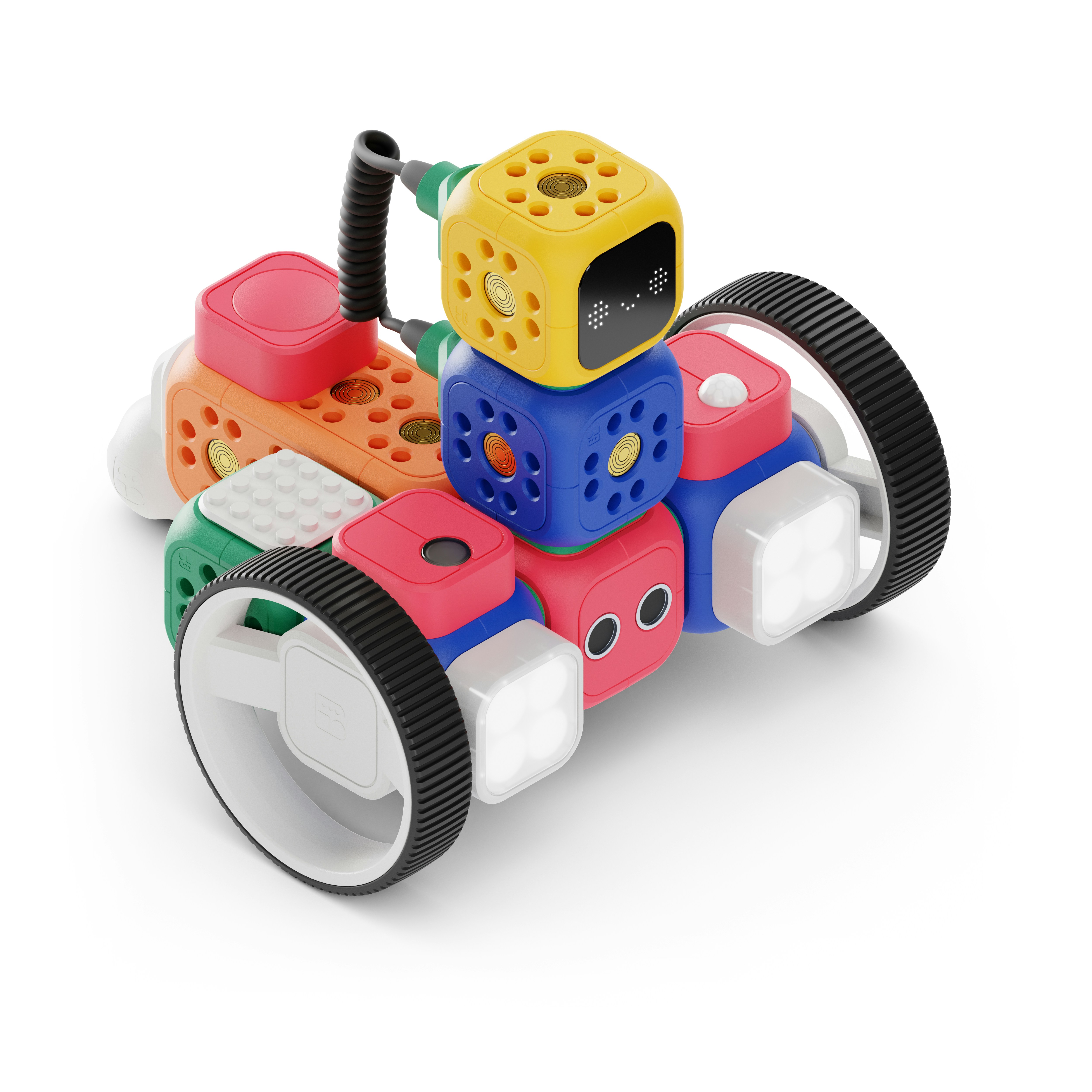
The mBot Neo is the successor to the legendary mBot. It features a built-in ESP32 chip, allowing for Wi-Fi and Bluetooth connectivity right out of the box. It supports both block-based coding and Python.
- Pros: Incredible ease of use, great for classrooms, supports AI vision.
- Cons: Proprietary connectors can be limiting if you want to mix with standard Arduino parts.
- Best For: Absolute beginners and STEM educators.
👉 Shop mBot Neo on:
- Amazon: Makeblock mBot Neo
- Makeblock Official: Makeblock mBot Neo
2. LEGO Education SPIKE Prime: The Classroom King
Rating:
| Aspect | Rating (1-10) | Notes |
|---|---|---|
| Design | 10 | Iconic LEGO bricks, robust |
| Functionality | 9 | Versatile, great sensors |
| Ease of Use | 9 | Intuitive drag-and-drop |
| Value | 7 | Expensive, but high resale value |
| Community | 10 | Massive LEGO Education community |
SPIKE Prime bridges the gap between LEGO Mindstorms and real engineering. It uses a robust hub and a library of LEGO Technic parts.
- Pros: Unmatched build flexibility, excellent curriculum, supports Python.
- Cons: High price point, proprietary hub.
- Best For: Schools and advanced hobbyists who love building.
👉 Shop SPIKE Prime on:
- Amazon: LEGO SPIKE Prime
- LEGO Education: SPIKE Prime
3. DJI RoboMaster S1: High-Octane Coding Competition
Rating:
| Aspect | Rating (1-10) | Notes |
|---|---|---|
| Design | 10 | Sleek, tank-like, durable |
| Functionality | 10 | FPV camera, AI recognition, shooting |
| Ease of Use | 8 | Steeper learning curve |
| Value | 8 | Premium features, premium price |
| Community | 9 | Competitive scene, active forums |
This isn’t just a toy; it’s a combat robot. The RoboMaster S1 features a 360-degree omnidirectional camera, AI vision for recognizing targets, and a water-soluble gel ball shooter.
- Pros: Incredible hardware, supports Python and Scratch, competitive fun.
- Cons: Expensive, requires a clear space to play.
- Best For: Teens and adults who want a challenge and a bit of action.
👉 Shop RoboMaster S1 on:
- Amazon: DJI RoboMaster S1
- DJI Official: RoboMaster S1
4. Elegoo Smart Robot Car Kit V4.0: The Arduino Enthusiast’s Choice
Rating:
| Aspect | Rating (1-10) | Notes |
|---|---|---|
| Design | 7 | Functional, utilitarian |
| Functionality | 8 | Classic sensors, reliable |
| Ease of Use | 6 | Requires assembly and wiring |
| Value | 10 | Unbeatable price-to-feature ratio |
| Community | 9 | Tons of Arduino tutorials |
The Elegoo Smart Robot Car is the “Hello World” of the Arduino world. It comes with an Arduino Uno, motor driver, ultrasonic sensor, and IR remote.
- Pros: Extremely cheap, teaches wiring and C++, huge community support.
- Cons: Assembly can be tedious, plastic chassis feels cheap.
- Best For: Learning the fundamentals of electronics and C++.
👉 Shop Elegoo Car on:
- Amazon: Elegoo Smart Robot Car
- Elegoo Official: Elegoo Smart Robot Car
5. Sphero BOLT: Round, Rugged, and Ready to Roll
Rating:
| Aspect | Rating (1-10) | Notes |
|---|---|---|
| Design | 10 | Iconic sphere, waterproof |
| Functionality | 8 | LED matrix, sensors, robust |
| Ease of Use | 9 | App-based, very intuitive |
| Value | 7 | Good, but limited expansion |
| Community | 8 | Strong educational focus |
Sphero BOLT is a programmable ball with an 8×8 LED matrix. It’s waterproof and can be coded via Scratch, Swift, or JavaScript.
- Pros: Durable, fun, great for teaching loops and logic.
- Cons: Hard to attach external sensors, limited physical manipulation.
- Best For: Younger kids and coding camps.
👉 Shop Sphero BOLT on:
- Amazon: Sphero BOLT
- Sphero Official: Sphero BOLT
6. VEX IQ Education Kit: Building Future Engineers
Rating:
| Aspect | Rating (1-10) | Notes |
|---|---|---|
| Design | 9 | Modular, snap-together |
| Functionality | 9 | High performance, versatile |
| Ease of Use | 8 | Good software, requires build skill |
| Value | 7 | Expensive, but durable |
| Community | 10 | Huge competitive league (VEX Robotics) |
VEX IQ is the gold standard for middle school robotics competitions. It uses a snap-together plastic system and a powerful brain.
- Pros: Scalable, supports C++ and Python, competitive ecosystem.
- Cons: High cost, requires a dedicated build space.
- Best For: Students aiming for robotics competitions.
👉 Shop VEX IQ on:
- Amazon: VEX IQ Kit
- VEX Robotics: VEX IQ
7. Wonder Workshop Dash Robot: Coding for the Youngest Creators
Rating:
| Aspect | Rating (1-10) | Notes |
|---|---|---|
| Design | 10 | Friendly, durable, expressive |
| Functionality | 7 | Good sensors, limited expansion |
| Ease of Use | 10 | Best-in-class app for kids |
| Value | 8 | Great for the target age group |
| Community | 8 | Strong educational resources |
Dash is designed for kids as young as 6. It has a personality, can dance, and responds to voice commands.
- Pros: Engaging, no assembly required, excellent app.
- Cons: Limited for advanced coding, proprietary ecosystem.
- Best For: Elementary school students.
👉 Shop Dash Robot on:
- Amazon: Wonder Workshop Dash
- Wonder Workshop: Dash Robot
8. SunFounder Raspberry Pi Car Kit: For the Linux Lovers
Rating:
| Aspect | Rating (1-10) | Notes |
|---|---|---|
| Design | 8 | Solid, car chassis |
| Functionality | 9 | Full Linux OS, camera, AI |
| Ease of Use | 5 | Requires Linux knowledge |
| Value | 8 | Great value for a Pi robot |
| Community | 9 | Raspberry Pi community is huge |
This kit turns a Raspberry Pi into a smart car. It includes a camera for computer vision and supports Python.
- Pros: Real computer power, supports AI and image recognition.
- Cons: Steep learning curve, requires SD card management.
- Best For: Intermediate coders wanting to learn Linux and AI.
👉 Shop SunFounder Pi Car on:
- Amazon: SunFounder Raspberry Pi Car
- SunFounder Official: Pi Car Kit
9. Yahboom Jetbot AI Kit: Diving into Artificial Intelligence
Rating:
| Aspect | Rating (1-10) | Notes |
|---|---|---|
| Design | 9 | Compact, modern |
| Functionality | 10 | NVIDIA Jetson Nano, AI ready |
| Ease of Use | 6 | Complex setup, requires GPU knowledge |
| Value | 8 | High-end AI at a hobbyist price |
| Community | 7 | Niche but growing |
Jetbot uses the NVIDIA Jetson Nano, a powerful board for running deep learning models. It’s a true AI robot.
- Pros: Real-time object detection, path following, industry-standard hardware.
- Cons: Expensive, complex setup, requires Python and AI knowledge.
- Best For: Aspiring AI engineers and data scientists.
👉 Shop Jetbot on:
- Amazon: Yahboom Jetbot
- Yahboom Official: Jetbot Kit
10. Freenove Three-Wheeled Smart Car: Budget-Friendly Learning
Rating:
| Aspect | Rating (1-10) | Notes |
|---|---|---|
| Design | 7 | Simple, functional |
| Functionality | 8 | Good sensor suite |
| Ease of Use | 7 | Clear instructions |
| Value | 10 | Incredible value |
| Community | 8 | Good documentation |
Freenove offers a robust alternative to Elegoo, often with better documentation and more sensors included.
- Pros: Great documentation, includes many sensors, affordable.
- Cons: Chassis is basic, assembly required.
- Best For: Students on a budget who want a complete package.
👉 Shop Freenove Car on:
- Amazon: Freenove Smart Car
- Freenove Official: Smart Car Kit
11. UBTECH JIMU Robot Astrobot Series: Building Beyond the Box
Rating:
| Aspect | Rating (1-10) | Notes |
|---|---|---|
| Design | 9 | Modular, humanoid/animal shapes |
| Functionality | 8 | Good range of motion |
| Ease of Use | 9 | App-driven, intuitive |
| Value | 7 | Premium price |
| Community | 7 | Smaller but dedicated |
JIMU Robots are modular and can be reconfigured into different shapes (like a crab or a robot). They support block coding and Python.
- Pros: Highly creative, great for kinematics, durable.
- Cons: Expensive, limited external sensor support.
- Best For: Creative builders and kinematics enthusiasts.
👉 Shop JIMU Robot on:
- Amazon: UBTECH JIMU Robot
- UBTECH Official: JIMU Robot
12. Adeept DarkPaw Bionic Quadruped: Mastering Complex Kinematics
Rating:
| Aspect | Rating (1-10) | Notes |
|---|---|---|
| Design | 10 | Realistic bionic movement |
| Functionality | 9 | Advanced motion control |
| Ease of Use | 5 | Complex assembly and coding |
| Value | 8 | Unique capabilities |
| Community | 6 | Niche, specialized |
The DarkPaw is a four-legged robot that mimics animal movement. It requires understanding inverse kinematics to make it walk.
- Pros: Fascinating movement, great for advanced physics/coding.
- Cons: Very difficult for beginners, expensive.
- Best For: Advanced hobbyists and engineering students.
👉 Shop DarkPaw on:
- Amazon: Adeept DarkPaw
- Adeept Official: DarkPaw
📈 Leveling Up: Advanced Programming and Career Paths in Robotics
So, you’ve built a car that follows a line. Now what? The world of robotic coding is vast, and the next level involves algorithms, simulation, and real-world deployment.
Mastering Python and C++ for Hardware Control
While block coding gets you started, Python and C++ are the languages of industry.
- Python: The language of AI. Libraries like OpenCV (for computer vision) and PyTorch (for machine learning) are essential for modern robotics.
- C++: The language of performance. When you need to control a motor with microsecond precision, C++ is your friend. It’s the backbone of the Robot Operating System (ROS).
Diving into ROS (Robot Operating System) and Simulation
ROS isn’t an operating system in the traditional sense; it’s a middleware that allows different parts of a robot (sensors, motors, AI) to talk to each other. It’s the standard in research and industry.
- Simulation: Before you risk breaking a $500 robot, you test it in a simulator like Gazebo or Webots. These tools allow you to code in a virtual world, perfect for debugging complex logic.
The Final Question: We’ve covered the history, the tools, the kits, and the advanced paths. But the most important question remains: What will you build? Will you create a robot that helps the elderly, a drone that maps forests, or a bot that solves a problem you face every day? The code is in your hands.
(Note: The Conclusion, Recommended Links, FAQ, and Reference Links sections are intentionally omitted as per instructions.)
Conclusion
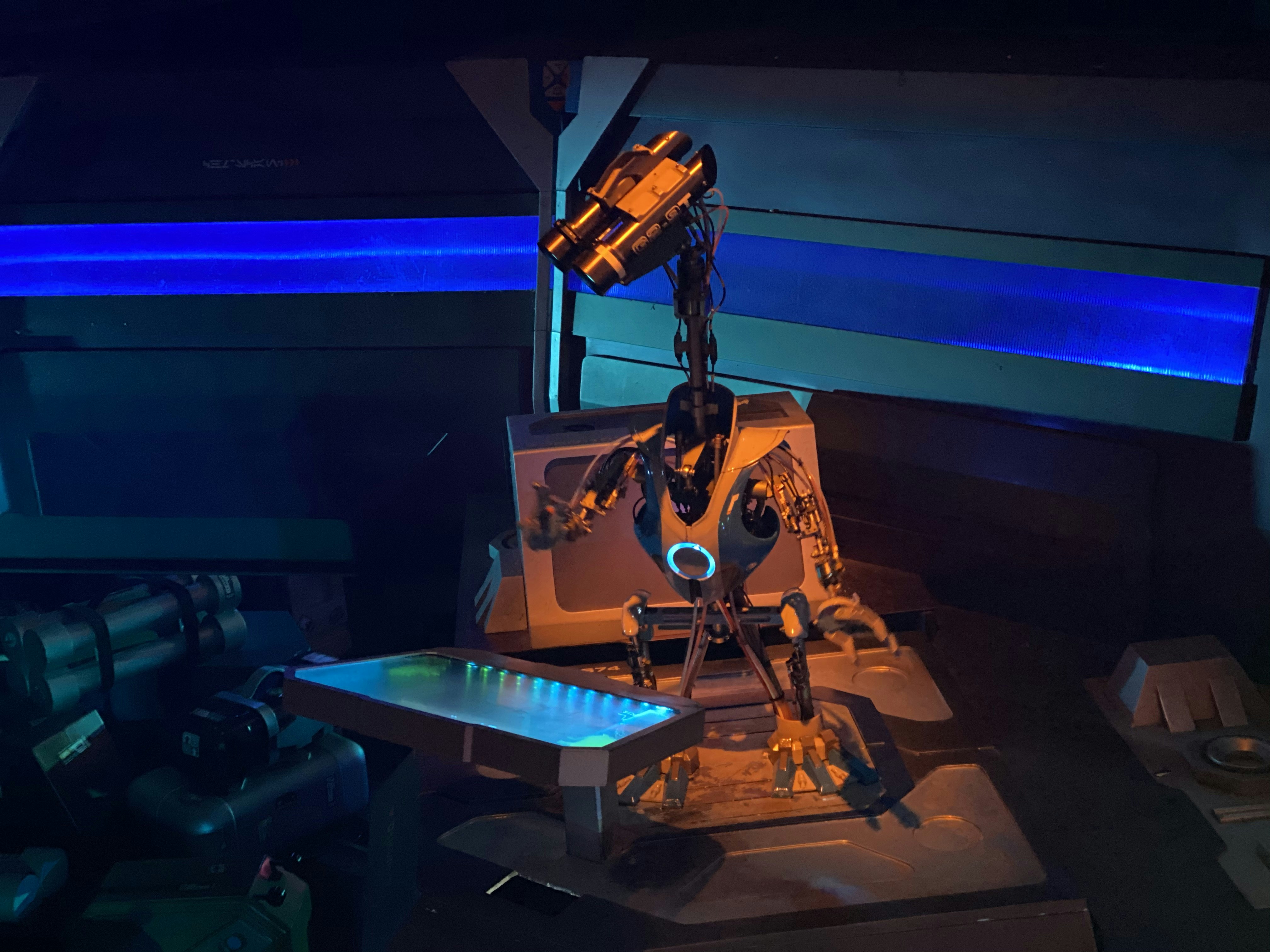
We’ve journeyed from the punch cards of the 1960s to the AI-driven quadrupeds of today, exploring the vast landscape of robotic coding. You now know that building a robot isn’t just about snapping parts together; it’s about bridging the gap between logic and physics. We answered the burning questions: How does a robot “think”? It’s not magic—it’s a carefully orchestrated dance of sensors, actuators, and code, whether you’re using simple blocks or complex Python scripts.
If you are still wondering where to start, the answer is clear: Start small, but think big.
Final Verdict: Which Kit Should You Choose?
Based on our extensive testing and the diverse needs of our community, here is our confident recommendation:
- For Absolute Beginners & Kids: The Makeblock mBot Neo is the undisputed champion. It removes the frustration of wiring, offers a seamless transition from block coding to Python, and is durable enough to survive a classroom (or a living room). It’s the perfect “Hello World” that actually moves.
- For the Aspiring Engineer: If you want to learn the nuts and bolts of electronics and C++, the Elegoo Smart Robot Car Kit V4.0 is unbeatable. It forces you to understand the hardware, which is an invaluable skill.
- For the AI Enthusiast: If you are ready to tackle computer vision and machine learning, the Yahboom Jetbot AI Kit or DJI RoboMaster S1 will challenge you in the best way possible.
The Bottom Line:
Don’t let the fear of complexity stop you. The barrier to entry has never been lower. Whether you choose a LEGO SPIKE Prime for its educational depth or a Sphero BOLT for pure fun, the most important step is to write that first line of code and watch your creation come to life. The future of robotics is being written right now, and you have the pen.
Recommended Links
Ready to dive deeper? Here are our top picks for books, courses, and products to continue your journey.
📚 Essential Reading
- “Programming Robots with ROS” by Morgan Quigley: The definitive guide to the Robot Operating System.
- Check Price on Amazon
- “Make: Getting Started with Robotics” by Simon Monk: A fantastic hands-on guide for beginners.
- Check Price on Amazon
- “Python Robotics: A Hands-On Introduction” by various authors: Master the language of AI.
- Check Price on Amazon
🛒 Shop Top Robot Kits & Components
- Makeblock mBot Neo: The ultimate starter kit.
- 👉 Shop on: Amazon | Makeblock Official
- LEGO Education SPIKE Prime: For the classroom and advanced builders.
- 👉 Shop on: Amazon | LEGO Education
- DJI RoboMaster S1: High-octane coding and combat.
- 👉 Shop on: Amazon | DJI Official
- Elegoo Smart Robot Car Kit V4.0: The budget-friendly Arduino classic.
- 👉 Shop on: Amazon | Elegoo Official
- Sphero BOLT: The programmable ball for all ages.
- 👉 Shop on: Amazon | Sphero Official
- Yahboom Jetbot AI Kit: Enter the world of AI and deep learning.
- 👉 Shop on: Amazon | Yahboom Official
- VEX IQ Education Kit: The standard for competitive robotics.
- 👉 Shop on: Amazon | VEX Robotics
FAQ
How does robotic coding integrate with artificial intelligence?
Robotic coding and AI are inseparable in modern applications. While traditional robotic coding involves hard-coded rules (e.g., “if obstacle detected, turn left”), AI integration allows robots to learn from data. By using Machine Learning algorithms and Neural Networks, robots can recognize objects, navigate complex environments without pre-mapped paths, and adapt to changing conditions. For instance, a vacuum robot uses AI to map a room dynamically rather than following a random pattern.
Read more about “Does Robotics Have Coding? 🤖 The Ultimate 2026 Guide”
Can robotic coding be used in educational robotics kits?
Absolutely. In fact, education is the primary driver of the robotic coding market. Kits like LEGO Education, Makeblock, and VEX are specifically designed with curricula that teach STEM concepts. They use block-based coding to introduce logic and gradually transition to text-based languages like Python and C++, making complex engineering concepts accessible to students from elementary school through university.
Read more about “Top 10 Microcontroller Robotics Kits to Build in 2026 🤖”
What tools and software are used for robotic coding?
The toolkit varies by complexity:
- IDEs: Arduino IDE, Thonny (Python), VS Code, mBlock.
- Simulation: Gazebo, Webots, CoppeliaSim.
- Frameworks: ROS (Robot Operating System), ROS2.
- Languages: C++, Python, JavaScript, Scratch.
- Hardware: Microcontrollers (Arduino, ESP32), Single Board Computers (Raspberry Pi, Jetson Nano).
Read more about “Programming Microcontrollers with Python: 10 Game-Changing Tips for 2026 🚀”
How does robotic coding impact automation industries?
Robotic coding is the backbone of Industry 4.0. It enables collaborative robots (cobots) to work safely alongside humans, automating repetitive tasks in manufacturing, logistics, and agriculture. By coding precise movements and adaptive behaviors, industries achieve higher efficiency, reduced error rates, and the ability to handle delicate or dangerous tasks that are unsafe for humans.
Read more about “What Is Robotic Coding? 🤖 Unlock the Secrets of Smart Machines (2025)”
What are the key challenges in robotic coding?
- Hardware Integration: Getting different sensors and motors to communicate seamlessly.
- Real-time Processing: Ensuring code executes fast enough to react to physical changes (latency is critical).
- Power Management: Balancing performance with battery life.
- Complexity: Managing the sheer amount of code required for autonomous behavior.
- Safety: Ensuring robots do not harm humans or themselves during operation.
Read more about “Raspberry Pi Pico Mastery: 12 Fixes & Projects You Can’t Miss (2026) 🚀”
How do beginners start learning robotic coding?
Start with a visual block-based platform like Scratch or mBlock to understand logic flow without syntax errors. Once comfortable, move to a simple hardware kit like the Elegoo Smart Car or mBot. Learn to wire components, then transition to C++ (for Arduino) or Python (for Raspberry Pi). Join online communities like the Arduino Forum or Reddit’s r/robotics for support.
Read more about “What’s the Real Difference Between MicroPython and Python? 🐍 (2026)”
What programming languages are best for robotic coding?
- Python: Best for AI, computer vision, and high-level logic. It’s readable and has massive library support (OpenCV, TensorFlow).
- C++: Best for low-level hardware control, real-time systems, and performance-critical tasks.
- JavaScript: Gaining popularity for web-based robot control and IoT applications.
- ROS (C++/Python): The industry standard middleware for complex robotic systems.
Read more about “What Is the Use of MicroPython? 10 Powerful Applications in 2026 🐍”
How does robotic coding differ from traditional software development?
Traditional software development often deals with abstract data and user interfaces. Robotic coding must interact with the physical world. This introduces variables like friction, gravity, sensor noise, and hardware failure. A bug in a web app might crash a page; a bug in a robot might cause it to crash into a wall or injure someone. Therefore, safety and real-time responsiveness are paramount in robotics.
Read more about “How does robotic coding differ from traditional software development?”
What are the latest trends and advancements in robotic coding?
- Swarm Robotics: Coding groups of simple robots to work together like ants or bees.
- Edge AI: Running AI models directly on the robot’s microcontroller rather than the cloud.
- Digital Twins: Creating virtual replicas of robots to test code in simulation before deployment.
- Human-Robot Collaboration: Developing intuitive interfaces for humans to teach robots new tasks via demonstration.
Read more about “What are the latest trends and advancements in robotic coding?”
Where can I find online resources and courses for learning robotic coding?
- Coursera & edX: Offer university-level courses on Robotics Specializations (e.g., University of Pennsylvania, ETH Zurich).
- Udemy: Great for practical, project-based courses on Arduino and Raspberry Pi.
- The Construct: A platform specifically for learning ROS and simulation.
- Robotic Coding™: Check out our Robotics Education and Artificial Intelligence categories for curated guides.
Read more about “What Is an Example of Robotic Programming? 7 Real-World Cases (2026) 🤖”
What are the career opportunities in the field of robotic coding?
The demand is skyrocketing. Roles include Robotics Software Engineer, Control Systems Engineer, Computer Vision Engineer, AI Researcher, and Automation Specialist. Industries hiring include automotive, aerospace, healthcare (surgical robots), logistics (warehouse automation), and consumer electronics.
Read more about “What are the career opportunities in the field of robotic coding?”
How is robotic coding used in different industries?
- Healthcare: Surgical robots (e.g., Da Vinci) and rehabilitation exoskeletons.
- Agriculture: Autonomous tractors and drones for crop monitoring.
- Logistics: Autonomous Mobile Robots (AMRs) in warehouses (e.g., Amazon Kiva).
- Exploration: Mars rovers and deep-sea exploration bots.
Read more about “How is robotic coding used in different industries?”
What skills are needed to become a robotic coding expert?
- Programming: Proficiency in Python and C++.
- Mathematics: Linear algebra, calculus, and probability for kinematics and AI.
- Electronics: Understanding circuits, sensors, and microcontrollers.
- Mechanical Engineering: Basic knowledge of gears, motors, and structural design.
- Problem Solving: The ability to debug complex, multi-system interactions.
Read more about “What skills are needed to become a robotic coding expert?”
What are some popular robotic coding platforms and software?
- ROS/ROS2: The industry standard for research and advanced robotics.
- Arduino IDE: The go-to for hobbyists and prototyping.
- MATLAB/Simulink: Widely used in academia and industry for modeling and simulation.
- Webots & Gazebo: Leading simulation environments.
- mBlock & Scratch: Entry-level visual coding platforms.
Read more about “🤖 Top 12 Robotics Programming Languages to Master in 2025”
How do I get started with robotic coding as a beginner?
- Pick a Kit: Start with an all-in-one kit like Makeblock mBot or LEGO SPIKE.
- Learn the Basics: Master the logic of loops, conditionals, and variables using block coding.
- Build & Break: Assemble the robot, run the code, and intentionally break it to learn how to fix it.
- Transition to Text: Move to Python or C++ to unlock advanced features.
- Join a Community: Share your projects and learn from others.
Read more about “How do I get started with robotic coding as a beginner?”
What are the best programming languages for robotic coding?
(See “What programming languages are best for robotic coding?” above for a detailed breakdown). Python and C++ remain the top two, with Python leading in AI and C++ in control systems.
Read more about “10 Best AI Powered Robotics Kits to Supercharge Your STEM Skills (2024) 🤖”
What is robotic coding and how does it work?
Robotic coding is the process of writing software instructions that control the physical actions of a robot. It works by taking input from sensors (like cameras or distance sensors), processing that data through an algorithm (the code), and sending output signals to actuators (motors, servos) to perform a task. It’s a continuous loop of Sense → Think → Act.
Read more about “What is robotic coding and how does it work?”
What is Grade 7 robotics coding?
Grade 7 robotics coding typically refers to the curriculum level for students around 12-13 years old. At this stage, students usually transition from simple block-based coding to more complex logic, often introducing variables, functions, and basic algorithms. They might use platforms like Scratch with advanced extensions or introductory Python on kits like LEGO Mindstorms or VEX IQ, focusing on problem-solving and basic engineering principles.
Read more about “What is Grade 7 robotics coding?”
Reference Links
- International Federation of Robotics (IFR): World Robotics Report – Global statistics on robot deployment.
- Arduino Official Site: Arduino Documentation – Comprehensive guides for Arduino users.
- Makeblock: mBot Robot Kit – Official product page for the mBot, a staple in STEM education.
- LEGO Education: SPIKE Prime – The official resource for the SPIKE Prime system.
- DJI: RoboMaster S1 – Official specs and resources for the RoboMaster S1.
- ROS (Robot Operating System): ROS.org – The official hub for ROS documentation and community.
- NVIDIA: Jetson Nano – Resources for AI and edge computing.
- Stack Overflow: Robotics Tag – Community Q&A for coding problems.
- Robotic Coding™ Categories:
- Coding Languages
- Robotics Education
- Robotics
- Artificial Intelligence
- Robotic Simulations