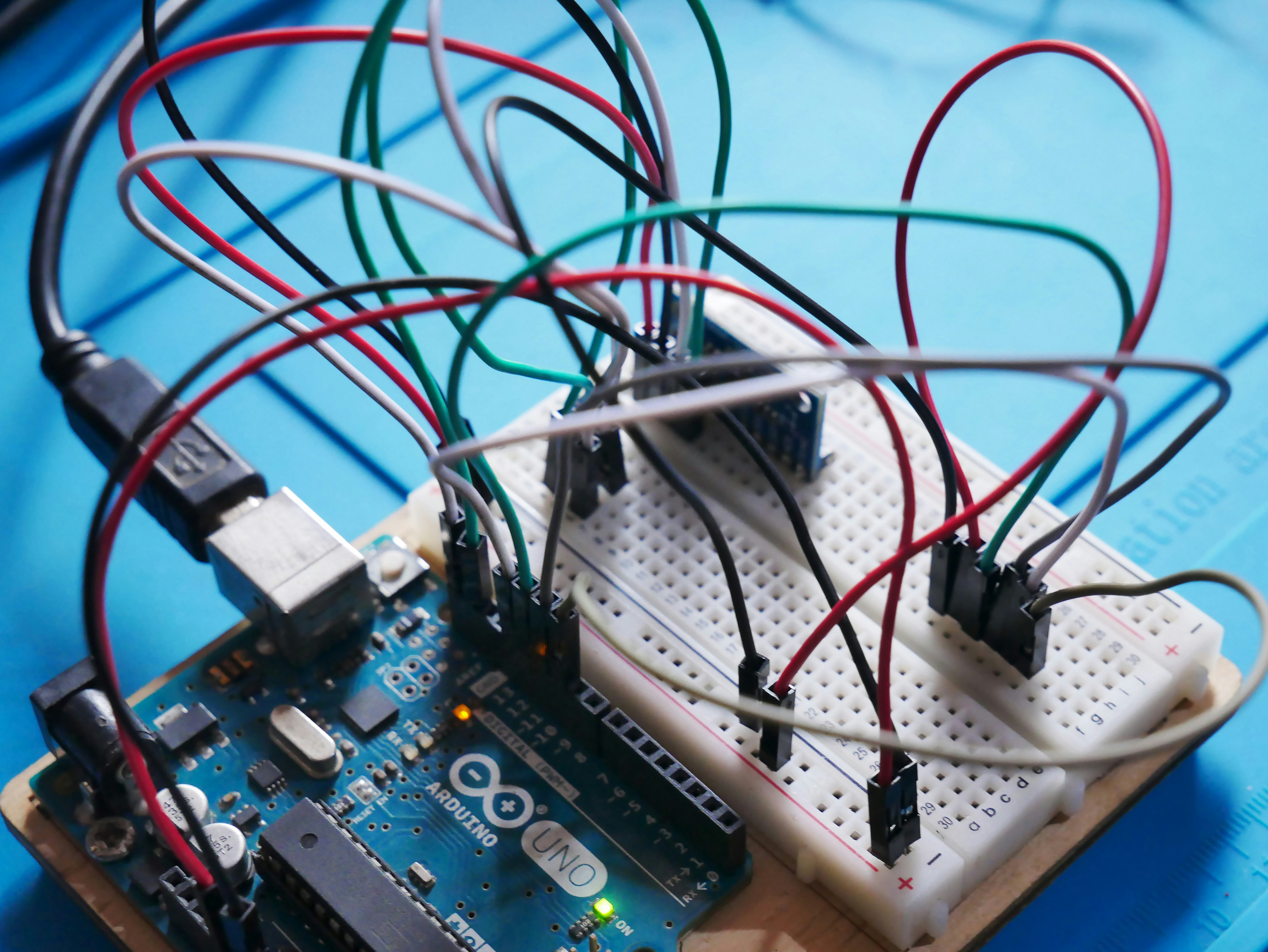
Imagine writing Python code that runs directly on tiny microcontrollers — no bulky computers required. That’s the magic of MicroPython, a lean and powerful implementation of Python 3 designed specifically for embedded systems and IoT devices. Whether you’re a robotics enthusiast, an educator, or a professional developer, MicroPython unlocks a world where hardware and software blend seamlessly with the elegance of Python.
At Robotic Coding™, we’ve spent years exploring MicroPython’s capabilities, from blinking LEDs on Raspberry Pi Pico boards to building Wi-Fi-enabled robots with ESP32 chips. In this comprehensive guide, we’ll walk you through everything you need to know: how to get started, the best hardware to use, advanced features like async programming, and even how to contribute to the project. Plus, we’ll answer your burning questions about performance, real-time applications, and community support. Curious about whether MicroPython can really replace C in your next project? Stick around — we’ve got the answers.
Key Takeaways
- MicroPython brings the simplicity of Python to microcontrollers, making embedded programming accessible and fun.
- Wide hardware support includes Raspberry Pi Pico, ESP32, STM32, and more, allowing you to pick the perfect board for your project.
- Interactive REPL and cross-compilation tools enable rapid prototyping and efficient code deployment.
- Advanced features like asynchronous programming and networking empower complex IoT and robotics applications.
- Open-source community and extensive resources ensure continuous improvement and support.
- Performance trade-offs exist, but hybrid approaches combining MicroPython and C can deliver the best of both worlds.
Ready to transform your embedded projects with Python’s power? Dive in and discover why MicroPython is the go-to language for modern robotics and IoT development!
Table of Contents
- ⚡️ Quick Tips and Facts About MicroPython
- 🕰️ The Evolution of MicroPython: From Concept to Cutting-Edge
- 🚀 Getting Started with MicroPython: Your First Steps in Embedded Python
- 🔧 Supported Hardware Platforms and Architectures for MicroPython
- 🛠️ Deep Dive: The MicroPython Cross-Compiler (mpy-cross) Explained
- 📦 Essential MicroPython Packages and Libraries You Should Know
- 💡 Advanced MicroPython Features: Async, Networking, and More
- 🗂️ Managing Files and Folders in MicroPython: Tips and Tricks
- 🔄 Firmware Updates and Latest MicroPython Releases
- 🤝 Contributing to MicroPython: How You Can Help Shape the Future
- 💰 Sponsor and Support the MicroPython Project
- 🌐 MicroPython Community and Contributors: Meet the Makers
- 📚 Recommended Learning Resources and Tutorials for MicroPython
- ❓ Frequently Asked Questions (FAQ) About MicroPython
- 📖 Reference Links and Official Documentation for MicroPython
- 🏁 Conclusion: Why MicroPython is a Game-Changer for Embedded Development
Alright, let’s fire up the IDE and dive into the wonderful world of MicroPython! Here at Robotic Coding™, we’ve spent countless hours tinkering with microcontrollers, and let us tell you, MicroPython has been a total game-changer for our projects in Robotics and beyond. It brings the simplicity and joy of Python to the hardware level, and we’re here to give you the full scoop.
But before we get into the nitty-gritty, you might be wondering about performance. How does it stack up against the old guard, like C? We’ve actually covered that in-depth, and you can read all about it in our article, Is MicroPython Faster Than C? The 7 Truths You Need in 2025 🚀.
⚡️ Quick Tips and Facts About MicroPython
Just need the highlights? We get it. You’ve got robots to build! Here’s the lowdown on MicroPython in a nutshell.
| Feature | Quick Fact |
|---|---|
| Core Language | A lean and efficient implementation of Python 3. |
| Primary Goal | To run Python on microcontrollers and in constrained environments. |
| Creator | The brilliant Australian programmer and physicist, Damien P. George. |
| Launch | Born from a successful Kickstarter campaign in 2013. |
| Hardware Needs | Can run with just 256k of code space and 16k of RAM! |
| Key Feature | The interactive prompt (REPL) for live coding on your hardware. |
| License | Open-source under the MIT License. |
| Compatibility | Aims to be as compatible with standard Python (CPython) as possible. |
🕰️ The Evolution of MicroPython: From Concept to Cutting-Edge
Every great piece of software has an origin story, and MicroPython’s is one for the books. It all started in 2013 with a question: “Could I shrink Python down small enough to run on these tiny chips?”. That question came from Damien P. George, a programmer and physicist who was an avid robot builder.
He launched a Kickstarter campaign with a modest goal of £15,000 to turn his proof-of-concept into a reality. The response was overwhelming! Over 1,900 backers pledged nearly £100,000, proving that the world was hungry for a way to use Python in the world of Robotics Education.
The campaign’s success funded the development of both the software and its flagship hardware: the pyboard. This compact board was built specifically to showcase MicroPython’s capabilities, packing an STM32F405RG microcontroller, an accelerometer, and plenty of I/O pins. Since its initial release on May 3, 2014, MicroPython has grown immensely, now supporting dozens of architectures and being used in products by major companies like LEGO and even the European Space Agency.
🚀 Getting Started with MicroPython: Your First Steps in Embedded Python
Ready to get your hands dirty? Let’s walk through the process. It’s easier than you think!
1. Choose Your Weapon (Your Microcontroller, That Is)
First, you need a board. Popular choices include the Raspberry Pi Pico W, any of the ESP32 family, or the original pyboard. We’ll cover more on hardware later.
2. Flash the Firmware
Unlike an Arduino, most boards don’t come with MicroPython pre-installed. You’ll need to “flash” the firmware onto the board.
- Download the Firmware: Head over to the official MicroPython downloads page and find the correct firmware file for your specific board. For a Raspberry Pi Pico, this will be a
.uf2file; for an ESP32, it will be a.binfile. - Enter Bootloader Mode: This is the tricky part. For a Pico, you simply hold down the BOOTSEL button while plugging it into your computer. It will appear as a USB drive. For ESP32/ESP8266 boards, you’ll typically need a tool like
esptool. - Copy the File: For the Pico, just drag and drop the
.uf2file onto the drive. For others, you’ll use a command-line tool to upload the firmware.
3. Say “Hello” with the REPL
The REPL (Read-Eval-Print Loop) is MicroPython’s secret weapon. It’s an interactive prompt running directly on the microcontroller, letting you execute code line by line.
To access it, you’ll need an IDE that can connect to your board’s serial port. We highly recommend Thonny IDE for beginners, as it’s designed with MicroPython in mind.
- Install Thonny.
- Connect your board.
- In Thonny, go to
Tools > Options > Interpreterand select the MicroPython device for your board. - Once connected, you’ll see the
>>>prompt in the Shell panel. - Type
print('Hello, Robotic Coding™!')and press Enter. Voilà! You’re programming a microcontroller interactively.
4. Your First Blinking LED
The “Hello, World!” of hardware is blinking an LED. Let’s do it.
Create a new file in Thonny and paste this code:
from machine import Pin
import time

# For Raspberry Pi Pico W, the onboard LED is not on a numbered GPIO pin
# It's accessed via Pin("LED")
led = Pin("LED", Pin.OUT)

while True:
    led.toggle()
    time.sleep(0.5)
Save this file to your MicroPython device as main.py. Now, every time your board powers up, this script will run automatically!
🔧 Supported Hardware Platforms and Architectures for MicroPython
One of MicroPython’s greatest strengths is its wide hardware support. The project organizes its ports into tiers based on maturity and active development.
Tier 1 (Mature & Actively Developed): These are the ports with the best support, often backed by vendors.
rp2: For Raspberry Pi devices like the Pico, Pico W, and Pico 2 W, based on the RP2040 and RP2350 chips.esp32: For the hugely popular Espressif ESP32 SoCs, known for their Wi-Fi and Bluetooth capabilities.stm32: The original home of MicroPython, for STMicroelectronics STM32 MCUs like the one on the pyboard.unix&windows: Yes, you can run MicroPython on your computer! It’s great for testing code without hardware.
Tier 2 & 3 (Less Active or Community-Supported): These include a vast range of other architectures.
esp8266: The predecessor to the ESP32, still a great low-cost option.nrf: For Nordic Semiconductor chips, popular in Bluetooth Low Energy applications.samd: For Microchip SAMD21 and SAMD51, often found on Adafruit’s CircuitPython boards.
This is just a small sample. The list is constantly growing, making MicroPython a versatile choice for nearly any embedded project.
Our Top Board Picks for 2025
| Board | Key Features | Best For |
|---|---|---|
|
Raspberry Pi Pico W |
RP2040 dual-core, Wi-Fi, low cost. | Beginners, IoT projects, learning embedded concepts. |
|
ESP32-S3 DevKit |
Dual-core, Wi-Fi, Bluetooth 5 (LE), AI acceleration. | Advanced IoT, Artificial Intelligence on the edge, battery-powered devices. |
|
Arduino Nano ESP32 |
ESP32-S3 in an Arduino form factor, MicroPython compatible. | Arduino users transitioning to MicroPython, projects needing a small footprint. |
👉 CHECK PRICE on:
- Raspberry Pi Pico W: Amazon | Walmart | Adafruit
- ESP32-S3 DevKit: Amazon | Walmart | Espressif Official
- Arduino Nano ESP32: Amazon | Walmart | Arduino Official Website
🛠️ Deep Dive: The MicroPython Cross-Compiler (mpy-cross) Explained
Ever see a .mpy file and wonder what it is? That’s the work of mpy-cross, the MicroPython cross-compiler.
In simple terms, mpy-cross pre-compiles your .py script into bytecode. Why bother?
- ✅ Faster Loading: The microcontroller doesn’t have to compile the script on the fly, so it loads and starts running faster.
- ✅ Less RAM Usage: The original source code doesn’t need to be loaded into the limited RAM.
- ✅ Source Code Protection: You can distribute the
.mpyfile without revealing your original Python code.
You typically run mpy-cross on your computer to generate the .mpy file, which you then copy to your device. You can then import it just like a regular Python module.
📦 Essential MicroPython Packages and Libraries You Should Know
MicroPython includes a subset of the standard Python library, plus powerful modules for hardware control. Here are the ones you’ll use constantly:
machine: This is your gateway to the hardware. It lets you control GPIO pins (machine.Pin), communication buses like I2C and SPI, timers, and more.network: Essential for any IoT project. This module is used to configure Wi-Fi, Ethernet, and other network interfaces.time: Provides functions for sleeping (time.sleep()) and tracking time, crucial for controlling the pace of your programs.os: Gives you access to the filesystem on the board, allowing you to list files, create directories, and more.uctypes: For accessing binary data in a structured way, useful when working with C libraries or low-level data formats.
Beyond the built-in modules, there’s a vibrant ecosystem of community-created libraries for everything from specific sensors to AI frameworks. A great place to find them is the awesome-micropython list on GitHub.
💡 Advanced MicroPython Features: Async, Networking, and More
MicroPython isn’t just for blinking lights. It’s a powerful platform for complex applications, including Robotic Simulations.
Asynchronous Programming with uasyncio
One of the most powerful features is its support for asynchronous programming using a lightweight version of Python’s asyncio library. This allows you to write concurrent code that can handle multiple tasks—like reading a sensor, updating a display, and listening for network requests—seemingly at the same time, without the complexity of traditional multi-threading.
Building Web Servers
With the network module and a socket library, you can turn your tiny microcontroller into a web server! Imagine controlling your robot from a web browser on your phone. We’ve built countless projects this way, from remote monitoring systems to interactive art installations. The featured video above shows a great example of a web server displaying live temperature data.
🗂️ Managing Files and Folders in MicroPython: Tips and Tricks
Your MicroPython board has a small internal filesystem, usually formatted as FAT. Understanding how to manage it is key.
The Special Scripts: boot.py and main.py
MicroPython looks for two special files when it powers on:
boot.py: This script runs first. It’s the perfect place for initial setup that should happen every single time, like configuring network connections or setting up hardware pins.main.py: Afterboot.pyfinishes, MicroPython executesmain.py. This is where your main application logic should live. If you put your code in an infinite loop here, your program will run forever.
You can create and edit these files using an IDE like Thonny or a command-line tool like mpremote.
🔄 Firmware Updates and Latest MicroPython Releases
The MicroPython project is constantly evolving, with new features, bug fixes, and performance improvements. It’s a good idea to update your board’s firmware periodically.
You can find the latest stable and nightly builds on the MicroPython downloads page. The process is the same as the initial installation: download the new firmware file and flash it to your board.
Over-the-Air (OTA) Updates
For devices deployed in the field, connecting a USB cable for updates is impractical. That’s where Over-the-Air (OTA) updates come in. You can write a script that allows your device to connect to a server, download a new version of its code, and restart itself. This is an advanced but incredibly powerful technique for managing a fleet of IoT devices.
🤝 Contributing to MicroPython: How You Can Help Shape the Future
MicroPython is an open-source project that thrives on community contributions. Whether you’re a seasoned C developer or a Python scripter, there are many ways to get involved:
- Reporting Bugs: Find an issue? Report it on the GitHub Issues page.
- Improving Documentation: Good docs are vital. You can help by clarifying text, adding examples, or fixing errors.
- Submitting Code: If you’ve fixed a bug or added a new feature, you can submit a pull request. Be sure to read the Contributor Guidelines first.
- Helping Others: Participate in the GitHub Discussions or the Discord server to help answer questions from other users.
💰 Sponsor and Support the MicroPython Project
Maintaining a project of this scale requires significant effort and resources. If you or your company relies on MicroPython, consider becoming a sponsor. Sponsorship funds go towards:
- Continued software maintenance and development.
- Recruiting additional maintainers.
- Purchasing new hardware for testing.
- Improving documentation.
You can sponsor the project directly through GitHub Sponsors. Companies like Adafruit are major supporters, recognizing the foundational role MicroPython plays in the ecosystem.
🌐 MicroPython Community and Contributors: Meet the Makers
MicroPython wouldn’t be what it is today without its vibrant community. From Damien George’s initial vision to the thousands of contributors who have submitted code, documentation, and bug reports, it’s a collective effort.
The community gathers in several places:
- Official Forum: The GitHub Discussions page is the main hub for community interaction.
- Discord: For real-time chat and support, join the MicroPython Discord server.
- Conferences: MicroPython is often featured at Python conferences like PyCon, where you can meet the developers and other enthusiasts.
📚 Recommended Learning Resources and Tutorials for MicroPython
Ready to go from beginner to expert? Here are some of the resources our team at Robotic Coding™ recommends:
- Official Documentation: The docs.micropython.org site is the ultimate source of truth. It’s comprehensive and well-maintained.
- Random Nerd Tutorials: An excellent resource with tons of practical projects and guides, especially for ESP32 and ESP8266.
- Adafruit Learning System: Adafruit has a massive library of tutorials for both MicroPython and their beginner-friendly fork, CircuitPython.
- Books: Look for titles like “Programming with MicroPython” by Nicholas H. Tollervey.
- YouTube: Channels like Kevin McAleer’s offer great video tutorials on specific MicroPython topics, like OTA updates.
❓ Frequently Asked Questions (FAQ) About MicroPython
Q: Is MicroPython the same as Python?
A: It’s a reimplementation of Python 3, meaning it behaves the same but is optimized for microcontrollers. It includes a smaller standard library.
Q: What’s the difference between MicroPython and CircuitPython?
A: CircuitPython is a fork of MicroPython created by Adafruit. It’s designed to be even more beginner-friendly, with a focus on education and a consistent API across different boards.
Q: Do I need to know C/C++ to use MicroPython?
A: Not at all! That’s the beauty of it. You can do almost everything in Python. You only need C if you want to extend MicroPython’s core functionality or write ultra-high-performance modules.
Q: Is MicroPython fast enough for real-time applications?
A: It depends on the application. For many tasks, it’s plenty fast. For things requiring precise, microsecond-level timing, you might still need C or use MicroPython’s inline assembler. As developer Miguel Grinberg notes in his benchmarking, performance can vary wildly depending on the task and the hardware.
Q: Can I use pip to install libraries?
A: No, pip does not work directly with MicroPython devices. You’ll typically copy library files manually or use a dedicated tool like mpremote.
📖 Reference Links and Official Documentation for MicroPython
Here are the essential links to bookmark on your journey into the world of MicroPython.
- Official Website: micropython.org
- Official Documentation: docs.micropython.org
- GitHub Repository: github.com/micropython/micropython
- Firmware Downloads: micropython.org/download/
- Community Forum (Discussions): github.com/micropython/micropython/discussions
- Discord Chat: discord.gg/RB8SQHSAExQ
🏁 Conclusion: Why MicroPython is a Game-Changer for Embedded Development
After our deep dive into MicroPython, it’s clear why this project has captured the hearts of embedded developers, educators, and hobbyists alike. MicroPython brilliantly bridges the gap between the simplicity of Python and the constraints of microcontrollers, empowering you to write clean, readable code that interacts directly with hardware.
Positives:
- ✅ Ease of Use: Python syntax makes embedded programming accessible to beginners and accelerates development for experts.
- ✅ Wide Hardware Support: From Raspberry Pi Pico to ESP32 and STM32, MicroPython runs on a vast array of platforms.
- ✅ Interactive REPL: Instant feedback and debugging on the device itself—a dream for rapid prototyping.
- ✅ Active Community & Open Source: Continuous improvements, extensive documentation, and a welcoming community.
- ✅ Advanced Features: Async programming, networking, and cross-compilation make it suitable for complex projects.
Negatives:
- ❌ Performance Limitations: While impressive, MicroPython can’t match the raw speed of C/C++ for real-time or compute-heavy tasks.
- ❌ Partial Python Compatibility: Some Python libraries and features are missing or trimmed down.
- ❌ Memory Constraints: Microcontrollers have limited RAM and flash, requiring careful resource management.
Our Take: If you’re looking to get started quickly with embedded systems, build IoT devices, or teach robotics programming, MicroPython is an outstanding choice. It combines Python’s elegance with hardware control in a way that few other languages can match. For performance-critical parts, you can always optimize with native modules or inline assembler.
Remember the question we teased earlier: Is MicroPython fast enough for real-time robotics? The answer is nuanced. For many applications, yes—especially when combined with careful coding and hardware interrupts. For ultra-low-latency control loops, supplementing MicroPython with C modules or using dedicated real-time OS features is wise.
In short, MicroPython opens doors to embedded development that were previously locked behind steep learning curves. It’s a toolkit that’s as fun to use as it is powerful.
🔗 Recommended Links and Shopping
Ready to start your MicroPython journey? Here are some top picks and resources to get you going:
- Raspberry Pi Pico W:
- ESP32-S3 DevKit:
- Arduino Nano ESP32:
- Books:
- Programming with MicroPython by Nicholas H. Tollervey — Amazon Link
- MicroPython Cookbook by Marwan Alsabbagh — Amazon Link
❓ Frequently Asked Questions (FAQ) About MicroPython
Are there any limitations or drawbacks to using MicroPython for complex robotic coding and development?
Absolutely. While MicroPython offers ease and flexibility, it has performance and memory constraints inherent to microcontrollers. Complex robotic systems often require real-time responsiveness and heavy computation, where C/C++ or specialized RTOS environments excel. MicroPython can handle many robotics tasks but might struggle with ultra-low latency control loops or large data processing. Hybrid approaches—using MicroPython for high-level logic and C for critical routines—are common.
What are some examples of projects that can be built using MicroPython for robotics and automation?
MicroPython shines in:
- IoT sensor nodes and data loggers.
- Remote-controlled robots with Wi-Fi or Bluetooth.
- Home automation devices like smart thermostats or lighting.
- Educational robots for teaching programming and electronics.
- Prototyping robotic arms or drones with basic control.
- Web-enabled devices serving dashboards or APIs.
Our team built a custom thermostat on an ESP8266 using MicroPython that cost under €10, showcasing its power in practical automation.
How does MicroPython support real-time systems and interrupt handling in robotics?
MicroPython supports hardware interrupts via the machine.Pin.irq() method, allowing your code to respond immediately to external events like button presses or sensor triggers. For true real-time guarantees, you might need to write critical ISR (Interrupt Service Routines) in C or use MicroPython’s inline assembler. While MicroPython’s interpreter introduces some latency, for many robotics applications, this is acceptable.
What libraries and frameworks are available for MicroPython to support robotic coding?
MicroPython includes:
- The
machinemodule for hardware control. networkfor connectivity.- Community libraries for sensors (e.g.,
micropython-adafruitsensor drivers). - Async frameworks like
uasynciofor concurrent tasks. - Web frameworks such as Microdot, a lightweight Flask-like server for embedded devices.
You can find many libraries on GitHub and package repositories curated by the community.
Can I use MicroPython with popular robotics platforms like Raspberry Pi or ESP32?
✅ Yes! The Raspberry Pi Pico (RP2040) and ESP32 boards are among the most popular MicroPython platforms. They combine powerful microcontrollers with Wi-Fi/Bluetooth capabilities, making them ideal for robotics and IoT. MicroPython runs natively on these devices, and many tutorials and libraries target them specifically.
What are the benefits of using MicroPython for robotic coding and development?
- Rapid prototyping: Write and test code quickly with REPL.
- Readable syntax: Python’s clarity reduces bugs and speeds learning.
- Hardware access: Direct control over pins, buses, and peripherals.
- Cross-platform: Same codebase can run on multiple boards.
- Community support: Extensive tutorials, forums, and libraries.
How do I get started with MicroPython on my microcontroller or single-board computer?
- Choose a supported board (e.g., Raspberry Pi Pico, ESP32).
- Download and flash the latest MicroPython firmware.
- Use an IDE like Thonny to connect via serial.
- Experiment with the REPL and write simple scripts.
- Explore libraries and build your project step-by-step.
Our Getting Started section has a detailed walkthrough.
What is MicroPython and how does it differ from regular Python?
MicroPython is a lean implementation of Python 3 optimized for microcontrollers. It supports most Python syntax and core libraries but trims down features to fit limited hardware resources. Unlike standard Python (CPython), which runs on computers with ample memory and speed, MicroPython runs on tiny devices with kilobytes of RAM.
What microcontroller can run MicroPython?
MicroPython runs on a wide range of microcontrollers, including:
- ARM Cortex-M series (STM32, RP2040, SAMD21/51)
- Espressif ESP8266 and ESP32
- Nordic nRF series
- 16-bit PIC microcontrollers
- Many others, with ongoing community ports expanding support.
Should I learn Python or MicroPython?
If you’re new to programming, start with Python on your computer to grasp fundamentals. Once comfortable, transition to MicroPython for embedded projects. The syntax and concepts are nearly identical, so skills transfer seamlessly.
Is MicroPython better than Arduino?
They serve different purposes:
- Arduino (C/C++) offers maximum performance and control, ideal for time-critical applications.
- MicroPython offers ease of use and rapid development with Python syntax.
For beginners or rapid prototyping, MicroPython is often preferable. For performance-critical or resource-constrained projects, Arduino might be better.
📖 Reference Links and Official Documentation for MicroPython
- MicroPython Official Website MicroPython Documentation MicroPython GitHub Repository
- MicroPython Firmware Downloads
- MicroPython Community Discussions
- MicroPython Discord Server
- Benchmarking MicroPython – Miguel Grinberg’s Blog
- Espressif Official Site
- Raspberry Pi Official Site
- Adafruit Learning System
We hope this comprehensive guide lights your path into embedded Python programming! Remember, the best way to learn is to build, break, and rebuild — and MicroPython makes that journey a joy. Happy coding! 🚀