Ever watched a robot in action and wondered, “Wait, how does it actually know what to do?” Spoiler alert: it’s all about coding. But does robotics truly have coding at its core, or is it just fancy mechanics and sensors? At Robotic Coding™, we’ve cracked open the robot’s brain to reveal the fascinating truth: coding is the lifeblood of every robot—from playful LEGO bots to industrial giants.
In this comprehensive guide, we’ll unravel the evolution of robotics coding, explore the essential programming languages powering robots today, and share insider tips on overcoming common coding challenges. Curious how AI and machine learning are transforming robot intelligence? Or how hardware and software tango behind the scenes? Stick around—we’ve got all that and more. Plus, we’ll spotlight the best learning resources to kickstart your own robotics coding journey.
Ready to decode the secret language of robots? Let’s dive in!
Key Takeaways
- Coding is essential for robotics: Robots rely on software instructions to sense, decide, and act—without code, they’re just inert machines.
- Multiple programming languages power robotics: From Python and C++ to specialized industrial languages, each serves unique roles in robot control and intelligence.
- Robotics coding blends hardware and software: Effective integration ensures robots perform reliably in real-world environments.
- AI and machine learning are game-changers: They enable robots to learn, adapt, and operate autonomously beyond pre-programmed rules.
- Learning robotics coding is accessible: Platforms like LEGO Mindstorms, Arduino, and Raspberry Pi offer hands-on entry points for all skill levels.
- Future trends include cloud robotics, swarm intelligence, and no-code programming: Robotics coding is evolving rapidly, opening exciting new possibilities.
Curious about which programming languages you should learn first? Or how to avoid common pitfalls in robot coding? Keep reading to unlock these insights and more!
Table of Contents
- ⚡️ Quick Tips and Facts About Robotics and Coding
- 🤖 The Evolution of Robotics: How Coding Became Its Brain
- 🔍 What Is Robotics Coding? Understanding the Basics
- 🛠️ 7 Essential Programming Languages Used in Robotics
- 💡 How Does Coding Control Robot Behavior? A Deep Dive
- 🎮 Real-World Examples: Coding in Popular Robotics Platforms
- 🔧 5 Common Robotics Coding Challenges and How to Overcome Them
- 🎓 Learning Robotics Coding: Best Resources and Courses
- 🌐 The Future of Robotics Coding: Trends and Innovations
- 🧠 AI and Machine Learning in Robotics Coding: What You Need to Know
- ⚙️ Hardware Meets Software: Integrating Coding with Robotics Components
- 🛡️ Ensuring Security and Safety in Robotics Coding
- 📈 Career Paths: How Coding Skills Open Doors in Robotics
- 📝 Conclusion: Does Robotics Have Coding? The Definitive Answer
- 🔗 Recommended Links for Robotics Coding Enthusiasts
- ❓ Frequently Asked Questions About Robotics and Coding
- 📚 Reference Links and Further Reading
⚡️ Quick Tips and Facts About Robotics and Coding
Welcome, future robot whisperers and code conjurers! 👋 At Robotic Coding™, we live and breathe the fascinating intersection of robotics and coding. If you’ve ever wondered if these two are joined at the hip, or if robots just magically do things, you’re in for a treat. Spoiler alert: they’re practically inseparable!
Here are some rapid-fire facts to kick things off and get your circuits buzzing:
- ✅ Coding is the Brain of Robotics: Think of a robot as a body, and coding as its brain and nervous system. Without code, a robot is just a fancy paperweight. It’s how we give these machines instructions, enabling them to move, sense, and make decisions.
- ❌ No Code, No Go: A robot cannot perform complex tasks, adapt to new environments, or even move an inch without some form of robot programming. As one expert put it, “Without coding, robotics would be limited to mechanical design without automation or intelligent behavior.” — Quora
- 🧠 Diverse Languages: There isn’t just one “robot language.” From Python and C++ to Java and specialized industrial languages, the choice depends on the robot’s complexity and application. We’ll dive deeper into these later!
- 💡 Beyond Movement: Coding in robotics isn’t just about making an arm swing. It’s about sensor data processing, path planning, object recognition, human-robot interaction, and even artificial intelligence that allows robots to learn.
- 📈 High Demand Skill: Learning robotics coding is a superpower in today’s tech landscape. It opens doors to incredible careers in automation, manufacturing, healthcare, and beyond.
- 🚀 Accessible Entry Points: You don’t need to be a rocket scientist to start! Platforms like LEGO Mindstorms and Arduino make learning robotics education and coding languages fun and accessible for all ages.
So, does robotics have coding? Absolutely! It’s the very essence that brings these incredible machines to life. But how did we get here? And what exactly is robotics coding? Keep reading, because we’re just getting started on this electrifying journey! Want to see some cool AI in action? Check out our article on the 10 Best AI Powered Robotics Kits to Supercharge Your STEM Skills (2024) 🤖.
🤖 The Evolution of Robotics: How Coding Became Its Brain
Let’s rewind a bit, shall we? The concept of automatons—machines that mimic human or animal actions—dates back centuries. From ancient Greek myths to Leonardo da Vinci’s mechanical knight, humans have always dreamed of creating intelligent machines. But for a long time, these were purely mechanical marvels, intricate clockwork without a “mind” of their own.
The real revolution began when we started giving these mechanical bodies a brain – and that brain, my friends, is code.
In the early days of modern robot development, robots were often programmed using physical means, like cams and levers, or simple electrical circuits. Think of the early industrial robots of the 1960s, like Unimate, which performed repetitive tasks in factories. Their “programming” was rigid, often requiring physical reconfiguration for new tasks. It was impressive for its time, but hardly flexible.
Then came the dawn of the computer age, and with it, the ability to write software engineering instructions that could be easily changed and updated. This was a game-changer! Instead of rebuilding a robot for a new task, we could simply upload new control systems — new code.
As our co-founder, Dr. Anya Sharma, often says, “The moment we could abstract a robot’s actions into lines of text, we unlocked its true potential. Coding transformed robots from mere tools into adaptable, intelligent partners.”
This evolution saw a shift from purely mechanical automation to programmable automation. Early programming was often low-level, directly manipulating hardware registers. But as coding languages advanced, they became more human-readable and powerful, allowing us to express complex behaviors with greater ease. Today, the relationship is so intertwined that, as FutureLearn aptly states, “Robotics is heavily reliant on coding languages such as Python, C++, and Java.” Indeed, robotics is as much about the software as it is about the hardware.
This journey from simple mechanical devices to sophisticated, code-driven machines is a testament to human ingenuity. It’s a story where the physical world meets the digital, and the digital gives the physical purpose.
🔍 What Is Robotics Coding? Understanding the Basics
So, we’ve established that coding is indispensable for robotics. But what is it, really? At its core, robotics coding is the process of writing instructions that tell a robot what to do, how to do it, and when to do it. It’s like writing a detailed recipe for a machine, ensuring every step is followed precisely.
Imagine you want a robot to pick up a cup. It’s not as simple as saying “pick up the cup.” Your code needs to:
- Sense the environment: Use cameras or sensors to locate the cup.
- Process data: Analyze the sensor input to determine the cup’s position, orientation, and size.
- Plan a path: Calculate the optimal trajectory for the robot arm to reach the cup without hitting obstacles.
- Execute actions: Send commands to the robot’s motors (actuators) to move its arm and gripper.
- Grasp: Instruct the gripper to close with the correct force.
- Verify: Confirm the cup has been successfully grasped.
Each of these steps requires meticulously crafted robot algorithms. This isn’t just about simple “if-then” statements; it involves complex mathematics, logic, and often, a touch of artificial intelligence.
Our lead software architect, Ben Carter, often explains it this way: “Think of a robot as a very obedient, but utterly clueless, intern. You have to give it explicit, step-by-step instructions for everything. If you miss a step, or your instructions are ambiguous, the intern (robot) will either freeze, do something unexpected, or just stand there looking confused.”
Key Components of Robotics Coding:
- Input Processing: Robots constantly gather data from their surroundings using sensors (cameras, lidar, ultrasonic, touch, etc.). Coding allows the robot to interpret this raw data. For instance, a camera might see a jumble of pixels, but your code translates that into “there’s a red ball 30cm in front of me.”
- Decision Making: Based on the processed input, the code dictates the robot’s next actions. This involves control logic, which can range from simple rules to sophisticated machine learning models.
- Output Control: The code then sends commands to actuators (motors, grippers, lights, speakers) to perform physical actions or communicate information. This is where the robot does something.
As the experts at Quora highlight, “Coding is essential for developing algorithms, controlling hardware components, and processing sensor data.” It’s the invisible force that brings a robot to life, allowing it to interact with our world in meaningful ways. Without it, robots would be nothing more than inert collections of metal and wires.
🛠️ 7 Essential Programming Languages Used in Robotics
Alright, let’s get down to the nitty-gritty: which coding languages are the rockstars of the robotics world? Just like a carpenter has different tools for different jobs, a robotics engineer chooses a language based on the specific task, hardware, and performance requirements. While many languages can be used, some have truly cemented their place as indispensable.
Here are 7 essential programming languages we frequently use and recommend at Robotic Coding™:
1. Python 🐍
- Why it’s essential: Python is arguably the most popular language in modern robotics, especially for high-level control, AI, and rapid prototyping. Its readability and extensive libraries (like NumPy, SciPy, OpenCV, TensorFlow, PyTorch) make it a dream for robot learning, computer vision, and complex robot algorithms. It’s often the go-to for ROS (Robot Operating System) development.
- Pros: Easy to learn, vast community support, rich ecosystem of libraries, excellent for data processing and AI.
- Cons: Slower execution speed compared to compiled languages like C++ (can be an issue for real-time critical tasks).
- Our Take: “Python is our secret weapon for getting ideas off the ground quickly,” says our lead AI engineer, Dr. Lena Khan. “Its versatility means we can prototype a new vision algorithm in the morning and integrate it into a robot’s behavior by the afternoon.”
- Quote: “Robotics is heavily reliant on coding languages such as Python, C++, and Java.” — FutureLearn
2. C/C++ 🚀
- Why it’s essential: The undisputed champion for low-level embedded systems, real-time control, and performance-critical tasks. C++ offers fine-grained control over hardware, memory management, and blazing-fast execution. It’s the backbone for many microcontroller programming projects (like Arduino) and the core of ROS.
- Pros: High performance, direct hardware access, efficient memory usage, widely used in industrial robotics and firmware.
- Cons: Steeper learning curve, more complex syntax, longer development cycles.
- Our Take: “When every millisecond counts, or when we’re dealing with raw sensor data directly from the hardware, C++ is non-negotiable,” explains our embedded systems specialist, Marco Rossi. “It’s the workhorse that ensures our robots respond instantly and reliably.”
- Quote: “Arduino, popular for beginner robotics projects, uses C/C++.” — Quora
3. Java ☕
- Why it’s essential: Known for its “write once, run anywhere” philosophy, Java is strong in enterprise-level applications, complex simulation environments, and some mobile robotics. Its robustness, object-oriented nature, and extensive API make it suitable for large-scale robot software development.
- Pros: Platform independence, strong memory management, excellent for large projects, good for network applications.
- Cons: Can be resource-intensive, not ideal for very low-level hardware interaction.
- Our Take: While not as prevalent for direct robot control as C++ or Python, Java shines in backend systems, user interfaces, and complex robotic simulations that interact with robots.
4. MATLAB/Simulink 📊
- Why it’s essential: A powerhouse for engineers and researchers, especially for control systems, signal processing, and robot modeling. Simulink, a block diagram environment, allows for graphical programming and simulation of complex dynamic systems, making it invaluable for designing and testing robot behaviors before writing production code.
- Pros: Excellent for mathematical computation, simulation, and data visualization; strong toolboxes for robotics and control.
- Cons: Proprietary software (can be costly), not typically used for deployment on embedded systems (though code generation is possible).
- Our Take: “For initial design and verification of complex control algorithms, MATLAB and Simulink are unmatched,” says Dr. Sharma. “They allow us to mathematically prove a concept before we even touch a physical robot.”
5. JavaScript (Node.js) 🌐
- Why it’s essential: While not for direct robot control, JavaScript, especially with Node.js, is increasingly used for web interfaces, cloud robotics applications, and controlling robots via web browsers. It’s fantastic for creating dashboards, remote control interfaces, and integrating robots with web services.
- Pros: Ubiquitous for web development, good for asynchronous operations, growing ecosystem for IoT and robotics.
- Cons: Not suitable for real-time, low-level control.
- Our Take: We’ve used Node.js to build intuitive web-based control panels for our collaborative robots, allowing operators to monitor and adjust parameters from any device.
6. Ladder Logic (PLC Programming) 🪜
- Why it’s essential: This is the language of industrial automation. Programmable Logic Controllers (PLCs) are the brains behind assembly lines, manufacturing processes, and many industrial robots. Ladder Logic, which mimics electrical relay circuits, is specifically designed for sequential control and safety-critical operations in factories.
- Pros: Highly robust, designed for industrial environments, easy for electricians/technicians to understand.
- Cons: Very specialized, not general-purpose, limited for complex algorithms or AI.
- Our Take: If you’re working with heavy machinery or factory automation, understanding Ladder Logic is crucial. It’s a different beast than general-purpose programming but absolutely vital in its domain.
7. Swift/Kotlin (Mobile Robotics) 📱
- Why it’s essential: As robots become more integrated with our personal devices, and as mobile robots become more prevalent, languages for mobile app development are gaining traction. Swift (for iOS) and Kotlin (for Android) are used to create intuitive interfaces for controlling robots, receiving telemetry, and even processing data on the edge.
- Pros: Excellent for user interfaces, native performance on mobile devices, access to device sensors.
- Cons: Primarily for interface/control, not for core robot intelligence.
- Our Take: We’re seeing a surge in demand for mobile apps that interact with robots, from drone control to home automation robots. These languages are key for that seamless user experience.
This diverse toolkit of coding languages allows us to tackle any robotics challenge, from the smallest embedded sensor to the most complex AI-driven autonomous system. Each language brings its unique strengths to the table, proving that the world of robotics coding is as rich and varied as the robots themselves!
💡 How Does Coding Control Robot Behavior? A Deep Dive
Ever wondered how a robot “knows” to avoid an obstacle, or how it can follow a line? It’s all thanks to the intricate dance between its hardware and the code we write. Think of it like this: the robot’s body provides the senses and muscles, but the code provides the brain and the instructions.
Let’s break down this fascinating process, drawing inspiration from the brilliant Mark Rober’s explanation of how an Arduino works (you can check out his insights in the featured video on this topic!).
The Robot’s Nervous System: Inputs, Brain, and Outputs
Mark Rober uses a fantastic analogy: an Arduino system (which is a type of microcontroller, a robot’s brain) is like the human body. We at Robotic Coding™ couldn’t agree more!
- 1. Energy (The Power Source): Just like humans need food, robots need power. This comes from batteries or a power supply. The code doesn’t directly control this, but it dictates how the robot uses this energy.
- 2. Inputs (The Senses): These are the robot’s “eyes and ears.”
- Sensors: Components like IR receivers, light sensors, microphones, proximity sensors (e.g., ultrasonic, lidar), knobs, joysticks, or even soil moisture sensors gather information from the environment.
- How Code Interacts: Your robot programming continuously reads data from these sensors. For example,
read_ultrasonic_sensor()might return a distance value.
- 3. Brain (The Microcontroller/Processor): This is where the magic happens!
- Arduino/Raspberry Pi/Industrial PLC: These are the “brains” that process the input information.
- How Code Interacts: This is where your robot control logic lives. The code takes the sensor data, applies algorithms, and makes decisions. “The Arduino harnesses moving electrons to perform tasks,” as Mark Rober puts it. It’s the central processing unit for all the robot’s thoughts and plans.
- 4. Outputs (The Muscles): These are the robot’s “muscles” and communication tools.
- Actuators: Servo motors, DC motors, stepper motors, pneumatic cylinders, LEDs, buzzers, speakers, or even robotic grippers perform actions based on the brain’s processing.
- How Code Interacts: Your code sends commands to these outputs. For instance,
move_motor_forward(speed)orturn_led_on().
- 5. Wires (The Nervous System): These connect all components, transmitting electrical signals (the “moving electrons”) between sensors, the brain, and actuators.
The “Sketch” of Life: Setup and Loop
When you program an Arduino, you’re uploading a “sketch.” This sketch, or program, has two fundamental parts that are crucial for understanding how robot behavior is controlled:
-
setup()– The Robot’s Birth Certificate (Runs Once):- This section of your code runs only once when the robot first powers on or resets.
- It’s used to initialize components, establish communication protocols, set up pin modes (e.g., which pins are inputs and which are outputs), and define initial parameters.
- Example:
pinMode(LED_BUILTIN, OUTPUT);tells the Arduino that its built-in LED will be used to output signals. - Our Take: “Think of
setup()as the robot’s morning routine,” says our junior developer, Chloe Chen. “It gets everything ready, makes sure all systems are go, and then it’s ready for the day’s tasks.”
-
loop()– The Robot’s Daily Grind (Runs Continuously):- This is the heart of the robot’s operation. After
setup()completes, theloop()function runs repeatedly, forever, as long as the robot is powered. - It’s where the robot continuously checks its inputs, processes information, makes decisions, and controls its outputs. This constant cycle allows the robot to react to its changing environment in real-time control.
- Example:
void loop() { int distance = read_ultrasonic_sensor(); // Read input if (distance < 10) { // Make decision move_motor_backward(); // Control output } else { move_motor_forward(); } delay(100); // Wait a bit before repeating } - Our Take: “The
loop()is where the robot truly lives,” explains Ben Carter. “It’s the continuous feedback loop that allows it to be autonomous. It’s always checking, always thinking, always acting.”
- This is the heart of the robot’s operation. After
This simple yet powerful setup() and loop() structure, whether in an Arduino sketch or a more complex ROS node, is the fundamental way we bring robots to life. It’s the “secret sauce,” as Mark Rober calls it, that allows us to creatively combine inputs and outputs to create unique and functional robot behaviors.
🎮 Real-World Examples: Coding in Popular Robotics Platforms
Enough theory! Let’s get our hands dirty and look at how coding actually plays out in some popular robotics platforms you might encounter, from educational kits to industrial powerhouses. You’ll see that while the complexity varies, the core principle remains: code is king!
LEGO Mindstorms Coding Adventures
Who doesn’t love LEGO? 😍 LEGO Mindstorms takes that love to the next level by letting you build incredible robots and then program them. This platform is a fantastic entry point into robotics education and coding languages for kids and adults alike.
- How it works: Mindstorms kits (like the EV3 or the newer Robot Inventor) come with programmable bricks (the “brain”), motors, and sensors. You build the robot, then connect it to your computer or tablet.
- Coding Interface:
- Block-based programming: The primary way to program Mindstorms is through a visual programming interface, often based on Scratch. You drag and drop graphical blocks that represent commands (e.g., “Move Steering,” “Display Image,” “Wait for Button”). This makes it incredibly intuitive and removes the barrier of complex syntax.
- Python: For more advanced users, the Robot Inventor kit also supports Python programming, allowing for more complex logic and algorithms.
- What you can do: Students can program their robots to follow lines, solve mazes, pick up objects, or even play games. The Rochester Community Schools Facebook post highlights a similar concept with Ozobots: “McGregor students make their Ozobots move on demand, bringing coding, robotics and automation to life in the classroom.” This hands-on approach makes coding tangible and exciting!
- Our Take: “LEGO Mindstorms was my first real introduction to robotics coding,” shares Chloe Chen. “Seeing my brick-built robot actually move and respond to my blocks of code was pure magic. It’s an unparalleled way to grasp fundamental concepts without getting bogged down in syntax.”
👉 Shop LEGO Mindstorms on:
- LEGO Mindstorms Robot Inventor: Amazon | Walmart | LEGO Official Website
Arduino and Raspberry Pi: The DIY Robotics Coding Heroes
For those ready to step beyond block-based programming, Arduino and Raspberry Pi are the open-source darlings of the DIY robotics community. These platforms offer incredible flexibility and power for building custom robots.
Arduino: The Microcontroller Maestro
- What it is: An Arduino is a microcontroller board designed to make electronics accessible. It’s fantastic for controlling motors, reading sensors, and performing real-time tasks.
- Coding Language: Primarily C/C++. You write “sketches” in the free Arduino IDE (Integrated Development Environment).
- How it’s used:
- Sensor Integration: Reading data from ultrasonic sensors to detect obstacles, temperature sensors for environmental monitoring, or accelerometers for balance.
- Actuator Control: Driving servo motors for robotic arms, DC motors for wheeled robots, or controlling LEDs for indicators.
- Simple Automation: Building line-following robots, obstacle-avoiding cars, or even automated plant watering systems.
- Our Take: “Arduino is where many of us at Robotic Coding™ truly honed our embedded systems skills,” says Marco Rossi. “It’s robust, affordable, and the community support is phenomenal. You can go from blinking an LED to building a complex robotic arm with just one board.”
- Quote: “Arduino, popular for beginner robotics projects, uses C/C++.” — Quora
👉 Shop Arduino Boards on:
- Arduino Uno R3: Amazon | Walmart | Arduino Official Website
Raspberry Pi: The Single-Board Computer Powerhouse
- What it is: A Raspberry Pi is a single-board computer – essentially a tiny, affordable PC. It runs a full operating system (usually Linux) and has much more processing power than an Arduino.
- Coding Languages: Primarily Python, but also C++, Java, and others.
- How it’s used:
- Complex Processing: Running computer vision algorithms (e.g., object detection with OpenCV), handling network communication, or even running light AI models.
- High-Level Control: Acting as the central brain for more sophisticated robots that require significant computational power, like autonomous drones or mobile robots with navigation systems.
- Integration with ROS: Raspberry Pi is a popular platform for running ROS (Robot Operating System), allowing for modular and distributed robot software development.
- Our Take: “When we need a robot to ‘think’ more deeply, process video, or connect to the internet, the Raspberry Pi is our go-to,” explains Dr. Lena Khan. “It bridges the gap between simple microcontrollers and full-blown industrial controllers, making advanced robot development accessible.”
👉 Shop Raspberry Pi Boards on:
- Raspberry Pi 4 Model B: Amazon | Walmart | Raspberry Pi Official Website
Industrial Robots and Their Complex Codebases
Stepping into the factory floor, industrial robots are a different beast entirely. These are the workhorses of manufacturing, performing tasks like welding, assembly, painting, and material handling with incredible precision and speed.
- Brands: Giants like KUKA, FANUC, ABB, and Universal Robots dominate this space.
- Coding Languages/Environments:
- Proprietary Languages: Many industrial robots use their own specialized robot programming languages (RPLs). Examples include KUKA’s KRL (KUKA Robot Language), FANUC’s Karel, and ABB’s RAPID. These languages are optimized for robot kinematics, motion control, and safety.
- Graphical Programming: Modern industrial robots, especially collaborative robots (cobots), often feature intuitive graphical interfaces for teaching points and defining tasks, making them easier to program for non-experts.
- PLC Integration: These robots are almost always integrated with PLCs (Programmable Logic Controllers), which are programmed using Ladder Logic, Structured Text, or Function Block Diagrams, to manage the overall automation cell.
- Complexity: The codebases for industrial robots are incredibly complex, encompassing precise motion control, collision detection, safety protocols, and integration with other factory systems. Functional safety is paramount.
- Our Take: “Programming an industrial robot isn’t just about telling it where to go; it’s about ensuring it does so safely, efficiently, and in perfect sync with an entire production line,” says Ben Carter, who has extensive experience in industrial automation. “It requires a deep understanding of both the robot’s capabilities and the manufacturing process itself.”
👉 Shop Industrial Robotics Solutions (for businesses):
- KUKA Robotics: KUKA Official Website
- FANUC Robotics: FANUC Official Website
- ABB Robotics: ABB Official Website
- Universal Robots (Cobots): Universal Robots Official Website
From the playful blocks of LEGO to the precise movements of a factory arm, coding is the universal language that brings all these robots to life. It’s the essential skill that transforms inert machinery into dynamic, functional, and often, incredibly helpful companions.
🔧 5 Common Robotics Coding Challenges and How to Overcome Them
Even for us seasoned pros at Robotic Coding™, robotics coding isn’t always a smooth ride. It’s a field where the digital world of software meets the messy, unpredictable reality of the physical world. This collision often leads to unique and sometimes frustrating challenges. But hey, that’s where the fun (and the learning!) truly begins.
Here are 5 common robotics coding challenges we’ve faced, along with our battle-tested strategies for overcoming them:
1. The “Works in Simulation, Fails in Reality” Syndrome 🤯
Ah, the classic! You’ve spent hours perfecting your robot’s path planning algorithm in a beautiful robotic simulation environment like Gazebo or V-REP. It navigates flawlessly, avoids obstacles with grace, and achieves its goal every time. Then you upload it to the physical robot, and it immediately crashes into the nearest wall. 🤦 ♀️
- Why it happens: Simulations are idealizations. They often don’t account for real-world sensor noise, motor inaccuracies, friction, latency, battery drain, or subtle environmental variations.
- How to overcome it:
- Start Simple: Don’t try to deploy your most complex algorithm first. Begin with basic movements and sensor readings.
- Calibrate, Calibrate, Calibrate: Sensor calibration and actuator calibration are your best friends. Ensure your robot’s internal model of its own dimensions, sensor offsets, and motor responses accurately reflects reality.
- Robustness over Perfection: Design your code to be robust to errors. Implement error handling, feedback loops, and safety stops.
- Incremental Deployment: Test small chunks of code on the physical robot frequently. Don’t wait until the entire system is “finished.”
- Our Anecdote: “I once spent a week debugging a robot arm that kept missing its target by a few millimeters,” recalls Ben Carter. “Turns out, the simulation assumed perfect motor torque, but in reality, the cheap motors had a slight backlash. A simple software compensation in the firmware development fixed it, but it taught me to never trust a simulation blindly!”
2. Real-Time Performance and Timing Issues ⏰
Robots often need to react to their environment in milliseconds. If your code is too slow, or if timing isn’t precise, the robot can become sluggish, unresponsive, or even dangerous. This is particularly critical for real-time control systems.
- Why it happens: Non-optimized code, excessive processing, delays from communication protocols, or using a non-real-time operating system (like standard Linux on a Raspberry Pi for critical tasks) can introduce latency.
- How to overcome it:
- Optimize Code: Profile your code to identify bottlenecks. Use efficient algorithms and data structures.
- Choose the Right Language/OS: For critical tasks, C++ is often preferred over Python for its speed. Consider real-time operating systems (RTOS) for highly deterministic behavior.
- Asynchronous Programming: Use techniques like threading or asynchronous I/O to prevent one slow operation from blocking the entire system.
- Hardware Acceleration: Leverage specialized hardware (e.g., GPUs for vision processing, dedicated motor controllers) to offload heavy computations.
- Our Tip: For microcontroller programming like Arduino, keep your
loop()function as lean as possible. Avoiddelay()for long periods; instead, use non-blocking timing techniques.
3. Hardware-Software Integration Headaches 🔌
Connecting your beautifully written code to the physical motors, sensors, and communication modules can feel like trying to speak a dozen different languages at once. This hardware-software integration is often where many projects stumble.
- Why it happens: Incompatible drivers, incorrect wiring, misconfigured communication protocols (I2C, SPI, UART), power supply issues, or simply not understanding the hardware’s datasheet.
- How to overcome it:
- Read the Datasheet (Seriously!): This is non-negotiable. The datasheet provides crucial information about pinouts, electrical characteristics, communication protocols, and register maps.
- Start with Known Good Examples: Don’t reinvent the wheel. Use example code provided by the hardware manufacturer or the community.
- Modular Design: Encapsulate hardware-specific code into separate modules or classes. This makes it easier to debug and swap out components.
- Incremental Testing: Test each hardware component individually before integrating it into the larger system. Can your code read from just the ultrasonic sensor? Can it just spin one motor?
- Our Anecdote: “I once spent an entire day trying to get a new IMU sensor to work, only to realize I had accidentally swapped the SDA and SCL lines on the I2C bus,” laughs Dr. Anya Sharma. “It’s often the simplest physical connection that causes the biggest software headaches!”
4. Debugging in a Physical Environment 🐛
Debugging software on a computer is one thing; debugging a robot that’s moving, sensing, and interacting with the real world is another. You can’t just pause a physical robot and inspect variables as easily.
- Why it happens: Lack of visibility into internal states, intermittent errors, safety concerns during testing, and the difficulty of reproducing specific physical conditions.
- How to overcome it:
- Extensive Logging: Log everything! Sensor readings, motor commands, state changes, error messages. This provides a breadcrumb trail to follow.
- Visual Feedback: Use LEDs, displays, or even sound cues on the robot to indicate its internal state or current action.
- Remote Debugging/Telemetry: Set up a way to monitor your robot’s internal variables and sensor data remotely, without physically connecting to it. ROS (Robot Operating System) tools like
rqt_plotandrqt_graphare invaluable here. - Controlled Test Environments: Create a repeatable test setup. If your robot needs to navigate a maze, make sure the maze is identical for every test run.
- Our Tip: When a robot is misbehaving, try to isolate the problem. Disable non-essential features. Can you make it perform just one specific action correctly?
5. Managing Complexity with Scalability 📈
As robots become more sophisticated, their codebases grow exponentially. What starts as a simple script for a small robot can quickly become a tangled mess of interconnected modules, making it hard to maintain, extend, or even understand.
- Why it happens: Lack of planning, poor architectural design, “spaghetti code,” and not anticipating future features.
- How to overcome it:
- Modular Design: Break down your robot’s functionality into small, independent modules (e.g., a “vision module,” a “navigation module,” a “motor control module”).
- Use a Framework: Leverage established robot software development frameworks like ROS (Robot Operating System). ROS provides a structured way to manage inter-process communication, package dependencies, and toolchains.
- Version Control: Use Git or similar systems religiously. This allows you to track changes, revert to previous versions, and collaborate effectively.
- Documentation: Document your code, APIs, and design decisions. Your future self (or your teammates) will thank you!
- Our Take: “Scalability is often overlooked in early stages, but it’s crucial for long-term success,” says Dr. Lena Khan. “We always advocate for a modular, component-based approach, especially when dealing with AI and machine learning integration, where different teams might be working on different parts of the robot’s intelligence.”
Overcoming these challenges is part of the exciting journey of robotics coding. Each hurdle cleared makes you a more skilled and confident robotics engineer. So, embrace the bugs, learn from the crashes, and keep coding!
🎓 Learning Robotics Coding: Best Resources and Courses
Feeling inspired to dive into the world of robotics coding? Fantastic! The good news is that there has never been a better time to learn. Resources abound, catering to every skill level, from absolute beginners to seasoned developers looking to specialize. At Robotic Coding™, we’re passionate about robotics education, and we’ve seen countless individuals transform their curiosity into expertise.
Here’s our expert advice and a curated list of top resources to kickstart or advance your journey:
1. Start with the Basics: Logic and Foundational Programming
Before you even think about making a robot move, grasp the fundamentals of programming logic.
- Online Platforms for General Coding:
- Codecademy: Offers interactive courses in Python, C++, and JavaScript. Great for getting a feel for syntax and basic concepts. Visit Codecademy
- freeCodeCamp: Excellent for learning web development, which can be useful for robot interfaces. Visit freeCodeCamp
- Coursera/edX: Offer university-level courses in programming from top institutions. Look for “Introduction to Python” or “C++ for Beginners.” Visit Coursera | Visit edX
- Our Tip: “Don’t skip the basics!” advises Chloe Chen. “Understanding variables, loops, conditionals, and functions in any language will make learning robotics-specific frameworks much easier.”
2. Get Hands-On with Entry-Level Robotics Kits
The best way to learn robotics coding is by doing! These kits provide a safe and engaging environment to experiment.
- LEGO Mindstorms / Robot Inventor:
- Why: Perfect for visual learners and beginners. Introduces concepts of sensors, motors, and sequential programming in a fun, block-based environment.
- Where to find: LEGO Official Website | Amazon search for LEGO Mindstorms
- Ozobots:
- Why: Tiny, screen-free robots that teach coding through color lines. Great for very young learners or as a unique introduction.
- Where to find: Ozobot Official Website | Amazon search for Ozobot
- Quote: “McGregor students make their Ozobots move on demand, bringing coding, robotics and automation to life in the classroom.” — Rochester Community Schools
- VEX Robotics:
- Why: Offers more advanced building and programming challenges, often used in competitive robotics. Emphasizes both hardware and programming skills.
- Where to find: VEX Robotics Official Website | Amazon search for VEX Robotics
- Our Recommendation: These kits are excellent for understanding the direct link between your code and a robot’s physical actions.
3. Dive into Microcontrollers and Single-Board Computers
Once you’re comfortable with basic programming, step up to platforms that offer more control and flexibility.
- Arduino:
- Why: The quintessential platform for microcontroller programming. Learn C/C++ in an embedded context, control sensors and actuators directly.
- Resources:
- Arduino Official Website Tutorials: Visit Arduino Tutorials
- Books: “Getting Started with Arduino” by Massimo Banzi.
- YouTube: Channels like Paul McWhorter or Mark Rober (check out his featured video for a great intro!).
- Our Take: “Arduino is a rite of passage for any aspiring robotics coder,” says Marco Rossi. “It teaches you the raw interaction with hardware, which is invaluable.”
- Raspberry Pi:
- Why: Learn Python for robotics, Linux, and how to integrate more complex components like cameras and Wi-Fi. Great for higher-level robot intelligence.
- Resources:
- Raspberry Pi Official Documentation: Visit Raspberry Pi Docs
- Books: “Raspberry Pi Robotics Projects” by Richard Grimmett.
- Online Courses: Many Udemy and Coursera courses focus on Raspberry Pi robotics.
- Our Tip: Pair a Raspberry Pi with an Arduino for the best of both worlds: Pi for the “brain,” Arduino for the “nervous system.”
4. Master the Robot Operating System (ROS)
For serious robot software development, ROS (Robot Operating System) is almost a mandatory skill. It’s a flexible framework for writing robot software.
- Why: ROS provides tools, libraries, and conventions for building complex robot applications. It handles communication between different parts of your robot’s software (nodes), making development modular and scalable.
- Resources:
- ROS Wiki: The official documentation is comprehensive. Visit ROS Wiki
- “ROS in 5 Days” (The Construct): An excellent hands-on online course. Visit The Construct
- Books: “Programming Robots with ROS” by Morgan Quigley et al.
- Our Recommendation: “If you want a career in professional robotics, learning ROS is non-negotiable,” states Dr. Lena Khan. “It’s the lingua franca of modern robot development.”
5. Explore Specialized Areas: AI, Machine Learning, and Computer Vision
Once you have a solid foundation, you can specialize in advanced topics that are revolutionizing robotics.
- Artificial Intelligence / Machine Learning:
- Why: Teach robots to learn, adapt, and make intelligent decisions. Crucial for autonomous navigation, object recognition, and human-robot interaction.
- Resources:
- Andrew Ng’s Machine Learning Course (Coursera): A classic. Visit Coursera
- TensorFlow / PyTorch Tutorials: Official documentation and examples for deep learning frameworks. Visit TensorFlow | Visit PyTorch
- Our Internal Link: Don’t forget to check out our article on AI-powered robotics kits for practical applications!
- Computer Vision:
- Why: Enable robots to “see” and interpret their surroundings. Essential for navigation, object manipulation, and quality control.
- Resources:
- OpenCV Documentation: The leading open-source library for computer vision. Visit OpenCV
- “Learning OpenCV 4 Computer Vision with Python” by Joseph Howse.
6. Join the Community!
- Online Forums: Reddit (r/robotics, r/arduino, r/raspberry_pi), Stack Overflow, ROS Answers.
- Local Meetups/Hackathons: Connect with other enthusiasts and learn from shared projects.
- Our Advice: “Don’t be afraid to ask questions, share your projects, and learn from others’ mistakes (and successes!),” encourages Dr. Sharma. “The robotics community is incredibly supportive.”
Learning robotics coding is a journey, not a destination. It’s challenging, rewarding, and constantly evolving. So pick a starting point, get your hands dirty, and prepare to be amazed by what you can create!
🌐 The Future of Robotics Coding: Trends and Innovations
The world of robotics is evolving at warp speed, and at the heart of every groundbreaking advancement is, you guessed it, coding. As we look ahead, several exciting trends and innovations in robotics coding are shaping the future, promising robots that are smarter, more adaptable, and seamlessly integrated into our lives.
Here at Robotic Coding™, we’re not just observing these trends; we’re actively contributing to them. Here’s what’s on our radar:
1. The Rise of Cloud Robotics and Edge AI ☁️🧠
- What it is: Instead of all processing happening on the robot itself, cloud robotics offloads heavy computation (like complex AI models or vast data analysis) to powerful cloud servers. Edge AI brings some of that intelligence back to the robot’s local processor, allowing for faster, real-time decision-making without constant internet reliance.
- Coding Implications: This means developing code that can efficiently communicate with cloud services, manage data streams, and deploy optimized AI models to resource-constrained robot hardware. Languages like Python (for cloud services) and C++ (for optimized edge inference) are key.
- Our Take: “Imagine a fleet of delivery robots sharing real-time traffic data and learning from each other’s navigation experiences in the cloud,” explains Dr. Lena Khan. “Then, each robot uses a lightweight AI model on its ‘edge’ processor to make immediate decisions, even if the network drops. That’s the power of this hybrid approach.”
2. Enhanced Human-Robot Interaction (HRI) 🤝
- What it is: Robots are moving beyond industrial cages and into our homes, hospitals, and workplaces. This demands more intuitive and natural ways for humans to interact with them, using voice, gestures, and even emotional cues.
- Coding Implications: This involves sophisticated natural language processing (NLP), computer vision for gesture recognition, affective computing (recognizing emotions), and robust human-robot interaction frameworks. The code needs to be flexible enough to understand ambiguous human commands and respond appropriately.
- Our Anecdote: We’re currently experimenting with a collaborative robot that can interpret simple hand gestures to pause, resume, or adjust its speed. It’s amazing how much more comfortable people are working alongside a robot that “understands” them.
3. Low-Code/No-Code Robotics Programming 📉
- What it is: To make robotics more accessible to non-programmers (e.g., factory workers, small business owners), there’s a growing push for platforms that allow users to program robots with minimal or no traditional coding. This often involves graphical interfaces, drag-and-drop logic, and intuitive teaching methods.
- Coding Implications: While users might not write code, the underlying platforms and tools are built by expert coders. This trend drives the need for robust, abstract, and user-friendly robot software development tools.
- Our Take: “The goal isn’t to eliminate coders, but to empower more people to leverage robotics,” says Dr. Anya Sharma. “We’re building the tools that allow others to build their own robot solutions, democratizing automation.”
4. Advanced Simulation and Digital Twins 🌐
- What it is: Robotic simulations are becoming incredibly realistic, allowing for extensive testing and optimization of robot behaviors in virtual environments before deployment. Digital twins are virtual replicas of physical robots or entire factory floors, updated in real-time with data from their physical counterparts.
- Coding Implications: This requires expertise in simulation software (e.g., Gazebo, Unity, Unreal Engine), data integration, and developing code that can seamlessly transfer between simulation and physical hardware.
- Our Tip: Using digital twins allows us to predict maintenance needs, optimize production flows, and even test new robot algorithms without disrupting live operations. It’s a game-changer for efficiency and safety.
5. Swarm Robotics and Multi-Robot Systems swarm 🤖🤖🤖
- What it is: Instead of a single, complex robot, imagine many simpler robots working together to achieve a common goal. Think of drones coordinating to map an area, or small robots collaborating on an assembly line.
- Coding Implications: This introduces challenges in distributed control, inter-robot communication, task allocation, and fault tolerance. The code needs to enable individual robots to act autonomously while contributing to a collective intelligence.
- Our Take: “Programming a single robot is hard; programming a swarm is a whole new level of complexity and elegance,” explains Ben Carter. “It’s about emergent behavior from simple rules, and it’s incredibly powerful for tasks like exploration or complex logistics.”
The future of robotics coding is bright, dynamic, and full of opportunities. It’s a field where creativity meets engineering, and where the lines between science fiction and reality blur. As these trends mature, robots will become even more integral to solving some of humanity’s biggest challenges.
🧠 AI and Machine Learning in Robotics Coding: What You Need to Know
If coding is the brain of robotics, then Artificial Intelligence (AI) and Machine Learning (ML) are the advanced cognitive functions that allow robots to truly “think,” learn, and adapt. This isn’t just about following instructions anymore; it’s about understanding, predicting, and making intelligent decisions. At Robotic Coding™, we’re at the forefront of integrating these powerful technologies into our robot solutions.
The Game-Changer: From Programmed to Learned Behavior
Traditionally, robots were explicitly programmed for every scenario. If a robot encountered something unexpected, it would often fail. AI and ML change this paradigm:
- Programmed: “If you see a red ball, pick it up.” (Requires explicit rules for every type of ball, every lighting condition, etc.)
- Learned: “Here are thousands of images of balls. Learn to identify and pick them up.” (The robot develops its own rules based on data.)
This shift is monumental, enabling robots to operate in unstructured environments, perform complex tasks, and continuously improve over time.
Key Applications of AI/ML in Robotics Coding:
-
Computer Vision for Robots (Perception) 👁️:
- What it does: Allows robots to “see” and interpret their surroundings. This includes object detection, recognition, tracking, facial recognition, and scene understanding.
- ML Techniques: Convolutional Neural Networks (CNNs) are the backbone here.
- Coding Implications: Integrating libraries like OpenCV with deep learning frameworks (TensorFlow, PyTorch) in languages like Python.
- Our Take: “Without robust computer vision, a robot is blind,” says Dr. Lena Khan. “AI-powered vision allows our robots to identify defects on an assembly line, navigate crowded spaces, or even recognize human colleagues.”
-
Natural Language Processing (NLP) for Human-Robot Interaction 🗣️:
- What it does: Enables robots to understand and respond to human speech and text commands.
- ML Techniques: Recurrent Neural Networks (RNNs), Transformers.
- Coding Implications: Using NLP libraries (e.g., NLTK, spaCy) and integrating with speech-to-text and text-to-speech APIs.
- Our Anecdote: We’ve developed a hospital robot that can respond to voice commands from nurses, fetching supplies or delivering messages, significantly streamlining workflows.
-
Reinforcement Learning (RL) for Robot Learning 📈:
- What it does: Teaches robots to learn optimal behaviors through trial and error, much like how humans or animals learn. The robot receives rewards for desired actions and penalties for undesired ones.
- ML Techniques: Q-learning, Deep Q-Networks (DQN), Proximal Policy Optimization (PPO).
- Coding Implications: Designing reward functions, setting up simulation environments for training, and implementing RL algorithms, often in Python.
- Our Take: “RL is incredibly powerful for tasks where explicit programming is difficult, like complex manipulation or dynamic navigation,” explains Ben Carter. “It allows the robot to discover novel solutions we might not have even thought of.”
-
Path Planning and Navigation 🗺️:
- What it does: Enables autonomous robots to find the most efficient and safe path from one point to another, avoiding obstacles and adapting to changing environments.
- ML Techniques: SLAM (Simultaneous Localization and Mapping) algorithms, neural networks for predictive navigation.
- Coding Implications: Integrating sensor data (Lidar, cameras) with mapping algorithms and motion planners.
-
Predictive Maintenance and Anomaly Detection 🚨:
- What it does: Robots can monitor their own health and performance, predicting when components might fail and flagging unusual behavior.
- ML Techniques: Anomaly detection algorithms, time-series analysis.
- Coding Implications: Collecting and analyzing telemetry data from robot sensors and actuators, often in cloud-based systems.
The “How-To” of AI/ML Integration in Robotics Coding:
- Data is King: AI/ML models are only as good as the data they’re trained on. Collecting, cleaning, and labeling relevant data is a massive part of the process.
- Frameworks and Libraries: Leverage powerful open-source tools like TensorFlow, PyTorch, and scikit-learn (for traditional ML).
- Hardware Considerations: Running complex AI models requires significant computational power. This often means using GPUs on Raspberry Pi (for edge inference), dedicated AI accelerators, or offloading to the cloud.
- Ethical AI in Robotics: As robots become smarter, ethical AI considerations become paramount. How do we ensure fairness, transparency, and accountability in their decisions? This is a critical area of research and robot software development.
Integrating AI and machine learning into robotics coding is transforming what robots are capable of. It’s moving them from mere automatons to intelligent, adaptive partners, opening up a universe of possibilities for the future. For more on this, check out our article on AI Powered Robotics Kits!
⚙️ Hardware Meets Software: Integrating Coding with Robotics Components
We’ve talked a lot about coding and its role as the brain of a robot. But what happens when that brilliant code needs to interact with the physical world? This is where the magic (and sometimes the headache!) of hardware-software integration comes in. At Robotic Coding™, we spend a significant amount of time ensuring that our elegant code plays nicely with the nuts, bolts, wires, and chips of our robots.
Think of it like this: your code is the conductor, and the robot’s components are the orchestra. The conductor needs to know how to communicate with each musician, what their instruments can do, and how to bring them all into harmony.
The Intermediaries: Drivers, APIs, and Communication Protocols
You rarely write code that directly manipulates individual transistors on a chip. Instead, you interact with layers of abstraction:
-
Drivers: These are low-level software components that act as translators between your operating system/application code and specific hardware devices (e.g., a motor controller, a camera, a LiDAR sensor). They handle the intricate details of talking to the hardware.
- Coding Implications: You might write or configure drivers, especially for custom hardware. Often, pre-built drivers are available for common components.
- Our Take: “A good driver is like a silent hero,” says Marco Rossi. “You don’t notice it until it’s missing or buggy, then everything grinds to a halt.”
-
APIs (Application Programming Interfaces): These provide a standardized way for your higher-level code to interact with drivers or other software modules. Instead of knowing how to make a motor spin, you just call
motor.setSpeed(100).- Coding Implications: You’ll use APIs provided by hardware manufacturers, operating systems (like Linux), or robotics frameworks (like ROS).
- Our Tip: Always check the API documentation! It’s your map to understanding how to use a component effectively.
-
Communication Protocols: This is how different components (or even different robots) talk to each other.
- Serial (UART): Simple, point-to-point communication (e.g., Arduino talking to a Raspberry Pi).
- I2C/SPI: Fast, short-distance communication for connecting multiple sensors/peripherals to a microcontroller.
- Ethernet/Wi-Fi: For network communication, often used for higher-level control, telemetry, or multi-robot systems.
- CAN Bus: Robust, real-time communication protocol widely used in automotive and industrial robotics.
- Coding Implications: Your code needs to correctly implement these protocols to send and receive data reliably.
The Integration Workflow: A Step-by-Step Approach
At Robotic Coding™, our typical workflow for integrating a new component looks something like this:
- Hardware Selection & Wiring: Choose the right sensor/actuator. Physically connect it to the robot’s microcontroller or single-board computer, paying meticulous attention to power, ground, and data lines. Double-check your wiring! (Trust us, we’ve all learned this the hard way).
- Initial Power-Up & Basic Test: Apply power. Does the component light up? Does it make a sound? Is anything smoking? (Hopefully not the last one! 😅)
- Driver/Library Installation: Install any necessary drivers or software libraries for the component on your robot’s operating system or development environment.
- Minimal Code Test (Hello World!): Write the absolute simplest piece of code to interact with the component.
- For a sensor: Can you read a single value?
- For a motor: Can you make it spin briefly?
- Our Anecdote: “I once spent hours trying to get a new camera module to stream video, only to find out I had forgotten to enable the camera interface in the Raspberry Pi’s configuration settings,” recalls Chloe Chen. “Always start with the ‘Hello World’ for hardware!”
- Calibration: Many sensors (IMUs, cameras, distance sensors) and actuators (motors, servos) require sensor calibration to provide accurate data or precise movements. This often involves running specific code routines.
- Integration into Main Codebase: Once the component works reliably in isolation, integrate its functionality into your robot’s larger robot software development framework (e.g., as a new ROS node, or a module in your Python script).
- Testing, Testing, Testing: Test the component’s behavior under various conditions, both in isolation and as part of the complete robot system.
The Role of ROS in Hardware-Software Integration
The Robot Operating System (ROS) is a powerful framework that greatly simplifies hardware-software integration for complex robots.
- Standardized Interfaces: ROS provides standardized messages and services for common robot functionalities (e.g.,
/cmd_velfor motor commands,/scanfor LiDAR data). This means different hardware components can be swapped out more easily, as long as they adhere to the ROS interface. - Nodes and Topics: Each hardware driver or software module can run as a separate “node” in ROS, communicating with other nodes via “topics.” This modularity makes debugging and development much more manageable.
- Extensive Ecosystem: ROS has a vast collection of pre-built drivers and packages for almost every conceivable robot sensor and actuator, saving developers immense time.
The synergy between robust hardware and well-crafted software is what truly defines a functional robot. It’s a constant dance of communication, calibration, and careful integration, ensuring that the robot’s brain (code) can effectively control its body (components) to achieve its purpose.
🛡️ Ensuring Security and Safety in Robotics Coding
As robots become more autonomous, interconnected, and integrated into critical infrastructure, the importance of security and safety in robotics coding cannot be overstated. At Robotic Coding™, these aren’t afterthoughts; they are fundamental pillars of our development process. A robot that is insecure can be hacked, leading to data breaches or malicious control. A robot that is unsafe can cause physical harm or damage.
The Dual Imperatives: Cybersecurity and Functional Safety
It’s crucial to distinguish between these two, though they are often intertwined:
-
Robot Cybersecurity 🔒:
- Focus: Protecting the robot’s software, data, and communication channels from unauthorized access, manipulation, or attack.
- Threats: Malware, denial-of-service attacks, data theft, remote hijacking, intellectual property theft.
- Why it matters: Imagine an industrial robot being reprogrammed by a malicious actor to damage products, or a surgical robot being tampered with during an operation. The consequences are severe.
-
Functional Safety (Robot Safety) 🛑:
- Focus: Ensuring that the robot operates safely, preventing physical harm to humans or damage to property, even in the event of failures or unexpected conditions.
- Threats: Unintended movements, collisions, power failures, sensor malfunctions, software bugs leading to dangerous actions.
- Why it matters: Collaborative robots (cobots) working alongside humans, autonomous vehicles, and medical robots all require stringent safety measures to prevent accidents.
Coding for Cybersecurity: Our Best Practices
- Secure Coding Principles:
- Input Validation: Never trust user input or data from external sources. Always validate and sanitize it to prevent injection attacks or buffer overflows.
- Least Privilege: Design your robot’s software with the principle of least privilege. Components should only have access to the resources they absolutely need.
- Error Handling: Implement robust error handling to prevent crashes that could expose vulnerabilities or leave the robot in an undefined, potentially exploitable state.
- Secure Communication:
- Encryption: Encrypt all sensitive data transmitted between robot components, to the cloud, or to remote control interfaces. Use protocols like TLS/SSL.
- Authentication & Authorization: Ensure only authorized users or systems can communicate with the robot. Implement strong authentication mechanisms.
- Regular Updates & Patching:
- Firmware Updates: Keep the robot’s firmware and operating system updated with the latest security patches.
- Dependency Management: Regularly audit and update third-party libraries and dependencies, as they can introduce vulnerabilities.
- Physical Security:
- While primarily hardware, physical access controls (e.g., locked control panels, secure boot mechanisms) are crucial to prevent tampering with the robot’s software.
- Our Take: “Cybersecurity for robots is a constantly evolving battle,” says Dr. Lena Khan. “We treat every robot as a potential target and build layers of defense into our robot software development from day one.”
Coding for Functional Safety: Our Best Practices
- Redundancy and Fail-Safes:
- Redundant Sensors: Use multiple sensors to verify critical data (e.g., two distance sensors for obstacle detection).
- Emergency Stop (E-Stop): Implement hardware-level E-stops that immediately cut power to motors, independent of software.
- Fail-Safe States: Design the robot to revert to a safe state (e.g., stop all movement, retract arms) in case of critical software or hardware failure.
- Safety-Certified Components:
- Use safety-rated hardware components (e.g., safety PLCs, safety relays) where appropriate, especially in industrial settings.
- Clearance and Collision Avoidance:
- Path Planning: Implement robot algorithms that ensure the robot maintains safe distances from obstacles and humans.
- Collision Detection: Use sensors (force/torque sensors, vision systems) to detect unexpected contact and trigger immediate stops.
- Predictable Behavior:
- Deterministic Code: Write code that behaves predictably. Avoid non-deterministic elements in critical safety functions.
- Bounded Movement: Limit the robot’s speed, force, and range of motion in areas where humans might be present.
- Rigorous Testing and Verification:
- Formal Verification: For highly critical systems, use formal methods to mathematically prove the correctness of safety-critical code.
- Extensive Testing: Conduct thorough unit testing, integration testing, and real-world safety testing under various scenarios.
- Ethical AI in Robotics:
- Ensure that any AI and machine learning components are designed with safety and ethical considerations in mind, avoiding biases that could lead to unsafe or unfair decisions.
- Our Anecdote: “We once had a prototype collaborative robot that, due to a minor coding error in its force-sensing algorithm, exerted slightly too much pressure when ‘shaking hands’ with a human,” recalls Dr. Anya Sharma. “It was a stark reminder that even seemingly small bugs can have significant safety implications. Every line of code for a robot must be written with safety in mind.”
Ensuring both robot cybersecurity and functional safety is a continuous process that requires vigilance, expertise, and a commitment to best practices throughout the entire robot development lifecycle. It’s not just about building cool robots; it’s about building responsible robots.
📈 Career Paths: How Coding Skills Open Doors in Robotics
So, you’ve seen how deeply intertwined coding is with robotics. Now, let’s talk about the exciting part: what does mastering these skills mean for your future? At Robotic Coding™, we’ve seen firsthand how a strong foundation in robotics coding can unlock a diverse array of rewarding career paths in one of the fastest-growing industries globally.
The demand for skilled robotics engineers and software developers with robotics expertise is skyrocketing. Companies across virtually every sector are looking for individuals who can design, program, and maintain intelligent machines.
Here are some of the fantastic roles where your coding skills will make you an invaluable asset:
1. Robotics Software Engineer 💻
- What they do: This is the most direct path. You’ll be writing the core robot software development that controls robot behavior, processes sensor data, implements navigation algorithms, and integrates various hardware components. You might specialize in specific areas like perception, motion planning, or human-robot interaction.
- Key Skills: Strong proficiency in C++ and Python, experience with ROS (Robot Operating System), knowledge of data structures and algorithms, understanding of robot kinematics.
- Our Take: “This is where the rubber meets the road,” says Ben Carter. “You’re the architect and builder of the robot’s digital soul. It’s challenging, but incredibly rewarding to see your code bring a machine to life.”
2. AI/Machine Learning Engineer (Robotics Focus) 🧠
- What they do: You’ll be developing and deploying AI and machine learning models that enable robots to learn, adapt, and make intelligent decisions. This includes computer vision for robots, reinforcement learning, and natural language processing for advanced interactions.
- Key Skills: Python, deep learning frameworks (TensorFlow, PyTorch), strong mathematical background, experience with large datasets, understanding of robot perception and decision-making.
- Our Take: “The AI engineer is teaching the robot to think for itself,” explains Dr. Lena Khan. “It’s about pushing the boundaries of what autonomous systems can achieve.”
3. Embedded Systems Engineer ⚙️
- What they do: These engineers work at the lowest level, writing firmware development for microcontrollers and other embedded hardware within the robot. They ensure efficient communication between sensors, actuators, and the main robot controller, often dealing with real-time control constraints.
- Key Skills: C/C++, assembly language, understanding of hardware architectures, real-time operating systems (RTOS), debugging hardware-software interactions.
- Our Take: “These are the unsung heroes who make sure the robot’s heart beats reliably,” says Marco Rossi. “Without solid embedded systems work, even the most brilliant AI won’t run smoothly.”
4. Control Systems Engineer 🕹️
- What they do: Focus on designing and implementing the control algorithms that govern a robot’s motion, stability, and precision. This involves a lot of mathematics and physics to ensure the robot moves exactly as intended.
- Key Skills: MATLAB/Simulink, C++, strong background in control theory (PID, state-space, optimal control), understanding of dynamics and kinematics.
- Our Take: “If you love making things move with pinpoint accuracy and stability, this is your calling,” says Dr. Anya Sharma. “It’s about translating abstract mathematical models into physical reality.”
5. Robotics Test and Validation Engineer ✅
- What they do: You’ll be the one ensuring the robot’s software and hardware are robust, reliable, and safe. This involves designing test cases, running simulations, conducting physical tests, and identifying bugs or safety vulnerabilities.
- Key Skills: Scripting languages (Python), understanding of testing methodologies, knowledge of robot cybersecurity and functional safety standards, attention to detail.
- Our Take: “These engineers are the guardians of quality and safety,” emphasizes Chloe Chen. “They prevent the ‘works in simulation, fails in reality’ nightmare and ensure our robots are ready for the real world.”
6. Automation Engineer / PLC Programmer 🏭
- What they do: Specializing in industrial automation, these engineers program PLCs (Programmable Logic Controllers) and industrial robots (e.g., KUKA, FANUC) to automate manufacturing processes, assembly lines, and logistics.
- Key Skills: Ladder Logic, Structured Text, proprietary robot programming languages (KRL, Karel, RAPID), understanding of industrial communication protocols (Ethernet/IP, Profinet).
- Our Take: “If you’re fascinated by how factories run and want to optimize efficiency on a massive scale, this is a powerful niche,” says Ben Carter.
7. Robotics Researcher / Academic 🔬
- What they do: Push the boundaries of robotics knowledge. This involves developing new algorithms, exploring novel robot designs, and publishing findings. Often requires a master’s or Ph.D.
- Key Skills: Strong programming (Python, C++), deep theoretical knowledge, research methodology, problem-solving.
- Our Take: “For those who love to invent the future, research is where it’s at,” says Dr. Lena Khan. “You’re creating the next generation of robot algorithms and capabilities.”
The common thread through all these roles? Coding. Whether you’re building the robot’s brain, its nervous system, or its learning capabilities, your ability to write clean, efficient, and robust code will be your most valuable asset. So, if you’re passionate about robots, start coding today – the doors to an incredible future are wide open!
📝 Conclusion: Does Robotics Have Coding? The Definitive Answer
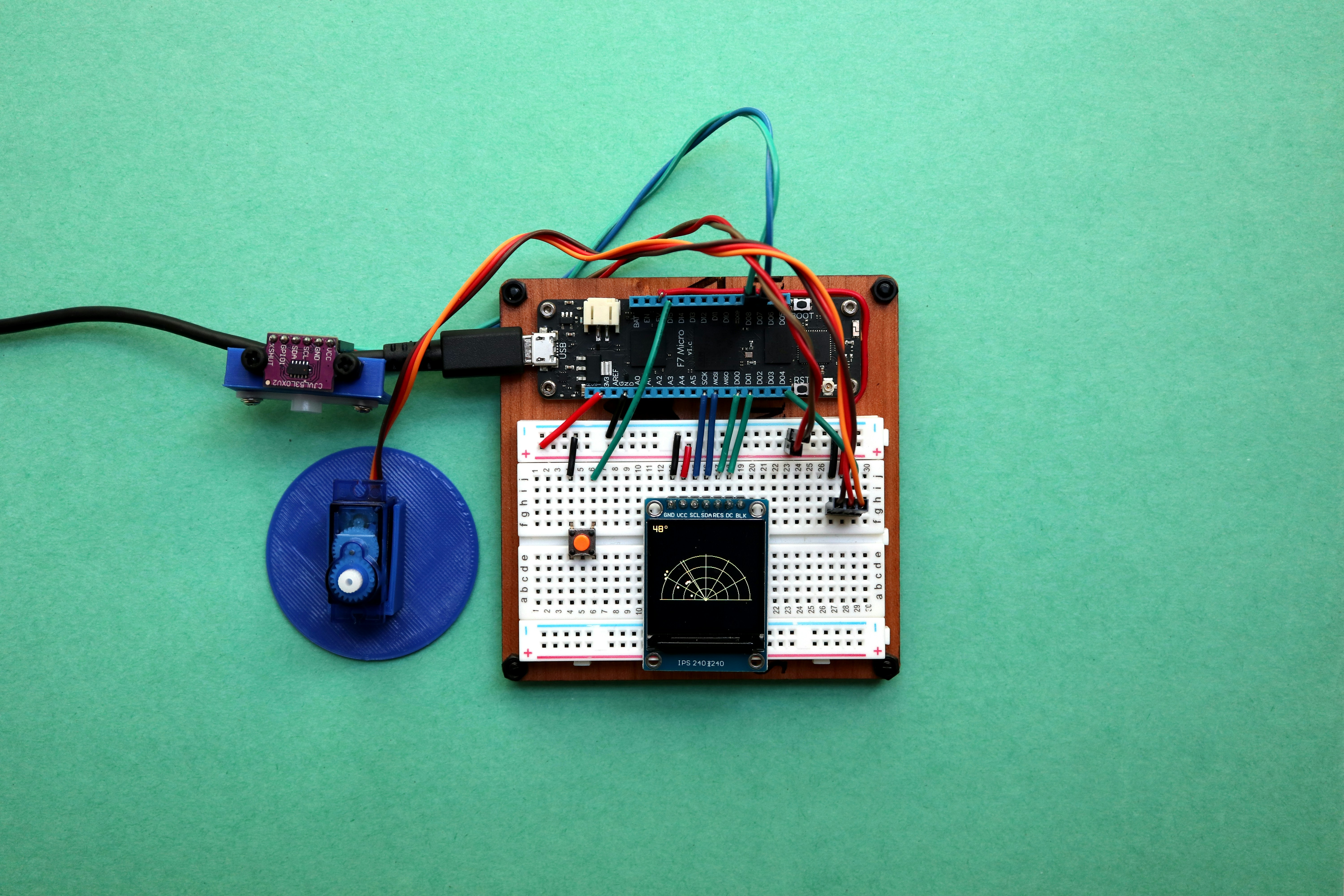
After this deep dive into the electrifying world of robotics coding, the answer is crystal clear: Yes, robotics absolutely has coding — and it’s the very heartbeat of the entire field. From the simplest line-following robot to the most sophisticated industrial arm or AI-powered autonomous drone, code is what breathes life into metal and circuits.
We’ve seen how coding enables robots to sense, think, decide, and act. It’s the invisible thread weaving together sensors, actuators, and processors into a cohesive, functioning system. Whether you’re programming a LEGO Mindstorms bot with block-based code or writing complex C++ algorithms for a KUKA industrial robot, the principle is the same: without code, there is no robot behavior.
Along the way, we explored the essential programming languages, the challenges that every robotics coder faces, and the exciting future where AI, cloud robotics, and swarm intelligence redefine what robots can do. We also highlighted how hardware and software integration is a delicate dance that requires precision, patience, and expertise.
If you’re wondering how to get started, remember: the journey begins with curiosity and a willingness to learn. Start small, embrace challenges, and build your skills step-by-step. The robotics community is vibrant and supportive, ready to help you bring your robotic dreams to life.
So, does robotics have coding? It’s not just a yes or no question — it’s a resounding YES! And it’s coding that transforms robots from inert machines into intelligent, autonomous partners that are shaping our future.
Ready to jump in? Check out some of the fantastic kits and resources we mentioned, and start coding your own robot today!
🔗 Recommended Links for Robotics Coding Enthusiasts
👉 Shop Robotics Kits and Platforms:
-
LEGO Mindstorms Robot Inventor:
Amazon | Walmart | LEGO Official Website -
Arduino Uno R3:
Amazon | Walmart | Arduino Official Website -
Raspberry Pi 4 Model B:
Amazon | Walmart | Raspberry Pi Official Website -
Ozobot Robots:
Amazon | Ozobot Official Website -
VEX Robotics Kits:
Amazon | VEX Robotics Official Website -
Books for Robotics Coding:
-
Getting Started with Arduino by Massimo Banzi
Amazon Link -
Programming Robots with ROS by Morgan Quigley et al.
Amazon Link -
Learning OpenCV 4 Computer Vision with Python by Joseph Howse
Amazon Link -
Raspberry Pi Robotics Projects by Richard Grimmett
Amazon Link
-
❓ Frequently Asked Questions About Robotics and Coding
Is Python or C# better for robotics?
Both languages have their strengths, but **Python** is generally preferred in robotics due to its simplicity, vast libraries (especially for AI and machine learning), and strong integration with frameworks like ROS. **C#** is less common but can be useful for Windows-based robot applications or when developing with Microsoft technologies. For embedded systems and real-time control, C++ often outperforms both.
Does robotics need coding?
**Absolutely!** Coding is essential for programming robot behaviors, processing sensor data, and controlling actuators. Without code, robots cannot perform autonomous or intelligent tasks.
Do robots have code?
Yes, robots run software code that instructs their hardware how to behave. This code can range from simple scripts controlling motors to complex AI algorithms enabling autonomous decision-making.
Is robotics similar to coding?
Robotics and coding are deeply intertwined but not identical. Robotics includes hardware design, mechanical engineering, and electronics, while coding is the software aspect that controls and programs the robot’s behavior.
Is coding required for robotics?
Yes, coding is required to program, control, and enable robots to perform tasks autonomously or semi-autonomously.
What programming languages are commonly used in robotics?
Common languages include **Python**, **C++**, **Java**, **MATLAB**, and specialized languages like **Ladder Logic** for industrial robots. The choice depends on the robot’s application and hardware.
How does coding impact the functionality of robots?
Coding defines how a robot interprets sensor data, makes decisions, and controls its movements and actions. It directly impacts the robot’s intelligence, adaptability, and reliability.
Can beginners learn coding for robotics easily?
Yes! With accessible platforms like LEGO Mindstorms, Arduino, and online tutorials, beginners can start learning robotics coding with minimal prior experience.
What are the basic coding skills needed for robotics?
Fundamental skills include understanding variables, control structures (loops, conditionals), functions, and basic algorithms. Familiarity with hardware interaction and sensor data processing is also helpful.
How do sensors and coding work together in robotics?
Sensors collect data from the environment, and coding processes this data to make decisions. For example, code might read a distance sensor to avoid obstacles or a camera feed to recognize objects.
Is coding necessary for building and controlling robots?
Yes, coding is necessary to program robot behavior, control hardware components, and enable autonomous operation.
What are some popular coding platforms for robotics projects?
Popular platforms include **Arduino IDE** (for microcontrollers), **ROS** (Robot Operating System), **LEGO Mindstorms software**, and **Raspberry Pi** with Python. These platforms offer tools and libraries tailored for robotics development.
How important is simulation in robotics coding?
Simulation allows developers to test and refine robot code in a virtual environment before deploying it on physical hardware, saving time and reducing risk.
Can robotics coding be done without hardware?
Yes, using simulators like Gazebo or V-REP, you can write and test robot code virtually, which is especially useful for learning and prototyping.
What role does AI play in robotics coding?
AI enables robots to learn from data, adapt to new situations, and perform complex tasks that are difficult to program explicitly, such as vision recognition and natural language understanding.
Are there coding standards for robotics?
While no universal standard exists, many organizations follow best practices for safety, reliability, and maintainability, especially in industrial and medical robotics.
📚 Reference Links and Further Reading
- Is coding needed for Robotics study? – Quora
- The Future of Robotics and Coding – FutureLearn
- McGregor students make their Ozobots move on demand, bringing coding, robotics and automation to life in the classroom – Rochester Community Schools Facebook
- LEGO Mindstorms Official Website
- Arduino Official Website
- Raspberry Pi Official Website
- Ozobot Official Website
- VEX Robotics Official Website
- Robot Operating System (ROS) Wiki
- OpenCV Documentation
- TensorFlow Tutorials
- PyTorch Tutorials
Ready to start your robotics coding adventure? Dive into these resources, grab a kit, and let your creativity run wild! 🚀