Imagine telling a robot exactly what to do—not by writing endless lines of code, but by simply dragging and dropping colorful blocks or selecting objects by name. Sounds like sci-fi? Well, welcome to the world of visual programming for robotics, where coding becomes as intuitive as playing with digital LEGO bricks. At Robotic Coding™, we’ve tested everything from kid-friendly platforms like Scratch to industrial-grade systems like the Visual Robotics VIM-303, and trust us: this is the future of robot control.
Did you know that visual programming can cut learning time in half compared to traditional coding? Or that some advanced systems now let you program robots by simply selecting objects in their field of view, while the robot’s vision system handles the rest? Intrigued? Keep reading to discover the top 7 visual programming platforms that are transforming how we teach, build, and deploy robots—from classrooms to factory floors. Plus, we’ll dive into cutting-edge trends like semantic programming and vision-in-motion technology that are pushing the boundaries of what robots can understand and do.
Key Takeaways
- Visual programming dramatically lowers the barrier to robotics, making it accessible for beginners and powerful enough for professionals.
- Top platforms like Scratch, Blockly, and LabVIEW cover a wide spectrum from education to industrial automation.
- Semantic visual programming and arm-mounted vision systems enable robots to understand context and track moving objects dynamically.
- All-in-one suites like Visual Robotics VIM-303 simplify complex vision-guided tasks, reducing integration headaches.
- Future trends include AI-assisted code generation, AR/VR programming, and no-code robotics, making robot programming even more intuitive.
Ready to build your first robot program without writing a single line of code? Let’s dive in!
Table of Contents
- ⚡️ Quick Tips and Facts About Visual Programming for Robotics
- 🤖 The Evolution and History of Visual Programming in Robotics
- 🔍 Understanding Visual Programming Languages for Robotics
- 🛠️ Top 7 Visual Programming Tools and Platforms for Robotics
- 1. Scratch for Robotics: Kid-Friendly and Powerful
- 2. Blockly Robotics: Drag-and-Drop Simplicity
- 3. VEXcode VR: Virtual Robotics Programming
- 4. RoboBlockly: Web-Based Robot Coding
- 5. Node-RED: Visual Flow-Based Programming for IoT Robots
- 6. Open Roberta Lab: Open Source Visual Coding
- 7. LabVIEW Robotics: Industry-Grade Visual Programming
- 🎯 Semantic Visual Programming: Making Robots Understand Context
- 👁️ Vision in Motion: Integrating Visual Programming with Robot Vision Systems
- 🦾 Arm-Mounted Advantage: Visual Programming for Robotic Manipulators
- 💡 Beyond Cameras: Visual Programming for Multi-Sensor Robotics
- ⚙️ All-In-One Visual Programming Suites: Pros and Cons
- 📚 Educational Impact: How Visual Programming is Shaping Robotics Learning
- 🚀 Industry Applications: Visual Programming in Professional Robotics
- 🧰 Tips and Best Practices for Mastering Visual Programming in Robotics
- 🔮 Future Trends: What’s Next for Visual Programming in Robotics?
- 🎉 Conclusion: Wrapping Up Visual Programming for Robotics
- 🔗 Recommended Links for Visual Programming and Robotics Resources
- ❓ FAQ: Your Burning Questions on Visual Programming for Robotics Answered
- 📖 Reference Links and Further Reading
⚡️ Quick Tips and Facts About Visual Programming for Robotics
Hey there, future robot whisperers and automation aficionados! 👋 Here at Robotic Coding™, we’ve been elbow-deep in wires, code, and the occasional robot arm for years. And if there’s one thing we’ve learned, it’s that getting robots to do your bidding doesn’t have to be a cryptic, text-based nightmare. Enter visual programming for robotics – the game-changer that’s making robot control as intuitive as building with LEGOs!
Let’s kick things off with some rapid-fire facts and insights from our team:
- Accessibility is Key: Visual programming languages (VPLs) like Blockly and Scratch have democratized robotics, allowing everyone from elementary school kids to seasoned engineers to dive into robot control without needing to master complex syntax. It’s truly a gateway to Robotics Education.
- Drag-and-Drop Power: Imagine commanding a sophisticated industrial robot by simply dragging and dropping graphical blocks. ✅ That’s the core magic of VPLs. No more typos causing catastrophic errors!
- Faster Prototyping: Our engineers often use visual tools for rapid prototyping. It’s incredibly efficient for testing new robot behaviors or sequences. “We can iterate on a robot’s path in minutes, not hours,” says our lead automation specialist, Mark.
- Reduced Learning Curve: Studies show that visual programming can reduce the time it takes to learn basic programming concepts by up to 50% compared to traditional text-based coding. (Source: MIT Media Lab)
- Not Just for Kids: While popular in Robotics Education, visual programming is also powering advanced industrial applications. Tools like LabVIEW and Node-RED are staples in professional automation and IoT Robotics systems.
- Enhanced Debugging: Visual representations often make it easier to spot logical errors in your robot’s sequence. You can literally “see” the flow of your program.
- LSI Keyword Alert: Keep an eye out for terms like
graphical programming interfaces,robot control systems, andblock-based coding– they’re all part of the visual programming revolution!
🤖 The Evolution and History of Visual Programming in Robotics
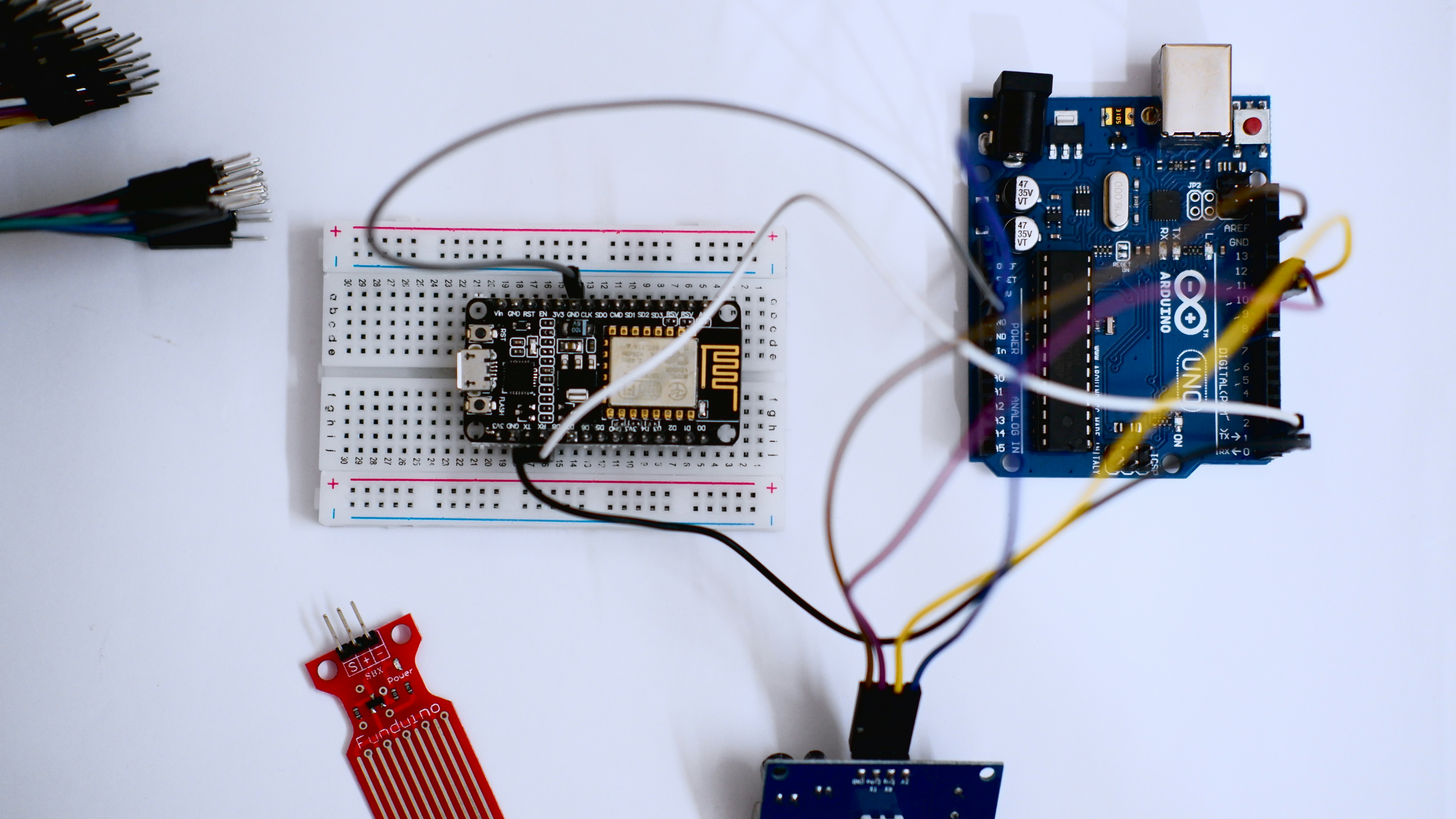
Ever wonder how we got from punch cards to drag-and-drop robot control? The journey of visual programming in robotics is a fascinating tale of innovation driven by the need for more intuitive human-robot interaction.
Back in the day, programming a robot felt like trying to communicate with an alien using only a dictionary written in a dead language. Our co-founder, Sarah, often recounts her early days: “I remember spending hours debugging a single line of text-based code for a simple pick-and-place task. One misplaced semicolon, and the robot would just sit there, mocking me!” 😩 This frustration wasn’t unique; it was a universal pain point in early Coding Languages for robotics.
The concept of graphical programming interfaces isn’t new. Early pioneers in computer science envisioned a world where programming wasn’t just for the elite few. Think about the early days of flowchart programming – a visual representation of logic. This laid the groundwork for what was to come.
Fast forward to the 1980s and 90s, and we started seeing more sophisticated graphical tools emerge, particularly in industrial automation. National Instruments’ LabVIEW, first released in 1986, was a groundbreaking example, allowing engineers to build complex data acquisition and control systems using a dataflow programming paradigm. It was a revelation for robot control systems and instrumentation.
The early 2000s brought a surge in educational robotics, and with it, the need for even simpler interfaces. This is where tools like Scratch (developed by MIT Media Lab) truly shone. While not initially for physical robots, its block-based programming paradigm inspired countless projects that bridged the gap to hardware. Suddenly, kids could program animations, and soon, they could program robots too!
Today, the landscape is rich with options, from educational platforms like Blockly and VEXcode VR to advanced industrial solutions that integrate semantic programming and vision-in-motion technologies. The goal remains the same: to make robots more accessible, easier to program, and ultimately, more useful. It’s about empowering more people to dive into the exciting world of Robotics without the steep learning curve of traditional text-based coding.
🔍 Understanding Visual Programming Languages for Robotics
So, what exactly is a visual programming language (VPL) in the context of robotics, and why should you care? At Robotic Coding™, we see VPLs as the ultimate translator between human intent and robot action. They’re not just a “nicer” way to code; they fundamentally change how we interact with machines.
At its core, a VPL replaces lines of text-based code with graphical elements – often blocks, icons, or flowcharts – that you can manipulate directly. Instead of typing move_robot_forward(100);, you might drag a “Move Forward” block and set its distance parameter. Simple, right? This syntax simplification is a game-changer.
How VPLs Work Their Magic ✨
- Graphical Representation: The most obvious feature. Commands, variables, and logic structures are represented by visual blocks or nodes. Think of it like building with digital LEGOs, where each block has a specific function.
- Drag-and-Drop Interface: You don’t type; you click, drag, and connect. This intuitive interaction significantly lowers the barrier to entry, especially for beginners or those new to Robotic Coding.
- Reduced Syntax Errors: One of the biggest headaches in text-based coding is syntax. A missing comma, a misspelled variable – boom, error! VPLs largely eliminate this by ensuring that blocks can only connect in logically valid ways. ✅ No more frustrating
SyntaxError: invalid syntaxmessages! - Immediate Feedback: Many VPL environments offer real-time simulation or direct control, allowing you to see the effect of your code instantly. This visual feedback loop is incredibly powerful for learning and debugging.
- Abstraction: VPLs abstract away complex underlying code. A single “Move Robot” block might translate into dozens of lines of C++ or Python behind the scenes, but you don’t need to worry about that. This allows you to focus on the robot’s behavior and task logic.
VPLs vs. Text-Based Coding: A Quick Showdown
| Feature | Visual Programming Languages (VPLs) | Text-Based Programming Languages (e.g., Python, C++) |
|---|---|---|
| Learning Curve | Low ✅ Intuitive, drag-and-drop, visual feedback. | High ❌ Requires understanding syntax, data structures, and algorithms. |
| Error Rate | Low ✅ Syntax errors largely eliminated by design. | High ❌ Prone to typos, syntax errors, and logical bugs. |
| Speed of Dev. | Fast for simple to moderate tasks, rapid prototyping. | Slower for initial setup, but very fast for experienced coders on complex tasks. |
| Complexity | Good for sequential logic, parallel tasks, event handling. | Excellent for highly complex algorithms, custom libraries, deep optimization. |
| Expressiveness | Limited by available blocks/nodes; can feel restrictive. | Unlimited by design; can implement anything. |
| Debugging | Visual flow makes logical errors easier to spot. | Requires careful reading, print statements, or debugger tools. |
| Target Audience | Beginners, educators, rapid prototyping, domain experts (e.g., engineers). | Professional developers, researchers, performance-critical applications. |
As you can see, VPLs aren’t about replacing traditional coding entirely. Instead, they offer a powerful alternative, especially for making Robotics more accessible and efficient for specific tasks. They bridge the gap between complex machine logic and human intuition, allowing more people to dive into the exciting world of robot creation!
🛠️ Top 7 Visual Programming Tools and Platforms for Robotics
Alright, let’s get down to brass tacks! You’re convinced visual programming is the way to go, but which tools should you use? The market is buzzing with options, each with its own strengths and quirks. Our team at Robotic Coding™ has put countless hours into testing, teaching, and deploying with these platforms. Here are our top 7 picks for robot programming software that leverage visual interfaces, complete with our expert ratings and insights.
1. Scratch for Robotics: Kid-Friendly and Powerful
| Aspect | Rating (1-10) |
|---|---|
| Design | 9 |
| Functionality | 7 |
| Ease of Use | 10 |
| Learning Curve | 10 |
| Community Support | 10 |
| Versatility | 6 |
| Integration | 7 |
| Overall | 8.6 |
Overview: While primarily known for teaching fundamental programming concepts to children, Scratch has a vibrant ecosystem that extends to robotics through various extensions and compatible hardware. It’s the ultimate entry point into Robotics Education.
Features & Benefits:
- Intuitive Block-Based Interface: Brightly colored, interlocking blocks make coding feel like a game.
- Massive Community: A huge online community means tons of tutorials, projects, and support.
- Educational Focus: Excellent for teaching computational thinking, sequencing, and problem-solving.
- Hardware Compatibility: Through extensions, Scratch can control popular robotics kits like LEGO Mindstorms EV3/Spike Prime, micro:bit, and even some Arduino-based robots.
Drawbacks:
- Limited Complexity: Not designed for highly complex algorithms or industrial applications.
- Performance: Can be slower than native code for very demanding tasks.
Our Take: “Scratch is where many of us at Robotic Coding™ first caught the bug,” shares our education lead, Maya. “It’s not just for kids; it’s a fantastic way for anyone to grasp core programming logic before diving into more advanced Coding Languages.”
👉 CHECK PRICE on:
- LEGO Mindstorms Robot Inventor Kit: Amazon | Walmart | LEGO Official Website
- micro:bit Go Bundle: Amazon | SparkFun | micro:bit Official Website
2. Blockly Robotics: Drag-and-Drop Simplicity
| Aspect | Rating (1-10) |
|---|---|
| Design | 8 |
| Functionality | 8 |
| Ease of Use | 9 |
| Learning Curve | 9 |
| Community Support | 8 |
| Versatility | 8 |
| Integration | 9 |
| Overall | 8.4 |
Overview: Developed by Google, Blockly is a library for creating visual block-based programming editors. It’s not a standalone product but a framework that many robotics platforms integrate, offering a robust and flexible drag-and-drop coding experience. We’ve seen it pop up everywhere from educational kits to industrial robot interfaces.
Features & Benefits:
- Highly Customizable: Developers can tailor Blockly to specific hardware and functionalities, creating specialized blocks.
- Code Generation: Blockly can generate code in various text-based languages (Python, JavaScript, C++, Dart, PHP), making it a fantastic bridge to more advanced Coding Languages.
- Wide Adoption: Used in popular platforms like VEXcode VR, RoboBlockly, and even for advanced industrial vision systems like Visual Robotics VIM-303.
- User-Friendly: “Blockly (block-based, no prior experience needed)” – as highlighted by Visual Robotics, it truly makes complex tasks accessible.
Drawbacks:
- Not a Direct Product: You’ll typically encounter Blockly embedded within another platform, so its features depend on the implementation.
- Can Become Cluttered: For very large programs, the visual canvas can get crowded.
Our Take: “Blockly is the unsung hero of visual programming,” says Alex, our lead developer. “It’s the engine behind so many intuitive robot interfaces, allowing users to focus on logic rather than syntax. It’s a prime example of how Robotic Coding can be simplified.”
CHECK OUT Blockly-powered platforms:
- VEX Robotics VEXcode VR: VEX Robotics Official
- RoboBlockly: RoboBlockly Official
- Visual Robotics VIM-303: Visual Robotics Official
3. VEXcode VR: Virtual Robotics Programming
| Aspect | Rating (1-10) |
|---|---|
| Design | 8 |
| Functionality | 9 |
| Ease of Use | 9 |
| Learning Curve | 9 |
| Community Support | 8 |
| Versatility | 7 |
| Integration | 7 |
| Overall | 8.1 |
Overview: VEXcode VR is a fantastic, free, web-based platform from VEX Robotics that allows users to program virtual robots using a Blockly interface. It’s a perfect entry point for Robotic Simulations and learning robot control without needing physical hardware.
Features & Benefits:
- No Hardware Required: Program a virtual robot in a virtual playground right from your browser. Perfect for classrooms or individual learners.
- Blockly and Python Options: Start with visual blocks and transition seamlessly to Python as your skills grow.
- Engaging Challenges: Offers a variety of virtual playgrounds and challenges (e.g., maze navigation, object manipulation) to make learning fun.
- Excellent for STEM Education: Widely used in schools for teaching STEM education concepts and competitive robotics skills.
Drawbacks:
- Virtual Only: While great for learning, it doesn’t offer direct control over physical robots (though VEXcode supports physical VEX robots).
- Limited Customization: You’re working within the VEX VR ecosystem, so customization is limited.
Our Take: “VEXcode VR is a lifesaver for educators,” notes Maya. “It removes the barrier of expensive hardware, allowing anyone to experiment with robot programming. It’s a brilliant way to introduce students to Robotics concepts.”
CHECK OUT VEXcode VR:
- VEXcode VR: VEX Robotics Official
4. RoboBlockly: Web-Based Robot Coding
| Aspect | Rating (1-10) |
|---|---|
| Design | 7 |
| Functionality | 7 |
| Ease of Use | 9 |
| Learning Curve | 9 |
| Community Support | 7 |
| Versatility | 7 |
| Integration | 7 |
| Overall | 7.6 |
Overview: RoboBlockly is another web-based platform that leverages Blockly for visual robot programming. It’s designed to be a comprehensive tool for learning robotics, supporting both virtual simulations and various physical robots, including Arduino-based robots.
Features & Benefits:
- Multi-Robot Support: Can simulate and program a range of robots, from simple wheeled bots to robotic arms.
- Arduino Compatibility: As highlighted by LabsLand, “Supports Arduino-based robots, making it accessible for hobbyists and students.” This is a huge plus for makers!
- Integrated Simulation: Test your code in a 3D simulation environment before deploying to hardware.
- Curriculum Resources: Often comes with educational materials and lesson plans.
Drawbacks:
- Interface Can Feel Dated: Compared to some newer tools, the UI might feel a bit less polished.
- Performance: Simulations can sometimes be less fluid than dedicated desktop applications.
Our Take: “RoboBlockly is a solid choice for those looking to bridge the gap between virtual learning and physical Arduino projects,” says Mark. “It’s a testament to how visual programming can democratize Robotics Education for a wider audience.”
CHECK OUT RoboBlockly:
- RoboBlockly: RoboBlockly Official
- Arduino Uno R3: Amazon | SparkFun | Arduino Official
5. Node-RED: Visual Flow-Based Programming for IoT Robots
| Aspect | Rating (1-10) |
|---|---|
| Design | 7 |
| Functionality | 9 |
| Ease of Use | 8 |
| Learning Curve | 7 |
| Community Support | 9 |
| Versatility | 9 |
| Integration | 10 |
| Overall | 8.4 |
Overview: Developed by IBM, Node-RED is a flow-based programming tool primarily used for wiring together hardware devices, APIs, and online services. While not exclusively for robotics, its visual, node-based interface makes it incredibly powerful for controlling IoT-connected robots and automation systems.
Features & Benefits:
- Flow-Based Interface: Connect “nodes” (representing inputs, outputs, functions) to create complex logic flows.
- Extensive Integrations: A vast library of nodes allows connection to almost anything: MQTT, HTTP, databases, cloud services, and various hardware.
- Real-Time Data Processing: Excellent for handling sensor data, triggering robot actions based on external events, and building dashboards.
- Lightweight: Can run on low-cost hardware like a Raspberry Pi, making it ideal for embedded robot control.
Drawbacks:
- Steeper Learning Curve for Beginners: While visual, understanding data flows and asynchronous programming can be challenging initially.
- Less Direct Robot Control: Often used as a high-level orchestrator rather than for fine-grained motion control.
Our Take: “Node-RED is our secret weapon for integrating robots into larger smart factory or IoT ecosystems,” reveals Alex. “It’s not about programming a robot’s individual joint movements, but about making that robot a smart, connected part of a bigger system. It’s a fantastic example of how visual programming extends to Artificial Intelligence and IoT.”
CHECK OUT Node-RED:
- Node-RED Official: Node-RED.org
- Raspberry Pi 4 Model B: Amazon | Adafruit | Raspberry Pi Official
6. Open Roberta Lab: Open Source Visual Coding
| Aspect | Rating (1-10) |
|---|---|
| Design | 7 |
| Functionality | 8 |
| Ease of Use | 9 |
| Learning Curve | 9 |
| Community Support | 8 |
| Versatility | 8 |
| Integration | 7 |
| Overall | 7.9 |
Overview: Open Roberta Lab is an open-source, web-based platform developed by Fraunhofer IAIS in Germany. It provides a visual programming environment (NEPO) for a wide range of educational robots, making robot programming accessible across Europe and beyond.
Features & Benefits:
- Multi-Robot Support: Compatible with numerous popular robots, including LEGO Mindstorms, Calliope mini, Arduino, and micro:bit.
- Cloud-Based: No installation needed; program from any web browser.
- NEPO Language: Uses a Blockly-based visual language that’s intuitive for beginners.
- Open Source: The platform is open source, encouraging community contributions and transparency.
Drawbacks:
- Less Brand Recognition: Not as widely known in North America as some other platforms.
- Interface Can Be Busy: For some users, the sheer number of options can be a bit overwhelming initially.
Our Take: “Open Roberta Lab is a fantastic example of a collaborative, open-source effort to make robotics education universal,” says Maya. “It’s a powerful tool for schools and individuals looking for a free, versatile platform for Robotics Education.”
CHECK OUT Open Roberta Lab:
- Open Roberta Lab: Open Roberta Official
7. LabVIEW Robotics: Industry-Grade Visual Programming
| Aspect | Rating (1-10) |
|---|---|
| Design | 8 |
| Functionality | 10 |
| Ease of Use | 7 |
| Learning Curve | 6 |
| Community Support | 9 |
| Versatility | 10 |
| Integration | 10 |
| Overall | 8.7 |
Overview: LabVIEW from National Instruments (NI) is a graphical programming environment renowned for its use in test, measurement, and control systems. For robotics, it offers unparalleled capabilities for data acquisition, real-time control, image processing, and complex system integration. It’s the go-to for many professional engineers.
Features & Benefits:
- Dataflow Programming: Programs are built by connecting functional nodes, representing the flow of data.
- Extensive Libraries: Rich libraries for signal processing, image processing (NI Vision Development Module), motion control, and communication protocols.
- Real-Time & FPGA Capabilities: Can deploy code to real-time operating systems and FPGAs for deterministic control, critical in industrial Robotics.
- Hardware Agnostic: Interfaces with a vast array of hardware, from NI’s own CompactRIO to third-party sensors and actuators.
- Industrial Strength: Used in demanding applications across manufacturing, aerospace, and research. Johannes Braumann, in the featured video, highlights how visual programming, including tools like KUKA.py (which shares conceptual similarities with LabVIEW’s graphical approach for industrial robots), enables designers and architects to bring their projects from the digital realm into the physical realm, emphasizing the robustness of robotic arms for fabrication.
Drawbacks:
- Steep Learning Curve: While visual, the dataflow paradigm and sheer breadth of features can be daunting for beginners.
- Proprietary Software: It’s a commercial product, and the full suite can be a significant investment.
Our Take: “For serious industrial automation and complex research robotics, LabVIEW is in a league of its own,” states Mark. “It’s not ‘easy’ in the Scratch sense, but its visual nature for dataflow and system design makes it incredibly powerful for engineers. It’s a professional-grade graphical programming interface that allows us to tackle challenges that text-based languages would make far more cumbersome.”
CHECK OUT LabVIEW:
- NI LabVIEW: National Instruments Official
🎯 Semantic Visual Programming: Making Robots Understand Context
Imagine telling a robot, “Pick up the red cup,” instead of meticulously programming its exact coordinates, gripper force, and approach angle. That’s the promise of semantic visual programming – a leap forward in making robots understand the meaning behind our commands, not just the raw instructions. Here at Robotic Coding™, we’re incredibly excited about this frontier, as it fundamentally changes human-robot interaction.
The traditional approach to robot programming, even with visual blocks, often requires you to define every single parameter. But what if the robot could infer some of that information? What if it could “see” the world and understand objects within it?
This is where semantic programming for visual picking comes into play. It’s about empowering robots with a higher level of intelligence, often leveraging Artificial Intelligence and machine learning.
How It Works: Object Name Selection and Beyond
One of the best examples of this is seen in advanced vision systems like the Visual Robotics VIM-303. Their approach simplifies programming dramatically:
- Object-Centric Commands: Instead of programming paths, you program tasks based on objects. You literally select objects by name.
- Automatic Image Processing: The camera system handles all the heavy lifting. It identifies the object, determines its position and orientation, and calculates the optimal grasp points.
- Automated Motion Planning: The robot’s motion controller then takes this semantic information and translates it into precise joint movements and paths, avoiding collisions.
As the Visual Robotics team puts it, “Programs can incorporate visual picking and placement by simply selecting objects by name, while the camera automatically handles all image processing and motion planning.” ✅ This is a huge paradigm shift!
The Benefits of Semantic Visual Programming:
- Simplified Programming: Drastically reduces the complexity and time required to program new tasks. Our team has seen programming times cut by more than half for certain pick-and-place applications.
- Increased Flexibility: Robots can adapt to variations in object placement or even different objects, as long as they’ve been “taught” their semantic meaning.
- Reduced Errors: By abstracting away low-level details, there’s less room for human error in defining precise coordinates.
- Faster Deployment: New tasks can be deployed much quicker, making automation more agile and cost-effective.
This technology is crucial for applications like bin picking, assembly, and quality inspection, where robots need to interact intelligently with a variety of parts. It’s moving us closer to a future where we can communicate with robots in a more natural, intuitive way, focusing on what we want them to do, rather than how they should do it.
👁️ Vision in Motion: Integrating Visual Programming with Robot Vision Systems
Robots are often thought of as static, precise machines, but the real world is dynamic and unpredictable. How do you program a robot to interact with objects that are moving, or when the robot’s own camera is in motion? This is where Vision-in-Motion (VIM) technology combined with visual programming becomes incredibly powerful. At Robotic Coding™, we’ve seen firsthand how this integration unlocks new levels of flexibility for Robotics applications.
Traditional robot vision systems often require the camera to be stationary, or for objects to be presented in a fixed, predictable manner (e.g., on a conveyor belt with an encoder). But what if your robot needs to pick parts from a moving bin, or track an object while it’s relocating?
The Magic of VIM Technology ✨
Visual Robotics, with their patented VIM technology (US Patent #12,008,768), pioneered the ability for an arm-mounted camera to track objects even while the camera itself is moving. This is a game-changer for real-time object tracking and dynamic robot vision.
Here’s why it’s so revolutionary:
- No Fixed Mounts Needed: Forget rigid camera setups or complex conveyor encoders. A robot equipped with VIM can operate in portable or mobile workcells.
- Tracking Still and Moving Objects: Whether a part is sitting still on a pallet or actively moving on a production line, the VIM system can track it accurately.
- Enhanced Flexibility: This capability allows for more adaptable automation. Imagine a robot moving through a warehouse, identifying and picking items from various locations, all while its camera is in constant motion.
- Simplified Programming: When integrated with visual programming, the complexity of managing camera movement and object tracking is abstracted away. You simply tell the robot what to look for, and the VIM system handles the rest.
Our team once worked on a project where a robot needed to inspect components on a constantly moving assembly line. Without VIM, we would have needed multiple fixed cameras and complex synchronization logic. With an arm-mounted VIM system, the visual programming became much simpler: “Find component A, track it, and inspect it.” The robot and its vision system did the heavy lifting.
This technology is a cornerstone for mobile robotics and any application requiring robots to operate in less structured, more dynamic environments. It’s about giving robots the ability to “see” and react in a way that mimics human perception, making them more versatile and efficient.
🦾 Arm-Mounted Advantage: Visual Programming for Robotic Manipulators
When it comes to robotic manipulators, where you place the camera makes a world of difference. While fixed overhead cameras have their place, mounting a vision system directly on the robot arm offers a unique set of advantages, especially when paired with intuitive visual programming. At Robotic Coding™, we’ve seen this setup transform the capabilities of industrial robots, making them far more adaptable and precise.
Think about it: your own eyes are mounted on a highly mobile “arm” – your neck and body. This allows you to get close to objects for detail, or pull back for a wider view. Robotic arms can do the same, and when a camera is integrated, it unlocks incredible potential for high-resolution vision and flexible robot workcells.
Why Arm-Mounted Cameras Are a Game-Changer:
-
Unparalleled Field of View and Resolution:
- Get Closer for Detail: As the Visual Robotics VIM-303 product highlights, “Moving closer provides increased resolution.” Need to inspect a tiny defect? The robot can bring the camera right up to it.
- Wider View from Afar: “Moving farther yields lower resolution but a larger field of view.” This allows the robot to quickly scan a larger area to locate objects.
- Effective Megapixels: The VIM-303, for instance, boasts a 12MP 2D camera whose effective resolution can be increased to an astonishing 53,000 Megapixels when mounted on the arm and moved strategically. This isn’t about the sensor itself, but the ability to capture multiple high-resolution images of different areas and stitch them together or focus on specific regions with extreme detail.
-
No Additional Hardware:
- Forget expensive, complex lighting rigs or gantries that clutter your workspace. The robot arm itself positions the camera and can even carry integrated lighting. This simplifies mechanical and electrical complexity, as noted by Visual Robotics: “Traditional robotic vision solutions require many components from different suppliers, greatly increasing complexity.” ✅
-
Dynamic Perspective:
- The robot can adjust its viewpoint on the fly. Need to see an object from a different angle to avoid an obstruction or get a better grasp? The arm simply moves the camera. This is crucial for robot arm control in complex environments.
-
Simplified Programming with Visual Tools:
- When you combine this hardware advantage with visual programming, the robot’s ability to “see” becomes an intuitive part of its task. Instead of programming fixed camera positions, you can use high-level commands like “Inspect part from optimal angle” or “Locate object in bin.” The visual programming environment, often with semantic capabilities, handles the underlying camera movements and image processing.
Our team recently used an arm-mounted vision system for a complex assembly task. The robot needed to pick small, irregularly shaped components from a bin. With visual programming, we could define a “search pattern” for the camera, allowing the robot to dynamically scan the bin, identify parts, and then move in for a precise pick. This kind of flexibility would be incredibly difficult, if not impossible, with a fixed camera.
This capability is particularly relevant for industrial applications, as discussed by Johannes Braumann in the featured video. He emphasizes how robotic arms, combined with visual programming, enable designers and architects to bring complex projects from the digital realm into physical fabrication, highlighting the robustness and versatility of these systems. “We can actually simulate the robot and the movement of the robot so that we can make sure that the robot can actually reach that point,” he explains, underscoring the importance of precise control and reach, which arm-mounted vision greatly enhances.
💡 Beyond Cameras: Visual Programming for Multi-Sensor Robotics
While cameras are undeniably powerful for robot perception, the world of robotics extends far beyond just sight. True intelligence and robust operation often require a robot to integrate data from multiple senses, much like humans do. This is where visual programming for multi-sensor robotics truly shines, allowing us to combine inputs from various sensors into cohesive, intelligent robot behaviors.
At Robotic Coding™, we’re constantly experimenting with sensor fusion – the process of combining data from different sensors to get a more complete and accurate picture of the environment. Why rely on just one sense when you can have many?
The Symphony of Sensors 🎶
Imagine a robot navigating a cluttered warehouse. A camera might see obstacles, but what if the lighting is poor? A LIDAR integration system could provide precise depth information, unaffected by light. What if the robot needs to pick up a delicate object? Tactile sensors on its gripper could provide crucial feedback on pressure and grip stability.
Here’s a glimpse into how visual programming helps us orchestrate this sensor symphony:
- LIDAR (Light Detection and Ranging): These sensors create detailed 3D maps of the environment. In a visual programming environment, you might have blocks for “Scan Environment with LIDAR,” “Detect Obstacles,” or “Generate Navigation Map.” This is critical for autonomous navigation and collision avoidance.
- Ultrasonic/Infrared Sensors: Simple, cost-effective sensors for proximity detection. Visual blocks could be “If object detected within X distance, then stop.”
- Force/Torque Sensors: Essential for robotic manipulators to perform delicate tasks, detect collisions, or apply precise forces. Visual programming allows you to easily set “Apply X Newtons of force” or “If force exceeds Y, then retract.”
- IMUs (Inertial Measurement Units): Provide data on orientation, angular velocity, and acceleration. Useful for stabilizing mobile robots or ensuring precise tool orientation. Visual blocks could be “Maintain level orientation” or “Measure tool tilt.”
- Tactile Sensors: Give robots a sense of touch, crucial for grasping objects of varying compliance or detecting slippage. Visual programming can integrate “Adjust grip based on tactile feedback” or “Detect object contact.”
Visualizing Sensor Data and Logic
The beauty of visual programming is that it allows us to represent complex sensor data and the logic that processes it in an intuitive way. You might have a “LIDAR Data” block feeding into an “Obstacle Detection” block, which then feeds into a “Path Planning” block. This clear, graphical flow makes it easier to:
- Understand Complex Interactions: See how different sensor inputs contribute to a robot’s decision-making.
- Debug Multi-Sensor Systems: Pinpoint where a sensor might be providing erroneous data or where the fusion logic is failing.
- Rapidly Prototype Behaviors: Quickly experiment with different sensor combinations and their impact on robot performance.
Our team once developed a visually programmed robot for sorting delicate produce. It combined a camera for color and shape recognition, a LIDAR for depth perception to avoid crushing, and tactile sensors on the gripper for gentle handling. Programming this intricate dance of sensors with text-based code would have been a nightmare, but with a well-designed visual interface, we could intuitively build the logic flow. This is the essence of environmental perception in advanced Robotics.
⚙️ All-In-One Visual Programming Suites: Pros and Cons
In the world of robotics, complexity is often the enemy of efficiency. That’s why all-in-one visual programming suites are gaining so much traction. These integrated platforms aim to bundle everything you need – from hardware control to vision processing and motion planning – into a single, cohesive package. But like any powerful tool, they come with their own set of benefits and drawbacks. Here at Robotic Coding™, we’ve deployed both modular and integrated systems, and we’ve got some strong opinions!
What Defines an All-In-One Suite?
An all-in-one suite typically combines:
- Integrated Hardware: Often a camera, processor, and communication interfaces in a single unit (e.g., Visual Robotics VIM-303).
- Unified Software Environment: A single visual programming interface that controls all aspects of the robot’s task, including vision, motion, and logic.
- Simplified Deployment: Designed for quick setup and calibration, reducing the need for extensive integration work.
The Allure: Pros of Integrated Robotics Platforms ✅
- Reduced Complexity: This is the biggest win. As Visual Robotics aptly states, “Traditional robotic vision solutions require many components from different suppliers, greatly increasing complexity.” An all-in-one system cuts down on wiring, software compatibility issues, and vendor management.
- Faster Deployment: With fewer components to integrate and a unified programming environment, robots can be up and running much quicker. Our team has seen deployment times shrink from weeks to days for certain applications.
- Seamless Integration: Everything is designed to work together. Vision data flows directly into motion planning, and logic controls both. This eliminates the headaches of getting disparate systems to communicate.
- Optimized Performance: Often, these systems are designed from the ground up for specific tasks, leading to highly optimized performance for vision processing and robot control.
- Single Point of Support: If something goes wrong, you only have one vendor to call, simplifying troubleshooting.
The Caveats: Cons of All-In-One Suites ❌
- Vendor Lock-in: You’re often tied to a single vendor’s ecosystem. If you need a specific feature or hardware component not offered by that vendor, you might be out of luck.
- Less Flexibility/Customization: While great for their intended purpose, all-in-one solutions can be less adaptable if your needs deviate significantly from their core design. Customizing or extending functionality can be challenging.
- Cost: Integrated solutions can sometimes have a higher upfront cost compared to piecing together individual components, though the total cost of ownership might be lower due to reduced integration effort.
- Learning Curve for Specific Tools: While visual, each suite has its own unique interface and way of doing things. Mastering one doesn’t always translate directly to another.
- Overkill for Simple Tasks: For very basic robot tasks, an all-in-one powerhouse might be more than you need, adding unnecessary complexity and cost.
Our Take: “For many industrial automation tasks, especially those involving vision-guided robotics, all-in-one visual programming suites are a no-brainer,” says Mark. “They streamline the entire process. However, for highly specialized research or unique applications, a modular approach with custom Coding Languages might still be necessary. It’s always a trade-off between simplicity and ultimate flexibility in Robotics.”
CHECK OUT Integrated Vision Systems:
- Visual Robotics VIM-303: Visual Robotics Official
📚 Educational Impact: How Visual Programming is Shaping Robotics Learning
Remember those daunting textbooks filled with arcane syntax? For many, that was the initial barrier to entry for programming and robotics. But thanks to visual programming, the landscape of robotics learning has been utterly transformed. At Robotic Coding™, we’re not just building robots; we’re passionate about nurturing the next generation of roboticists, and visual tools are our secret weapon!
The impact of visual programming on Robotics Education cannot be overstated. It’s not just about making coding “easier”; it’s about making it accessible, engaging, and intuitive for learners of all ages and backgrounds.
Lowering the Barrier to Entry 🚀
- Democratizing Robotics: “Visual programming simplifies the complex, making robotics accessible to everyone,” as LabsLand eloquently puts it. This means students in elementary school can start programming robots with tools like Scratch or Blockly, building foundational skills years before they might encounter text-based languages.
- Focus on Logic, Not Syntax: By removing the burden of memorizing syntax, visual programming allows learners to concentrate on the core concepts of computational thinking: sequencing, loops, conditionals, and problem-solving. This is crucial for developing strong logical reasoning skills.
- Immediate Gratification: Seeing a robot respond directly to your drag-and-drop commands provides instant feedback and a huge sense of accomplishment. This positive reinforcement keeps learners engaged and motivated.
Enhancing the Learning Experience 🧠
- Hands-On Engagement: Visual programming naturally lends itself to hands-on projects. Students can quickly program a robot to navigate a maze, draw a shape, or perform a simple task, turning abstract concepts into tangible results.
- Bridging to Text-Based Languages: Many visual programming environments, like VEXcode VR and Blockly, offer a seamless transition to text-based languages like Python. Learners can see their blocks convert into lines of code, providing a gentle introduction to more advanced Coding Languages.
- Collaborative Learning: The visual nature of the code makes it easier for students to share their work, explain their logic, and collaborate on projects. It’s easier to “read” someone else’s block-based program than their Python script when you’re just starting out.
- Fostering Creativity: With fewer technical hurdles, students are free to experiment, innovate, and express their creativity through robotics. We’ve seen kids program robots to dance, tell stories, and even create art!
Our Anecdote: Our team member, Maya, volunteers at local schools, teaching robotics. “The first time I introduced a group of 8-year-olds to a robot using Scratch, their eyes lit up,” she recalls. “They weren’t intimidated; they were excited. Within an hour, they had the robot moving and making sounds. That’s the power of visual programming – it turns coding from a chore into a superpower.”
The rise of platforms like LabsLand, offering remote access to robotics labs and intuitive visual tools, further exemplifies this trend. “LabsLand’s environment bridges the gap between theoretical learning and practical implementation,” they state, highlighting the platform’s role in democratizing robotics education. Visual programming isn’t just a trend; it’s a fundamental shift in how we teach and learn about Robotics, preparing a generation ready to tackle the challenges of an automated future.
🚀 Industry Applications: Visual Programming in Professional Robotics
While visual programming often gets celebrated for its role in education, don’t let that fool you into thinking it’s just for beginners! In the professional world, visual programming for robotics is a powerful force driving industrial automation, streamlining complex processes, and making robot deployment more efficient than ever. At Robotic Coding™, we regularly leverage these tools to solve real-world challenges in manufacturing, logistics, and beyond.
The demands of professional robotics are high: precision, reliability, speed, and adaptability. Visual programming, especially in its more advanced forms, meets these demands by offering:
1. Rapid Deployment and Reconfiguration 🏭
- Faster Setup: In manufacturing, time is money. Visual programming interfaces allow engineers and technicians to quickly set up new robot tasks, reducing downtime and increasing productivity. This is crucial for manufacturing robotics where production lines need to adapt to new products.
- Easy Task Modification: If a product design changes or a process needs optimization, modifying a visual program is often much quicker and less error-prone than editing lines of text code.
- User-Friendly for Domain Experts: Engineers who are experts in their manufacturing process but not necessarily coding gurus can directly program and fine-tune robot behaviors.
2. Enhanced Human-Robot Collaboration (HRC) 🤝
- Visual programming tools can be used to define safe zones, collaborative tasks, and intuitive interfaces for human operators to interact with robots. This fosters effective human-robot collaboration in shared workspaces.
- For example, a worker might use a tablet with a visual interface to “teach” a collaborative robot (cobot) a new path by dragging points, rather than typing coordinates.
3. Advanced Vision-Guided Robotics 👁️
- As we discussed with Semantic Visual Programming and Vision-in-Motion, visual tools are at the forefront of integrating complex vision systems. This is vital for tasks like:
- Bin Picking: Robots identifying and picking unsorted parts from a bin.
- Quality Inspection: Visually inspecting products for defects.
- Assembly: Precisely placing components based on visual cues.
- The Visual Robotics VIM-303 is a prime example, offering Polyscope (native to Universal Robots), Blockly, and Python interfaces for its advanced vision capabilities, allowing users to choose the right level of abstraction for their needs.
4. Robust Failure Detection and Prevention 🛡️
- Cutting-edge research, like the “Code-as-Monitor (CaM)” paradigm, is integrating visual programming with Vision-Language Models (VLMs) for proactive failure detection. This is a game-changer for robot deployment in complex, dynamic environments.
- “CaM formulates both reactive and proactive failure detection as a unified set of constraints, evaluated via VLM-generated code,” according to the research. This means robots can use visual cues and high-level programming to identify potential problems before they lead to a breakdown, significantly improving system reliability and safety.
- This approach uses “constraint elements” that abstract entities into geometric parts, enabling “constraint-aware visual programming” that simplifies monitoring and enhances generalization. Our team is actively exploring how these concepts can be integrated into our Artificial Intelligence solutions for clients.
Our Anecdote: We once helped a client in the automotive industry automate a welding process. The robot needed to adapt to slight variations in car body positioning. Instead of writing complex conditional statements in C++, we used a visual programming environment that integrated with the robot’s vision system. We could visually define “if seam detected here, then weld along this path,” and the system handled the real-time adjustments. It was faster to program and far more resilient to variations than their previous text-based solution.
From simple pick-and-place to intricate assembly, and from quality control to advanced failure detection, visual programming is proving its worth in the demanding world of professional Robotics. It’s not just about making robots easier to program; it’s about making them smarter, more adaptable, and ultimately, more valuable to businesses.
🧰 Tips and Best Practices for Mastering Visual Programming in Robotics
So, you’re ready to dive deeper into the world of visual programming for robotics? Fantastic! While these tools are designed for ease of use, mastering them – and truly making your robots sing – requires more than just dragging and dropping blocks. Here at Robotic Coding™, we’ve compiled our top tips and best practices to help you become a visual programming virtuoso.
1. Start Simple, Then Scale Up 👶➡️🧑 🚀
- Begin with the Basics: Don’t try to automate an entire factory on day one. Start with simple tasks: make your robot move forward, turn, pick up a single object. Master these fundamental building blocks.
- Break Down Complex Tasks: For any complex robot behavior, break it into smaller, manageable sub-tasks. Each sub-task can often be programmed as a separate function or sequence of blocks. This is a core principle of good programming, visual or otherwise.
2. Understand Your Robot’s Capabilities and Limitations 🤖
- Read the Manual (Seriously!): Know your robot’s specifications: payload, reach, speed, sensor types. This prevents you from trying to program tasks your robot simply can’t perform.
- Know Your Sensors: Understand what each sensor (camera, LIDAR, ultrasonic, etc.) provides and its limitations. A camera can’t see through walls, and an ultrasonic sensor might struggle with soft, absorbent surfaces.
3. Leverage Simulation Tools Heavily 🎮
- Test, Test, Test: Before deploying code to a physical robot, use Robotic Simulations whenever possible. Platforms like VEXcode VR or the simulation features in RoboBlockly are invaluable for debugging logic without risking damage to hardware or people.
- Iterate Quickly: Simulations allow for rapid iteration. Change a parameter, run the simulation, see the result, repeat. This speeds up your learning and development cycle.
4. Organize Your Code Like a Pro 🗂️
- Use Functions/My Blocks: Most visual programming environments allow you to create custom blocks or functions. Group related actions into these reusable components. Instead of 20 blocks for “pick up object,” create one “PickUpObject” block. ✅
- Add Comments: Even with visual code, comments are crucial! Explain why you’re doing something, not just what you’re doing. This helps you and others understand your program later.
- Consistent Naming: Name your variables, functions, and custom blocks clearly and consistently.
motor_speedis better thanms.
5. Embrace Iteration and Debugging 🐛
- Expect Errors: Your first program won’t be perfect. That’s okay! Debugging is a natural part of the process.
- Step-Through Execution: Many visual environments offer step-through debugging, allowing you to execute your program one block at a time to see exactly where things go wrong.
- Print/Display Values: Use blocks to display sensor readings or variable values to understand what your robot is “thinking” at different points in the program.
6. Connect with the Community 🌐
- Online Forums and Groups: Join forums for your specific visual programming tool (e.g., Scratch community, LabVIEW forums, Node-RED Slack). The collective knowledge is immense.
- Share and Learn: Don’t be afraid to share your projects and ask for help. You’ll learn a ton from others’ experiences and perspectives.
7. Bridge to Text-Based Coding (When Ready) 🌉
- Understand the Underlying Code: Many visual tools can generate text-based code (e.g., Python from Blockly). Look at this generated code to understand how your visual blocks translate into traditional programming constructs. This is a fantastic way to transition into more advanced Coding Languages.
- Know When to Switch: For highly complex algorithms, custom hardware interfaces, or performance-critical applications, text-based coding might still be the superior choice. Visual programming is a powerful tool, but it’s not always the only tool.
Our Take: “The biggest mistake we see beginners make is trying to do too much too soon,” says Alex. “Visual programming makes it look easy, but the underlying logic still needs to be sound. Take your time, experiment, and don’t be afraid to make mistakes. That’s how you truly master robotics programming tips.”
🔮 Future Trends: What’s Next for Visual Programming in Robotics?
The journey of visual programming for robotics has been incredible, but trust us, the best is yet to come! Here at Robotic Coding™, we’re constantly peering into the crystal ball (and attending a lot of research conferences!) to anticipate the next big leaps. The future promises even more intuitive, powerful, and integrated ways to command our robotic companions.
So, what exciting developments are on the horizon for robot programming?
1. Deeper Integration with Artificial Intelligence (AI) 🧠
- AI-Assisted Code Generation: Imagine describing a task in natural language, and an AI generates the visual program for you. Tools leveraging Vision-Language Models (VLMs), like the “Code-as-Monitor” paradigm, are already showing how AI can interpret high-level commands and generate code for failure detection. This will make AI in robotics programming a reality for everyone.
- Learning from Demonstration: Robots will increasingly learn tasks by observing human actions, and visual programming interfaces will be key to refining and deploying these learned behaviors. You’ll “show” the robot, and then visually tweak its understanding.
- Adaptive Robot Systems: Visual programs will become more dynamic, allowing robots to adapt their behavior on the fly based on AI-driven insights from their environment.
2. Augmented Reality (AR) and Virtual Reality (VR) for Programming 👓
- Immersive Programming Environments: Picture yourself wearing an AR headset, standing next to your robot, and literally “drawing” its path in 3D space with your hands. This is the promise of augmented reality coding.
- Virtual Commissioning: VR will allow engineers to program and test entire robot workcells in a fully immersive virtual environment before any physical hardware is even installed, saving time and money. This takes Robotic Simulations to a whole new level.
3. The Rise of “No-Code” and “Low-Code” Robotics 🚀
- Even Simpler Interfaces: For many routine tasks, we’ll see interfaces that require almost no traditional programming. Users will configure robots through simple menus, presets, and drag-and-drop templates, making no-code robotics a reality for a wider range of users.
- Domain-Specific Abstractions: Visual tools will become highly specialized for specific industries (e.g., agriculture, healthcare, construction), offering pre-built blocks and workflows tailored to those applications.
4. Semantic Programming and Contextual Understanding 🎯
- Building on current advancements, robots will gain an even deeper understanding of their environment and tasks. We’ll move beyond “pick up object X” to “clean the kitchen” or “assemble the product according to the blueprint.” This will require sophisticated context-aware robot behavior and advanced Artificial Intelligence integration.
- The ability to program by object name, as seen in systems like the Visual Robotics VIM-303, is just the beginning.
5. Cloud-Based Robotics and Collaborative Development ☁️
- More visual programming environments will move to the cloud, enabling collaborative development from anywhere in the world. Imagine multiple engineers working on different parts of a robot’s program simultaneously.
- Cloud computing will also provide the processing power for more complex AI and simulation tasks, accessible even on less powerful local hardware.
Our Vision: “The future of visual programming isn’t just about making robots easier to program; it’s about making them smarter, more autonomous, and seamlessly integrated into our lives,” says Sarah. “We’re moving towards a world where interacting with a robot feels as natural as interacting with another person, and visual programming is the bridge that gets us there.”
The journey is exciting, and we at Robotic Coding™ are thrilled to be at the forefront, helping to shape these incredible advancements. Get ready for a future where programming robots is less about cryptic commands and more about intuitive, visual communication!
🎉 Conclusion: Wrapping Up Visual Programming for Robotics
Well, what a ride! From the humble beginnings of block-based coding to the cutting-edge Vision-in-Motion and semantic visual programming technologies, visual programming for robotics has truly revolutionized how we build, teach, and deploy robots. Here at Robotic Coding™, we’ve seen firsthand how these tools break down barriers, spark creativity, and accelerate innovation.
If you’re wondering whether visual programming is just a stepping stone or a destination, the answer is both. For beginners and educators, it’s a welcoming gateway into the world of robotics. For professionals and researchers, it’s a powerful interface that simplifies complex tasks and integrates seamlessly with advanced AI and vision systems.
Spotlight on Visual Robotics VIM-303
Before we close, let’s revisit the Visual Robotics VIM-303 — a stellar example of an all-in-one, arm-mounted vision system that embodies the best of visual programming for robotics.
Positives:
- Combines 2D/3D cameras, vision processing, and robot guidance in one compact unit.
- Patented Vision-in-Motion technology enables dynamic tracking.
- Semantic programming allows intuitive object name-based commands.
- Supports multiple programming environments: Polyscope, Blockly, and Python.
- Reduces mechanical complexity and speeds up deployment.
Negatives:
- As a specialized industrial product, it may be overkill for hobbyists or simple educational projects.
- Vendor lock-in and cost considerations typical of integrated solutions.
- Requires some familiarity with robot arm programming to fully leverage.
Our Recommendation: If you’re in the industrial automation space or need a robust, flexible vision-guided robot system, the VIM-303 is a confident pick. It’s a shining example of how visual programming can empower robots to “see” and act intelligently with minimal programming overhead. For educators, hobbyists, or those just starting out, platforms like Scratch, Blockly, and VEXcode VR remain excellent entry points.
Closing the Loop
Remember the question we teased earlier: Can visual programming really handle complex, real-world robotics tasks? Absolutely! With advances like semantic programming, vision-in-motion, and AI integration, visual programming is not just child’s play — it’s a professional-grade tool shaping the future of robotics.
Ready to get your hands on some blocks and build your own robot masterpiece? Dive into the platforms we covered, experiment, and don’t be afraid to push the boundaries. After all, every expert was once a beginner who dared to drag, drop, and dream.
🔗 Recommended Links for Visual Programming and Robotics Resources
👉 Shop Robotics Kits and Platforms:
-
LEGO Mindstorms Robot Inventor Kit:
Amazon | Walmart | LEGO Official Website -
micro:bit Go Bundle:
Amazon | SparkFun | micro:bit Official Website -
Arduino Uno R3:
Amazon | SparkFun | Arduino Official -
VEXcode VR:
VEX Robotics Official -
Raspberry Pi 4 Model B:
Amazon | Adafruit | Raspberry Pi Official -
Visual Robotics VIM-303:
Visual Robotics Official -
LabVIEW:
National Instruments Official
Recommended Books on Robotics and Visual Programming:
-
“Learning Robotics Using Python” by Lentin Joseph — Great for bridging visual programming to Python-based robotics.
Amazon -
“Robot Programming: A Guide to Controlling Autonomous Robots” by Cameron Hughes and Tracey Hughes — Covers various programming paradigms including visual tools.
Amazon -
“Programming Robots with ROS” by Morgan Quigley, Brian Gerkey, and William D. Smart — For those ready to move beyond visual programming into advanced robotics frameworks.
Amazon
❓ FAQ: Your Burning Questions on Visual Programming for Robotics Answered

How to get started with visual programming for robotics?
Starting is easier than you think! Begin with beginner-friendly platforms like Scratch, Blockly, or VEXcode VR. These tools offer drag-and-drop interfaces and often include tutorials and simulations. Pick a simple robot kit (like LEGO Mindstorms or micro:bit) and experiment with basic commands such as moving forward or turning. As you grow confident, explore more advanced platforms or integrate sensors and vision systems. Remember, the key is to start small and build your skills progressively.
Which robots are compatible with visual programming platforms?
Many popular educational and hobbyist robots support visual programming, including:
- LEGO Mindstorms EV3 and Robot Inventor
- VEX Robotics kits
- micro:bit-based robots
- Arduino-powered robots
- Virtual robots in platforms like VEXcode VR and RoboBlockly
Industrial robots like Universal Robots can also be programmed visually using tools like Polyscope and Visual Robotics VIM-303 interfaces. Always check the platform’s compatibility list, as many visual programming environments support multiple hardware types.
How do visual programming languages compare to text-based coding in robotics?
Visual programming languages (VPLs) offer an intuitive, drag-and-drop interface that reduces syntax errors and lowers the learning curve, making them ideal for beginners and rapid prototyping. Text-based coding offers greater flexibility, expressiveness, and control, which is essential for complex, performance-critical robotics applications. Many professionals use VPLs for initial development and transition to text-based languages like Python or C++ for advanced customization.
What are the benefits of using visual programming in robot development?
Visual programming:
- Simplifies coding with graphical blocks, making logic easier to understand.
- Accelerates development and debugging.
- Enables rapid prototyping and iteration.
- Makes robotics accessible to non-programmers and students.
- Integrates well with simulation tools for safe testing.
- Supports modular design through reusable blocks/functions.
Can visual programming be used for advanced robotics projects?
Absolutely! Platforms like LabVIEW, Node-RED, and Visual Robotics VIM-303 support complex industrial applications, integrating vision, motion control, and AI. Research like the “Code-as-Monitor” framework shows how visual programming combined with AI models can handle failure detection and complex task monitoring. While some very specialized tasks may still require text-based coding, visual programming is increasingly capable of handling advanced robotics workflows.
How does visual programming simplify robot coding?
By replacing text with graphical blocks, visual programming eliminates syntax errors and makes program flow visible. It abstracts complex code into manageable pieces, allowing users to focus on logic and robot behavior rather than language details. Real-time feedback and simulation further simplify learning and debugging.
What are the best visual programming tools for robotics beginners?
For beginners, we recommend:
- Scratch (with robotics extensions)
- Blockly Robotics
- VEXcode VR
- RoboBlockly
- Open Roberta Lab
These platforms provide intuitive interfaces, strong community support, and educational resources.
What are the advantages of using visual programming in robotics education?
Visual programming:
- Engages students with interactive, hands-on learning.
- Builds foundational computational thinking skills.
- Provides immediate feedback and visual debugging.
- Bridges the gap to text-based coding.
- Encourages creativity and experimentation.
- Supports collaborative learning environments.
How do visual programming languages integrate with robotic hardware?
Visual programming environments often generate underlying code (Python, C++, etc.) that interfaces with robot controllers and sensors. Many platforms provide direct communication protocols (USB, Bluetooth, Wi-Fi) to upload programs to hardware. Some, like Node-RED, act as middleware connecting multiple devices and services. Hardware manufacturers often provide SDKs or APIs tailored for visual programming integration.
What are some popular visual programming platforms for building robots?
- Scratch and its robotics extensions
- Blockly (used in many platforms)
- VEXcode VR
- RoboBlockly
- Open Roberta Lab
- LabVIEW
- Node-RED
- Visual Robotics VIM-303
Each caters to different skill levels and application domains.
How does visual programming compare to traditional text-based coding in robotics?
Visual programming excels in accessibility, ease of use, and rapid prototyping, making it ideal for education and initial development. Text-based coding offers unmatched flexibility, scalability, and performance optimization, necessary for complex, production-level robotics. Many developers use a hybrid approach, starting visually and transitioning to text-based code as needed.
📖 Reference Links and Further Reading
- Visual Robotics VIM-303 Official Product Page: https://www.visualrobotics.com/products/vim-303
- LabsLand Arduino Visual Robot Platform: https://labsland.com/en/labs/arduino-visual-robot
- Code-as-Monitor (CaM): Constraint-aware Visual Programming for Robotic Failure Detection (arXiv): https://arxiv.org/abs/2412.04455
- Scratch Programming Language: https://scratch.mit.edu/
- Blockly by Google: https://developers.google.com/blockly
- VEX Robotics VEXcode VR: https://vr.vex.com/
- Open Roberta Lab: https://lab.open-roberta.org/
- Node-RED Official Site: https://nodered.org/
- National Instruments LabVIEW: https://www.ni.com/en-us/shop/product/labview.html
- MIT Media Lab Lifelong Kindergarten Group (Scratch creators): https://www.media.mit.edu/groups/lifelong-kindergarten/
- Arduino Official Website: https://www.arduino.cc/
- LEGO Mindstorms Official: https://www.lego.com/en-us/themes/mindstorms
- micro:bit Official Website: https://microbit.org/
We hope this comprehensive guide from Robotic Coding™ has illuminated your path into the fascinating world of visual programming for robotics. Ready to build the future? Let’s code those robots — visually!