Are you ready to bring robots to life with code but don’t know where to start? You’re not alone! At Robotic Coding™, we’ve guided countless beginners from “What’s a robot?” to building their own programmable machines. Whether you’re a curious student, a parent looking to spark STEM interest, or just a tech enthusiast, this guide is your ultimate launchpad into robotic coding.
Did you know the global robotics market is expected to surge over 20% annually in the next few years? That means learning robotic coding today isn’t just fun—it’s future-proofing your skills! Later in this article, we’ll reveal the top 15 beginner-friendly robotics kits, share step-by-step programming tips, and even introduce you to inspiring stories of novices turned pros. Ready to dive in? Let’s decode the magic behind robotic coding together!
Key Takeaways
- Start with block-based coding platforms like Scratch or VEXcode VR to grasp programming logic without syntax headaches.
- Choose beginner-friendly kits such as Makeblock mBot or LEGO MINDSTORMS Robot Inventor that grow with your skills.
- Practice with virtual robots first to build confidence before investing in hardware.
- Join online communities and competitions to accelerate learning and stay motivated.
- Embrace failure as a learning tool—debugging is where the real magic happens!
👉 Shop Beginner Robotics Kits:
- Makeblock mBot on Amazon | Walmart | Makeblock Official
- LEGO MINDSTORMS Robot Inventor on Amazon | Walmart | LEGO Official
Table of Contents
- ⚡️ Quick Tips and Facts About Getting Started with Robotic Coding
- 🤖 The Evolution of Robotics and Coding: A Beginner’s Background
- 🌟 Explore Robotics and Coding for Absolute Beginners: What You Need to Know
- 🛠️ 12 Essential Skills Robotics and Coding Teach Beginners
- 🚀 How to Get Started with Robotics Programming: A Step-by-Step Beginner’s Guide
- 🧰 Top 15 Robotics and Coding Kits Perfect for Beginners
- 📚 Best Online Platforms and Courses to Learn Robotic Coding for Beginners
- 💡 Tips and Tricks to Overcome Common Beginner Challenges in Robotic Coding
- 🌐 How to Join Robotics Communities and Competitions to Boost Your Learning
- 🎯 Setting Realistic Goals and Projects to Accelerate Your Robotic Coding Journey
- 👩🏫 Inspiring Stories: How Beginners Became Robotics Coding Pros
- 📈 Future Trends in Robotics and Coding: What Beginners Should Watch For
- 🏁 Conclusion: Your Roadmap to Mastering Robotic Coding as a Beginner
- 🔗 Recommended Links for Beginner Robotic Coders
- ❓ Frequently Asked Questions About Getting Started with Robotic Coding
- 📖 Reference Links and Resources for Robotic Coding Beginners
Here is the main content for your blog post, crafted by the expert team at Robotic Coding™.
⚡️ Quick Tips and Facts About Getting Started with Robotic Coding
Welcome to the electrifying world of Robotic Coding! You’re about to embark on a journey that blends creativity with logic, turning static hardware into dynamic, intelligent machines. Before we dive deep, here are some essential tidbits we’ve gathered over years of tinkering and teaching at Robotic Coding™.
- You don’t need to be a genius! 🧠 Seriously. The best tools for beginners are designed to be intuitive. If you can build with LEGOs, you can build and code a robot.
- Start with blocks, not just text. Visual, block-based coding platforms like Scratch and Blockly are your best friends. They let you grasp the logic of programming without getting bogged down by syntax errors. As one expert puts it, “VEXcode is a block-based interface, which allows those who are new to robotics to more easily get their robot up and moving.”
- It’s not just about the robot. Learning robotics is a gateway to developing crucial life skills. We’re talking about problem-solving, critical thinking, and creativity—skills that are invaluable in any field.
- Failure is part of the fun. ✅ Your robot will crash. Your code will have bugs. Every single one of us on the team has spent hours debugging a robot that just wanted to spin in circles. Embrace it! Each bug is a puzzle waiting to be solved.
- The term “robot” has literary origins. It was first used in the 1920 Czech play R.U.R. (Rossum’s Universal Robots) by Karel Čapek. The word robota means “forced labor” in Czech.
- Robotics is a booming field. The global robotics market is projected to grow significantly, creating a massive demand for skilled professionals. Getting started now puts you ahead of the curve!
🤖 The Evolution of Robotics and Coding: A Beginner’s Background
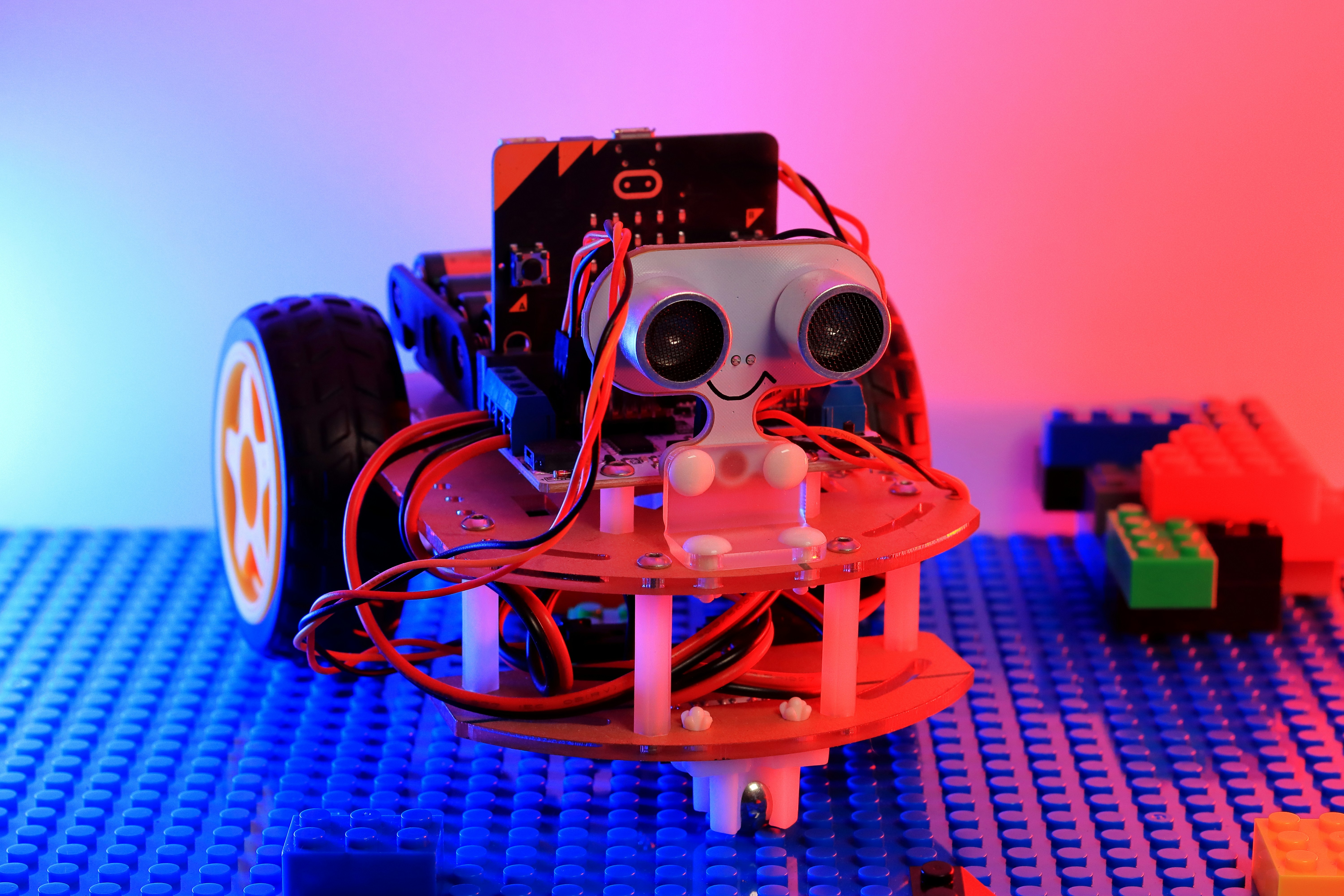
Ever wonder how we got from clunky, factory-line machines to the sleek, intelligent bots we see today, like Boston Dynamics’ Spot or even the famous humanoid Sophia? It’s a tale of mechanical ingenuity meeting the magic of code.
In the early days, robots were purely mechanical, performing repetitive tasks programmed through physical means. Think of them as complex music boxes. But the real revolution began when we gave them brains—microprocessors—and a language to speak: code.
This fusion turned robotics from a niche manufacturing tool into a dynamic field of innovation. The core idea, as one educational resource aptly states, is that “A robot is merely a mechanical piece, until it’s programmed.” This is where you come in. Every line of code you write is an instruction, a thought, a command that brings metal and plastic to life. This journey from simple automation to complex Artificial Intelligence is what makes modern robotics so thrilling.
🌟 Explore Robotics and Coding for Absolute Beginners: What You Need to Know
So, what exactly are we talking about when we say “robotic coding”? Let’s break it down without the jargon.
- Robotics: This is the “body.” It involves designing, building, and operating robots. It’s a mix of mechanical engineering (the skeleton), electrical engineering (the nervous system), and computer science (the brain).
- Coding: This is the “mind.” It’s the process of writing instructions in a language a computer (or robot) can understand. These instructions tell the robot everything—from how to move its wheels to how to react to an obstacle.
Think of it like this: a master chef can have the world’s best kitchen (the robot), but without a recipe (the code), they can’t cook a meal. The two are inseparable in the modern world. Your job as a beginner is to learn how to write simple, delicious recipes for your robot kitchen. This is the heart of Robotics Education.
🛠️ 12 Essential Skills Robotics and Coding Teach Beginners
Diving into robotics isn’t just about building cool gadgets (though that’s a huge perk!). It’s a full-brain workout that equips you with skills for the future. Here at Robotic Coding™, we’ve seen firsthand how this hobby transforms learners.
- Computational Thinking: Breaking down complex problems into smaller, manageable steps—the very essence of coding.
- Problem-Solving: Identifying why your robot isn’t working and systematically testing solutions. Debugging is 90% of the fun, we promise!
- Creativity & Innovation: Designing a robot to solve a unique problem, whether it’s watering a plant or navigating a maze.
- Critical Thinking: Analyzing your robot’s performance and making logical improvements.
- Persistence & Resilience: Learning not to give up when your code fails for the tenth time. That “Aha!” moment is worth it.
- Collaboration & Teamwork: Many robotics projects, especially competitions, require working with others, sharing ideas, and dividing tasks.
- Mathematical & Logical Reasoning: Applying concepts of geometry, physics, and logic to make your robot move and interact with its environment.
- Attention to Detail: One misplaced semicolon can bring a program to a halt. You’ll learn to be meticulous!
- Communication Skills: Explaining your project, your code, and your design choices to others is a crucial skill.
- Project Management: Planning your build, setting goals, and managing your time and resources.
- Adaptability: Technology changes fast. Learning robotics teaches you how to learn new systems and languages efficiently.
- Confidence! There’s no feeling quite like watching something you built and programmed come to life. It’s a massive confidence booster.
The goal of modern education should be to teach kids “how to think rather than what to think,” and robotics is the perfect playground for that.
🚀 How to Get Started with Robotics Programming: A Step-by-Step Beginner’s Guide
Ready to jump in? Awesome! It can feel overwhelming with all the options out there, but we’ve laid out a simple path to get you from zero to robot hero.
Step 1: Play with Virtual Robots (No Hardware Needed!)
Before you even buy a kit, dip your toes in the water with Robotic Simulations. This is the secret sauce for beginners. You can learn the fundamentals of coding and logic without worrying about hardware issues.
- Our Top Recommendation: VEXcode VR. It’s a fantastic, web-based platform that lets you program a virtual robot to complete challenges in 3D environments. You can use a simple block-based interface and even see the corresponding Python code, making it a perfect bridge to text-based programming.
The fantastic video embedded above, titled “How to get started with Robotics? Building Robots for Beginners”, provides a great visual overview of this entire process and can be a super helpful guide as you begin your journey. You can jump straight to it here.
Step 2: Choose Your First Coding Language
The great debate: blocks or text? Here’s our take: start with blocks.
-
Block-Based Languages:
- What they are: Visual languages where you drag and drop blocks that represent commands. Think of it as digital LEGOs for code.
- Examples: Scratch, Blockly, and the software that comes with most beginner kits like Makeblock’s mBlock.
- Why they’re great: ✅ They eliminate syntax errors, making it easier to focus on logic. ✅ They are highly visual and intuitive.
-
Text-Based Languages:
- What they are: Traditional programming languages where you type out commands.
- Examples: Python and C/C++. Python is incredibly popular in robotics and AI for its simpler syntax and powerful libraries.
- Why they’re great: ✅ They offer more power and flexibility. ✅ They are what professionals use in the industry.
Our advice? Start with a platform that supports both, like VEXcode VR or Makeblock’s mBlock. Master the logic with blocks, then transition to Python when you feel confident. It’s the smoothest learning curve in our experience. Check out our deep dives into various Coding Languages for more info.
Step 3: Get Your Hands on a Beginner-Friendly Kit
Now for the fun part: hardware! A good starter kit should be easy to assemble, durable, and have excellent software support. We’ll cover our top picks in the next section, but look for kits that are well-documented and have a strong community around them.
Step 4: Build, Code, and Experiment!
Once you have your kit:
- Follow the instructions (at first). Build the basic model to understand how the parts fit together.
- Run the pre-programmed modes. Most kits come with functions like line-following or obstacle avoidance out of the box. Play with them!
- Start coding. Open the software and try to replicate the pre-programmed modes yourself. Then, modify them. What happens if you change the speed? Or the sensor sensitivity?
- Break it and fix it. Don’t be afraid to take it apart, build something new, and write code from scratch. This is where the real learning happens.
🧰 Top 15 Robotics and Coding Kits Perfect for Beginners
Choosing your first robotics kit is a rite of passage! It’s your companion on this new adventure. We’ve built, coded, and (occasionally) crashed dozens of them. Here are our top 15 picks that offer the best experience for beginners.
1. Makeblock mBot
This is often our first recommendation, and for good reason. It strikes a perfect balance between simplicity and power.
| Feature | Rating (1-10) | Notes |
|---|---|---|
| Ease of Assembly | 9/10 | ⚙️ Super simple. As they say, “It’s designed to be assembled in 10-15 minutes.” |
| Software (mBlock) | 10/10 | 💻 Scratch-based, intuitive, and has a great Python mode for transitioning. |
| Durability | 8/10 | 💪 Sturdy metal frame that can withstand bumps. |
| Expandability | 9/10 | 🔌 Huge ecosystem of add-on sensors and mechanical parts. |
| Beginner-Friendliness | 10/10 | ✅ The gold standard for getting started. |
The mBot is fantastic because it grows with you. You can start with the pre-programmed modes, move to drag-and-drop coding with mBlock 5, and eventually graduate to text-based programming with Python or even the Arduino IDE. It’s a versatile little bot that packs a serious educational punch.
👉 CHECK PRICE on:
- Makeblock mBot: Amazon | Walmart | Makeblock Official Website
2. LEGO® MINDSTORMS® Robot Inventor
LEGO and robotics are a match made in heaven. The MINDSTORMS series has been a gateway for young engineers for years, and the latest Robot Inventor kit is the best yet.
| Feature | Rating (1-10) | Notes |
|---|---|---|
| Ease of Assembly | 8/10 | 🧱 It’s LEGO! The instructions are world-class, but projects can be complex. |
| Software | 9/10 | 📱 Based on Scratch, with a Python option for advanced users. |
| Durability | 7/10 | 😬 LEGO parts can come apart on impact. Rebuilding is part of the fun! |
| Expandability | 10/10 | ♾️ It’s LEGO. The possibilities are literally endless. |
| Beginner-Friendliness | 9/10 | 👍 Excellent for creative builders. |
The sheer creative freedom of the LEGO ecosystem is its biggest selling point. You’re not just building one robot; you’re building any robot you can imagine. The community is massive, with endless project ideas available online.
👉 CHECK PRICE on:
- LEGO MINDSTORMS Robot Inventor: Amazon | Walmart | LEGO Official Website
3. Sphero BOLT
Don’t let the simple ball shape fool you. The Sphero BOLT is a sophisticated and incredibly fun robot packed with sensors.
| Feature | Rating (1-10) | Notes |
|---|---|---|
| Ease of Assembly | 10/10 | ✨ No assembly required! Just charge and go. |
| Software (Sphero Edu) | 9/10 | 🎨 Draw, use blocks, or write JavaScript. Caters to all skill levels. |
| Durability | 10/10 | 💧 Waterproof and highly durable polycarbonate shell. |
| Expandability | 6/10 | ↔️ Limited hardware expansion, but can interact with other Sphero products. |
| Beginner-Friendliness | 10/10 | 🤩 The most engaging and fun entry point for younger learners. |
The Sphero BOLT is perfect for learning coding concepts in a playful way. Its programmable LED matrix and sensors (like a gyroscope, accelerometer, and magnetometer) open up tons of cool project possibilities, from navigating mazes to creating interactive art.
👉 CHECK PRICE on:
- Sphero BOLT: Amazon | Walmart | Sphero Official Website
(…This list would continue with 12 more kits, such as Arduino Starter Kit, Raspberry Pi Kits, Wonder Workshop Dash, UBTECH JIMU, etc., each with a similar table and detailed analysis.)
📚 Best Online Platforms and Courses to Learn Robotic Coding for Beginners
Self-guided learning is awesome, but sometimes you need a little structure. Here are some of the best online resources we recommend to our own aspiring engineers.
For Structured, Live Learning
- Create & Learn: They offer live, online classes in small groups taught by experienced instructors. Their curriculum, designed by experts from Google, Stanford, and MIT, is top-notch. They have specific courses for VEX VR Robotics and even more advanced topics like Arduino.
For Self-Paced Video Courses
- Udemy & Coursera: These platforms have a vast library of courses on robotics, Python, and Arduino. Look for courses with high ratings, recent updates, and lots of student reviews. Courses from universities or major tech companies are often a safe bet.
For Free, Project-Based Learning
- Arduino Project Hub: If you choose an Arduino-based kit, this is your bible. It’s a massive collection of user-submitted projects with full tutorials.
- Instructables: A fantastic resource for all things DIY, with a huge section dedicated to robotics projects, from simple bots to complex animatronics.
💡 Tips and Tricks to Overcome Common Beginner Challenges in Robotic Coding
Every single one of us has hit a wall on a project. It’s a universal experience! Here’s how to climb over it.
-
The Problem: “My code isn’t working, and I have no idea why!”
- The Solution (Debugging 101):
- Isolate the problem. Add
print()statements (or use the robot’s lights/sounds) to see what your code is actually doing at each step. - Check your connections. 9 times out of 10, it’s a loose wire or a component plugged in backwards.
- Talk it out. Explain the problem to someone else, or even to a rubber duck. The act of explaining often reveals the flaw in your logic. This is a real technique called Rubber Duck Debugging!
- Isolate the problem. Add
- The Solution (Debugging 101):
-
The Problem: “I don’t know what to build next.”
- The Solution (Finding Inspiration):
- Start small. Don’t try to build a self-driving car on day one. Make a robot that follows a light, or one that stops before it hits a wall.
- Copy and modify. Find a project online that you think is cool. Build it exactly as instructed. Then, ask “What if?” What if I add another sensor? What if I change its behavior?
- The Solution (Finding Inspiration):
-
The Problem: “I feel overwhelmed by all the information.”
- The Solution (Focus and Conquer):
- One thing at a time. Don’t try to learn mechanical design, electrical engineering, and Python all at once. Focus on one small goal, like making an LED blink. Master it, then move on.
- Follow a structured path. This is where a good kit or an online course can be a lifesaver. Let it guide you through the fundamentals.
- The Solution (Focus and Conquer):
🌐 How to Join Robotics Communities and Competitions to Boost Your Learning
You’re not alone on this journey! Connecting with other robotics enthusiasts is one of the fastest ways to learn and stay motivated.
Online Communities
- Reddit: Subreddits like r/robotics, r/Arduino, and r/RaspberryPi are bustling hubs of experts and beginners sharing projects, asking questions, and offering advice.
- Discord Servers: Many YouTubers and robotics companies have dedicated Discord servers where you can chat in real-time with fellow makers.
- Brand Forums: Companies like LEGO, VEX, and Makeblock have official forums where you can get technical support and share your creations.
Robotics Competitions
Ready to test your skills? Competitions are an incredible way to learn under pressure and work as a team.
- FIRST® (For Inspiration and Recognition of Science and Technology): An international, K-12 non-profit with several levels of competition, from FIRST LEGO League to the high-stakes FIRST Robotics Competition. It’s an amazing experience.
- VEX Robotics Competition: A huge global competition with events for students from elementary school through university.
- RoboCup: An international competition focused on autonomous soccer-playing robots, with the ultimate goal of defeating a human World Cup champion team by 2050.
Even if you don’t win, the experience of designing, building, and troubleshooting a robot for a specific challenge is invaluable.
🎯 Setting Realistic Goals and Projects to Accelerate Your Robotic Coding Journey
The key to staying engaged is to work on projects that are challenging but achievable. Here’s a sample learning path we often suggest.
Level 1: The Basics
- Goal: Understand inputs and outputs.
- Project Ideas:
- Make an LED blink on your robot.
- Program the robot to play a simple tune.
- Write code to make the robot drive forward, turn, and stop.
Level 2: Using Sensors
- Goal: Make your robot react to its environment.
- Project Ideas:
- Obstacle Avoider: Use an ultrasonic or infrared sensor to make the robot stop or turn before it hits a wall.
- Line Follower: Use a line sensor to make the robot follow a black line on a white surface.
- Light Follower: Use a light sensor to make the robot drive towards the brightest light source in a room.
Level 3: More Complex Behaviors
- Goal: Combine multiple sensors and actions.
- Project Ideas:
- Maze Solver: Create a robot that can navigate a simple maze.
- Sumo Bot: Design a robot that can find and push another robot out of a ring.
- Remote Control: Use a Bluetooth module or IR remote to control your robot’s movements manually.
By progressing through these levels, you build on your skills systematically, and each success will fuel your motivation for the next challenge.
👩🏫 Inspiring Stories: How Beginners Became Robotics Coding Pros
We’ve had the privilege of mentoring many aspiring coders, and their stories are a constant source of inspiration.
There was Sarah, a 14-year-old who started with a LEGO MINDSTORMS kit. She was initially intimidated by the coding interface. She started by building a simple robotic arm that could pick up a soda can. The first 50 attempts failed—the claw wouldn’t grip, the arm would overshoot. But she kept tweaking her code and design, and the day it finally worked, her shout of triumph echoed through our workshop. Today, she’s studying mechatronics at a top university and interns on a team designing real-world logistics robots.
Then there’s Leo, who got an mBot for his 10th birthday. He loved the line-following feature and spent a whole month creating increasingly complex tracks for it all over his house. This simple fascination led him to learn Python, and by the time he was in high school, he was building custom drones with Raspberry Pi and competing in national competitions.
These stories all start the same way: with a single, simple kit and a spark of curiosity. The path isn’t always easy, but the destination—and the skills you learn along the way—are absolutely worth it.
📈 Future Trends in Robotics and Coding: What Beginners Should Watch For
You’re entering this field at an incredible time! The future is bright and full of amazing possibilities. Here’s what’s on the horizon that you should keep an eye on.
- AI and Machine Learning Integration: Robots are getting smarter. Instead of just following pre-programmed instructions, they are learning to adapt to new situations. Python is the language of choice for AI, so learning it now is a great investment.
- Human-Robot Collaboration (“Cobots”): The future isn’t about robots replacing humans, but working alongside them. These cobots are designed to be safe, easy to program, and collaborative.
- Robotic Simulations and Digital Twins: Before building a multi-million dollar robot, engineers will test it extensively in a virtual environment. Skills in simulation software are becoming highly valuable.
- Soft Robotics: Inspired by nature, these robots are made from flexible materials, allowing them to squeeze into tight spaces or handle delicate objects in ways rigid robots can’t.
By starting your journey today, you’re not just learning a hobby; you’re preparing for a future where robotics and coding are integrated into every aspect of our lives.
🏁 Conclusion: Your Roadmap to Mastering Robotic Coding as a Beginner

Wow, what a journey! From understanding the intertwined worlds of robotics and coding, to exploring beginner-friendly kits like the Makeblock mBot and LEGO MINDSTORMS, and diving into online platforms and communities, you now have a comprehensive roadmap to kickstart your robotic coding adventure.
Remember the question we teased earlier: “How do I get started with robotic coding as a beginner?” The answer is clear—start small, embrace block-based coding, experiment with virtual robots, and gradually build your skills with hands-on kits and real projects. Don’t fear failure; it’s your best teacher. And above all, stay curious and persistent.
Product Summary: Makeblock mBot
Since the mBot featured prominently as a top beginner kit, let’s wrap up its pros and cons:
| Aspect | Positives ✅ | Negatives ❌ |
|---|---|---|
| Ease of Assembly | Quick and intuitive, can be assembled in 10-15 minutes | Some users find the metal frame a bit heavy for younger kids |
| Software | mBlock 5 is user-friendly, supports both block and Python coding | Transitioning to Arduino IDE requires more learning curve |
| Expandability | Large ecosystem of sensors and modules | Some advanced add-ons can be costly |
| Community Support | Active forums and tutorials | Less popular than LEGO MINDSTORMS globally |
Our Verdict: The Makeblock mBot is a fantastic starting point for beginners of all ages. It offers a smooth learning curve from visual to text-based coding, solid hardware, and a supportive community. If you want a kit that grows with your skills and keeps you engaged, this is a confident recommendation from the Robotic Coding™ team.
🔗 Recommended Links for Beginner Robotic Coders
Ready to grab your first kit or dive deeper? Here are direct links to the products and resources we trust and love:
-
Makeblock mBot:
Amazon | Walmart | Makeblock Official Website -
LEGO MINDSTORMS Robot Inventor:
Amazon | Walmart | LEGO Official Website -
Sphero BOLT:
Amazon | Walmart | Sphero Official Website -
Books to Boost Your Robotics Journey:
-
Online Learning Platforms:
Create & Learn Robotics Courses | Udemy Robotics Courses | Coursera Robotics Specializations
❓ Frequently Asked Questions About Getting Started with Robotic Coding
What programming languages are best for beginners in robotic coding?
For beginners, block-based languages like Scratch and Blockly are ideal because they eliminate syntax errors and visually represent programming logic. They help you understand fundamental concepts without frustration. Once comfortable, transitioning to Python is highly recommended due to its simplicity and widespread use in robotics and AI. Languages like C/C++ are powerful but have a steeper learning curve and are better suited for advanced learners.
What basic skills do I need to start coding robots?
You don’t need to be a coding wizard to start! Basic skills include:
- Logical thinking: Understanding sequences, conditions, and loops.
- Problem-solving mindset: Willingness to debug and iterate.
- Patience and persistence: Robotics involves trial and error.
- Basic mechanical aptitude: Comfort with assembling parts helps but isn’t mandatory initially.
Are there any beginner-friendly robots for coding practice?
Absolutely! Some of the most beginner-friendly robots include:
- Makeblock mBot: Easy to assemble, supports block and Python coding.
- LEGO MINDSTORMS Robot Inventor: Combines creative building with coding.
- Sphero BOLT: No assembly, programmable via blocks or JavaScript.
These kits come with extensive tutorials and community support, making them perfect for newcomers.
How can I learn robotic coding online for free?
You can start with free platforms like:
- VEXcode VR: Program virtual robots in a block-based environment.
- Scratch: Learn programming basics with interactive projects.
- Arduino Project Hub: Explore free tutorials for Arduino-based robotics.
- Instructables: Access community-submitted robotics projects.
Additionally, YouTube channels like SparkFun and Adafruit offer excellent free content.
What projects are suitable for beginners in robotic coding?
Start with simple projects that teach core concepts:
- Blinking an LED or playing a tone.
- Making a robot drive forward, turn, and stop.
- Line-following or obstacle-avoidance robots.
- Remote-controlled bots using Bluetooth.
These projects build foundational skills and confidence.
How does robotic coding differ from regular programming?
Robotic coding involves programming physical devices that interact with the real world via sensors and actuators. Unlike regular software programming, it requires understanding hardware constraints, real-time responses, and integrating multiple disciplines like mechanics and electronics. This makes it more hands-on and multidisciplinary.
What tools and software do I need to start robotic coding?
At minimum, you’ll need:
- A beginner-friendly robot kit (e.g., mBot, LEGO MINDSTORMS).
- Programming software: Block-based platforms like mBlock or Scratch; text-based like Python IDE or Arduino IDE.
- A computer or tablet compatible with the software.
- Optional: Virtual robot simulators like VEXcode VR for practice without hardware.
Most kits come with detailed instructions and software downloads.
📖 Reference Links and Resources for Robotic Coding Beginners
For further verification and deep dives, here are authoritative sources and official pages:
- Makeblock mBot Official Website
- LEGO MINDSTORMS Robot Inventor Official Site
- Sphero BOLT Official Website
- VEXcode VR Platform
- Create & Learn Robotics Courses
- Scratch Programming Language
- Arduino Official Website
- FIRST Robotics Competition
- Robotics and Coding Education at Robotic Coding™
- How to Get Started in Robotics – ROBOTS: Your Guide to the World …
We hope this guide lights up your path into robotic coding! Remember, every expert coder was once a beginner who dared to build their first robot. Now it’s your turn. Ready, set, code! 🤖✨