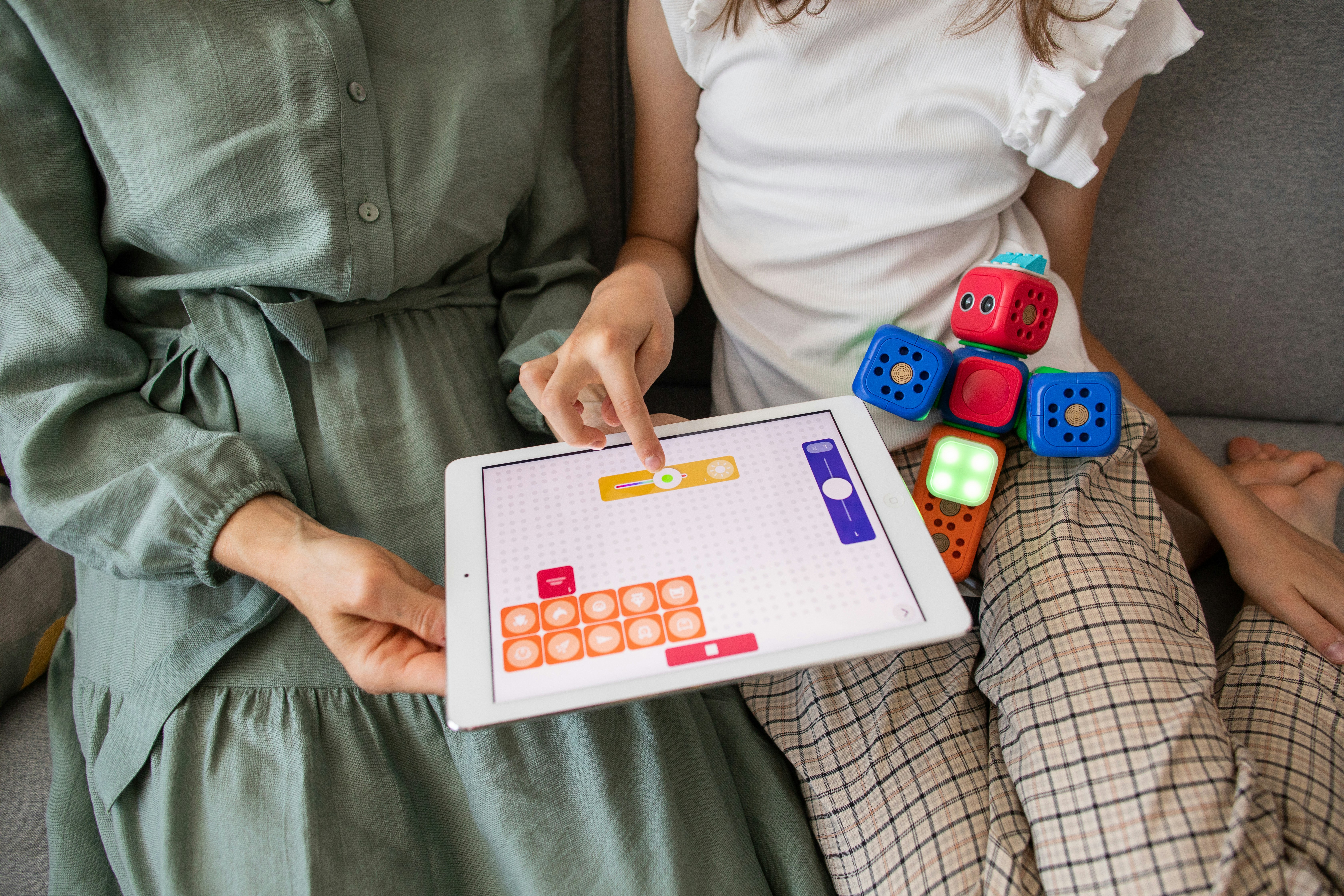
Imagine telling a machine exactly what to do—step by step—and watching it come to life, navigating obstacles, performing tasks, or even dancing across your living room floor. That’s the magic of robotic coding, the fascinating blend of programming and robotics that’s transforming industries and inspiring creators worldwide. But what exactly is robotic coding, and how can you get started on this electrifying journey?
In this article, we’ll unravel the mysteries behind robotic coding, explore its rich history, and break down the skills you’ll develop along the way. Whether you’re a curious beginner or a seasoned tinkerer, we’ll guide you through the best tools, platforms, and real-world applications that make robotic coding an essential skill for the future. Plus, stay tuned for inspiring success stories and practical tips to launch your own robotic creations!
Key Takeaways
- Robotic coding is the process of programming robots to perform tasks by combining software, electronics, and mechanics.
- Beginners benefit from block-based coding platforms like Scratch and Sphero BOLT, while pros often use Python and C++ for advanced control.
- Learning robotic coding develops critical skills such as problem-solving, computational thinking, creativity, and resilience.
- Top educational kits like Sphero BOLT, LEGO SPIKE Prime, and Arduino Starter Kits offer hands-on experience for all ages.
- Real-world robotic coding applications range from healthcare and logistics to space exploration and entertainment.
Ready to dive in and start building your own robotic masterpiece? Let’s get coding!
Table of Contents
- ⚡️ Quick Tips and Facts About Robotic Coding
- 🤖 The Evolution and Origins of Robotic Coding: A Brief History
- 🔍 What Exactly Is Robotic Coding? Understanding the Basics
- 🛠️ How Robotic Coding Works: From Algorithms to Actuators
- 🎯 Top 7 Skills You Gain from Learning Robotic Coding
- 🚀 How to Kickstart Your Journey in Robotic Programming: A Beginner’s Guide
- 🧰 Best Robotics Coding Platforms and Tools for Beginners and Pros
- 📚 Must-Have Resources and Communities for Robotic Coding Enthusiasts
- 💡 Real-Life Applications: How Robotic Coding is Changing the World
- 🎓 Educational Robotics Kits to Spark Coding Passion in Kids and Teens
- 🧩 Troubleshooting Common Challenges in Robotic Coding Projects
- 🌟 Inspiring Success Stories from the Robotic Coding Community
- 🎉 Start Your Robotic Coding Adventure Today: Tips and Tricks
- 🔚 Conclusion: Why Robotic Coding Is a Game-Changer for Everyone
- 🔗 Recommended Links for Deep Diving into Robotic Coding
- ❓ Frequently Asked Questions About Robotic Coding
- 📖 Reference Links and Further Reading
Here is the main body of the article, written according to your specifications.
⚡️ Quick Tips and Facts About Robotic Coding
Welcome to the electrifying world of making machines move and think! Here at Robotic Coding™, we live and breathe this stuff, and trust us, it’s more than just ones and zeros. Robotic Coding is the art and science of writing instructions to control the actions of a robot. Think of yourself as a director and the robot as your star actor—you write the script, and it performs the action.
Before we dive deep, let’s get you up to speed with some fascinating tidbits and essential advice.
| Quick Fact 💡 | The Nitty-Gritty Details |
|---|---|
| First Robot Citizen | In 2017, a robot named “Sophia” was granted citizenship in Saudi Arabia, making her the first robot to receive such a status. |
| Industry Dominance | The industrial robotics market is massive and projected to continue its rapid growth, revolutionizing everything from car manufacturing to surgery. |
| Block vs. Text | Beginners often start with block-based coding (like Scratch or Blockly), which is visual and intuitive. Professionals primarily use text-based languages like Python and C++. |
| It’s Not Just for Geniuses | You don’t need to be a math whiz to start! Many modern tools are designed to make learning fun and accessible for everyone, even kids in elementary school. |
Here are some pro-tips from our engineering team to get you started on the right foot:
- ✅ Start with a goal. Don’t just code aimlessly. Decide you want your robot to draw a square or follow a line. A clear objective makes learning way more engaging!
- ✅ Embrace the “bug.” Your code won’t work perfectly the first time. Or the tenth. Debugging isn’t a failure; it’s 90% of the job and a fantastic problem-solving workout.
- ❌ Don’t buy the most expensive kit immediately. You can learn a ton with simulators like VEXcode VR or affordable kits like an Arduino starter pack.
- ❌ Don’t be afraid to break things. Okay, maybe don’t literally smash your robot, but don’t be afraid to experiment and push the limits. That’s where the real learning happens.
🤖 The Evolution and Origins of Robotic Coding: A Brief History
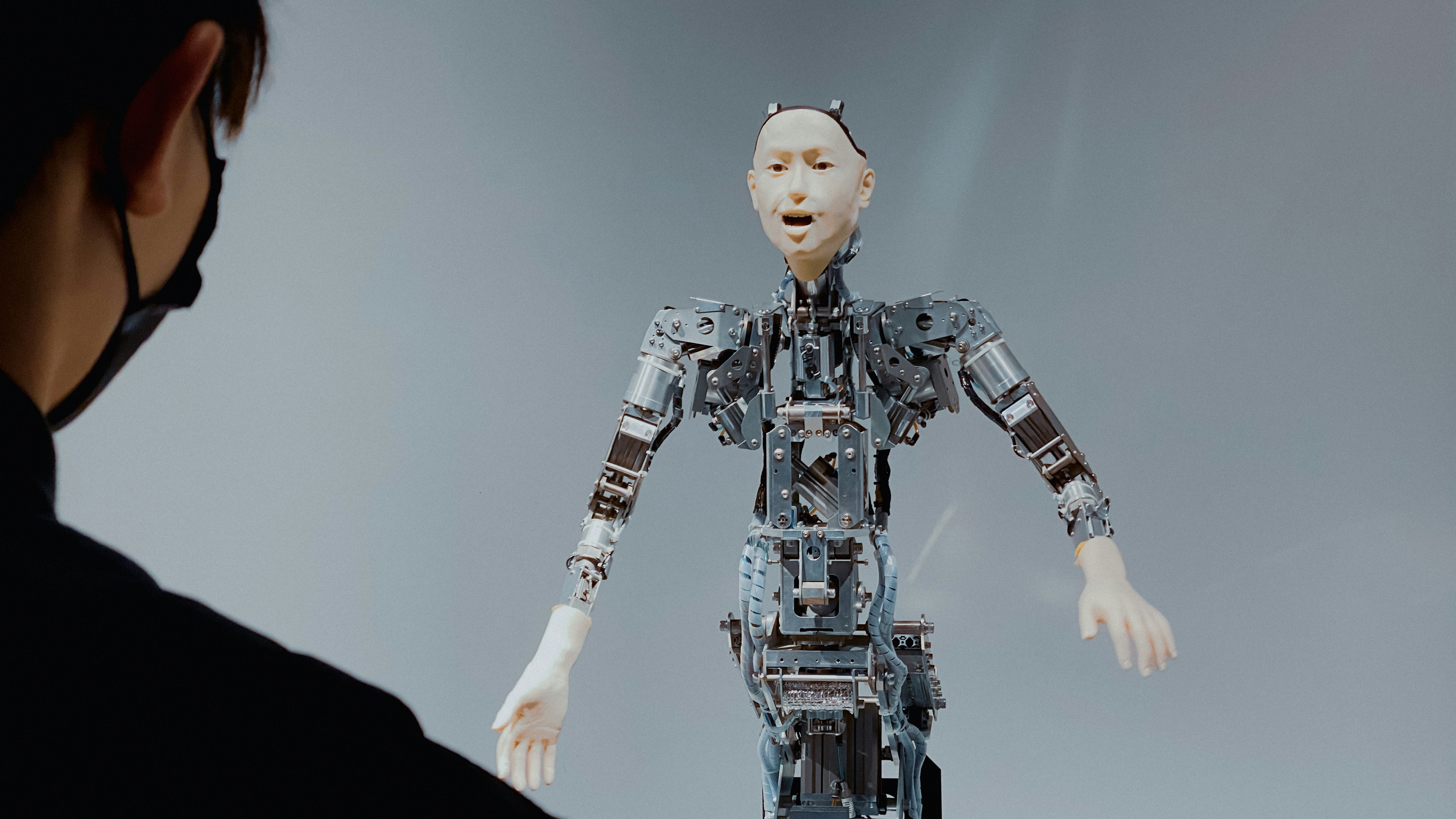
Ever wonder how we got from clunky mechanical toys to sleek, intelligent machines that can explore Mars? The journey of Robotics is a fantastic tale of human ingenuity.
From Ancient Automatons to Modern Droids
The idea of automated machines isn’t new. Ancient civilizations had stories of mechanical servants and automated figures. But the modern concept of a “robot” began to take shape in the 20th century.
- The 1920s: The word “robot” was first introduced by Czech writer Karel Čapek in his play “R.U.R.” (Rossum’s Universal Robots). It came from the Slavic word robota, meaning forced labor.
- The 1950s-60s: The game changed with George Devol’s “Unimate,” the very first industrial robot. This programmable arm was put to work on a General Motors assembly line in 1961, marking the dawn of industrial automation.
- The 1970s-90s: Robots started getting smarter. They gained sensors, mobility, and more advanced programming, moving from factory floors into labs and even outer space with NASA’s Voyager and Sojourner rover missions.
- The 2000s-Today: This is where things get wild! The rise of Artificial Intelligence and machine learning has given us everything from the Roomba cleaning our floors to the sophisticated Da Vinci surgical system assisting in operating rooms. As one source notes, “intelligent robots are more precise and consistent than humans” thanks to these advancements.
This incredible evolution was only possible because the way we “talk” to robots—the code—evolved right alongside the hardware.
🔍 What Exactly Is Robotic Coding? Understanding the Basics
So, what’s the secret sauce? At its core, robotic coding is the bridge between human intention and machine action. You have a physical robot (the body) and a set of instructions (the brain). The coding is how you build that brain.
As our friends at Create & Learn put it, “Coding is an essential set of instructions that a robot can read and execute.” It’s the fundamental language that allows us to tell a robot what to do, how to do it, and when to do it.
This process is a beautiful blend of three fields:
- Electronics: The wires, sensors, motors, and circuits that form the robot’s nervous system.
- Mechanics: The physical structure, gears, and joints that allow the robot to move and interact with the world.
- Software Engineering: The Coding Languages and logic that process information and make decisions.
Without code, a robot is just an expensive paperweight. With code, it’s a powerful tool capable of performing complex tasks.
🛠️ How Robotic Coding Works: From Algorithms to Actuators
Let’s pull back the curtain. How does typing something on a screen make a robot zoom across the floor? It’s a fascinating chain of events.
- The Idea (Algorithm): You first come up with a plan. “I want my robot to move forward until it’s 10cm from a wall, then stop.” This plan, a set of rules for solving a problem, is your algorithm.
- Writing the Code: You translate this algorithm into a language the robot’s controller understands. This could be dragging and dropping blocks in a program like Scratch or typing lines of text in Python.
- Uploading to the Brain: You upload this code to the robot’s microcontroller (its mini-computer brain).
- Sensing the World: The robot uses its sensors (like an ultrasonic distance sensor) to gather data about its environment. It’s constantly asking, “How far is that wall?”
- Making Decisions: The microcontroller runs your code, processing the sensor data. It checks your rule: “Is the distance less than 10cm? No. Keep going. Is it less than 10cm now? Yes. Okay, time to stop.”
- Taking Action (Actuators): Based on the decision, the microcontroller sends signals to the actuators—the parts that create motion, like motors. In this case, it tells the wheel motors to stop spinning.
And voilà! Your robot has successfully executed your command.
Block-Based vs. Text-Based Coding
There are two main flavors of coding in robotics, each with its own strengths.
| Feature | Block-Based Coding (e.g., Blockly, Scratch) | Text-Based Coding (e.g., Python, C++) |
|---|---|---|
| How it Works | Drag-and-drop visual blocks that snap together like LEGOs. | Typing lines of code with specific syntax and grammar. |
| Pros | ✅ Very intuitive and beginner-friendly. ✅ Prevents syntax errors. ✅ Great for learning programming logic. |
✅ Extremely powerful and flexible. ✅ The standard in professional robotics. ✅ Faster for complex programs. |
| Cons | ❌ Can be limited for highly complex tasks. ❌ Not used in professional industry settings. |
❌ Steep learning curve. ❌ Prone to syntax errors (a misplaced comma can break everything!). |
| Best For | Kids, beginners, and educators in Robotics Education. | Aspiring professionals, university students, and advanced hobbyists. |
🎯 Top 7 Skills You Gain from Learning Robotic Coding
Learning to code robots isn’t just about a cool party trick (though making a robot dance is pretty awesome). It’s a powerhouse for developing skills that are crucial in any field.
- Problem-Solving on Steroids: You’re constantly faced with a challenge (“Why is the robot turning left when I said right?!”) and have to systematically figure out the solution. This builds incredible critical thinking muscles.
- Computational Thinking: This is the secret sauce of coders. It’s about breaking down a massive, complex problem into smaller, manageable steps—a skill that’s invaluable whether you’re planning a project or a vacation.
- Creativity and Innovation: You start with a blank slate and a pile of parts. It’s up to you to imagine something new and bring it to life. Want to build a robot that sorts M&Ms by color? Go for it!
- Resilience and Perseverance: We mentioned debugging, right? You will fail. A lot. And you’ll learn to pick yourself up, try a new approach, and push through frustration. This builds serious grit.
- Collaboration and Teamwork: Robotics is often a team sport. Whether in a classroom or at a competition like FIRST Robotics Competition, you learn to communicate ideas, divide tasks, and work together towards a common goal.
- Enhanced Math and Science Skills: Suddenly, those abstract concepts from physics and geometry have a real-world application. You’ll see firsthand how angles, speed, and distance work when you program your robot’s movements.
- Attention to Detail: One wrong character in a line of code can bring your whole project to a halt. You quickly learn the importance of being precise, meticulous, and detail-oriented.
🚀 How to Kickstart Your Journey in Robotic Programming: A Beginner’s Guide
Ready to jump in? Awesome! Getting started is easier than you think. Here’s our team’s recommended roadmap from zero to hero.
Step 1: Start with a Screen (No Robot Needed!) Before you even touch a wire, play around in a virtual environment. We’re huge fans of VEXcode VR, a web-based platform that lets you program a virtual robot to solve challenges in 3D worlds. It’s free, requires no installation, and is the perfect sandbox to learn the fundamentals of logic and block coding without any hardware headaches.
Step 2: Choose Your First Physical Kit Once you’re comfortable with the concepts, it’s time for a real robot!
- For Kids & Absolute Beginners: Kits like the Sphero BOLT or LEGO SPIKE Essential are fantastic. They are durable, have great communities, and use intuitive, block-based apps.
- For Aspiring Tinkerers: An Arduino Starter Kit is your gateway to the real deal. It’s a microcontroller board that lets you build circuits and projects from scratch. It’s more challenging but incredibly rewarding.
Speaking of which, if you’re leaning towards Arduino, you absolutely must check out the video we’ve embedded above. The Arduino 101- Crash Course w/ Mark Rober is a phenomenal introduction that makes learning the basics of microcontrollers and programming genuinely fun and accessible. Mark has a knack for explaining complex topics in an engaging way, and it’s the perfect first watch before you open that starter kit.
Step 3: Learn a Real Language After mastering blocks, it’s time to level up. Python is the reigning champion for beginners in text-based coding. Its syntax is clean and readable, and it’s incredibly powerful, especially for Artificial Intelligence applications.
Step 4: Join a Community Don’t learn in a vacuum! Join online forums like Reddit’s r/robotics, find a local robotics club, or follow creators on YouTube. Sharing your projects and learning from others is half the fun and accelerates your growth exponentially.
🧰 Best Robotics Coding Platforms and Tools for Beginners and Pros
The toolbox for a roboticist is vast and varied. Here are some of the essential platforms and languages our team at Robotic Coding™ uses and recommends.
Coding Environments & Languages
- Block-Based Platforms:
- Scratch: Developed by MIT, it’s the gold standard for teaching kids coding logic with a fun, visual interface.
- Blockly: Google’s open-source project that powers many robotics platforms, including Sphero and VEXcode. It’s clean and easily converts to text-based languages like Python.
- Text-Based Languages:
- Python: The undisputed king for beginners and AI/machine learning. Its vast libraries (like OpenCV for computer vision) make complex tasks much simpler.
- C++: The language for performance. When you need raw speed and direct control over hardware, like in high-speed drones or competitive robotics, C++ is the professional’s choice.
- Java: Widely used in more complex, large-scale robotic systems and for developing custom control software.
Simulation Tools
Sometimes, building and testing in the real world is expensive and slow. That’s where Robotic Simulations come in.
- VEXcode VR: As mentioned, it’s the best starting point for learning coding concepts in a game-like environment.
- Gazebo: A powerful and free 3D robotics simulator. It’s an industry-standard tool for testing complex robot algorithms in realistic environments before deploying them on physical hardware.
- CoppeliaSim (formerly V-REP): Another incredibly versatile simulator that’s popular in both academia and industry for its wide range of supported sensors, actuators, and programming methods.
📚 Must-Have Resources and Communities for Robotic Coding Enthusiasts
No coder is an island! The community and resources available online are your secret weapon for success. Here are some of our favorites:
- Online Courses:
- Communities & Forums:
- Reddit: The r/robotics and r/Arduino subreddits are bustling communities where you can ask questions, show off your projects, and get help from experts.
- GitHub: Not just for storing code! It’s a place to find open-source robotics projects, learn from professional code, and collaborate with others.
- Competitions:
- FIRST® (For Inspiration and Recognition of Science and Technology): An international youth organization that operates some of the most popular robotics competitions, like the FIRST Robotics Competition and FIRST LEGO League.
- VEX Robotics Competitions: A leading provider of educational and competitive robotics for schools and universities.
💡 Real-Life Applications: How Robotic Coding is Changing the World
This isn’t just a hobby; it’s the future. Robotic coding is the engine behind some of the most incredible technological advancements shaping our world.
- Healthcare: Surgeons use the Da Vinci Surgical System to perform incredibly precise, minimally invasive operations, leading to faster recovery times for patients.
- Logistics and E-commerce: Ever wonder how your Amazon package arrives so quickly? Fleets of robots, like those from Amazon Robotics, autonomously navigate warehouses to pick and sort items at superhuman speeds.
- Space Exploration: NASA’s rovers on Mars, like Perseverance, are masterpieces of robotic coding. They navigate treacherous terrain, conduct scientific experiments, and send data back to Earth, all while being millions of miles away.
- Agriculture: “Agribots” are being developed to automate tasks like planting, watering, and even harvesting crops with precision, helping to increase food production and reduce labor costs.
- Entertainment: From the animatronics at a Disney park to the robotic arms used for mind-blowing camera shots in movies, robotics makes magic happen.
The list goes on and on, from deep-sea exploration to automated home assistants. If you can dream it, chances are someone is trying to build a robot to do it.
🎓 Educational Robotics Kits to Spark Coding Passion in Kids and Teens
Choosing the right kit can make all the difference. You want something that’s fun enough to keep you engaged but powerful enough to teach you real skills. Here are a few top-tier options our team has personally tested and loved.
Sphero BOLT
The Sphero BOLT is a transparent, programmable robotic ball that’s packed with tech and personality. It’s one of our top recommendations for a reason.
Rating Table:
| Aspect | Rating (1-10) |
|---|---|
| Design & Durability | 9/10 |
| Functionality & Features | 10/10 |
| Educational Value | 10/10 |
| Fun Factor | 10/10 |
The BOLT is more than just a toy. Its programmable 8×8 LED matrix, advanced sensors (including a magnetometer and infrared), and waterproof shell make it an incredibly versatile learning tool. You can program it to display animations, navigate mazes, or even “talk” to other BOLT robots.
The accompanying Sphero Edu App is brilliant, offering three ways to code:
- Draw: Draw a path on the screen, and BOLT will follow it.
- Block: Use a colorful, Scratch-like block interface to learn the fundamentals.
- Text: Graduate to writing real JavaScript or Python code.
As one teacher noted, “My students learn a wide variety of skills by coding BOLT, as it enables them to not only learn physics but they also gain teamwork and problem solving skills.”
- ✅ Pros: Extremely engaging, highly durable, multiple coding levels, packed with sensors.
- ❌ Cons: Its spherical shape limits its ability to manipulate objects.
👉 Shop Sphero BOLT on: Amazon | Sphero Official Website
LEGO® Education SPIKE™ Prime
LEGO has been a staple in educational robotics for years, and the SPIKE Prime Set continues that legacy. It combines classic LEGO bricks with a programmable Hub, motors, and sensors.
Rating Table:
| Aspect | Rating (1-10) |
|---|---|
| Design & Durability | 8/10 |
| Functionality & Features | 9/10 |
| Educational Value | 10/10 |
| Fun Factor | 9/10 |
The beauty of SPIKE Prime is its limitless creativity. You’re not just programming a pre-built robot; you’re designing and building your own creations to solve specific challenges. The coding is done through a colorful app based on Scratch, but it also supports Python for more advanced users. It’s an entire STEAM curriculum in a box.
- ✅ Pros: Fosters creativity and engineering skills, excellent curriculum support, familiar LEGO system.
- ❌ Cons: Lots of small pieces can be easy to lose.
👉 Shop LEGO Education SPIKE Prime on: Amazon | LEGO Official Website
Arduino Starter Kits
For those who want to get their hands dirty with real electronics, nothing beats an Arduino Starter Kit. Arduino is an open-source electronics platform based on an easy-to-use microcontroller board.
Rating Table:
| Aspect | Rating (1-10) |
|---|---|
| Design & Durability | 7/10 |
| Functionality & Features | 10/10 |
| Educational Value | 10/10 |
| Fun Factor | 8/10 |
This is not a toy—it’s the real deal. With a starter kit, you’ll learn how to build circuits on a breadboard, connect sensors, control LEDs and motors, and write code in a simplified version of C++. The learning curve is steeper, but the payoff is immense. Mastering Arduino gives you the skills to build virtually any custom electronics project you can imagine.
- ✅ Pros: Teaches fundamental electronics, incredibly versatile, huge online community, highly affordable.
- ❌ Cons: Can be intimidating for absolute beginners, requires careful handling of small components.
👉 Shop Arduino Kits on: Amazon | Arduino Official Website | Etsy
🧩 Troubleshooting Common Challenges in Robotic Coding Projects
Let me tell you a story. One of our junior engineers, Alex, spent two days trying to figure out why their meticulously coded robot arm was just twitching erratically. They checked the logic, rewrote the functions, and were about to throw the whole thing out the window. The problem? A single loose wire on the power supply.
This is robotic coding in a nutshell. It’s a world where the smallest oversight can cause the biggest headache. Here are some common gremlins and how to squash them.
| The Problem | The Likely Culprit & How to Fix It |
|---|---|
| “My code won’t upload!” | 🔌 Connection Issues: Is the USB cable plugged in correctly? Is the right COM port selected in your software? Try a different cable or port. It’s the “turn it off and on again” of robotics. |
| “The robot isn’t doing anything.” | 🔋 Power Problems: Is the battery charged? Is the power switch on? Is a wire loose (like in Alex’s story)? Check every physical connection. 9 times out of 10, it’s power. |
| “It’s moving, but it’s all wrong!” | 🧠 Logic Errors (Bugs): This is a classic software bug. Your code is telling it to do exactly what it’s doing, even if it’s not what you intended. Use “print” statements or a debugger to go through your code line by line and see where your logic went astray. |
| “My sensor readings are crazy.” | 💡 Calibration & Environment: Sensors can be finicky. An ultrasonic sensor might get weird readings from a soft, sound-absorbing surface. A light sensor might be affected by a shadow. Make sure your sensors are calibrated and test them in a controlled environment first. |
The most important tip? Isolate the problem. If your whole complex robot isn’t working, test each part individually. Does the motor spin on its own? Does the sensor give you a reading? Simplify until you find the broken link in the chain.
🌟 Inspiring Success Stories from the Robotic Coding Community
Sometimes you need a little inspiration to fuel your coding fire. The world is full of amazing people, especially young inventors, who are doing incredible things with robotics.
Take Angelo Casimiro, for example. As a high school student in the Philippines, he built life-sized, functional replicas of BB-8 from Star Wars. He documented his entire process on YouTube, using affordable, off-the-shelf parts and an Arduino microcontroller. His project inspired thousands of makers worldwide to prove that you don’t need a Hollywood budget to create something magical.
Or consider the countless teams that participate in the FIRST LEGO League Global Innovation Award. Every year, teams of kids aged 9-16 identify a real-world problem and design and code a robotic solution. Past winners have developed everything from a device to help the visually impaired detect obstacles to a system for reducing food waste in school cafeterias.
These stories show that robotic coding isn’t just an academic exercise. It’s a tool for empowerment, allowing anyone with a good idea and a bit of determination to build something that can make a real impact.
🎉 Start Your Robotic Coding Adventure Today: Tips and Tricks
You’ve learned the what, the why, and the how. The only thing left is to do. It’s time to stop reading and start building!
Here are our final words of wisdom to launch your adventure:
- Start Small, Dream Big: Don’t try to build a humanoid robot on day one. Start by making an LED blink. Then make it fade. Then make a motor spin. Celebrate every tiny victory—they add up to massive skills.
- Copy, Then Create: There is no shame in building your first projects from a tutorial. Follow a guide step-by-step to learn the ropes. Once you understand how it works, take it apart, change the code, and make it your own.
- Find a “Why”: Get passionate about a project. Do you want to build a robot that waters your plants? A pet feeder that dispenses food on a schedule? A robot that can play a song? A personal motivation will carry you through the tough spots.
- Document Everything: Take notes. Draw diagrams. Comment your code. When you look back in six months, you’ll be amazed at how far you’ve come, and your future self will thank you when you need to remember how you solved a tricky problem.
The world of robotic coding is a vast, exciting, and endlessly rewarding frontier. It can be challenging, but the thrill of watching your creation come to life for the first time is a feeling like no other.
So, the only question left is… what will YOU build first?
🔚 Conclusion: Why Robotic Coding Is a Game-Changer for Everyone
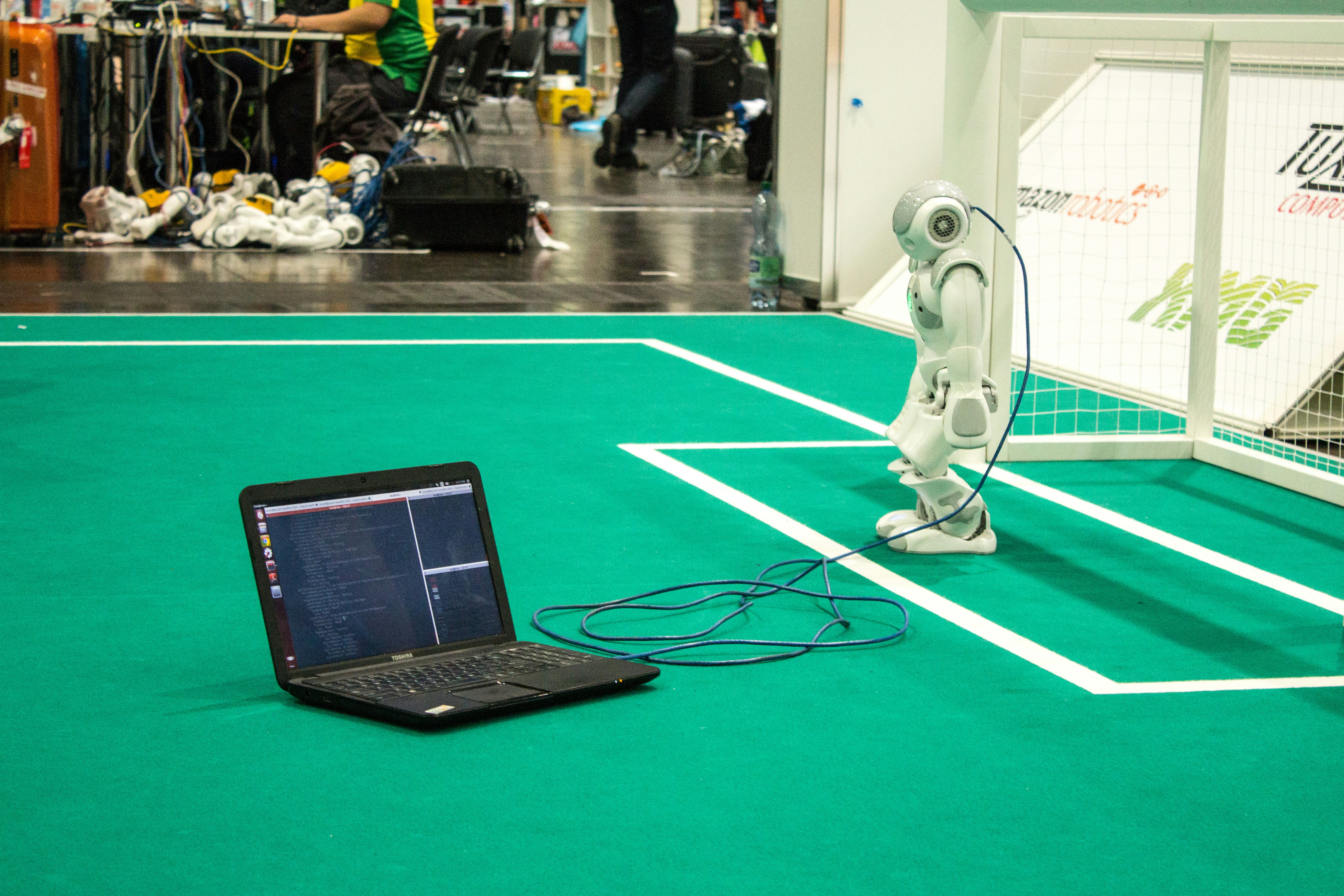
After our deep dive into the thrilling universe of robotic coding, one thing is crystal clear: robotic coding is not just a niche skill for tech geeks—it’s a transformative tool that empowers creators, innovators, and problem solvers of all ages. Whether you’re a curious kid, a student, a hobbyist, or a professional, learning to code robots opens doors to creativity, critical thinking, and real-world impact.
If you’re wondering about the best way to start, our review of the Sphero BOLT sums it up nicely. This little robotic ball packs a punch with its durable design, advanced sensors, and multi-level coding options—from drawing paths to writing JavaScript and Python. It’s a fantastic bridge between fun and education, making it perfect for beginners and classrooms alike. The positives include its versatility, user-friendly app, and robust community support. On the flip side, its spherical shape limits physical manipulation tasks, so if you want to build complex mechanical robots, pairing it with kits like LEGO SPIKE Prime or Arduino is ideal.
Remember Alex’s story from earlier? The loose wire that caused two days of frustration? That’s the essence of robotic coding: patience, persistence, and problem-solving are your best friends. But the payoff—watching your code bring a machine to life—is absolutely worth it.
So, what will YOU build first? The world is waiting for your robotic masterpiece.
🔗 Recommended Links for Deep Diving into Robotic Coding
Ready to gear up? Here are the top products and resources we recommend to jumpstart your robotic coding journey:
-
Sphero BOLT:
Amazon | Sphero Official Website -
LEGO Education SPIKE Prime:
Amazon | LEGO Official Website -
Arduino Starter Kit:
Amazon | Arduino Official Website | Etsy -
Books to Boost Your Skills:
- “Robot Programming: A Guide to Controlling Autonomous Robots” by Cameron Hughes & Tracey Hughes — Amazon Link
- “Python Robotics Projects” by Prof. Diwakar Vaish — Amazon Link
- “Arduino Robotics” by John-David Warren, Josh Adams, and Harald Molle — Amazon Link
❓ Frequently Asked Questions About Robotic Coding
Is robotics a computer programming?
Absolutely! Robotics is fundamentally intertwined with computer programming. While robotics includes mechanical and electronic components, programming is the language that instructs the robot on how to behave. Without code, a robot is just hardware with no “brain.” Programming languages like Python, C++, and block-based tools like Scratch enable developers to write algorithms that control sensors, motors, and decision-making processes in robots.
What does a robotic programmer do?
A robotic programmer designs, writes, tests, and maintains the software that controls robots. This involves creating algorithms for navigation, object detection, task execution, and interaction with the environment. They work closely with engineers to integrate hardware and software, debug issues, and optimize performance. Their role often includes simulation testing and adapting code for different robotic platforms.
How does robotic coding work in automation?
In automation, robotic coding programs robots to perform repetitive or complex tasks without human intervention. The code controls sensors and actuators to execute precise movements, monitor conditions, and respond to changes in real time. For example, in a manufacturing line, robotic coding enables a robot arm to pick, place, weld, or assemble parts with high accuracy and speed, improving efficiency and reducing errors.
What programming languages are used in robotic coding?
The most common languages include:
- Python: Favored for its simplicity and extensive libraries, especially in AI and machine learning.
- C/C++: Used for performance-critical applications requiring low-level hardware control.
- Java: Popular in some industrial and educational robotics platforms.
- Block-Based Languages: Scratch, Blockly, and proprietary visual programming tools are widely used for education and beginners.
Each language serves different needs, from beginner-friendly environments to professional-grade robotics systems.
What are the benefits of learning robotic coding?
Learning robotic coding develops critical thinking, problem-solving, creativity, and technical skills. It enhances understanding of STEM concepts, fosters resilience through debugging, and encourages collaboration. These skills are highly transferable and increasingly valuable in a technology-driven job market.
How is robotic coding applied in real-world industries?
Robotic coding powers a wide range of industries:
- Healthcare: Surgical robots and rehabilitation devices.
- Manufacturing: Automated assembly lines and quality control.
- Logistics: Warehouse automation and delivery drones.
- Agriculture: Precision farming robots.
- Entertainment: Animatronics and interactive exhibits.
- Space Exploration: Autonomous rovers and probes.
Each application relies on tailored robotic code to meet specific operational requirements.
What skills are needed to start robotic coding?
Essential skills include:
- Basic programming knowledge: Understanding variables, loops, and conditionals.
- Logical thinking: Breaking down problems into steps.
- Patience and persistence: Debugging is a big part of the process.
- Curiosity and creativity: To design and improve robotic behaviors.
- Basic electronics knowledge: Helpful but not mandatory at the start.
Can beginners learn robotic coding online?
✅ Yes! There are numerous online platforms and courses designed for beginners, such as:
- VEXcode VR: A free, web-based virtual robot coding environment.
- Sphero Edu App: Offers block and text coding for physical robots.
- Coursera and edX: Host university-level robotics courses.
- YouTube tutorials: Channels like Mark Rober’s and SparkFun provide accessible project guides.
These resources allow learners to start without expensive hardware and progress at their own pace.
What are the future trends in robotic coding technology?
The future is bright and fast-moving:
- AI Integration: Robots will increasingly use machine learning to adapt and improve autonomously.
- Cloud Robotics: Robots connected to cloud computing for enhanced processing power.
- Natural Language Programming: Easier interfaces allowing coding via voice or natural language commands.
- Swarm Robotics: Coordinated groups of robots working together.
- Increased Accessibility: More intuitive tools making robotic coding available to all ages and skill levels.
Staying updated with these trends will keep you ahead in this exciting field.
📖 Reference Links and Further Reading
- Create & Learn: Robotics and Coding Overview
- Sphero BOLT Official Product Page
- FIRST Robotics Competition
- VEX Robotics VEXcode VR
- Arduino Official Website
- LEGO Education SPIKE Prime
- NASA Mars Perseverance Rover
- Amazon Robotics
- Intuitive Surgical Da Vinci System
For more on robotic coding and educational robotics, visit Robotic Coding™.
If you’re ready to start your own robotic coding adventure, check out the Sphero BOLT and other kits we reviewed above. Happy coding! 🤖✨