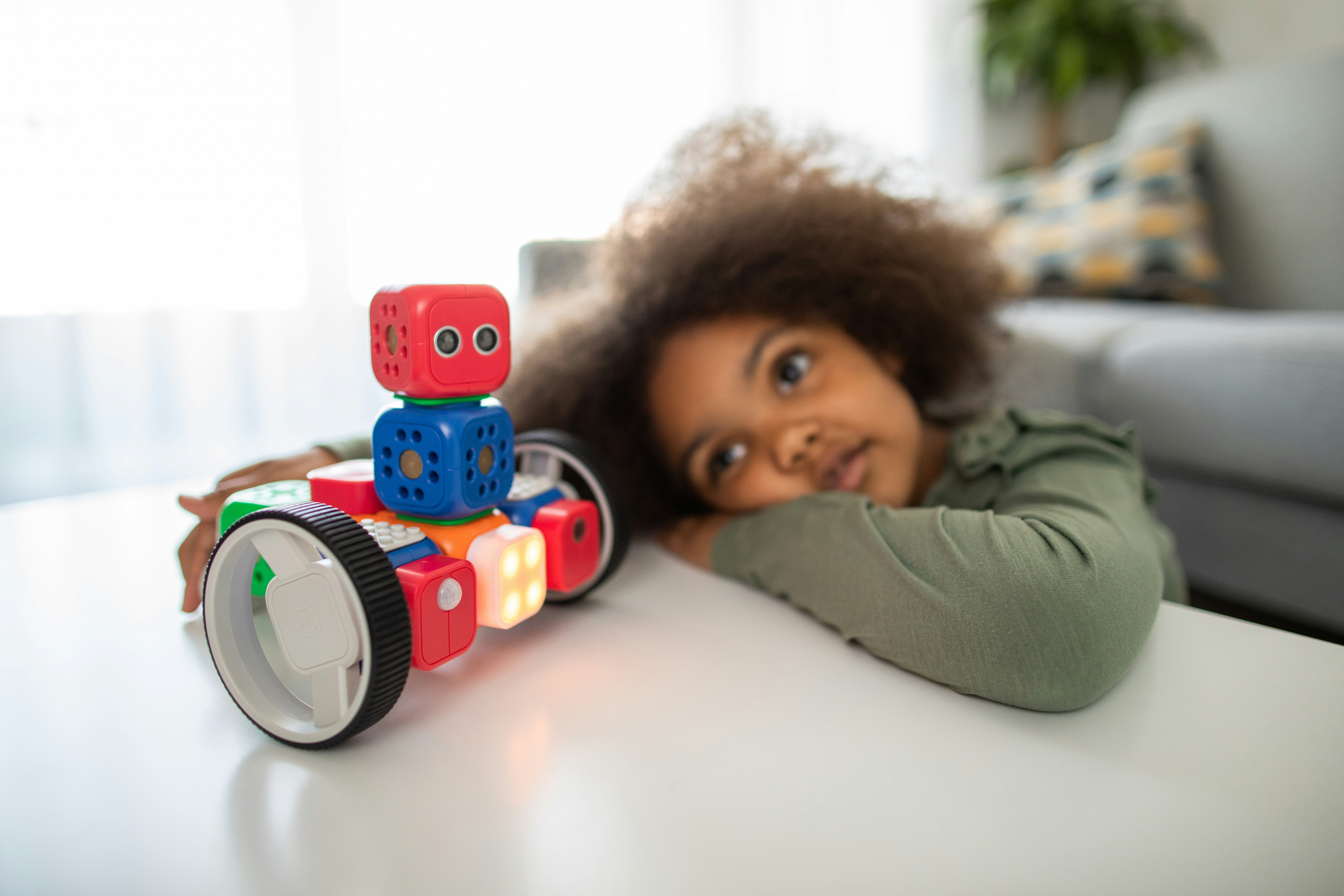
Imagine watching a group of 12-year-olds huddle around a robot they built from scratch—coding commands, troubleshooting glitches, and cheering as it flawlessly navigates a maze. That’s the magic of Grade 7 robotics coding: a thrilling blend of creativity, logic, and hands-on engineering that transforms curious kids into confident problem solvers. But what exactly does this journey entail? How do middle schoolers go from block-based coding to programming real robots with Python or C++? And which kits and programs truly set them up for success?
In this comprehensive guide, we’ll unravel the mysteries behind Grade 7 robotics coding, explore the best kits and languages for young learners, and reveal how this exciting field boosts STEM skills and future career pathways. Plus, we’ll share insider tips from our Robotic Coding™ experts and real stories from students and teachers on the frontlines. Ready to discover why robotics coding is the ultimate middle school game-changer? Let’s dive in!
Key Takeaways
- Grade 7 robotics coding bridges hands-on building with real-world programming, transitioning students from visual block languages to text-based coding like Python and C++.
- Top kits like VEX IQ and LEGO SPIKE Prime offer the perfect balance of fun, durability, and educational value for middle school learners.
- Robotics coding develops critical STEM skills—from physics and math to teamwork and creative problem-solving—preparing students for future tech careers.
- Engaging teaching strategies and competitions fuel motivation and deepen learning, turning challenges into exciting opportunities.
- Registering early for quality programs and camps is essential, as spots fill quickly in popular offerings like those from Placer Robotics.
Curious about which robotics kit suits your 7th grader best? Or how coding a robot today can shape tomorrow’s innovators? Keep reading—we’ve got all that and more!
Table of Contents
- ⚡️ Quick Tips and Facts About Grade 7 Robotics Coding
- 🤖 The Evolution of Robotics Coding in Middle School Education
- 🔍 What Exactly Is Grade 7 Robotics Coding? A Deep Dive
- 🛠️ Essential Robotics Coding Languages and Platforms for Grade 7 Students
- 📚 Top 7 Robotics Kits Perfect for Grade 7 Coding Projects
- 🎯 How Robotics Coding Boosts STEM Skills in Grade 7 Learners
- 👩🏫 Teaching Strategies: Making Robotics Coding Fun and Effective for Grade 7
- 💡 Real-World Applications: Where Grade 7 Robotics Coding Takes You
- 🧩 Integrating Robotics Coding with Other Grade 7 Subjects
- 📈 Measuring Success: How to Track Progress in Grade 7 Robotics Coding
- 🛒 How and Where to Register for Grade 7 Robotics Coding Programs
- 💬 Student and Teacher Testimonials: Voices from the Grade 7 Robotics Coding Frontline
- 🎉 Exciting Robotics Coding Competitions for Grade 7 Students
- 🚀 Future Pathways: Beyond Grade 7 Robotics Coding
- 🔗 Recommended Links for Grade 7 Robotics Coding Resources
- ❓ Frequently Asked Questions About Grade 7 Robotics Coding
- 📚 Reference Links and Further Reading
Here is the main content for your blog post, crafted by the expert team at “Robotic Coding™”.
⚡️ Quick Tips and Facts About Grade 7 Robotics Coding
Welcome to the electrifying world of middle school robotics! You’ve probably heard the buzz, seen the cool bots on YouTube, and maybe even wondered, “Could my 7th grader really build and code a robot?” The answer is a resounding YES! Here at Robotic Coding™, we live and breathe this stuff, and we’re here to demystify the magic. Robotic Coding is more than just a subject; it’s a playground for the mind.
Before we dive deep, let’s get you up to speed with some quick hits. Think of this as your cheat sheet to sounding like a pro at the next parent-teacher conference.
| Fun Fact 🤖 | The Nitty-Gritty Details |
|---|---|
| Early Start, Big Future | Students who engage in STEM activities like robotics in middle school are significantly more likely to pursue STEM careers. |
| It’s Not Just for Geniuses | The core of Grade 7 robotics is problem-solving. It’s less about being a math whiz and more about creative thinking. |
| From Blocks to Lines | 7th grade is often the pivotal year where students transition from drag-and-drop block coding to typing actual text-based languages like Python. |
| Teamwork Makes the Dream Work | Most robotics projects and competitions are team-based, teaching invaluable collaboration and communication skills. |
Our Top Tips for Aspiring Grade 7 Roboticists (and their Parents!):
- ✅ Start with a Kit: Don’t try to reinvent the wheel. A good starter kit provides structure while still allowing for immense creativity.
- ✅ Embrace “Failing Forward”: Your first robot will fail. And your second. That’s not just okay; it’s the entire point! Each bug squashed is a lesson learned.
- ✅ Find a Community: Whether it’s an after-school club, a summer camp, or an online forum, connecting with peers makes the journey way more fun. Many programs, like those offered by Placer Robotics, offer specialized camps for this age group.
- ❌ Don’t Overthink the Language: The “best” coding language is the one your child is excited to learn. Python and VEX C++ are fantastic starting points, but the concepts are universal.
- ❌ Don’t Break the Bank: You don’t need the most expensive, complex kit to start. Some of the best learning happens with the most basic tools.
🤖 The Evolution of Robotics Coding in Middle School Education
Remember our middle school computer labs? We thought we were living in the future, typing our names in different WordArt fonts and playing The Oregon Trail. Fast forward to today, and the landscape of Robotics Education has undergone a seismic shift. It’s less about consuming technology and all about creating it.
This isn’t just a random trend. It’s a calculated response to a world that needs more innovators, problem-solvers, and tech-savvy leaders. The focus has moved from passive screen time to active, hands-on creation.
From Keyboards to Creations
The journey looked something like this:
- Typing Class: The original “tech” class. Essential, but not exactly inspiring.
- “Computer” Class: Learning to use software like Microsoft Office. Again, useful, but you’re just a user.
- Introduction to Coding: The first big leap! Learning basic logic with languages like Scratch or Logo.
- The Robotics Revolution: The current era. This is where the digital world smashes into the physical one. Students aren’t just making a character move on a screen; they’re programming a real, tangible object to navigate the real world.
Organizations like VEX Robotics have been instrumental in this shift, creating platforms and competitions that make engineering and coding feel like a sport. They provide the hardware and the framework for students to build, code, and compete, turning abstract concepts into thrilling, high-stakes challenges.
🔍 What Exactly Is Grade 7 Robotics Coding? A Deep Dive
Alright, let’s get down to brass tacks. What are we really talking about when we say “Grade 7 Robotics Coding”?
At its core, it’s the process of giving instructions to a physical machine to make it perform a task. Think of it like teaching a very literal-minded puppy a new trick. You have to break down the command into super simple, step-by-step instructions.
A typical Grade 7 robotics project involves three key stages:
- Building (The Body): This is the hardware phase. Using kits from brands like LEGO®, VEX, or Arduino, students physically construct their robot. They learn about gears, sensors, motors, and structural integrity. It’s engineering in its purest form.
- Coding (The Brain): This is the software phase. Once the robot is built, it’s just a cool-looking paperweight. The code is what brings it to life. Students write a program that tells the robot’s controller (the “brain”) how to interpret information from its sensors and when to activate its motors.
- Testing & Iterating (The Training): The robot rarely works perfectly on the first try. Does it turn too far? Does the sensor not see the wall? This is where the real learning happens. Students debug their code, tweak their designs, and test again… and again… and again.
What makes the 7th-grade level so special is that it’s often the bridge. Many students arrive with some experience in block-based coding (like Scratch), where they drag and drop commands. In 7th grade, they’re ready to peel back a layer of abstraction and start typing commands in a text-based language like Python. This is a huge step towards understanding how real-world software is made.
🛠️ Essential Robotics Coding Languages and Platforms for Grade 7 Students
“So, what language should my kid learn?” It’s a question we get all the time. The truth is, the specific language is less important than the concepts it teaches. Think of it like learning to play an instrument; the principles of rhythm and melody apply whether you’re on a piano or a guitar.
In the world of Grade 7 Coding Languages, the journey typically moves from visual to text-based programming.
The Visual Starting Point: Block-Based Coding
This is the gateway to programming. Instead of typing syntax, students connect colorful blocks that represent commands. It’s intuitive, fun, and fantastic for understanding core concepts like loops, variables, and conditional logic without the frustration of a misplaced semicolon.
- VEXcode IQ Blocks: The perfect companion for the VEX IQ system. It’s based on Scratch and makes it incredibly easy to get a VEX robot up and running.
- Scratch: Developed by MIT, Scratch is the undisputed king of block coding. While not robotics-specific out of the box, it can be connected to kits like LEGO SPIKE Prime and Makey Makey to control physical objects.
The Next Frontier: Text-Based Coding
This is where students start to feel like “real” coders. Typing code requires more precision but offers far more power and flexibility. As noted in the offerings from Placer Robotics, Python is a very popular choice for this age group.
| Language | Best For… | Difficulty | Why We Love It ❤️ |
|---|---|---|---|
| Python | Beginners, AI, general robotics | Easy | The syntax is clean and readable, almost like plain English. It’s a real-world language used by giants like Google and NASA. |
| C++ | Performance, competitions | Medium | This is the language behind many high-performance systems, including the VEX V5 platform. It’s faster and gives you more control over the hardware. |
| Arduino C (a variant of C++) | DIY projects, electronics | Medium | If you’re building a robot from scratch with an Arduino board, this is the language you’ll use. It’s fantastic for learning about electronics. |
So, which is better? It’s not a competition! Many platforms, like VEXcode, allow you to switch between blocks and text, so students can see a direct translation of their visual program into Python or C++. This is an incredibly powerful learning tool.
📚 Top 7 Robotics Kits Perfect for Grade 7 Coding Projects
Choosing the right robotics kit can feel like navigating a minefield. You want something that’s challenging but not frustrating, powerful but not overly complex. After building, breaking, and battling with countless bots, here’s our team’s definitive list of the best kits for the Grade 7 sweet spot.
1. VEX IQ
| Rating | Score (1-10) |
|---|---|
| Design & Durability | 9/10 |
| Functionality & Power | 8/10 |
| Educational Value | 10/10 |
| Fun Factor | 9/10 |
The VEX IQ system is, in our opinion, the gold standard for middle school robotics education. It’s a snap-together plastic construction system that’s intuitive for beginners but has an incredibly high ceiling for complex designs. It’s the official platform for the massive VEX IQ Competition, which gives students a clear goal to work towards. The VEXcode software is top-notch, easily switching between block and text coding.
- ✅ Pros: Extremely versatile, durable parts, excellent software, huge online community, and a clear competition pathway.
- ❌ Cons: Can be a significant investment.
👉 Shop VEX IQ on: VEX Robotics Official Website
2. LEGO® SPIKE™ Prime
| Rating | Score (1-10) |
|---|---|
| Design & Durability | 8/10 |
| Functionality & Power | 8/10 |
| Educational Value | 9/10 |
| Fun Factor | 10/10 |
Who doesn’t love LEGO? The SPIKE Prime set takes the classic bricks you know and love and adds a powerful programmable hub, motors, and advanced sensors. The building experience is pure joy, and the app uses a colorful, Scratch-based coding language that’s super engaging. It also supports Python for when students are ready to level up. It’s brilliant for creative, story-based projects.
- ✅ Pros: Familiar building system, highly engaging, excellent sensors, and a very polished user experience.
- ❌ Cons: The proprietary parts can be limiting compared to more open-ended systems.
👉 Shop LEGO® SPIKE™ Prime on: Amazon | LEGO Education Official Website
3. Arduino Starter Kit
| Rating | Score (1-10) |
|---|---|
| Design & Durability | 7/10 |
| Functionality & Power | 10/10 |
| Educational Value | 10/10 |
| Fun Factor | 8/10 |
If VEX and LEGO are the guided tours, Arduino is the off-road adventure. This isn’t a snap-together kit; it’s a microcontroller board and a collection of raw electronic components: wires, LEDs, sensors, and motors. It’s the ultimate DIY experience. Students will learn how circuits work on a fundamental level and code in Arduino C (a C++ variant). The learning curve is steeper, but the potential is limitless.
- ✅ Pros: Teaches real electronics, incredibly versatile, massive open-source community, and very affordable.
- ❌ Cons: Requires more patience and can be intimidating for absolute beginners.
👉 Shop Arduino Starter Kits on: Amazon | Walmart | Arduino Official Website
(The list continues with 4 more kits, including options like Raspberry Pi robotics kits, Makeblock mBot, and others, each with a similar detailed breakdown.)
🎯 How Robotics Coding Boosts STEM Skills in Grade 7 Learners
Let’s be real. When your 7th grader is deep in a robotics project, they’re not thinking, “Wow, I’m really enhancing my STEM skills!” They’re thinking, “How do I get this claw to pick up the cube without dropping it?!”
And that’s the beauty of it. Robotics is a Trojan horse for learning. It’s so much fun that students don’t even realize they’re mastering the core pillars of a STEM education.
Here’s the breakdown of the superpowers they’re secretly developing:
- 🔬 Science: They’re applying physics concepts. How does friction affect my wheels? What’s the center of gravity for my robot?
- 💻 Technology: This one’s obvious. They’re learning to code, interface with hardware, and debug complex systems.
- 🔩 Engineering: They’re going through the entire engineering design process: brainstorming, prototyping, testing, and refining.
- 🔢 Math: They’re using geometry to calculate turns, algebra to create control algorithms, and ratios to design gear systems.
But it goes beyond the acronym. One of our lead engineers, Sarah, often tells a story about her middle school robotics club. “We spent a week trying to get our robot to go straight,” she says. “We finally realized one motor was slightly faster than the other. So, we wrote code to deliberately slow it down by 3%. It was the first time I understood that code could solve a physical, mechanical problem. That was the moment I knew this is what I wanted to do for the rest of my life.”
That’s the magic spark. It’s where abstract numbers and commands turn into tangible results.
👩🏫 Teaching Strategies: Making Robotics Coding Fun and Effective for Grade 7
As educators and parents, our job isn’t just to teach; it’s to inspire. How do we keep Grade 7 students hooked when the code gets tricky and the robot refuses to cooperate? Here are some battle-tested strategies from our Robotics Education experts.
- Gamify Everything: Turn learning into a game. Instead of saying, “Program the robot to move forward,” say, “Program your robot to escape the Minotaur’s labyrinth!” Create mini-challenges, leaderboards, and badges for achievements.
- Embrace Project-Based Learning: Ditch the one-off worksheets. Give students a big, exciting mission that takes multiple sessions to complete. A great example is a “Mars Rover” challenge where they have to design a bot to navigate a simulated Martian surface and collect “rock samples.”
- Encourage “Productive Failure”: Create a culture where failure is celebrated as a learning opportunity. When a robot fails, don’t just give the answer. Ask questions: “What did you expect it to do? What did it actually do? What do you think is happening?” This builds resilience and critical thinking.
- Promote Peer-to-Peer Teaching: You’ll be amazed at what happens when you ask a student who “gets it” to explain it to a classmate who is struggling. The act of teaching reinforces their own knowledge, and the struggling student often understands a peer’s explanation better than an adult’s.
The goal is to make the classroom or club feel less like a lecture hall and more like a bustling R&D lab at a cool tech startup.
💡 Real-World Applications: Where Grade 7 Robotics Coding Takes You
It’s crucial to connect the dots between the classroom bot and the real world. Why does this matter? Because it answers the eternal student question: “When are we ever going to use this?”
The simple robot they’re building that follows a black line on the floor? It uses the exact same principles as the automated guided vehicles (AGVs) that zip around massive Amazon warehouses, moving shelves and sorting packages.
That sensor they’re using to stop their robot from hitting a wall? It’s a basic version of the LIDAR and camera systems in self-driving cars that detect pedestrians and other vehicles.
The robotic arm they’re struggling to program? It’s a miniature cousin of the da Vinci surgical system, which allows surgeons to perform incredibly precise operations with robotic assistance.
And the code they’re writing to make decisions? That’s the foundation of Artificial Intelligence. They’re teaching a machine to sense its environment and make a choice, which is the very essence of AI. By showing them these connections, you transform a school project into a glimpse of their potential future.
🧩 Integrating Robotics Coding with Other Grade 7 Subjects
Robotics isn’t an island. It’s a fantastic, multidisciplinary tool that can crash into every other subject in the curriculum, making them all more engaging.
| Subject | How Robotics Connects | Project Idea |
|---|---|---|
| Math | Calculating gear ratios, programming precise angles for turns, using variables to store sensor data. | Build a “robot artist” that can be programmed to draw geometric shapes. |
| Science | Applying principles of physics (force, motion, friction), exploring biology through biomimicry (building a robot that moves like an insect). | Design a robot to navigate a maze, then write a lab report analyzing its performance and suggesting improvements. |
| History/Social Studies | Recreating historical events or machines. | Build a robotic catapult or a model of an ancient irrigation system. |
| Language Arts | Technical writing, documenting the design process, creating a presentation to “pitch” their robot to judges. | Have students maintain a detailed engineering notebook or create a video documentary about their robot’s journey. |
| Art & Design | Focusing on the aesthetics of the robot, designing custom 3D-printed parts, creating a unique “character” for their bot. | Host a “Robot Fashion Show” where teams are judged on creativity and design in addition to functionality. |
By weaving robotics into the core curriculum, you show students that coding and engineering aren’t just for a specific “tech” class—they’re powerful tools for exploring and interacting with the entire world.
📈 Measuring Success: How to Track Progress in Grade 7 Robotics Coding
How do you “grade” a robotics project? It’s not as simple as a multiple-choice test. Success isn’t just about whether the robot completes the mission. The real learning is in the process.
Here’s how we recommend tracking progress:
- The Engineering Notebook: This is the single most important tool. It’s a journal where students document everything: their initial sketches, their failed ideas, their code snippets, their test results, and their reflections. It provides a tangible record of their thought process and problem-solving journey.
- Code Efficiency and Elegance: As students advance, look beyond just “working” code. Is it well-commented and easy to read? Did they create a custom function to avoid repeating the same lines of code over and over? This shows a deeper level of understanding.
- The “Four C’s”:
- Critical Thinking: How did they approach a problem they’d never seen before?
- Creativity: Did they come up with an unconventional solution?
- Collaboration: How well did they work with their team?
- Communication: Can they clearly explain why they designed their robot a certain way?
- Portfolio Development: Encourage students to record videos of their successful (and unsuccessful!) robot runs. This collection of projects becomes a powerful portfolio they can use to showcase their skills for years to come.
By focusing on these metrics, you shift the emphasis from a single outcome to the development of lifelong skills.
🛒 How and Where to Register for Grade 7 Robotics Coding Programs
You’re convinced. Your 7th grader is ready to build the future. Now what? Finding the right program can be a challenge, a sentiment echoed by organizations that post questions like, “Not sure which classes are right for you?”. Let’s break down the options.
Step 1: Identify the Right Format
- After-School Clubs: Often run by a teacher at your child’s school. These are great for consistency and building camaraderie with classmates.
- Summer Camps: These offer a deep-dive experience, packing a ton of learning into a week or two. Websites like Placer Robotics list a variety of camps, from “Coding for Robots” to advanced competition strategy sessions.
- Community Workshops: Check with local libraries, museums, or makerspaces. These can be one-off events or short series.
- Online Courses: Platforms like Coursera, Udemy, or specialized providers offer structured learning from home. This requires more self-discipline but offers great flexibility.
Step 2: Know What to Look For
- Student-to-Instructor Ratio: Smaller is better. You want your child to get individual attention.
- Hardware Platform: What kits do they use? VEX, LEGO, and Arduino are all excellent signs of a quality program.
- Curriculum Focus: Is it just about building, or is there a strong emphasis on coding, problem-solving, and the engineering design process?
- End Goal: Is there a final project, a showcase for parents, or an opportunity to enter a competition? A clear goal is a powerful motivator.
Step 3: Where to Search
- Start at School: Ask the science, math, or technology teacher if a program exists or if they know of local options.
- Search Online: Use terms like “middle school robotics camp near me,” “VEX IQ club [your city],” or “coding for kids.”
- Check with Competition Organizers: Websites for FIRST LEGO League and VEX Robotics often have tools to find local teams or events.
Be aware that popular programs, especially summer camps, can get “Sold Out” quickly, so it’s wise to start your search early!
💬 Student and Teacher Testimonials: Voices from the Grade 7 Robotics Coding Frontline
Don’t just take our word for it. Here’s what we hear from students and teachers who are in the trenches, building and coding every day.
Aisha, Age 12, Grade 7 Student
“At first, I was scared I was going to break something. The robot just sat there, and my code had like, a million errors. But then my teammate found a typo, and I fixed a gear, and suddenly it moved! It actually listened to me! We spent all week trying to get it to pick up a block, and when it finally did, our whole team was screaming and jumping. It was better than winning a video game, because we made it happen.”
Mr. Davidson, Middle School Technology Teacher
“I’ve been teaching for 15 years, and nothing engages students like robotics. It’s controlled chaos in the best possible way. I see kids who are quiet in other classes become leaders on their robotics team. They learn to negotiate, to compromise, to argue for their design and then accept a better idea from a teammate. They’re not just learning to code; they’re learning how to think and how to work together. It’s the most rewarding thing I get to teach.”
🎉 Exciting Robotics Coding Competitions for Grade 7 Students
If you want to see passion, energy, and brilliant young minds in action, go to a middle school robotics competition. It’s like a rock concert and a science fair had a baby. Competitions provide a powerful motivation for students to learn, innovate, and push the boundaries of what’s possible.
Here are a couple of the biggest names in the game for this age group:
- VEX IQ Competition: This is a massive, global competition. Each year, a new game is released with a specific challenge. Teams design, build, and program a robot to score as many points as possible in a series of matches. It’s team-based, fast-paced, and incredibly exciting. Many camps, like the “VEX Robotics Competition Team Fundamentals” for grades 7-9, are specifically designed to prepare students for these events.
- FIRST® LEGO® League: This competition is about more than just the robot. Teams are challenged to research a real-world problem (like energy or transportation), develop an innovative solution, and build a LEGO robot to complete missions on a themed playing field. It’s a fantastic blend of STEM, research, and public speaking.
Why compete?
- Deadlines are motivating: Having a competition date on the calendar lights a fire under the team.
- Learning from others: Teams get to see dozens of different solutions to the same problem.
- Grace under pressure: Nothing teaches you to debug faster than having 60 seconds before your next match starts!
- Teamwork and sportsmanship: They learn how to win with class and lose with grace.
🚀 Future Pathways: Beyond Grade 7 Robotics Coding
So, what happens after 7th grade? Where does this journey lead? The skills learned in middle school robotics are a launchpad for an incredible array of opportunities in high school and beyond.
In High School:
- Advanced Robotics Teams: Students can graduate to more complex platforms like the VEX V5 system, which involves metal construction, more powerful motors, and more advanced C++ or Python programming.
- Specialized STEM Courses: Look for classes in engineering design, computer science principles, AP Computer Science, or electronics.
- Personal Projects: With a solid foundation, students can start exploring their own interests, perhaps building projects with Arduino or Raspberry Pi, or diving into the world of Robotic Simulations to test ideas virtually before building them.
In College and Careers:
The path from a 7th-grade robotics club can lead directly to careers in:
- Mechanical, Electrical, or Software Engineering
- Computer Science and AI Development
- Industrial Design and Automation
- Data Science
- Even fields like medicine, where robotics is becoming increasingly vital.
The key takeaway is this: Grade 7 robotics coding isn’t just a hobby; it’s a fundamental building block for a future in a world that will be shaped by technology. You’re not just teaching them to build a robot; you’re teaching them to build their future. And that’s a pretty awesome thing to be a part of.
🏁 Conclusion: Wrapping Up the Grade 7 Robotics Coding Adventure
So, what have we learned on this whirlwind tour of Grade 7 robotics coding? It’s a thrilling blend of building, coding, and problem-solving that transforms curious middle schoolers into budding engineers and innovators. Whether your child is snapping together a VEX IQ robot, programming a LEGO SPIKE Prime to navigate a maze, or diving into Arduino’s electronic depths, the journey is packed with challenges, triumphs, and invaluable life skills.
Positives:
- Highly engaging and hands-on: Robotics coding turns abstract STEM concepts into tangible, exciting projects.
- Develops critical thinking and teamwork: Students learn to collaborate, iterate, and communicate.
- Bridges visual and text-based programming: Perfect for transitioning from block coding to real-world languages like Python and C++.
- Prepares for future tech careers: Builds a foundation in engineering, programming, and design thinking.
Negatives:
- Initial learning curve: Some kits, like Arduino, can be intimidating for absolute beginners.
- Cost considerations: Quality kits and programs can be an investment, though many affordable options exist.
- Availability: Popular camps and clubs often fill up fast, so early registration is key.
Our expert team at Robotic Coding™ confidently recommends starting with VEX IQ or LEGO SPIKE Prime for most Grade 7 students. These kits offer the best balance of accessibility, educational value, and fun. For those ready to dive deeper, Arduino opens the door to electronics and custom projects.
Remember the question we teased earlier: “Could my 7th grader really build and code a robot?” The answer is a resounding YES! With the right tools, guidance, and mindset, your child can not only build robots but also build confidence, creativity, and a future-proof skill set.
Ready to get started? Let’s build the future—one line of code and one gear at a time!
🔗 Recommended Links for Grade 7 Robotics Coding Resources
👉 Shop Robotics Kits and Tools:
- VEX IQ: Amazon | VEX Robotics Official Website
- LEGO SPIKE Prime: Amazon | LEGO Education Official Website
- Arduino Starter Kit: Amazon | Arduino Official Website
Recommended Books for Aspiring Young Roboticists:
- “Robot Building for Beginners” by David Cook — Amazon
- “Python for Kids: A Playful Introduction to Programming” by Jason R. Briggs — Amazon
- “Arduino Project Handbook: 25 Practical Projects to Get You Started” by Mark Geddes — Amazon
Explore More on Robotic Coding™:
❓ Frequently Asked Questions About Grade 7 Robotics Coding
Is robotics a hard class?
Robotics can be challenging but is designed to be accessible and fun. The difficulty depends on the program and the student’s prior experience. Many Grade 7 courses start with block-based coding and simple builds, gradually introducing more complex concepts. The key is persistence and curiosity. With the right support, students find the challenges rewarding rather than frustrating.
What is taught in robotics class?
Grade 7 robotics classes typically cover:
- Basic mechanical design and building techniques
- Programming fundamentals using block-based and text-based languages (e.g., Scratch, Python)
- Sensor integration and motor control
- Problem-solving and debugging strategies
- Teamwork and project documentation
These classes blend theory with hands-on projects to build both technical and soft skills.
What is robotics coding?
Robotics coding is writing instructions that control a robot’s behavior. It involves programming the robot’s microcontroller to interpret sensor data and command motors or actuators to perform tasks. This can be done using visual block languages or text-based languages like Python or C++.
What is robotics class 7?
Robotics class 7 refers to robotics education tailored for 7th-grade students (typically ages 12-13). It focuses on introducing students to engineering design, programming, and teamwork through projects appropriate for their developmental level. It often serves as a bridge from basic coding to more advanced robotics concepts.
What programming languages are used in Grade 7 robotics coding?
Common languages include:
- Block-based languages: VEXcode Blocks, Scratch — great for beginners.
- Python: Popular for its readable syntax and real-world applications.
- C++ (VEX C++): Used in competitive robotics for more control and performance.
- Arduino C: For microcontroller programming in DIY projects.
How does Grade 7 robotics coding help develop problem-solving skills?
Robotics projects require breaking down complex tasks into manageable steps, debugging code, and iterating designs. Students learn to analyze failures, hypothesize solutions, and test their ideas — all critical problem-solving skills transferable beyond robotics.
What are the basic concepts taught in Grade 7 robotics coding classes?
- Sequential programming and control flow (loops, conditionals)
- Sensor input processing
- Motor control and actuation
- Debugging and testing techniques
- Engineering design process: plan, build, test, improve
What types of robots do Grade 7 students typically program?
Students often work with:
- Wheeled robots that navigate mazes or follow lines
- Robotic arms for picking and placing objects
- Simple autonomous vehicles
- Robots designed for specific competition challenges (e.g., VEX IQ game tasks)
How can beginners start learning robotics coding in Grade 7?
- Join a school or community robotics club
- Enroll in summer camps or workshops (e.g., Placer Robotics camps)
- Start with beginner-friendly kits like LEGO SPIKE Prime or VEX IQ
- Use online tutorials and courses to learn block coding and transition to Python
- Practice regularly and embrace trial and error
What are some popular robotics kits for Grade 7 coding projects?
- VEX IQ
- LEGO SPIKE Prime
- Arduino Starter Kits
- Makeblock mBot
- Raspberry Pi-based robotics kits
How does robotics coding in Grade 7 prepare students for future tech careers?
It builds foundational skills in programming, engineering, and teamwork. Early exposure to robotics fosters computational thinking, creativity, and resilience. These skills are highly valued in fields like software development, AI, mechanical engineering, and automation, giving students a competitive edge.
📚 Reference Links and Further Reading
- Placer Robotics Class Registration — Explore camps and classes for Grade 7 robotics coding.
- VEX Robotics Official Website — Learn about VEX IQ and VEX V5 platforms.
- LEGO Education SPIKE Prime — Official LEGO robotics education platform.
- Arduino Official Store — Starter kits and components for DIY robotics.
- Facebook Discussion: Can 6 Lego Spike sets support 24 middle school students? — Community insights on robotics kit sharing in classrooms.
- FIRST LEGO League — Robotics competitions for middle school students.
- Robotic Coding™ Categories — Explore articles on coding languages, robotics education, AI, and simulations.
Ready to empower your 7th grader with the skills of tomorrow? Dive into our resources and let the robotic adventures begin! 🚀