
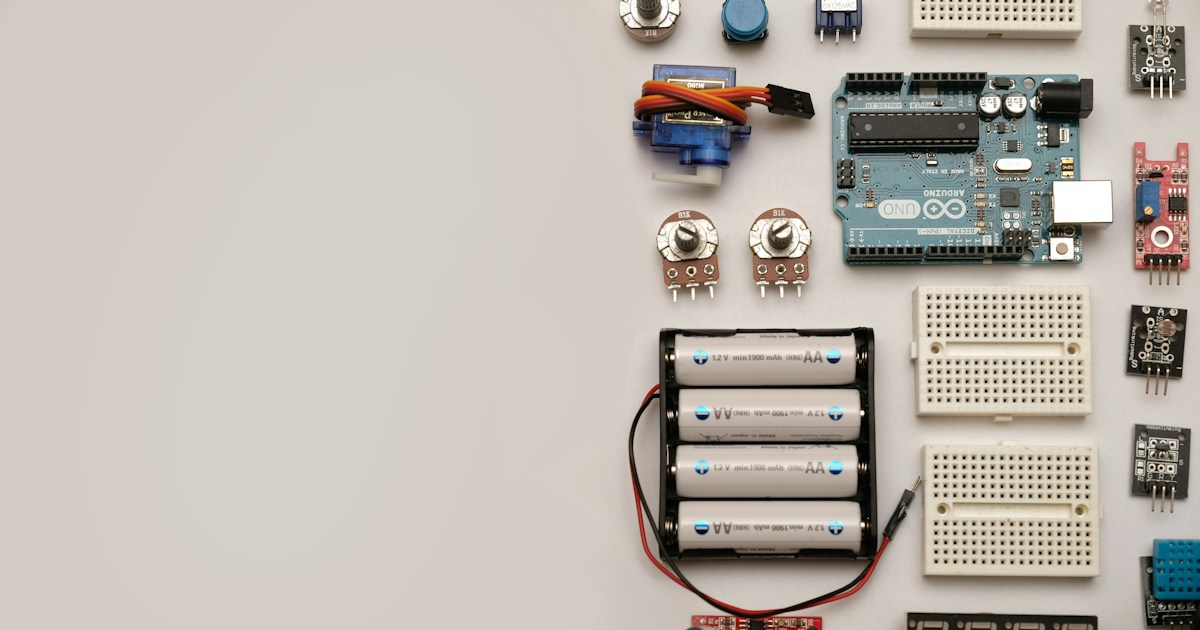
The best beginner-friendly Arduino robotic coding projects start small: try an LED bot or servo first, then build a two-wheel rover that follows a line or avoids obstacles. What are some beginner-friendly Arduino robotic coding projects? We’ve gathered 41 ideas, from simple sensor experiments to smartphone-controlled cars and robotic arms, so you can choose a build that fits your skills and parts.
At Robotic Coding™, we’ve learned that the most satisfying first robot isn’t necessarily the fanciest one. It’s the one you can test, debug, and improve without the entire workbench turning into a spaghetti junction of wires. Start with one behavior, make it reliable, then add another.
That step-by-step approach teaches the real heart of robotics: reading sensors, making decisions in code, and controlling motors safely. And yes, when a homemade robot finally follows the black line instead of charging toward your coffee mug, the victory feels gloriously disproportionate.
Key Takeaways
- Start simple: An LED bot, servo project, or joystick-controlled mechanism teaches useful Arduino basics before you tackle a moving rover.
- Build up to mobile robots: Two-wheel cars are flexible beginner platforms for line following, obstacle avoidance, Bluetooth, and speed control.
- Match the project to your parts and experience: A sensor-heavy robot may sound impressive, but a dependable basic build is a better launchpad.
- Use a motor driver and separate motor power: Arduino I/O pins aren’t designed to power DC motors directly; check your board and driver documentation before wiring.
- Test one feature at a time: Verify the sensor, motor, and code separately before combining them. Debuging one gremlin beats chasing six at once.
Table of Contents
- ⚡️ Quick Tips and Facts
- 🤖 Arduino Robotics for Beginners: What You Need to Know
- How Arduino controls a robot
- Choosing your first Arduino board
- Essential parts, tools, and sensors
- Arduino IDE, coding languages, and beginner resources
- 🧰 Set Up Your Arduino Robotics Workbench
- Safety, batteries, and wiring basics
- A beginner-friendly project workflow
- 🚗 41 Beginner-Friendly Arduino Robotic Coding Projects
- First Steps: Lights, Motion, and Simple Controls
- 1. Arduino LED Blink Bot
- 2. Servo-Powered Pointer Robot
- 3. Button-Controled Micro Servo
- 4. Potentiometer-Controled Robot Arm Joint
- 5. Joystick-Controled Servo Bot
- 6. IR Remote-Controled Arduino Robot
- 7. Sound-Reactive Robot
- Wheels and Movement: Build Your First Driving Robots
- 8. Two-Wheel Arduino Rover
- 9. Bluetooth-Controled Arduino Car
- 10. Smartphone-Controled Robot Car
- 11. Wi-Fi-Controled Arduino Rover
- 12. Line-Following Robot
- 13. Edge-Avoiding Tabletop Robot
- 14. Ultrasonic Obstacle-Avoiding Robot
- 15. Light-Seking Robot
- 16. Maze-Solving Arduino Robot
- 17. Speed-Controled Robot with PWM
- 18. Encoder-Based Robot Distance Tracker
- Sensors and Smart Behaviors: Make Robots React
- 19. Ultrasonic Parking Assistant Bot
- 20. Bluetooth Robot with Distance Warnings
- 21. Temperature-Sensing Patrol Robot
- 22. Motion-Activated Arduino Security Bot
- 23. Bump-and-Turn Collision-Avoiding Robot
- 24. Color-Sorting Mini Robot
- 25. Gesture-Controled Robot
- 26. Voice-Controled Arduino Robot
- 27. Compass-Guided Rover
- 28. Accelerometer-Balancing Robot
- Arms, Grippers, and Moving Mechanisms
- 29. Cardboard Arduino Robotic Arm
- 30. Joystick-Controled Robotic Arm
- 31. Bluetooth Robotic Arm
- 32. Arduino Robot Claw or Gripper
- 33. Mini Conveyor-Belt Sorting Robot
- 34. Pan-and-Tilt Camera Mount
- Creative Builds: Crawlers, Walkers, and Interactive Bots
- 35. Two-Servo Arduino Walking Robot
- 36. Mini Hexapod Robot
- 37. Arduino Spider Robot
- 38. Vibration-Powered Bristlebot
- 39. Drawing Robot or Art Bot
- 40. Robot Pet with LEDs and Sensors
- 41. Arduino Sumo Robot
- 🧩 How to Choose the Right Arduino Robot Project
- Project ideas by skill level and build time
- Best Arduino projects for kids, classrooms, and STEM clubs
- Best projects for learning sensors, motors, and coding
- 💻 Arduino Robotics Coding Basics
- Reading sensors and controlling motors
- Using variables, loops, conditionals, and functions
- Understanding motor drivers, servos, and PWM
- Adding Bluetooth, Wi-Fi, and remote control
- 🔧 Troubleshooting Arduino Robot Builds
- Robot will not move or motors run backward
- Arduino resets, sensors misbehave, or code will not upload
- Common beginner wiring and power mistakes
- 🚀 Upgrade Ideas: Take Your Arduino Robot Further
- Add encoders, displays, and data logging
- Explore robotics, PID control, and computer vision
- From Arduino starter bot to FIRST Robotics and beyond
- 📚 Arduino Robotics Background: From Microcontrollers to Makers
- 🏁 Conclusion
- 🔗 Recommended Links
- ❓ FAQ
- What is the easiest Arduino robot to build?
- Can beginners build Arduino robots without soldering?
- Which Arduino board is best for robotics beginners?
- Do Arduino robot projects need a motor driver?
- Can I program Arduino robots with Scratch or Blockly?
- What parts do I need to make a basic Arduino robot car?
- How do I power an Arduino robot safely?
- How can I make my Arduino robot follow a line?
- 📖 Reference Links
Table of Contents
- ⚡️ Quick Tips and Facts
- 🤖 Arduino Robotics for Beginners: What You Need to Know
- How Arduino controls a robot
- Choosing your first Arduino board
- Essential parts, tools, and sensors
- Arduino IDE, coding languages, and beginner resources
- 🧰 Set Up Your Arduino Robotics Workbench
- Safety, batteries, and wiring basics
- A beginner-friendly project workflow
- 🚗 41 Beginner-Friendly Arduino Robotic Coding Projects
- First Steps: Lights, Motion, and Simple Controls
- 1. Arduino LED Blink Bot
- 2. Servo-Powered Pointer Robot
- 3. Button-Controled Micro Servo
- 4. Potentiometer-Controled Robot Arm Joint
- 5. Joystick-Controled Servo Bot
- 6. IR Remote-Controled Arduino Robot
- 7. Sound-Reactive Robot
- Wheels and Movement: Build Your First Driving Robots
- 8. Two-Wheel Arduino Rover
- 9. Bluetooth-Controled Arduino Car
- 10. Smartphone-Controled Robot Car
- 11. Wi-Fi-Controled Arduino Rover
- 12. Line-Following Robot
- 13. Edge-Avoiding Tabletop Robot
- 14. Ultrasonic Obstacle-Avoiding Robot
- 15. Light-Seking Robot
- 16. Maze-Solving Arduino Robot
- 17. Speed-Controled Robot with PWM
- 18. Encoder-Based Robot Distance Tracker
- Sensors and Smart Behaviors: Make Robots React
- 19. Ultrasonic Parking Assistant Bot
- 20. Bluetooth Robot with Distance Warnings
- 21. Temperature-Sensing Patrol Robot
- 22. Motion-Activated Arduino Security Bot
- 23. Bump-and-Turn Collision-Avoiding Robot
- 24. Color-Sorting Mini Robot
- 25. Gesture-Controled Robot
- 26. Voice-Controled Arduino Robot
- 27. Compass-Guided Rover
- 28. Accelerometer-Balancing Robot
- Arms, Grippers, and Moving Mechanisms
- 29. Cardboard Arduino Robotic Arm
- 30. Joystick-Controled Robotic Arm
- 31. Bluetooth Robotic Arm
- 32. Arduino Robot Claw or Gripper
- 33. Mini Conveyor-Belt Sorting Robot
- 34. Pan-and-Tilt Camera Mount
- Creative Builds: Crawlers, Walkers, and Interactive Bots
- 35. Two-Servo Arduino Walking Robot
- 36. Mini Hexapod Robot
- 37. Arduino Spider Robot
- 38. Vibration-Powered Bristlebot
- 39. Drawing Robot or Art Bot
- 40. Robot Pet with LEDs and Sensors
- 41. Arduino Sumo Robot
- 🧩 How to Choose the Right Arduino Robot Project
- Project ideas by skill level and build time
- Best Arduino projects for kids, classrooms, and STEM clubs
- Best projects for learning sensors, motors, and coding
- 💻 Arduino Robotics Coding Basics
- Reading sensors and controlling motors
- Using variables, loops, conditionals, and functions
- Understanding motor drivers, servos, and PWM
- Adding Bluetooth, Wi-Fi, and remote control
- 🔧 Troubleshooting Arduino Robot Builds
- Robot will not move or motors run backward
- Arduino resets, sensors misbehave, or code will not upload
- Common beginner wiring and power mistakes
- 🚀 Upgrade Ideas: Take Your Arduino Robot Further
- Add encoders, displays, and data logging
- Explore robotics, PID control, and computer vision
- From Arduino starter bot to FIRST Robotics and beyond
- 📚 Arduino Robotics Background: From Microcontrollers to Makers
- 🏁 Conclusion
- 🔗 Recommended Links
- ❓ FAQ
- What is the easiest Arduino robot to build?
- Can beginners build Arduino robots without soldering?
- Which Arduino board is best for robotics beginners?
- Do Arduino robot projects need a motor driver?
- Can I program Arduino robots with Scratch or Blockly?
- What parts do I need to make a basic Arduino robot car?
- How do I power an Arduino robot safely?
- How can I make my Arduino robot follow a line?
- 📖 Reference Links