
Ever stared at a pile of wires, a blinking LED, and a microcontroller, wondering how on earth you turn that mess into a robot that actually moves? We’ve been there. At Robotic Coding™, we’ve watched countless beginners get paralyzed by the sheer volume of “advanced” tutorials before they’ve even mastered the basics. The truth is, the path to robotic mastery isn’t about building a humanoid that makes coffee on day one; it’s about starting with the right foundational projects that teach you the logic of movement, sensing, and control.
In this guide, we’re cutting through the noise to reveal the 10 best Arduino projects specifically curated for aspiring roboticists. From the classic line-follower that teaches you about feedback loops to the mind-bending self-balancing bot that introduces you to PID control, these aren’t just random ideas—they are a structured curriculum designed to take you from “Hello World” to autonomous navigation. We’ll even reveal the one specific project that forces you to understand the physics of motion better than any textbook ever could (hint: it involves a robot that refuses to fall over).
Whether you are a student, a hobbyist, or a software engineer looking to get your hands dirty with hardware, these projects bridge the gap between abstract code and physical reality. So, grab your soldering iron (or just your breadboard), and let’s build the future, one line of code at a time.
Key Takeaways
- Start with the Basics: The Line-Following Rover and Obstacle-Avoiding Bot are the essential first steps to understanding sensor logic and motor control without overwhelming complexity.
- Master the Core Concepts: Progressing to projects like the Self-Balancing Robot introduces critical concepts like PID control and real-time data processing, which are fundamental to advanced robotics.
- Power is Critical: A common pitfall for beginners is under-powering motors; always use a dedicated battery pack or motor driver shield to prevent Arduino resets.
- Iterate and Learn: The best way to learn is by building, breaking, and debugging. Each failed attempt provides valuable data to refine your robotic coding skills.
- Community is Key: Leverage the massive open-source ecosystem to find libraries, schematics, and troubleshooting help for every project on this list.
Table of Contents
- ⚡️ Quick Tips and Facts
- 🤖 From Spark to Robot: A Brief History of Arduino in Robotics
- 🛠️ Essential Gear: Choosing Your First Arduino Board and Sensors
- 🚀 Top 10 Beginner-Friendly Arduino Robotics Projects to Master Coding
- 1. The Line-Following Rover: Your First Step into Autonomous Navigation
- 2. Obstacle-Avoiding Bot: Mastering Ultrasonic Sensors and Logic
- 3. Bluetooth-Controled Car: Bridging Mobile Apps and Hardware
- 4. Robotic Arm Basics: Understanding Servo Motors and Kinematics
- 5. Weather Station Rover: Integrating Environmental Sensors
- 6. Self-Balancing Robot: Tackling PID Control Lops
- 7. Voice-Controled Assistant: Adding Speech Recognition to Your Bot
- 8. Solar-Powered Explorer: Managing Power and Efficiency
- 9. Maze-Solving Algorithm: Advanced Logic and Pathfinding
- 10. IoT Smart Home Robot: Connecting to the Cloud
- 🧠 Decoding the Logic: Programming Fundamentals for Robotics
- ⚙️ Troubleshooting Common Hiccups: When Your Robot Won’t Move
- 💡 Pro Tips for Aspiring Roboticists: Avoiding Beginner Pitfalls
- 🏆 Conclusion
- 🔗 Recommended Links
- ❓ FAQ
- 📚 Reference Links
⚡️ Quick Tips and Facts
Before we dive into the nitty-gritty of building your first metal-and-circuit beast, let’s hit the pause button and drop some knowledge bombs that will save you hours of frustration. We’ve seen too many beginners burn out their microcontrollers because they skipped the basics. Here’s the scoop from our team at Robotic Coding™:
- Start Small, Dream Big: Don’t try to build a humanoid robot on day one. Start with a blinking LED. Seriously. If you can’t make a light blink, you definitely can’t make a robot dance.
- Power is King: The most common mistake? Under-powering your motors. An Arduino Uno can’t power two high-torque motors directly. You must use a battery pack or a motor driver shield.
- Open Source is Your Friend: One of the biggest perks of the Arduino ecosystem is that the hardware and software are open source. This means you can find thousands of free libraries and schematics online.
- The “Clones” Debate: You might wonder if you need the official Arduino board. While the Arduino Uno R3 is the gold standard, legitimate clones (like those from Elegoo or SunFounder) often offer better value for beginners without sacrificing functionality.
Did you know? The Arduino platform was named after a bar in Ivrea, Italy, called “Bar di Re Arduino,” named after King Arduin of Italy. It’s not named after a robot! 🤖
For a deeper dive into the ecosystem, check out our comprehensive guide on Arduino to understand how it fits into the broader world of Robotics Education.
🤖 From Spark to Robot: A Brief History of Arduino in Robotics
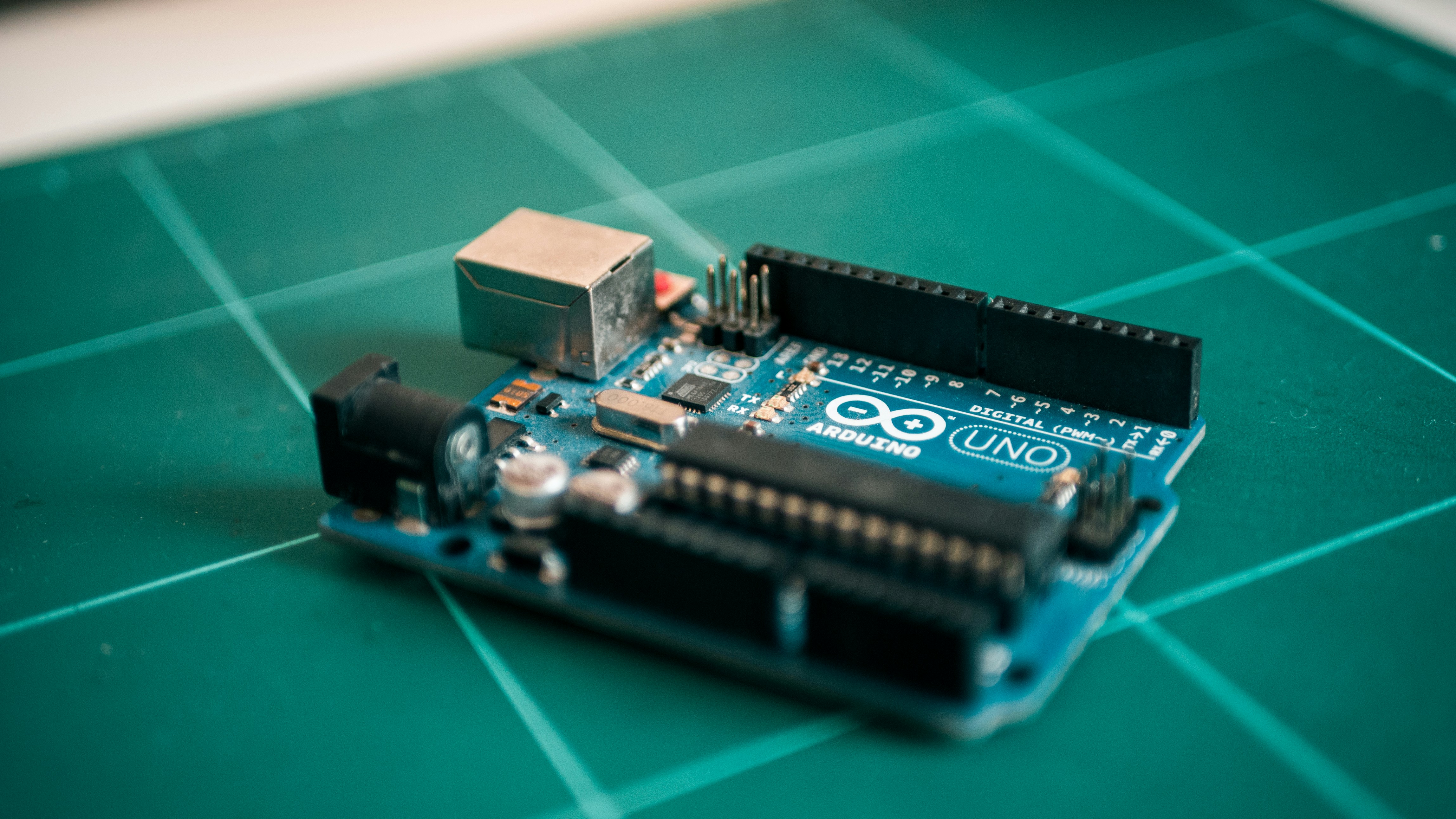
How did a simple Italian project evolve into the backbone of modern robotics? It’s a story of democratization.
In the early 20s, protyping electronics was a nightmare reserved for PhDs and engineers with deep pockets. You needed expensive tools, proprietary software, and a degree in electrical engineering just to blink a light. Then came Massimo Banzi and his team in Ivrea. They wanted to create a tool that was accessible, affordable, and easy to use.
The result? The Arduino platform.
- 205: The first Arduino board is released. It’s based on the Wiring platform but simplified for students.
- 208: The Arduino Uno is introduced, becoming the de facto standard for hobbyists.
- 2010s: The explosion of the “Maker Movement.” Suddenly, everyone from high schoolers to NASA engineers was using Arduino for robotics, IoT, and automation.
Why does this matter to you? Because the community is your greatest asset. When you build a robot today, you aren’t just following a manual; you’re standing on the shoulders of thousands of engineers who have solved the same problems you’re facing right now.
As we explore the Robotics category, you’ll see how Arduino bridged the gap between theoretical coding and physical movement, turning code into kinetic energy.
🛠️ Essential Gear: Choosing Your First Arduino Board and Sensors
Alright, let’s get our hands dirty. You can’t build a robot without the right tools. But with so many boards and sensors flooding the market, how do you choose?
The Board Showdown: Uno vs. Nano vs. Mega
| Feature | Arduino Uno R3 | Arduino Nano | Arduino Mega 2560 |
|---|---|---|---|
| Best For | Beginers, Standard Projects | Compact Robots, Wearables | Complex Projects, Many Sensors |
| Digital I/O Pins | 14 | 14 | 54 |
| Analog Inputs | 6 | 8 | 16 |
| Flash Memory | 32 KB | 32 KB | 256 KB |
| Size | Standard | Tiny | Large |
| Power | USB or Barrel Jack | Mini-USB | USB or Barrel Jack |
- The Verdict: For your first robot, the Arduino Uno R3 is the undisputed champion. It has enough pins for a standard rover, it’s robust, and the community support is massive. If you are building a tiny, stealthy bot, go for the Nano. If you plan on connecting 20 sensors and 5 motors immediately, the Mega is your beast.
Sensors: The Eyes and Ears of Your Robot
Your robot needs to perceive the world. Here are the must-have sensors for beginners:
- Ultrasonic Sensor (HC-SR04): The classic “bat ears.” It measures distance by sending sound waves. Perfect for obstacle avoidance.
- IR Line Follower Sensor: Essential for robots that follow black lines on the floor.
- Servo Motors (SG90/MG96R): These aren’t just for movement; they can hold positions. Great for robotic arms or rotating sensors.
- Motor Driver (L298N or TB612FNG): Crucial! Your Arduino cannot drive motors directly. You need a driver to handle the high current.
Pro Tip: Don’t buy individual components unless you know exactly what you need. A Starter Kit is almost always the better value.
👉 Shop
- Arduino Official Starter Kit: Amazon | Arduino Store
- Elegoo Super Starter Kit: Amazon | Elegoo Official
🚀 Top 10 Beginner-Friendly Arduino Robotics Projects to Master Coding
Ready to build? We’ve curated the ultimate list of projects that take you from “Hello World” to “Hello Robot.” Each project builds on the previous one, introducing new concepts in Artificial Intelligence and control systems.
1. The Line-Following Rover: Your First Step into Autonomous Navigation
This is the “Hello World” of robotics. Your robot must follow a black line on a white surface.
- What you learn: IR sensors, PID control (basic), motor speed differential.
- The Challenge: Why does the robot jitter? How do you make it smooth?
- Key Components: 2x IR sensors, 2x DC motors, L298N driver.
2. Obstacle-Avoiding Bot: Mastering Ultrasonic Sensors and Logic
Now your robot has eyes! It scans the environment and turns away from walls.
- What you learn: Ultrasonic sensors, conditional logic (
if/else), basic decision trees. - The Challenge: What happens when the robot is trapped in a corner? How do you program it to “back up” and turn?
- Key Components: HC-SR04 sensor, servo motor (to scan), chassis.
3. Bluetooth-Controled Car: Bridging Mobile Apps and Hardware
Turn your smartphone into a remote control. No more wires!
- What you learn: Serial communication, Bluetooth modules (HC-05/HC-06), mobile app integration.
- The Challenge: How do you handle latency? What if the connection drops?
- Key Components: HC-05 Bluetooth module, Android/iOS app (e.g., Arduino Bluetooth Controller).
4. Robotic Arm Basics: Understanding Servo Motors and Kinematics
Forget wheels; let’s build something that grabs. A 3-DOF (Degree of Freedom) robotic arm.
- What you learn: Servo control, coordinate geometry, inverse kinematics (simplified).
- The Challenge: How do you calculate the angle needed to pick up an object at a specific (x,y) coordinate?
- Key Components: 3x SG90 servos, 3D printed or acrylic arm parts.
5. Weather Station Rover: Integrating Environmental Sensors
Your robot isn’t just moving; it’s gathering data.
- What you learn: Analog sensors, data logging, I2C communication.
- The Challenge: How do you display temperature and humidity on an LCD while the robot is moving?
- Key Components: DHT1/DHT2 sensor, LCD 16×2 display, SD card module.
6. Self-Balancing Robot: Tackling PID Control Lops
This is the “Boss Level” of beginner projects. A two-wheled robot that stays upright on its own.
- What you learn: PID Control, IMU (Inertial Measurement Unit) sensors, advanced filtering (Kalman filter).
- The Challenge: Tuning the PID values is like walking a tightrope. Too much gain, and it oscillates; too little, and it falls.
- Key Components: MPU6050 sensor, high-torque motors, sturdy chassis.
7. Voice-Controled Assistant: Adding Speech Recognition to Your Bot
“Robot, go forward!” Your robot listens and obeys.
- What you learn: Speech recognition modules, string parsing, state machines.
- The Challenge: Dealing with background noise and misinterpretations.
- Key Components: Voice Recognition Module (e.g., V3), Arduino.
8. Solar-Powered Explorer: Managing Power and Efficiency
Go green! Build a robot that runs on sunlight.
- What you learn: Power management, voltage regulators, solar charging circuits.
- The Challenge: Balancing power consumption with generation. What happens when it’s cloudy?
- Key Components: Solar panel, Li-Ion battery, charge controller.
9. Maze-Solving Algorithm: Advanced Logic and Pathfinding
Your robot enters a maze and must find the exit without human help.
- What you learn: Maze-solving algorithms (Left-Hand Rule, Flood Fill), memory management.
- The Challenge: How does the robot “remember” the path it took?
- Key Components: Multiple IR sensors, memory optimization.
10. IoT Smart Home Robot: Connecting to the Cloud
Your robot is now part of the Internet of Things. It sends data to the cloud and can be controlled from anywhere.
- What you learn: Wi-Fi modules (ESP826/ESP32), MQTT protocol, cloud dashboards (Blynk, ThingSpeak).
- The Challenge: Securing your data and handling network latency.
- Key Components: ESP826 or ESP32, cloud platform account.
Curiosity Check: You might be wondering, “Which of these projects actually teaches me the most about real robotics?” The answer lies in the Self-Balancing Robot (Project #6). It forces you to understand the physics of motion and the math of control loops, which are the foundations of advanced Robotic Simulations. But don’t worry, we’ll break down the code for that later!
🧠 Decoding the Logic: Programming Fundamentals for Robotics
You have the hardware, but without code, it’s just a pile of plastic and metal. Let’s talk C++ (the language of Arduino).
The Skeleton of a Sketch
Every Arduino program (sketch) has two main functions:
void setup(): Runs once when the robot powers up. This is where you initialize pins, start serial communication, and set initial states.void loop(): Runs repeatedly forever. This is the brain of your robot, checking sensors and moving motors.
void setup() {
 pinMode(13, OUTPUT); // Set pin 13 as output
 Serial.begin(960); // Start serial communication
}

void loop() {
 digitalWrite(13, HIGH); // Turn LED on
 delay(10); // Wait 1 second
 digitalWrite(13, LOW); // Turn LED off
 delay(10); // Wait 1 second
}
Understanding the Loop
Why is the loop() function so critical? Because robotics is real-time. Your robot needs to check its sensors hundreds of times a second. If you use delay() for too long, your robot becomes “blind” and unresponsive.
Expert Insight: In our experience, the biggest hurdle for beginners is the blocking code (using
delay()). We recommend learningmillis()early on to create non-blocking code. This allows your robot to do multiple things at once, like move and check sensors simultaneously.
For more on Coding Languages, explore how C++ differs from Python in the context of embedded systems.
⚙️ Troubleshooting Common Hiccups: When Your Robot Won’t Move
So, you’ve built it, uploaded the code, and… nothing. Or worse, it spins in circles. Don’t panic. Here are the top 5 reasons your robot is acting up:
- Power Issues: The battery is dead, or the voltage is too low. Motors draw a lot of current; if the voltage drops, the Arduino resets.
Fix: Use a separate battery pack for motors and Arduino, or a high-capacity Li-Po battery. - Wiring Mistakes: A loose wire or a short circuit.
Fix: Double-check your schematic. Use a multimeter to test continuity. - Motor Driver Configuration: Did you enable the enable pins? Is the logic level correct (5V vs 3.3V)?
Fix: Check the datasheet for your specific motor driver. - Code Logic Errors: Infinite loops or incorrect pin definitions.
Fix: AddSerial.println()statements to debug your code. See what the robot is “thinking.” - Mechanical Binding: The wheels are stuck, or the chassis is too heavy.
Fix: Manually spin the wheels. If they don’t spin freely, your motors can’t overcome the friction.
Real Story: We once spent three hours debugging a robot that wouldn’t move. Turns out, the battery connector was loose. A simple tug fixed it! Always check the obvious first.
💡 Pro Tips for Aspiring Roboticists: Avoiding Beginner Pitfalls
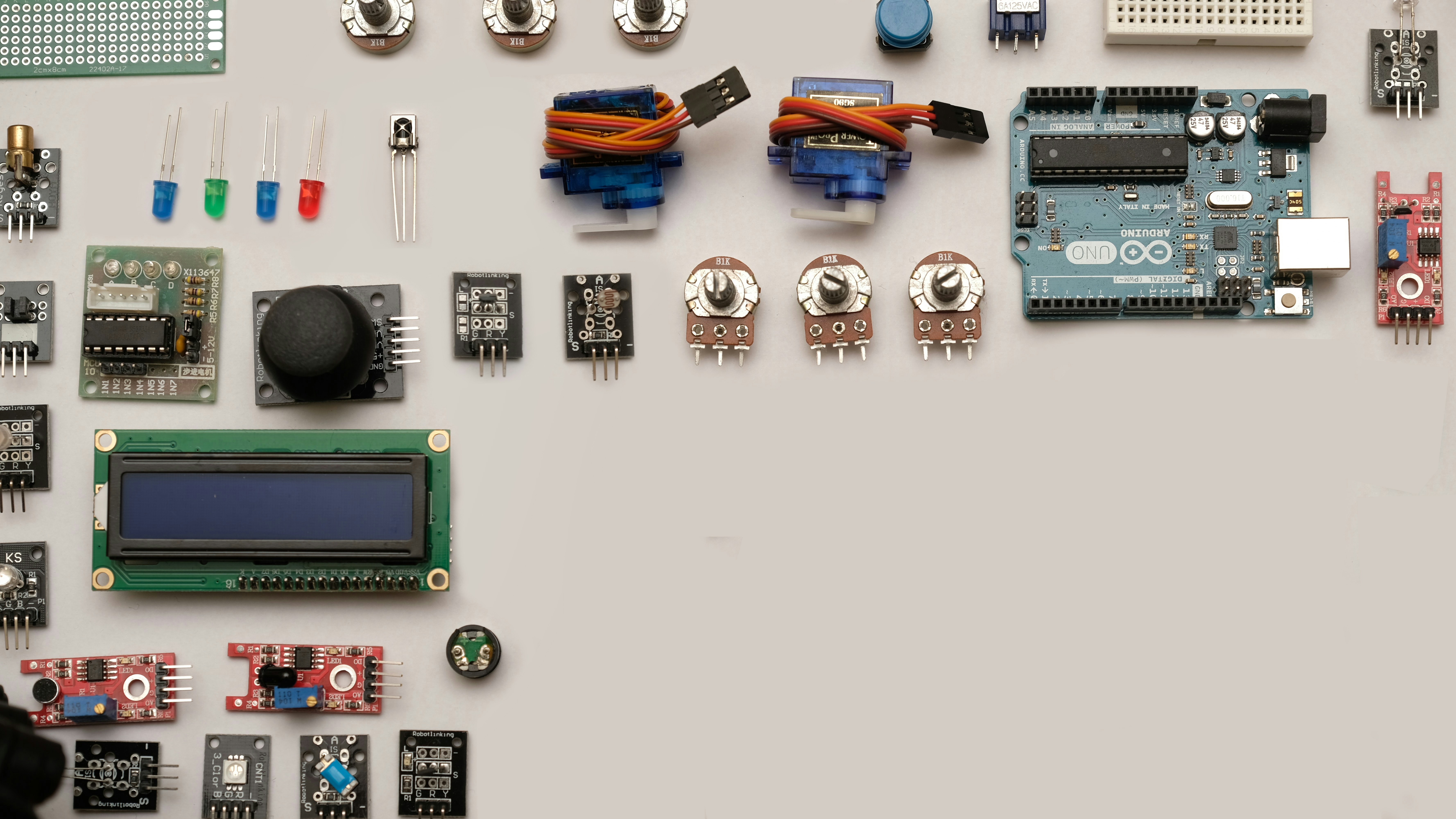
We’ve built hundreds of robots, and we’ve made every mistake in the book so you don’t have to. Here are our golden rules:
- Modularize Your Code: Don’t write 50 lines in one file. Create functions for
moveForward(),turnLeft(), andreadSensors(). It makes debugging a breeze. - Test Incrementally: Test your sensors first. Then test the motors. Then combine them. Don’t build the whole robot and hope it works.
- Document Everything: Keep a log of your wiring and code changes. You will forget what you did in two weeks.
- Join the Community: The Arduino Forum is a treasure trove of knowledge. Search before you ask!
- Embrace Failure: Your robot will fall, crash, and burn. That’s not failure; that’s data. Every crash teaches you something about physics and code.
Final Question: Are you ready to take the leap from a coder to a roboticist? The journey starts with a single line of code. But which project will you choose first? The line-follower, the obstacle-avoider, or the self-balancing marvel? The choice is yours, but remember: the best robot is the one you actually build.
Stay tuned for the conclusion where we wrap up our journey and give you the final push to start your first build!
