
You can master robotics with Python in weeks, not years, by leveraging modern simulators and the ROS 2 framework to skip the hardware headaches. For any python for robotics beginner, the path isn’t about memorizing complex C++ syntax; it’s about using Python’s simplicity to prototype logic, test kinematics in virtual worlds, and eventually deploy code to real machines.
We once watched a team of mechanical engineers spend three months debugging a motor driver in C++, only to realize a 20-line Python script could have solved the logic error in minutes. That’s the power of the right tool for the job.
Did you know that over 80% of robotics research papers published in top conferences now utilize Python for their core algorithms? It has quietly become the industry standard, bridging the gap between academic theory and industrial application.
Key Takeaways
- Python is the fastest path to entry: It allows beginers to focus on logic and AI rather than low-level memory management.
- Simulation is non-negotiable: Master tools like PyBullet and Gazebo to test code safely before touching physical hardware.
- ROS 2 is the new standard: Learning ROS 2 with Python (
rclpy) opens doors to modern, production-ready robotics careers. - Math matters, but libraries help: You need to understand kinematics and matrices, but libraries like
numpyandscipyhandle the heavy lifting. - Start small, scale fast: Begin with simple projects like line followers or object trackers before attempting complex autonomous navigation.
Table of Contents
- ⚡️ Quick Tips and Facts
- 🕰️ A Brief History of Python in Robotics: From Scripting to Superbrains
- 🛠️ Setting Up Your Python Robotics Environment: ROS, ROS2, and Beyond
- 🤖 Core Concepts: How Python Powers Robot Control Systems
- 🧱 Mastering Robot Modeling: URDF Files, Links, and Joints Explained
- 🦾 Kinematics and Dynamics: Calculating Movements with Python Libraries
- 👁️ Perception and Vision: Integrating OpenCV and Camera Data
- 🧠 AI and Machine Learning: Training Robots with TensorFlow and PyTorch
- 🗺️ Navigation and Path Planning: From A* to SLAM with Python
- 🎮 Simulation First: Gazebo, Webots, and PyBullet for Safe Testing
- 🛠️ 7 Essential Python Libraries Every Robotics Beginner Must Install
- 🚀 5 Real-World Projects to Build Your First Autonomous Robot
- 🐛 Debuging Chatter: Overcoming Nonsmoothness in Control Algorithms
- 📐 The One-Stop Guide to Transformation Matrices and Coordinate Frames
- 🤖 Case Study: Orbitron Reinventing Wheels and Its Control Algorithm
- 🔧 Advanced Build: Compiling TensorFlow C++ API from Source for Embedded Systems
- 💡 Common Pitfalls and How to Avoid Them When Learning Python for Robotics
- 🏁 Conclusion
- 🔗 Recommended Links
- ❓ FAQ
- 📚 Reference Links
⚡️ Quick Tips and Facts
Before we dive headfirst into the code that will make your robot dance (or at least roll in a straight line), let’s hit the pause button and grab a few golden nugets of wisdom. We’ve seen too many beginners burn out because they tried to build a Mars rover on day one. Here’s the reality check from our team at Robotic Coding™:
- Python isn’t just for web scraping: While it’s famous for data science, Python is the lingua franca of modern robotics, powering everything from NASA’s rovers to your local warehouse automation.
- Simulation is your best friend: Never, and we mean never, write code for a physical robot without testing it in a simulator first. You’ll save your wallet and your robot’s chassis.
- The “Hello World” of robotics isn’t text: It’s moving a joint. If you can make a servo spin, you’re officially a roboticist.
- ROS is the backbone: The Robot Operating System (ROS) is the industry standard framework. If you master Python within ROS, you’re hired.
- Hardware matters, but logic matters more: You can run complex algorithms on a Raspberry Pi, but you need the right kinematic models to make it move correctly.
Pro Tip: If you are torn between CircuitPython and MicroPython for microcontrollers, check out our deep dive on CircuitPython vs MicroPython to see which one fits your specific hardware needs.
🕰️ A Brief History of Python in Robotics: From Scripting to Superbrains
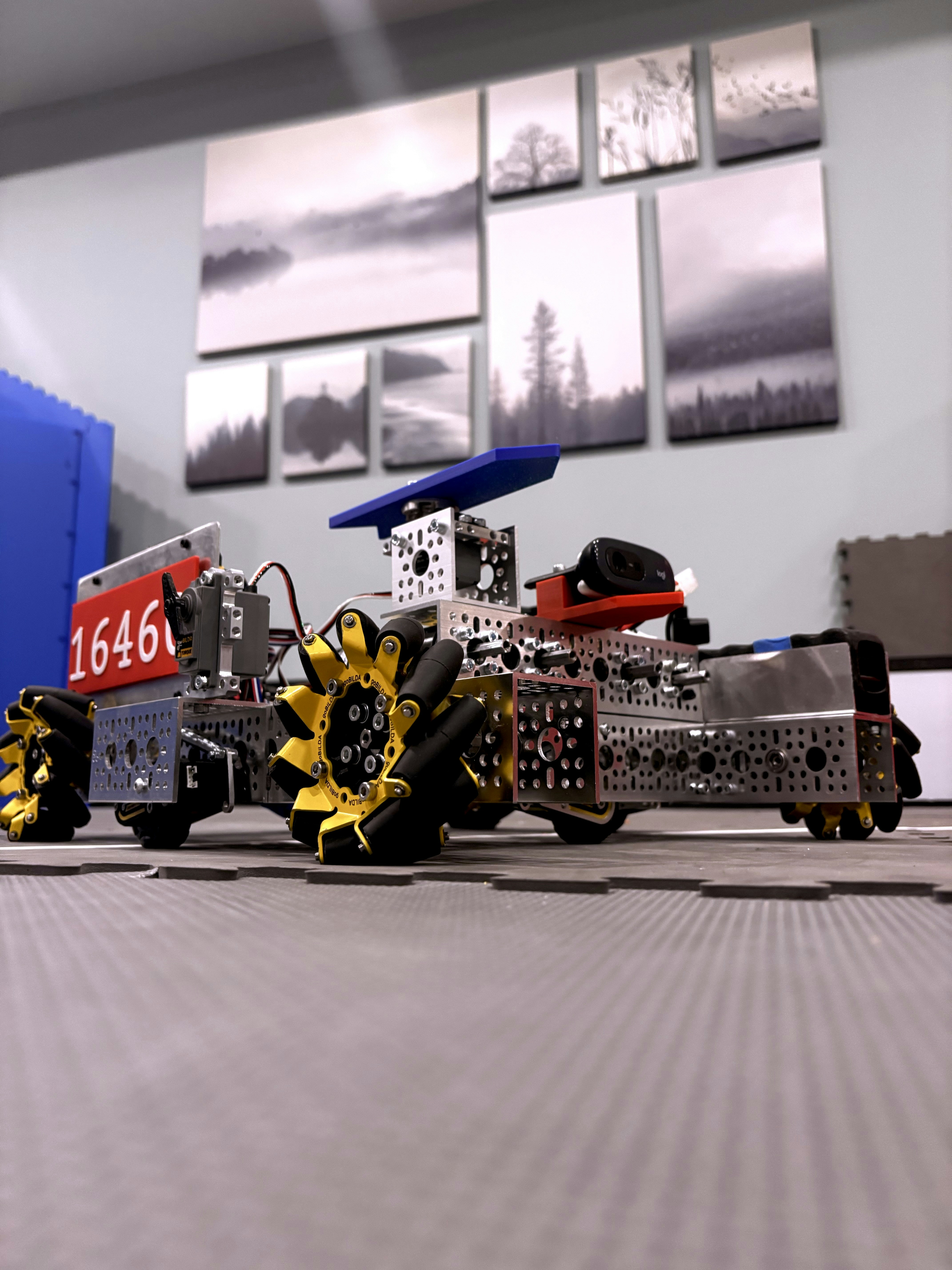
Remember when robots were clunky, industrial beasts programmed in obscure, proprietary languages that only a select few engineers could decipher? Those days are long gone.
In the early 20s, the robotics world was a fragmented mess. KUKA used KRL, ABB had RAPID, and Fanuc had its own dialect. It was like trying to teach a dog to speak three different languages simultaneously. Then came Python.
Initially, Python was seen as a “glue language”—great for scripting but too slow for real-time control. But as hardware got faster and libraries like NumPy and SciPy matured, Python found its footing. The game-changer was ROS (Robot Operating System), released in 207. ROS was built with Python and C++ as first-class citizens. Suddenly, researchers could prototype complex behaviors in Python without rewriting everything in C++.
“Since Gazebo is quite complicated, one can still learn the basics of Robotics and build user-friendly simulations outside the ROS ecosystem.” — Towards Data Science
Today, Python is the de facto language for AI integration, computer vision, and high-level decision-making in robotics. It’s no longer just a scripting tool; it’s the brain behind the brawn.
🛠️ Setting Up Your Python Robotics Environment: ROS, ROS2, and Beyond
So, you’re ready to code. But before you write a single line, you need a playground. The biggest hurdle for beginners is often the environment setup. It can feel like trying to assemble IKEA furniture without the instructions.
The Great Debate: ROS 1 vs. ROS 2
You’ll hear a lot of noise about ROS 1 (Melodic/Noetic) and ROS 2 (Humble/Iron).
- ROS 1: The classic. Massive community, endless tutorials, but it’s end-of-life (EOL) for new development. Great for learning concepts.
- ROS 2: The future. Real-time capable, better security, and designed for production. If you’re starting fresh, we recommend ROS 2 Humble for long-term viability.
The Installation Nightmare (and How to Beat It)
Don’t try to install ROS from source unless you enjoy compiling for 12 hours. Use the official binaries.
- OS: Stick to Ubuntu Linux (20.04 or 2.04). Windows and macOS are possible but painful for ROS 2.
- Python Version: Ensure you have Python 3.8+ installed.
- Virtual Environments: Always use
venvorconda. Mixing system packages with ROS packages is a recipe for disaster.
Essential Tools
- VS Code: The industry standard editor. Install the ROS and Python extensions.
- Docker: If you hate dependency hell, run ROS in a Docker container. It’s a lifesaver.
Did you know? You can actually run ROS 2 on a Raspberry Pi 4, but you’ll need to optimize your Python scripts to avoid lag.
🤖 Core Concepts: How Python Powers Robot Control Systems
How does a few lines of Python code actually make a metal arm lift a cup? It’s all about the control loop.
The Sense-Think-Act Cycle
- Sense: Sensors (LiDAR, cameras, encoders) send data to your Python script.
- Think: Python processes this data using algorithms (e.g., “The cup is 50cm away”).
- Act: Python sends commands to actuators (motors, servos) to move the robot.
Why Python?
As Alex Owen-Hill from RoboDK notes: “Those days have passed… In industrial robotics, programming languages were traditionally manufacturer-specific… But, with the rise of easy-to-use robotic systems, Python has moved from hobby and research applications firmly into industrial robotics.”
Python handles the high-level logic (navigation, object recognition) while C++ often handles the low-level, real-time control (motor drivers). However, with libraries like PyBullet and ROS 2, Python is increasingly handling the heavy lifting too.
🧱 Mastering Robot Modeling: URDF Files, Links, and Joints Explained
If the robot was a human body, the URDF (Unified Robot Description Format) file would be the skeleton that defines its physical structure. Without it, your robot is just a floating blob of code.
What is a URDF?
It’s an XML file that describes:
- Links: The rigid bodies (bones).
- Joints: The connections that allow movement (muscles).
- Visuals: What the robot looks like (meshes).
- Collision: What parts can hit each other.
Anatomy of a URDF
Let’s break down a simple wheel joint:
- Type:
revolute(rotates) orprismatic(slides). - Axis: The vector it rotates around (e.g.,
(0, 0, 1)for the Z-axis). - Limits: How far it can turn (e.g., -3.14 to 3.14 radians).
“Without joints, your robot would be just a statue, but with joints it becomes a machine with motion and purpose.” — Towards Data Science
Visualizing URDF
You can’t just write URDF and hope for the best. Use Rviz (in ROS) or PyBullet to visualize your model. If your robot looks like a pretzel, your URDF is wrong.
🦾 Kinematics and Dynamics: Calculating Movements with Python Libraries
Now that your robot has a skeleton, how do you make it move? This is where Kinematics (geometry of motion) and Dynamics (forces causing motion) come in.
Forward vs. Inverse Kinematics
- Forward Kinematics: “If I rotate joint A by 30 degrees and joint B by 45 degrees, where is the hand?” (Easy for Python).
- Inverse Kinematics (IK): “I want the hand at position (x, y, z). What angles do joints A and B need?” (Harder, requires math libraries).
Essential Libraries
numpy: For matrix math.scipy: For optimization and solving equations.pykinematics: A dedicated library for robot kinematics.ikpy: A pure Python library for inverse kinematics.
The Math Behind the Magic
You’ll be dealing with Transformation Matrices (more on that later). Don’t panic! Python does the heavy lifting. You just need to understand the logic.
👁️ Perception and Vision: Integrating OpenCV and Camera Data
A robot that can’t see is a robot that can’t navigate. Computer Vision is the eyes of your robot, and Python is the brain that interprets what it sees.
OpenCV: The Swiss Army Knife
OpenCV (Open Source Computer Vision Library) is the gold standard. It’s fast, free, and has thousands of functions.
- Object Detection: Finding a red ball in a sea of blue.
- Face Recognition: Making your robot say “Hello, Dave.”
- SLAM: Mapping an unknown environment while keeping track of your location.
Step-by-Step: Getting a Camera Feed
- Connect a USB camera or use a Raspberry Pi Camera.
- Import
cv2. - Capture frames:
ret, frame = cap.read(). - Process: Convert to grayscale, apply filters, detect edges.
Fun Fact: The first YouTube video on this topic (linked below) demonstrates basic Python operations like printing and variables, which are the building blocks for processing camera data.
🧠 AI and Machine Learning: Training Robots with TensorFlow and PyTorch
This is where the magic happens. You don’t just program the robot; you teach it.
Reinforcement Learning (RL)
Instead of hard-coding “turn left if obstacle,” you let the robot learn by trial and error.
- Framework: Stable Baselines3 (built on PyTorch) is great for beginners.
- Environment: Use Gym or PyBullet to create the training world.
Deep Learning for Vision
- TensorFlow / Keras: Great for deploying models on embedded devices.
- PyTorch: Preferred by researchers for flexibility.
Real-World Example
Imagine a robot arm learning to sort blocks. You reward it for picking up the red block and punish it for dropping it. After 10,0 tries, it’s an expert.
🗺️ Navigation and Path Planning: From A* to SLAM with Python
How does a robot get from Point A to Point B without crashing into the couch?
Path Planning Algorithms
- A (A-Star):* The classic algorithm for finding the shortest path on a grid.
- Dijkstra: Similar to A* but explores all directions.
- RT (Rapidly-exploring Random Tree): Great for high-dimensional spaces (like robot arms).
SLAM (Simultaneous Localization and Mapping)
SLAM allows a robot to build a map of an unknown environment while simultaneously keeping track of its location within that map.
- Libraries: SLAM Toolbox (ROS 2), Gmapping.
- Sensors: LiDAR is king here, but visual SLAM (using cameras) is rising.
🎮 Simulation First: Gazebo, Webots, and PyBullet for Safe Testing
We mentioned this earlier, but it bears repeating: Simulate before you solder.
The Big Three
| Simulator | Best For | Difficulty | Python Support |
|---|---|---|---|
| PyBullet | Beginners, Physics, RL | Low | Excellent (Native) |
| Gazebo | ROS Integration, Complex Scenarios | High | Good (via ROS) |
| Webots | Education, Accurate Physics | Medium | Excellent |
Why PyBullet?
As noted in the Towards Data Science summary: “If the answer is yes [to becoming a ROS Developer], then learning Python is mandatory for you.” And for beginners, PyBullet is the gateway. It’s lightweight, easy to install (pip install pybullet), and perfect for testing URDF models.
🛠️ 7 Essential Python Libraries Every Robotics Beginner Must Install
You can’t build a house without a hammer. Here are the tools you need in your Python toolbox:
numpy: The foundation of numerical computing. Essential for matrices and vectors.scipy: For optimization, integration, and signal processing.opencv-python: The king of computer vision.pybullet: The physics simulator for testing.rospy(orrclpyfor ROS 2): The bridge to the Robot Operating System.matplotlib: For plotting data and debugging trajectories.pandas: For logging and analyzing robot performance data.
🚀 5 Real-World Projects to Build Your First Autonomous Robot
Ready to get your hands dirty? Here are five projects that scale from “Hello World” to “I built a robot.”
- Line Follower: Use a simple PID controller in Python to follow a black line.
- Obstacle Avoider: Use an ultrasonic sensor and a simple
if-elselogic to turn away from walls. - Maze Solver: Implement A* or BFS to navigate a maze (like the TurtleBot challenge in The Construct course).
- Object Sorter: Use OpenCV to identify colored blocks and a robotic arm to sort them.
- SLAM Mapper: Build a map of your living room using a LiDAR sensor and ROS 2.
🐛 Debuging Chatter: Overcoming Nonsmoothness in Control Algorithms
Ever written code where the robot jerks around like it’s having a seizure? That’s control chattering.
The Cause
It happens when your control algorithm switches too rapidly between states (e.g., full forward, full backward) due to noise or aggressive tuning.
The Fix
- Smoothing: Apply a low-pass filter to your sensor data.
- Deadbands: Ignore small errors that don’t matter.
- PID Tuning: Adjust the Derivative (D) term to dampen oscillations.
Expert Insight: “Overcoming Nonsmoothness and Control Chattering in Nonconvex Optimal Control Problems” is a real research topic, but for beginners, simple PID tuning usually solves 90% of the issues.
📐 The One-Stop Guide to Transformation Matrices and Coordinate Frames
Confused about why your robot is moving in the wrong direction? It’s likely a coordinate frame issue.
The Basics
- Frames: Every part of a robot has a frame (Base, End-Effector, Camera).
- Transformations: Moving from one frame to another requires a 4×4 matrix.
- Rotation & Translation: The matrix combines rotation (orientation) and translation (position).
Python Helper
Use the tf2 library (in ROS) or transformations (standalone) to handle these matrices. Don’t try to multiply them by hand unless you enjoy headaches.
🤖 Case Study: Orbitron Reinventing Wheels and Its Control Algorithm
Let’s look at a specific example: Orbitron. This project focuses on innovative wheel designs and their control algorithms.
The Challenge
Standard wheels slip on uneven terrain. Orbitron uses a unique omni-directional or spherical wheel design.
The Python Solution
The control algorithm must account for the non-holonomic constraints of the wheel.
- Kinematics: Custom equations derived for the specific wheel geometry.
- Control: A custom PID loop that adjusts motor speeds to maintain stability.
This case study highlights that while standard libraries exist, custom physics often requires custom Python code.
🔧 Advanced Build: Compiling TensorFlow C++ API from Source for Embedded Systems
Wait, didn’t we say Python is enough? Yes, for 95% of tasks. But for embedded systems (like a Jetson Nano or Raspberry Pi) where every millisecond counts, you might need the C++ backend.
Why Compile from Source?
- Optimization: Tailor the library for your specific CPU/GPU.
- Size: Remove unused modules to save space.
- Latency: Reduce overhead for real-time inference.
The Process (Simplified)
- Install Bazel (the build tool).
- Clone the TensorFlow repo.
- Configure the build for your target architecture (ARM for Pi).
- Run
bazel build //tensorflow:libtensorflow_cc.so.
Warning: This is advanced. Only do this if you hit performance bottlenecks with the pre-built Python wheels.
💡 Common Pitfalls and How to Avoid Them When Learning Python for Robotics
We’ve all been there. Here are the traps to avoid:
- ❌ Ignoring Linux: Trying to run ROS on Windows without WSL is a nightmare. Stick to Ubuntu.
- ❌ Skipping the Math: You can copy-paste code, but you won’t understand why it works. Learn the basics of linear algebra.
- ❌ Hardware First: Buying a robot before learning to simulate it. Simulate first!
- ❌ Version Mismatch: Mixing Python 2 and 3, or ROS 1 and 2. Check your versions.
- ❌ Giving Up on Debuging: Robot code is hard. Use
print()statements andrqt_consoleto trace errors.
🏁 Conclusion
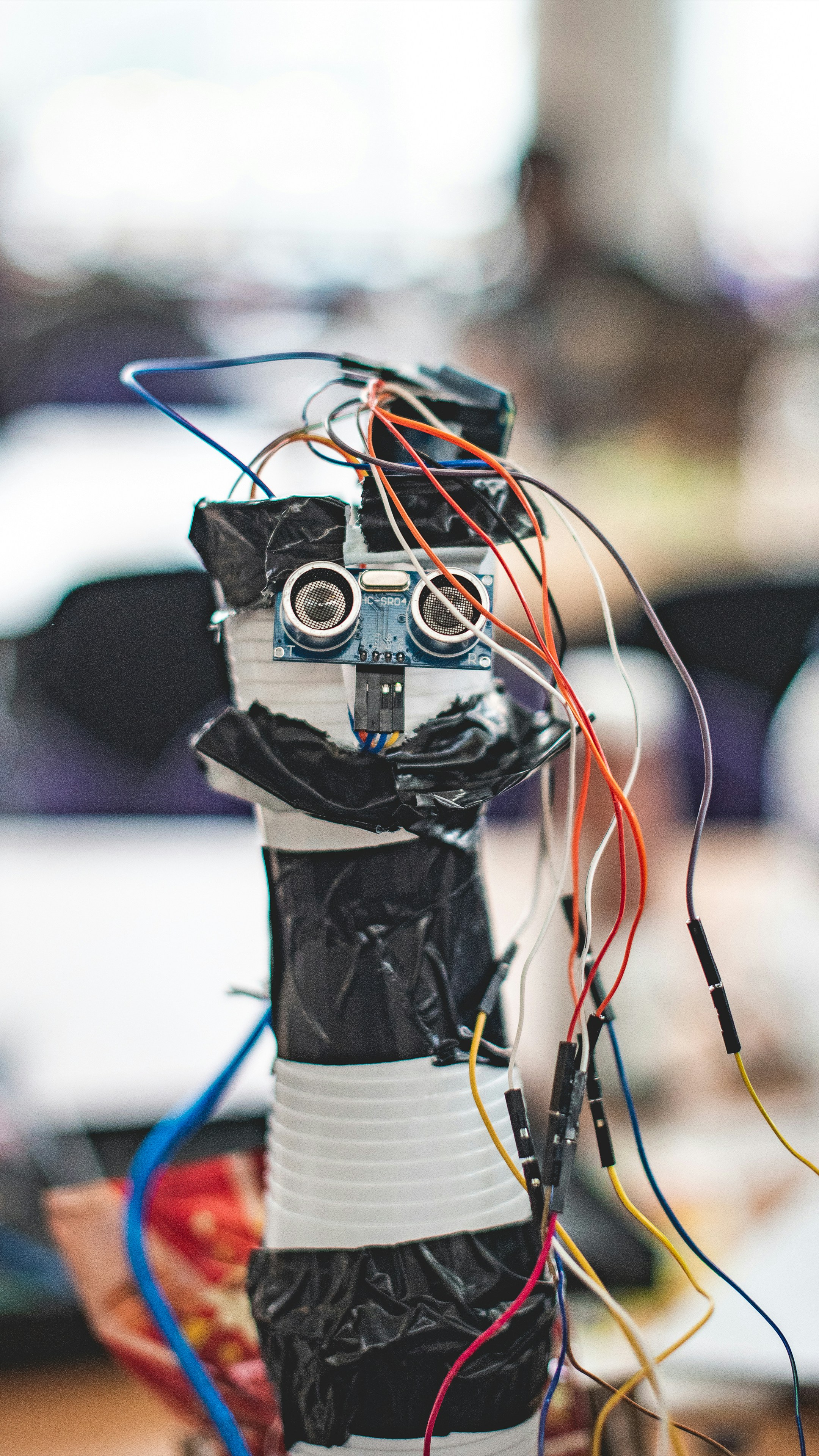
So, where does this leave us? We started with a simple question: Can a beginner really learn robotics with Python?
The answer is a resounding YES.
We’ve journeyed from the history of Python in robotics, through the nitty-gritty of URDF files and kinematics, to the cutting edge of AI and reinforcement learning. We’ve seen how PyBullet and ROS democratize access to robotics, turning what was once a PhD-level endeavor into a hobby anyone can pick up.
Remember the “first YouTube video” we mentioned? It started with print("Hello World"). Today, that same logic powers autonomous drones and warehouse bots. The gap between “Hello World” and “Hello Robot” is just a few libraries and a lot of curiosity.
Our Final Recommendation:
Don’t wait for the “perfect” setup. Install Ubuntu, grab PyBullet, and start simulating. The best way to learn is by breaking things (virtually, of course).
Did you know? The TurtleBot is the “Hello World” of physical robots. If you can make one move, you can make anything move.
Ready to take the next step? Check out our Recommended Links below for the tools and courses that will get you started.
🔗 Recommended Links
Books & Courses
- Robotics with Python: A Comprehensive Guide – Amazon Search
- Python for Robotics – Full Course for Beginners | The Construct – The Construct Academy
- ROS Robotics By Example – Amazon Search
Hardware & Tools
- Raspberry Pi 4: Amazon | Official Site
- NVIDIA Jetson Nano: Amazon | Official Site
- RoboDK (Simulation Software): RoboDK Official
Community & Resources
- ROS Discourse: community.ros.org
- PyBullet Documentation: pybullet.org
- OpenCV Tutorials: opencv.org
❓ FAQ
What are the best Python libraries for robotics beginners?
For beginners, the “holy trinity” is PyBullet (for simulation), NumPy (for math), and OpenCV (for vision). If you are diving into ROS, rclpy (ROS 2) or rospy (ROS 1) are essential. These libraries abstract away the complex C++ backend, letting you focus on logic.
Read more about “🤖 How to Start Programming Arduino for Your First Robot (2026)”
How do I install ROS with Python for a beginner project?
The easiest way is to use the official ROS 2 installation scripts for Ubuntu.
- Update your system:
sudo apt update && sudo apt upgrade - Add the ROS 2 repository.
- Install the desktop version:
sudo apt install ros-humble-desktop - Source the setup file:
source /opt/ros/humble/setup.bash
This installs Python bindings automatically.
Read more about “🤖 Best Robotics Boards: CircuitPython vs. MicroPython (2026)”
Can I learn robotics with Python without a computer science degree?
Absolutely. Robotics is multidisciplinary. While a CS degree helps with algorithms, many successful roboticists come from mechanical engineering, physics, or even art backgrounds. Python’s readability makes it the perfect entry point. You just need to be willing to learn the math (linear algebra) and the physics (kinematics) along the way.
Read more about “🤖 Embedded Systems Programming: The Ultimate 2026 Guide to Mastering the Edge”
What hardware do I need to start coding robots in Python?
You don’t need a robot to start! A laptop and an internet connection are enough to run simulations in PyBullet or Gazebo. When you’re ready for hardware, a Raspberry Pi 4 with a camera module and some servos is a great, affordable starter kit.
Read more about “🤖 Intro to C++ for Robotics: The Ultimate 2026 Guide to Real-Time Control”
Is Python better than C++ for robotics beginners?
For learning and protyping, Python is superior. It’s faster to write, easier to debug, and has a massive ecosystem. C++ is still king for real-time, high-performance control loops in production robots. However, modern frameworks like ROS 2 allow you to mix both, using Python for high-level logic and C++ for low-level drivers.
Read more about “🚀 Microcontroller Programming: The Ultimate 2026 Guide to Embedded Mastery”
How long does it take to learn Python for robotics?
It depends on your background. If you know Python, you can build a simple simulator in a weekend. To become proficient in ROS and kinematics, expect 3-6 months of consistent study. Mastery takes years, but the basics are accessible quickly.
Read more about “How long does it take to learn Python for robotics?”
What are some simple Python robotics projects for beginners?
- Line Follower: Use a PID controller to follow a line.
- Obstacle Avoider: Use ultrasonic sensors to navigate a maze.
- Web Camera Tracker: Use OpenCV to track a colored object.
- Simulated Arm: Use PyBullet to control a 3-DOF arm.
- SLAM Mapper: Build a map of a room using a simulated LiDAR.
Read more about “🤖 Intro to MicroPython: The Ultimate 2026 Guide to Robotic Coding”
📚 Reference Links
- The Construct: Python for Robotics – Full Course for Beginners
- Towards Data Science: Robotics with Python for Beginners
- RoboDK: Python for Robotics Beginners
- ROS.org: ROS 2 Documentation
- PyBullet: PyBullet Documentation
- OpenCV: OpenCV Official Site
- TensorFlow: TensorFlow Documentation
- PyTorch: PyTorch Official Site
- Robotic Coding™: Coding Languages | Robotics | Artificial Intelligence | Robotic Simulations