
Ever tried to teach a robot to dance, only to have it spin in circles until it crashed into a wall? We’ve been there! At Robotic Coding™, we’ve learned that the secret to a robot that doesn’t just move, but thinks, lies in its brain: the robotics microcontroller. While many guides stop at a “Top 7” list, we knew that true mastery requires a deeper dive. That’s why we’ve curated the ultimate showdown of 15 microcontrollers, ranging from the humble beginner favorites to the high-performance beasts that power industrial automation. Whether you’re building a simple line-follower or an AI-driven autonomous rover, choosing the wrong chip can turn your dream project into a frustrating pile of wires.
In this comprehensive guide, we don’t just list specs; we dissect real-world performance, power efficiency, and connectivity options based on years of lab testing. We’ll reveal why the ESP32 might be your best friend for IoT projects, why the Tensy 4.1 is a speed demon for complex algorithms, and how a Raspberry Pi 5 can blur the line between microcontroller and full computer. We even share a cautionary tale about a “runaway rover” that taught us the hard way about buffer overflows and power management. By the end, you’ll know exactly which chip to pick to cut your build time by more than 50% and avoid the common pitfalls that stall most robotics projects.
Key Takeaways
- Match the Brain to the Task: There is no single “best” microcontroller; the right choice depends on your specific needs for processing power, connectivity, and power efficiency.
- Beyond the Basics: While Arduino is perfect for learning, advanced projects often require the dual-core power of the ESP32, the real-time precision of STM32, or the full OS capabilities of a Raspberry Pi.
- Power is Critical: Battery life is often the limiting factor in mobile robotics; selecting a low-power chip like the MSP430 or optimizing sleep modes can double your robot’s operational time.
- Security Matters: As robots become more connected, implementing secure boot and encrypted communication is essential to prevent hacks and glitches.
- Hybrid Architectures Win: The most powerful robots often use a hybrid approach, combining a fast microcontroller for real-time motor control with a powerful SBC for AI and navigation.
👉 Shop Top Robotics Microcontrollers:
- Beginer Friendly: Arduino Uno R3 | Official Store
- IoT & Connectivity: ESP32 Development Board | Espressif Official
- High Performance: Tensy 4.1 | PJRC Official
- Advanced AI & Vision: Raspberry Pi 5 | Official Store
Table of Contents
- ⚡️ Quick Tips and Facts
- 🕰️ From Babbage to Arduino: A Brief History of Robotics Microcontrollers
- 🧠 Understanding the Brain: How Microcontrollers Power Your Robot
- 🏆 The Ultimate Showdown: Top 15 Microcontrollers for Robotics Projects
- 1. Arduino Uno R3: The Reliable Workhorse for Beginners
- 2. ESP32: The Wi-Fi and Bluetooth Powerhouse
- 3. Raspberry Pi Pico: The RP2040 Revolution
- 4. STM32 Nucleo: The Professional’s Choice for High Performance
- 5. Teensy 4.1: Speed Demons for Complex Algorithms
- 6. Microchip PIC16F: The Classic Embedded Standard
- 7. Texas Instruments MSP430: Low Power Champions
- 8. BeagleBone Black: Linux on a Chip for Advanced Robotics
- 9. Particle Photon: IoT-Ready Protyping Made Easy
- 10. Adafruit Feather M0: The All-in-One Solution
- 1. Nordic nRF52840: The Bluetooth Low Energy Specialist
- 12. Espressif ESP826: The Budget Wi-Fi Option
- 13. STM32F4 Discovery: The Audio and Sensor Hub
- 14. Parallax Propeller: The Multi-Core Oddball
- 15. Raspberry Pi 5 (as a Microcontroller Alternative): When You Need a Full OS
- ⚖️ Arduino vs. Raspberry Pi vs. ESP32: Choosing the Right Brain for Your Build
- 🔌 Interfacing Like a Pro: Sensors, Actuators, and Motor Drivers
- 🔋 Power Management: Keeping Your Robot Alive Without a Tether
- 🛠️ Programming Languages and Environments: C++, Python, and Beyond
- 📡 Wireless Communication Protocols: Wi-Fi, Bluetooth, Zigbee, and LoRa
- 🔒 Security Verification: Protecting Your Robot from Hacks and Glitches
- 💡 Real-World Case Studies: What We Built (and Broke) in the Lab
- 🚀 Future Trends: AI, Edge Computing, and the Next Gen of Robotics Chips
- 🎓 Conclusion: Picking Your Perfect Microcontroller Partner
- 🔗 Recommended Links
- ❓ FAQ: Your Burning Questions About Robotics Microcontrollers Answered
- 📚 Reference Links
⚡️ Quick Tips and Facts
Welcome, fellow robot enthusiasts and coding wizards! At Robotic Coding™, we’ve built more bots than we can count, and trust us, the brain of your
robot – the microcontroller – is where the magic truly happens. Think of it as the central nervous system, processing inputs and orchestrating every whir and beep. Choosing the right one can be the difference between a groundbreaking project and a frustrating
pile of wires. So, let’s dive into some quick, actionable insights right off the bat!
- Microcontrollers are NOT Microprocessors: While both are tiny computers, microcontrollers are single-chip solutions with integrated memory and
I/O, designed for specific, embedded tasks. Microprocessors, like those in your laptop, are more general-purpose and require external components. This distinction is crucial for robotics! - The ”
Brain” of Automation: Microcontrollers are the unsung heroes behind everything from your smart toaster to complex industrial robots. They interpret sensor data, execute commands, and control actuators, making automation possible. - Ease of Use Matters: For beginners,
platforms like Arduino offer a fantastic entry point with simplified programming and vast community support. For seasoned pros, STM32 or Teensy might offer the raw power and flexibility needed for advanced algorithms.
Power Efficiency is Key: Especially for mobile robots, the power consumption of your microcontroller directly impacts battery life. Look for low-power options like the Texas Instruments MSP430 if your robot needs to roam free for extended periods.
- Connectivity is King: Modern robotics often demands wireless communication. Microcontrollers with integrated Wi-Fi and Bluetooth, such as the ESP32, are game-changers for IoT-enabled robots and remote
control. - Don’t Skimp on Memory: While microcontrollers are single-purpose, complex robotics projects involving intricate sensor fusion, path planning, or even basic AI will demand ample program and data memory. Always check these
specs!
🕰️ From Babbage to Arduino: A
Brief History of Robotics Microcontrollers
Ever wondered how we got from giant, room-sized computers to the tiny, powerful brains that run our robots today? It’s a fascinating journey, much like the evolution of robotics itself! Our story begins long before
the silicon chip.
The conceptual groundwork for programmable machines can be traced back to Charles Babbage and his Analytical Engine in the 19th century. While purely mechanical, it laid the logical foundation for sequential operations. Fast forward to the
mid-20th century, and the advent of transistors and then integrated circuits (ICs) revolutionized electronics. Early computers were behemoths, but engineers quickly realized the potential for miniaturization.
The birth of the microprocessor in the early
1970s, notably the Intel 4004, was a monumental leap. It packed a CPU onto a single chip, opening doors for smaller, more dedicated computing. However, these still needed external memory and I
/O chips. The true game-changer for embedded systems, and thus robotics, was the microcontroller.
In 1976, Intel introduced the 8048, often credited as one of the first true
microcontrollers. It integrated the CPU, RAM, ROM, and I/O ports onto a single chip, making it perfect for dedicated control tasks in appliances and early industrial automation. This was a critical step towards making robots more autonomous and less
tethered to larger computing systems.
The 1980s and 90s saw rapid advancements with families like Microchip Technology’s PIC and Atmel’s AVR becoming industry standards. These chips
offered increasing processing power, more memory, and a wider array of peripherals like UART, SPI, and I2C, essential for communicating with sensors and actuators. As Robotic Coding™ grew, we saw firsthand how these chips transformed industrial automation,
allowing for more precise and complex robotic movements on assembly lines.
Then came the 21st century, and with it, the open-source revolution. The Arduino platform, launched in 2005, democratized
microcontroller programming. Based on Atmel AVR chips, Arduino boards provided an easy-to-use IDE and a vibrant community, making robotics accessible to hobbyists, students, and even artists. This was a pivotal moment, as it allowed
countless individuals, including many of us at Robotic Coding™, to experiment and innovate without needing deep electrical engineering knowledge. It truly lowered the barrier to entry for anyone wanting to “dive into the world of robotic coding.”
More recently, the rise
of powerful, yet affordable, microcontrollers like the ESP32 (with integrated Wi-Fi and Bluetooth) and the Raspberry Pi Pico (featuring the custom RP2040 chip) has pushed the boundaries even
further. These devices offer incredible processing power and connectivity, enabling sophisticated robotics projects that were once the exclusive domain of high-end industrial systems. The journey continues, with microcontrollers becoming ever more integrated, powerful, and accessible, paving the way for the
next generation of intelligent robots!
🧠 Understanding the Brain: How Microcontrollers Power Your Robot
Imagine your robot is
a living creature. What’s its brain? That’s right, it’s the microcontroller! Here at Robotic Coding™, we often describe it as the command center, tirelessly working behind the scenes to bring your mechanical marvel
s to life. It’s where all the decision-making happens, from interpreting a sensor reading to telling a motor to spin.
A microcontroller is essentially a computer on a single integrated circuit chip. Unlike
the powerful, general-purpose processors in your laptop or smartphone, microcontrollers are purpose-built for specific tasks. This specialization makes them incredibly efficient, compact, and low-power – perfect for embedded applications like robotics. As the first YouTube video embedded
in this article aptly explains, microcontrollers act as the “brain” of robots, processing inputs and producing outputs, making them efficient and versatile for specific tasks [#featured-video].
So, what exactly is packed into this tiny silicon marvel?
The Core Components of a Microcontroller
Every microcontroller, regardless of its brand or complexity, typically integrates these fundamental components:
- Central Processing Unit (CPU): This is the “thinking” part, executing instructions and performing calculations.
The speed of the CPU (often measured in MHz) dictates how quickly your robot can react and process information. - Memory: Microcontrollers usually have two types of memory:
- Program Memory (Flash/ROM): This
is where your robot’s instructions (the code you write!) are stored. It’s non-volatile, meaning the program remains even when power is off. The capacity here limits the complexity of your software. - Data Memory
(RAM): This is temporary storage for data that your program is actively using, like sensor readings or variable values. It’s volatile, so data is lost when power is removed. More RAM allows for more complex data processing.
Input/Output (I/O) Peripherals:** These are the microcontroller’s senses and muscles, allowing it to interact with the outside world. This is where the real fun begins for robotics!
- Digital I/O Pins:
These can be configured as inputs (to read signals from buttons, switches, or simple sensors) or outputs (to control LEDs, relays, or the enable pins of motor drivers). - Analog-to-Digital Converters (ADCs): Robots live in an analog world, but microcontrollers speak digital. ADCs convert continuous analog signals (like temperature from a thermistor or distance from an ultrasonic sensor) into discrete digital values the CPU can understand.
Pulse Width Modulation (PWM) Outputs: Essential for controlling motor speed, LED brightness, and servo positions. PWM rapidly switches a digital signal on and off, effectively creating an “analog-like” output.
- Communication
Interfaces (UART, SPI, I2C, CAN, USB): These protocols allow your microcontroller to talk to other devices, such as more advanced sensors, motor drivers, other microcontrollers, or even a host computer. For instance, we
often use I2C to connect multiple sensors to an Arduino Uno with minimal wiring. - Timers/Counters: Crucial for precise timing in robotics, such as controlling the duration of a motor spin
, generating PWM signals, or keeping track of elapsed time for navigation.
How It All Comes Together: A Simple Robotics Scenario
Let’s imagine a simple line-following robot. Here’s how
the microcontroller orchestrates its dance:
- Input: Infrared (IR) line sensors detect the black line on a white surface. These sensors send analog signals to the microcontroller’s ADC pins.
- Processing:
The microcontroller’s CPU reads these digital values. Your program (stored in Flash Memory) then interprets these readings. If the left sensor sees black and the right sees white, the robot is drifting right. - **
Output:** Based on the processing, the CPU sends commands to the PWM outputs connected to motor drivers. If drifting right, it might tell the left motor to speed up and the right motor to slow down, or even reverse.
Loop: This entire process happens thousands of times per second, allowing the robot to continuously adjust its movement and stay on the line.
The beauty of microcontrollers lies in their ability to execute these specific tasks with incredible speed and reliability. They
are the silent workhorses that translate your code into tangible actions, transforming a static collection of components into a dynamic, responsive robot. And if you’re looking to get started with programming these amazing devices, we highly recommend exploring MicroPython for
its simplicity and power, especially on boards like the ESP32 or Raspberry Pi Pico. You can learn more about it on our dedicated page: MicroPython for Robotics.
🏆 The Ultimate Showdown: Top 15 Microcontrollers for Robotics Projects
Alright, team, this
is where the rubber meets the road! Choosing the right microcontroller for your robotics project is like picking the perfect engine for a race car. It needs to match your ambitions, your skill level, and your budget. We’ve seen countless projects come through
the Robotic Coding™ lab, and we’ve got some strong opinions (and data!) on which microcontrollers truly shine. Forget those “7 best” lists; we’re going for the ultimate 15, ensuring you have every
option covered to cut your build time by more than 50% by making the right choice from the start!
We’ll rate each contender on a scale of 1 to 10 across key aspects for robotics.
1. Arduino Uno R3: The Reliable Workhorse for Beginners
Ah, the Arduino
Uno R3! If you’ve ever dipped your toes into electronics or robotics, chances are you’ve met this friendly blue board. Based on the Atmel ATmega328P microcontroller, it’s the quintessential beginner
‘s platform. It’s robust, forgiving, and has a community larger than some small countries.
| Aspect | Rating |
|---|---|
| Design | 8/10 |
| Functionality | 7/10 |
| Ease of Use | 10/10 |
| Performance | 6/10 |
| **Community Support
** | 10/10 |
| Value for Robotics | 9/10 |
Features & Benefits:
- ✅ Simplicity: The Arduino IDE is incredibly user-friendly, making it
easy to write and upload code. - ✅ Vast Ecosystem: An enormous array of shields, sensors, and actuators are designed specifically for Arduino. Finding tutorials and example code is a breeze.
- ✅ Robustness
: It’s quite difficult to permanently damage an Uno, which is great for learning through experimentation. - ✅ Open-Source: Both the hardware and software are open-source, fostering innovation and transparency.
- ✅ Great
for Learning: Perfect for understanding basic electronics, programming logic, and robot control.
Drawbacks:
- ❌ Limited Processing Power: With a 16 MHz clock speed and 32KB of flash memory, it can
struggle with complex tasks like image processing or advanced AI algorithms. - ❌ No Built-in Connectivity: Lacks integrated Wi-Fi or Bluetooth, requiring external shields for wireless communication.
- ❌ Lower Pin Count: Fewer
I/O pins compared to more advanced boards, which can be limiting for robots with many sensors and actuators.
Our Take:
The Arduino Uno R3 is our go-to recommendation for anyone starting their robotics journey. We’ve used
it for countless educational workshops and simple prototypes, from line-following robots to basic robotic arms. While it won’t be powering your next Mars rover, it’s an unparalleled platform for learning the fundamentals. It’s affordable, accessible
, and incredibly well-supported.
👉 CHECK PRICE on:
- Arduino Uno R3: Amazon | Arduino Official Website
2. ESP32: The Wi-Fi and Bluetooth Powerhouse
The ESP32 is a marvel of modern microcontroller engineering, especially for robots that need to connect to the internet or communicate wirelessly. Developed by
Espressif Systems, it’s a powerful, low-cost system-on-a-chip (SoC) with integrated Wi-Fi and dual-mode Bluetooth. It’s become a staple in our IoT robotics projects.
|
| Aspect | Rating |
|---|---|
| Design | 9/10 |
| Functionality | 9/10 |
| Ease of Use | |
| 8/10 | |
| Performance | 9/10 |
| Community Support | 9/10 |
| Value for Robotics | 10/10 |
Features & Benefits:
- ✅ Integrated Wi-Fi & Bluetooth: This is its killer feature! Perfect for remote control, data logging to cloud platforms, or communicating with other devices.
- ✅ Dual-Core
Processor: Many ESP32 variants feature a dual-core Tensilica Xtensa LX6 microprocessor, offering significant processing power (up to 240 MHz). - ✅ Plenty of I/O: Supports a wide range of
peripherals, including GPIO, ADC, DAC, I2C, SPI, UART, PWM, and even touch sensors. - ✅ Low Power Consumption: Excellent for battery-powered applications, with various sleep modes.
- ✅ Vers
atile Programming: Can be programmed with the Arduino IDE, MicroPython, ESP-IDF (Espressif IoT Development Framework), and more. We often opt for MicroPython on our ESP32 projects for rapid prototyping.
Drawbacks:
- ❌ Steeper Learning Curve: While Arduino IDE support makes it accessible, leveraging its full potential (especially with ESP-IDF) can be more challenging for absolute beginners.
- ❌ Power Management Complexity: Its power modes are
powerful but can be tricky to optimize for ultra-low power applications. - ❌ Pin Mapping: Some pins have specific boot-mode functions, which can be confusing if not noted.
Our Take:
For any robot that needs
to be connected, the ESP32 is a no-brainer. We’ve used it to build everything from Wi-Fi-controlled robotic cars to smart home automation systems that integrate with robotic elements. Its combination of processing power, connectivity,
and affordability makes it incredibly versatile. It’s a fantastic step up from the Arduino Uno once you’re comfortable with basic concepts.
👉 CHECK PRICE on:
- ESP32 Development Board: Amazon | Walmart | Espressif Official Website
3. Raspberry Pi Pico: The RP2040 Revolution
When the Raspberry Pi Pico burst onto the scene, it shook up the microcontroller world. This isn’t a full-fledged Raspberry
Pi computer; it’s a dedicated microcontroller board featuring Raspberry Pi’s own RP2040 chip. It offers an incredible blend of performance, flexibility, and affordability.
| Aspect | Rating |
|---|---|
| :— | :— |
| Design | 9/10 |
| Functionality | 8/10 |
| Ease of Use | 9/10 |
| Performance | 8/10 |
| Community Support | 9/10 |
| Value for Robotics | 10/10 |
Features
& Benefits:
- ✅ Powerful RP2040 Chip: Dual-core ARM Cortex-M0+ processor running up to 133 MHz, offering excellent performance for its class.
- ✅ Programm
able I/O (PIO): This is a unique and incredibly powerful feature. PIO allows you to implement custom hardware interfaces in software, perfect for niche sensors or high-speed communication protocols. - ✅ Flexible Programming: Supports Micro
Python and C/C++ (via the Pico SDK). The drag-and-drop programming for MicroPython is incredibly user-friendly. - ✅ Low Cost: Extremely affordable, making it accessible for projects with tight budgets or
for prototyping multiple ideas. - ✅ Ample Memory: 264KB of SRAM and up to 16MB of off-chip Flash memory.
Drawbacks:
- ❌ No Built-in
Wireless: Like the Arduino Uno, it lacks integrated Wi-Fi or Bluetooth, requiring external modules. - ❌ PIO Learning Curve: While powerful, mastering the PIO state machines can take some effort.
- ❌ Less
Mature Ecosystem: While growing rapidly, its shield/add-on ecosystem isn’t as vast as Arduino’s (yet!).
Our Take:
The Raspberry Pi Pico is a fantastic choice for projects that need more grunt than an Arduino Uno
but don’t necessarily require wireless connectivity or a full operating system. We’ve found its PIO capabilities invaluable for custom sensor interfaces and precise timing-critical applications. For learning C/C++ or MicroPython in a powerful microcontroller environment, it
‘s hard to beat.
👉 CHECK PRICE on:
- Raspberry Pi Pico: Amazon |
Adafruit | Raspberry Pi Official Website
<
a id=”4-stm32-nucleo-the-professionals-choice-for-high-performance”>
4. STM32 Nucleo: The Professional’s Choice for High Performance
When you need
serious processing power, real-time capabilities, and a robust development ecosystem, the STM32 Nucleo boards from STMicroelectronics are often the answer. Based on the incredibly popular ARM Cortex-M microcontrollers, these boards
are a favorite among professional embedded engineers and serious hobbyists.
| Aspect | Rating |
|---|---|
| Design | 8/10 |
| Functionality | |
| 10/10 | |
| Ease of Use | 7/10 |
| Performance | 10/10 |
| Community Support | 8/1 |
| 0 | |
| Value for Robotics | 9/10 |
Features & Benefits:
-
✅ Exceptional Performance: A wide range of ARM Cortex-M processors (M0, M3, M4, M7) offering clock speeds from tens to hundreds of MHz, often with floating-point units.
-
✅ Rich Peripheral Set: Packed with advanced peripherals like multiple ADCs, DACs, timers, communication
interfaces (UART, SPI, I2C, CAN, USB), and often Ethernet. -
✅ Real-Time Capabilities: Designed for real-time operating systems (RTOS) and critical applications where precise timing is essential.
-
✅ Powerful Development Tools: Supported by ST’s CubeIDE, HAL libraries, and a vast array of third-party tools.
-
✅ Scalability: A massive family of STM32 microcontrollers means
you can easily scale your project from a simple prototype to a complex production-ready system.
Drawbacks:
- ❌ Steep Learning Curve: Definitely not for beginners. The sheer number of features and the complexity of the development environment
can be daunting. - ❌ Less “Hobbyist-Friendly”: While Nucleo boards are accessible, the ecosystem is geared more towards professional development than casual tinkering.
- ❌ Initial Setup: Getting the development environment configured
correctly can be a project in itself.
Our Take:
For demanding robotics applications like advanced motor control, complex sensor fusion, or even embedded machine learning, the STM32 Nucleo boards are our top pick. We’ve leveraged
them in projects requiring precise real-time control for robotic manipulators and drone flight controllers. If you’re ready to move beyond beginner boards and tackle serious embedded development, the STM32 ecosystem offers incredible power and flexibility.
CHECK PRICE on
:
- STM32 Nucleo-F446RE: Amazon | STMicroelectronics Official Website
5. Teensy 4.1: Speed Demons for Complex Algorithms
If you’re building a robot that needs to crunch numbers at lightning speed, process
audio, or handle complex sensor arrays, the Teensy 4.1 from PJRC is an absolute beast. Don’t let its small size fool you; this board packs a serious punch with its ARM Cortex-M
7 processor.
| Aspect | Rating |
|---|---|
| Design | 9/10 |
| Functionality | 9/10 |
| Ease of Use | 8/10 |
| Performance | 10/10 |
| Community Support | 8/10 |
| Value for Robotics | 9/10 |
Features & Benefits:
- ✅ Blazing Fast CPU: Runs at 600 MHz (yes, 600!), making it one of
the fastest microcontrollers available. Ideal for real-time audio processing, high-frequency control loops, and complex mathematical operations. - ✅ Abundant Memory: 1024K RAM and 8MB Flash, with
options for external PSRAM and Flash. - ✅ Rich Peripherals: Includes Ethernet, USB Host/Device, SD card slot, multiple CAN bus ports, and a plethora of I/O pins.
- ✅ Arduino
IDE Compatible: Despite its advanced capabilities, it can be programmed using the familiar Arduino IDE with the Teensyduino add-on. - ✅ Compact Form Factor: Incredible power in a small package.
Drawbacks:
-
❌ Higher Cost: More expensive than entry-level boards, though justified by its performance.
-
❌ Power Consumption: While efficient for its speed, it will consume more power than a basic Arduino or ESP32.
-
❌ Smaller Community than Arduino: While active and helpful, the community isn’t as massive as Arduino’s.
Our Take:
We’ve turned to the Teensy 4.1 for projects where
every microsecond counts. Think high-fidelity motor control, advanced sensor fusion for autonomous navigation, or even embedded machine vision. Its raw processing power makes it a fantastic choice for robotics engineers pushing the boundaries of what’s possible with microcontrollers. If
you’ve hit the performance ceiling with other boards, the Teensy 4.1 is your next stop.
👉 CHECK PRICE on:
- Teensy 4.1: Amazon | PJRC Official Website
6. Microchip PIC16F: The Classic Embedded Standard
Before Arduino became a household name, **
Microchip’s PIC** microcontrollers were (and still are) a dominant force in embedded systems. The PIC16F series, in particular, represents a vast family of robust, reliable, and cost-effective chips that
have powered countless industrial and consumer electronics products for decades.
| Aspect | Rating |
|---|---|
| Design | 7/10 |
| Functionality | |
| 7/10 | |
| Ease of Use | 6/10 |
| Performance | 6/10 |
| Community Support | 7/10 |
| Value for Robotics | 7/10 |
Features & Benefits:
- ✅ Extreme Reliability: Known for their robust architecture and ability to operate in harsh environments.
- ✅ Wide Range of
Options: A huge family of chips with varying pin counts, memory, and peripherals to precisely match project requirements. - ✅ Low Cost: Many PIC16F chips are incredibly inexpensive, especially in bulk.
- ✅
Mature Ecosystem: Extensive development tools (MPLAB X IDE, XC8 compiler) and a long history of application notes and examples. - ✅ Excellent for Learning Low-Level Control: Forces you to understand register-level programming, which
is invaluable for deeply embedded systems.
Drawbacks:
- ❌ Steep Learning Curve: Programming PICs often involves direct register manipulation, which is much more complex than Arduino’s abstract libraries.
- ❌ Assembly
Language Roots: While C compilers are standard now, their architecture still reflects their assembly language heritage, which can feel less intuitive. - ❌ Limited Hobbyist Appeal: Less “plug-and-play” than modern development boards, requiring
more external components and breadboarding.
Our Take:
While perhaps not the first choice for a casual robotics hobbyist today, the PIC16F series remains incredibly relevant for specific applications, especially where cost, reliability, and low
-level control are paramount. We’ve used PICs in custom motor drivers and robust industrial control systems where their resilience is a huge advantage. If you want to truly understand embedded systems from the ground up, diving into PICs is a rewarding, albeit
challenging, experience.
👉 CHECK PRICE on:
- Microchip PIC16F Development Board: Amazon | Microchip Official Website
7. Texas Instruments MSP430: Low Power Champions
For robots that need to
operate for extended periods on minimal power, the Texas Instruments MSP430 family is a true standout. These 16-bit microcontrollers are renowned for their ultra-low power consumption, making them ideal for battery-powered
, energy-harvesting, and remote sensing applications.
| Aspect | Rating |
|---|---|
| Design | 7/10 |
| Functionality | |
| 8/10 | |
| Ease of Use | 7/10 |
| Performance | 7/10 |
| Community Support | 7/10 |
| Value for Robotics | 8/10 |
Features & Benefits:
- ✅ Ultra-Low Power Consumption: This is the MSP430’s defining feature. Designed from the ground up for
energy efficiency, with multiple low-power modes. - ✅ Integrated Peripherals: Many variants include sophisticated analog peripherals like high-resolution ADCs and DACs, comparators, and operational amplifiers.
- ✅ Robust Development
Tools: Supported by TI’s Code Composer Studio (CCS) and a range of evaluation boards. - ✅ Cost-Effective: Many chips are very affordable, especially for mass production.
- ✅ Excellent for Sensing Applications
: Its low power and good analog capabilities make it perfect for collecting data from sensors in remote or long-duration robots.
Drawbacks:
- ❌ 16-bit Architecture: While efficient, it’s not as powerful as
32-bit ARM Cortex-M microcontrollers for heavy computational tasks. - ❌ Steeper Learning Curve: Similar to PICs, it requires a good understanding of embedded programming concepts.
- ❌ Smaller Hobby
ist Community: Less popular in the general hobbyist space compared to Arduino or ESP32.
Our Take:
If your robot needs to be a marathon runner rather than a sprinter, the MSP430 is an excellent choice. We
‘ve used them in environmental monitoring robots and long-duration data loggers where battery life is paramount. For applications like remote sensing nodes on a larger robotic system or robots designed for extended outdoor deployment, the MSP430’s power
efficiency is unmatched.
👉 CHECK PRICE on:
- Texas Instruments MSP430 LaunchPad: Amazon | Texas Instruments Official Website
8. BeagleBone Black: Linux on a Chip
for Advanced Robotics
Okay, so the BeagleBone Black isn’t strictly a microcontroller in the traditional sense; it’s a single-board computer (SBC). However, its real-time capabilities and direct
access to hardware make it a powerful alternative for advanced robotics projects that need the flexibility of Linux combined with low-level control.
| Aspect | Rating |
|---|---|
| Design | |
| 8/10 | |
| Functionality | 10/10 |
| Ease of Use | 7/10 |
| Performance | 9 |
| /10 | |
| Community Support | 8/10 |
| Value for Robotics | 9/10 |
Features & Benefits:
- ✅ Embedded Linux: Runs a
full Linux distribution, allowing for complex software, networking, and access to a vast ecosystem of libraries (Python, C++, ROS). - ✅ Real-Time PRU-ICSS: Features two 200MHz 32-bit
PRU (Programmable Real-time Units) microcontrollers that can handle real-time I/O tasks independently of the main CPU. This is critical for precise motor control and sensor acquisition. - ✅ Rich Connectivity: Ethernet, USB
Host, HDMI, and a wide array of GPIO, ADC, PWM, and communication interfaces. - ✅ Robust Processing: Powered by a 1GHz ARM Cortex-A8 processor.
- ✅ Excellent for Complex
Robotics: Ideal for projects requiring machine vision, advanced navigation, or integration with high-level AI algorithms.
Drawbacks:
-
❌ Higher Power Consumption: Being a full computer, it consumes significantly more power than a typical microcontroller.
-
❌ Boot Time: Takes time to boot up the Linux operating system, unlike instant-on microcontrollers.
-
❌ Complexity: A steeper learning curve than microcontrollers, requiring Linux knowledge and potentially more complex debugging.
Our
Take:
When our robotic projects demand the power of a full operating system for tasks like running ROS (Robot Operating System), complex image processing, or integrating with cloud services, but still need precise real-time control, the BeagleBone Black
is a fantastic bridge. We’ve used its PRUs for high-frequency motor encoders while the main CPU handles navigation and high-level decision-making. It’s a powerful tool for those ready to combine the best of both worlds:
embedded Linux and real-time control. You can explore more about Robotic Simulations and how boards like this fit in at Robotic Simulations.
**
CHECK PRICE on:**
- BeagleBone Black: Amazon | Seeed Studio | BeagleBoard Official Website
9. Particle Photon: IoT-Ready Prototyping Made Easy
For those building robots that are inherently connected, the Particle Photon offers an incredibly streamlined experience
for IoT development. It’s a Wi-Fi enabled development board designed to simplify cloud connectivity, making it a favorite for rapid prototyping of connected devices.
| Aspect | Rating |
|---|---|
| ** | |
| Design** | 8/10 |
| Functionality | 8/10 |
| Ease of Use | 9/10 |
| Performance | |
| 7/10 | |
| Community Support | 8/10 |
| Value for Robotics | 8/10 |
Features & Benefits:
- ✅ **
Seamless Cloud Integration:** Designed from the ground up for IoT, with an intuitive cloud platform for device management, data logging, and over-the-air (OTA) updates. - ✅ Integrated Wi-Fi: Makes connecting your
robot to the internet incredibly simple. - ✅ Arduino-like Programming: Uses a Wiring-based language (similar to Arduino) and a web IDE, making it approachable for those familiar with Arduino.
- ✅ Compact
Form Factor: Small and breadboard-friendly. - ✅ Good for Remote Control & Monitoring: Excellent for robots that need to be controlled or monitored from anywhere in the world.
Drawbacks:
- ❌ Vendor
Lock-in: Relies heavily on Particle’s cloud services, which might not suit all projects or budgets in the long term. - ❌ Not as Powerful for Local Processing: While capable, it’s not designed for heavy
-duty local computation compared to an ESP32 or STM32. - ❌ Limited Offline Functionality: Its core strength is connectivity; if your robot needs to operate entirely offline, other options might be better.
Our
Take:
We’ve found the Particle Photon invaluable for quickly spinning up connected robot prototypes, especially for proof-of-concept IoT applications. Imagine a robot that reports its status to a dashboard, or one that can be commanded via a web interface –
the Photon makes this incredibly straightforward. If your robot’s primary function involves seamless cloud interaction, the Photon is a strong contender.
👉 CHECK PRICE on:
- Particle Photon: Amazon | Particle Official Website
10. Adafruit Feather M0: The All-in-One Solution
The Adafruit Feather M0 (and its many variants) is part of a fantastic ecosystem designed for portability and integration. These boards are built around the Microchip SAMD21 (ARM Cortex-M0+) microcontroller and often include built-in battery charging, making them perfect
for compact, battery-powered robotic projects.
| Aspect | Rating |
|---|---|
| Design | 9/10 |
| Functionality | |
| 8/10 | |
| Ease of Use | 9/10 |
| Performance | 7/10 |
| Community Support | 9/10 |
| Value for Robotics | 8/10 |
Features & Benefits:
- ✅ Integrated LiPo Charger: A huge convenience for mobile robots, allowing you to power and charge your robot
from a single USB connection. - ✅ Feather Ecosystem: A wide range of “FeatherWings” (add-on boards) for various functionalities like LoRa, Bluetooth, GPS, and more, allowing for easy expansion
. - ✅ Arduino & CircuitPython Compatible: Can be programmed with the Arduino IDE or Adafruit’s beginner-friendly CircuitPython, making it very accessible.
- ✅ Compact Size: Small and lightweight, ideal for miniature
robots or projects where space is at a premium. - ✅ Good Balance of Power & Efficiency: The SAMD21 offers a decent 48 MHz clock speed and 256KB Flash/32KB RAM
, suitable for many robotics tasks.
Drawbacks:
- ❌ No Built-in Wireless (on base M0): The base M0 doesn’t have Wi-Fi or Bluetooth, though FeatherWings can add this
functionality. - ❌ Moderate Processing Power: While good, it won’t compete with an ESP32 or STM32 for raw computational heavy lifting.
- ❌ Cost: Can be slightly more expensive than a
basic Arduino or ESP32, especially once you add FeatherWings.
Our Take:
For small, battery-powered robots where integration and ease of use are paramount, the Adafruit Feather M0 is a fantastic choice. We
‘ve used them in wearable robotics, miniature autonomous vehicles, and educational kits where their compact size and integrated power management are a huge plus. The Feather ecosystem makes expanding functionality surprisingly simple.
👉 CHECK PRICE on:
- Adafruit
Feather M0 Express: Amazon | Adafruit Official Website
11
. Nordic nRF52840: The Bluetooth Low Energy Specialist
When your robot needs robust, low-power wireless communication, especially with other Bluetooth Low Energy (BLE) devices, the Nordic nRF52840
is a top-tier choice. This powerful SoC is designed for advanced IoT and wireless applications, featuring an ARM Cortex-M4F processor and comprehensive BLE 5.0 support.
| Aspect | Rating |
|---|
- | :—– |
| Design | 9/10 |
| Functionality | 9/10 |
| Ease of Use | 7/10 |
| Performance | 8/10 |
| Community Support | 8/10 |
| Value for Robotics | 8/10 |
Features & Benefits
:
- ✅ Advanced BLE 5.0: Supports all features of Bluetooth 5.0, including long range, high throughput, and advertising extensions.
- ✅ ARM Cortex-M4F Processor: Offers a
64 MHz clock speed and a floating-point unit, providing good computational power for its class. - ✅ USB Host/Device: Integrated full-speed USB for easy connectivity and power.
- ✅ Rich
Peripherals: Includes a wide range of I/O, ADC, PWM, SPI, I2C, and UART. - ✅ Excellent for Wireless Mesh Networks: Ideal for multi-robot communication or distributed sensor networks using BLE Mesh
.
Drawbacks:
- ❌ Steeper Learning Curve: While development kits simplify things, working directly with Nordic’s SDK can be more complex than Arduino.
- ❌ No Wi-Fi: Lacks integrated Wi-
Fi, focusing solely on BLE and other short-range protocols. - ❌ Cost: Can be more expensive than general-purpose microcontrollers, reflecting its specialized wireless capabilities.
Our Take:
For robots that need to communicate reliably
and efficiently over short distances, especially in a multi-robot setup or with mobile apps, the nRF52840 is our preferred solution. We’ve used it in swarm robotics projects and for creating intuitive smartphone control interfaces for our smaller
bots. If BLE is a core requirement for your robot’s communication strategy, look no further.
👉 CHECK PRICE on:
- Nordic nRF52840 Development Kit: Amazon | Adafruit nRF52840 Feather Express | Nordic Semiconductor Official Website
12. Espressif ESP8266: The Budget Wi-Fi Option
Before the ESP
32 stole the show, the Espressif ESP8266 was the king of affordable Wi-Fi connectivity. While it’s a bit older, it still holds its own as an incredibly cost-effective way to add Wi
-Fi to your robotics projects, especially for simpler tasks.
| Aspect | Rating |
|---|---|
| Design | 7/10 |
| Functionality | |
| 7/10 | |
| Ease of Use | 8/10 |
| Performance | 6/10 |
| Community Support | 9/10 |
| Value for Robotics | 9/10 |
Features & Benefits:
- ✅ Incredibly Low Cost: One of the cheapest ways to get Wi-Fi into your project.
✅ Integrated Wi-Fi: Enables internet connectivity for remote control, data logging, and IoT integration.
- ✅ Arduino IDE Compatible: Can be programmed with the familiar Arduino IDE, making it accessible to many.
✅ Compact Size: Available in small modules (like the ESP-01) or development boards (like the NodeMCU or Wemos D1 Mini).
- ✅ Large Community: A huge, active community means plenty of tutorials
and support.
Drawbacks:
- ❌ Limited I/O Pins: Fewer usable GPIO pins compared to the ESP32 or other microcontrollers.
- ❌ Single-Core Processor: Less processing power than
the dual-core ESP32, which can be a bottleneck for complex tasks. - ❌ No Bluetooth: Lacks integrated Bluetooth, unlike its successor.
- ❌ Analog Input Limitations: Only one ADC pin, and it’
s often limited to a lower voltage range.
Our Take:
For simple Wi-Fi-enabled robots, like a basic remote-controlled car or a robot that sends sensor data to a web server, the ESP8266
is still a fantastic, budget-friendly choice. We’ve used it extensively for quick IoT prototypes where the ESP32 might be overkill. If you need Wi-Fi on a shoestring budget and your computational demands aren’t extreme
, the ESP8266 is a solid pick.
👉 CHECK PRICE on:
- NodeMCU ESP8266: Amazon | Walmart | Espressif Official Website (for ESP8266 series)
13. STM32F4 Discovery: The Audio and Sensor Hub
The STM32F4 Discovery boards from STMicroelectronics are particularly interesting
for robotics projects involving audio processing, advanced sensor integration, or digital signal processing (DSP). Featuring a powerful ARM Cortex-M4 with a floating-point unit, these boards often come with integrated accelerometers, gyroscopes, and
even digital microphones.
| Aspect | Rating |
|---|---|
| Design | 8/10 |
| Functionality | 9/10 |
| Ease of Use | 6/10 |
| Performance | 9/10 |
| Community Support | 7/10 |
| ** | |
| Value for Robotics** | 8/10 |
Features & Benefits:
- ✅ High-Performance Cortex-M4: Offers excellent processing power (up to 168 MHz) with DSP instructions and a floating-
point unit, ideal for complex calculations. - ✅ Integrated Sensors: Many Discovery boards include onboard MEMS accelerometers, gyroscopes, and digital microphones, making them ready for motion sensing and audio input.
- ✅ Audio
Capabilities: Often includes audio DACs and headphone jacks, perfect for voice commands, sound synthesis, or audio analysis in robots. - ✅ Rich Peripheral Set: Similar to Nucleo boards, they offer a vast array of communication interfaces and
I/O. - ✅ Robust Development Ecosystem: Supported by ST’s comprehensive tools and libraries.
Drawbacks:
- ❌ Not for Beginners: The complexity of the hardware and software makes it unsuitable for those
just starting out. - ❌ Larger Form Factor: Discovery boards tend to be larger than many other microcontrollers, which might be an issue for compact robots.
- ❌ Power Consumption: While efficient for its power
, it’s not a low-power champion like the MSP430.
Our Take:
For specialized robotics projects that require advanced sensor processing, audio interaction, or even basic voice recognition, the STM32F4
Discovery boards are incredibly capable. We’ve used them in projects involving balancing robots (leveraging the IMU), sound-reactive robots, and even early experiments with embedded voice control. If your robot needs to “hear” or “feel”
its environment in a sophisticated way, these boards offer a powerful platform.
👉 CHECK PRICE on:
- STM32F4 Discovery Board: Amazon | STMicroelectronics Official Website
14. Parallax Propeller: The Multi-Core Oddball
The Parallax Propeller microcontroller is a truly
unique beast. Instead of a single powerful core, it features eight identical, independent 32-bit “cogs” that can run in parallel. This multi-core architecture makes it exceptionally good at managing multiple simultaneous tasks without complex interrupt handling, which
can be a huge advantage in robotics.
| Aspect | Rating |
|---|---|
| Design | 7/10 |
| Functionality | 8/10 |
| Ease of Use | 6/10 |
| Performance | 8/10 |
| Community Support | 6/10 |
| Value for Robotics | 7/10 |
Features & Benefits:
- ✅ True Parallel Processing: Each of the eight cogs can run its own code independently, making it easy to handle multiple sensors
, motors, and communication protocols simultaneously. - ✅ Predictable Timing: The deterministic nature of the cogs means you can achieve very precise timing for critical tasks.
- ✅ Customizable I/O: The cogs can be
programmed to implement various communication protocols (UART, SPI, I2C) or even video generation in software. - ✅ Simple Programming Language (Spin): While unique, the Spin language is designed to be easy to learn and optimize
for the Propeller’s architecture. - ✅ Great for Multi-Tasking Robots: Ideal for robots that need to perform many different operations concurrently without missing a beat.
Drawbacks:
-
❌ N
iche Architecture: Its unique multi-core design means it’s very different from other microcontrollers, requiring a different programming mindset. -
❌ Smaller Community: The community is smaller compared to mainstream platforms like Arduino or ESP32.
-
❌ Limited Raw Processing Power per Cog: While parallel, each cog is not individually as powerful as a high-end ARM core.
-
❌ No Floating-Point Unit: Requires software emulation for floating-point
math, which can be slower.
Our Take:
The Parallax Propeller is a fascinating option for robotics engineers who appreciate its elegant approach to parallel processing. We’ve explored its capabilities for projects requiring simultaneous control of many motors or
real-time data acquisition from multiple sensors. If you’re struggling with complex interrupt structures on single-core microcontrollers, the Propeller’s multi-cog architecture might just be the breath of fresh air you need.
👉 CHECK PRICE on:
- Parallax Propeller FLiP Module: Amazon | Parallax Official Website
15. Raspberry Pi 5 (as a Microcontroller Alternative): When You Need a Full OS
While not a microcontroller, the Raspberry Pi 5 has blurred the lines so
much that it deserves a spot on this list as a powerful alternative for robotics. If your robot needs serious computational horsepower, a full operating system (Linux), and the ability to run complex software like ROS (Robot Operating System) or advanced
AI frameworks, the Raspberry Pi 5 is an undeniable contender.
| Aspect | Rating |
|---|---|
| Design | 9/10 |
| Functionality | |
| 10/10 | |
| Ease of Use | 8/10 |
| Performance | 10/10 |
| Community Support | |
| 10/10 | |
| Value for Robotics | 9/10 |
Features & Benefits:
- ✅ Desktop-Class Performance: Powered by a quad-core ARM Cortex-A76
processor (up to 2.4 GHz), offering incredible processing power for machine vision, AI, and complex algorithms. - ✅ Full Linux OS: Provides the flexibility of a complete operating system, enabling you to run standard software, web
servers, and integrate with vast libraries. - ✅ Rich Connectivity: Multiple USB 3.0 and 2.0 ports, dual micro-HDMI, Gigabit Ethernet, Wi-Fi 5, and Bluetooth 5.
- ✅ Dedicated I/O Controller: Features a custom RP1 I/O controller for improved peripheral performance and better real-time capabilities than previous Pis.
- ✅ Vast Ecosystem: An enormous community, countless
tutorials, and a massive array of software packages available.
Drawbacks:
- ❌ Higher Power Consumption: Significantly higher power draw than any microcontroller, requiring a robust power supply.
- ❌ Boot Time: Takes a
considerable amount of time to boot the operating system. - ❌ Not Real-Time by Default: While the RP1 improves I/O, the Linux kernel isn’t inherently real-time, which can be an issue for extremely
time-critical control loops (though RT patches exist). - ❌ Larger Form Factor: Larger than most microcontrollers, potentially limiting for very small robots.
Our Take:
For the most ambitious robotics projects at Robotic Coding™, especially
those involving advanced Artificial Intelligence or sophisticated Robotic Simulations, the Raspberry Pi 5 is often our go-to. We’ve used it to power autonomous vehicles with object recognition, complex robotic arms,
and even small humanoid robots. When a microcontroller simply doesn’t offer enough computational muscle or the flexibility of a full OS, the Raspberry Pi 5 steps in to deliver. You can learn more about how AI is transforming robotics at Artificial Intelligence.
👉 CHECK PRICE on:
- Raspberry Pi 5: Amazon | Adafruit | Raspberry Pi Official Website
⚖️ Arduino vs. Raspberry
Pi vs. ESP32: Choosing the Right Brain for Your Build
This is the age-old debate in the robotics community! When you’re staring at a blank breadboard, wondering which “brain” to pick, the choice often
boils down to these three titans (or their close relatives). At Robotic Coding™, we’ve worked with all of them extensively, and we can tell you there’s no single “best” option. It all depends on your project’s needs,
your skill level, and what you prioritize. Let’s break down the key differences to help you make an informed decision.
The Great Divide: Microcontroller vs. Single-Board Computer
First, let’s clarify a fundamental difference
:
- Arduino (and ESP32): These are microcontrollers. They are designed to run a single, dedicated program repeatedly and efficiently. They boot instantly, have direct access to hardware, and are excellent for real
-time control. - Raspberry Pi (and BeagleBone Black): These are single-board computers (SBCs). They run a full operating system (usually Linux), can handle multiple tasks concurrently, and
offer the flexibility of a desktop computer in a small form factor.
This distinction is crucial when considering the “selection criteria for robotics projects” highlighted by RoboticLab.eu: price, physical characteristics, development environment, and customer support.
Comparison Table: Arduino Uno vs. ESP32 vs. Raspberry Pi 5
| Feature / Aspect | Arduino Uno R3 (Microcontroller) | ESP32 (Microcontroller with Wi-Fi/BT) | Raspberry Pi |
|---|---|---|---|
| 5 (Single-Board Computer) | |||
| Core Function | Embedded control, real-time tasks | IoT, embedded | |
| control, wireless comms | General-purpose computing, AI, OS apps | ||
| Processor | 8-bit ATmega328P (16 MHz) | 32-bit Xtensa LX6 | |
| (up to 240 MHz) | 64-bit ARM Cortex-A76 (up to 2.4 GHz) | ||
| Operating System | None (bare metal) | None | |
| (bare metal) | Linux (Raspberry Pi OS) | ||
| Memory (RAM) | 2KB SRAM | 520KB SRAM | 4GB/8GB LPDDR4X |
| Storage (Flash) | 32KB | 4MB – 16MB | MicroSD card / NVMe SSD |
| Connectivity | USB (serial), basic | ||
| I/O | Wi-Fi, Bluetooth, USB | Wi-Fi, Bluetooth, Ethernet, USB 3.0/2.0, HDMI | |
| Real-Time Control | Excellent (deterministic) | ||
| Very Good (deterministic) | Moderate (non-deterministic OS) | ||
| Programming Languages | C/C++ (Arduino IDE) | C/C++ (Arduino IDE, ESP-IDF), MicroPython | Python |
| , C/C++, Java, Node.js, etc. | |||
| Power Consumption | Low | Low to Moderate | Moderate to High |
| Complexity | Low | Moderate | |
| High | |||
| Best For | Beginners, simple control, learning | IoT projects, connected robots, advanced embedded | AI, machine vision, complex autonomy, ROS |
Deep Dive into Selection Criteria for Robotics
Let
‘s expand on RoboticLab.eu’s key selection criteria with our Robotic Coding™ perspective:
1. Price 💰
- Arduino Uno: Generally the most affordable entry point.
You can find clones for very little, though we always recommend supporting the official Arduino project. - ESP32: Also very budget-friendly, especially considering its integrated wireless capabilities. Often a better value than an Arduino + Wi
-Fi shield. - Raspberry Pi 5: The most expensive of the three, but you’re getting a full computer. The cost is justified for its capabilities, but it’s a different league.
2.
Physical Characteristics & Performance 🚀
- Processor Operating Frequency & Memory:
- Arduino: Limited. Good for simple tasks, but you’ll hit a wall quickly with complex algorithms or multiple concurrent operations.
ESP32: A significant step up. Its dual-core processor and more RAM make it suitable for more demanding embedded tasks, especially when managing Wi-Fi/Bluetooth stacks.
- Raspberry Pi 5:
Unmatched in this comparison. Its multi-core CPU and gigabytes of RAM allow for heavy computational loads, making it ideal for Artificial Intelligence algorithms, complex Robotic Simulations, and running multiple processes simultaneously. - I/
O Pins & Timers: - Arduino: Decent for basic projects, but can be limiting.
- ESP32: Offers a good number of versatile I/O pins, including more ADCs and DAC
s than Arduino. - Raspberry Pi 5: While it has GPIO, its strength isn’t direct, low-level, real-time control of many peripherals. For that, you might pair it with a dedicated
microcontroller or use its custom I/O controller. - Energy Consumption:
- Arduino & ESP32: Designed for low power. Critical for battery-powered mobile robots.
- Raspberry Pi 5
: Requires significantly more power. If your robot needs to be untethered for long periods, this is a major consideration.
3. Development Environment & Ease of Use 🧑 💻
- Arduino: The king
of ease! The Arduino IDE and its vast library ecosystem make it incredibly approachable for beginners. It’s a fantastic place to start learning about Coding Languages for robotics. - ESP32: Very accessible thanks to Arduino IDE support
, but also offers more powerful (and complex) options like ESP-IDF. MicroPython support is a huge plus for rapid prototyping. - Raspberry Pi 5: Offers the most flexibility with full Linux. You can use Python
, C++, Java, Node.js, and more. However, setting up the environment and debugging can be more involved, requiring Linux command-line familiarity. For those interested in Python, our article on MicroPython for Robotics is a great resource.
4. Customer Support & Community 🤝
- Arduino: Unparalleled. A massive, global community, tons of forums, tutorials, and examples
. - ESP32: Very strong and rapidly growing, especially for IoT and embedded projects.
- Raspberry Pi 5: Also incredibly strong, with official forums, vast documentation, and a huge user base,
particularly for general computing and Linux-based projects.
Our Expert Recommendation: Balancing Perspectives
- For the Absolute Beginner: Start with an Arduino Uno R3. It’s forgiving, easy to learn, and provides a
solid foundation in embedded programming. You’ll quickly grasp the core concepts of inputs, outputs, and control loops. - For Connected Robotics & IoT: The ESP32 is your champion. Its integrated Wi-Fi and Bluetooth
, combined with good processing power and low cost, make it ideal for robots that need to talk to the world. - For Advanced Autonomy, AI, and Complex Software: When your robot needs to “think” more deeply
, recognize objects, navigate complex environments, or run a full ROS stack, the Raspberry Pi 5 (or a similar SBC like the BeagleBone Black) is the way to go. You’ll trade some real-time
determinism for immense computational power and software flexibility.
Often, the most powerful robotics projects at Robotic Coding™ use a hybrid approach. We might use an ESP32 or a dedicated STM32 microcontroller to handle real
-time motor control and low-level sensor data, while a Raspberry Pi 5 acts as the high-level brain, processing vision, making navigation decisions, and communicating with the outside world. This modular approach allows each component to do
what it does best!
🔌 Interfacing Like a Pro: Sensors, Actuators, and Motor Drivers
So, you’ve picked your microcontroller, the brain of your robot. But what about its senses and muscles? That’s where sensors, actuators, and motor drivers come into play! At Robotic Coding™, we
spend countless hours connecting these components, making sure our robots can perceive their environment and interact with it effectively. It’s like teaching a baby to see, hear, and move – a crucial step in bringing your robot to life!
Sensing
the World: Your Robot’s Eyes and Ears 👁️👂
Sensors are your robot’s connection to the physical world. They convert real-world phenomena (light, distance, temperature, motion) into electrical signals that your microcontroller can
understand.
Common Sensors in Robotics:
-
Ultrasonic Distance Sensors (e.g., HC-SR04): These emit sound waves and measure the time it takes for the echo to return, calculating distance.
-
How to Interface: Typically uses two digital pins (trigger and echo). The microcontroller sends a short pulse on the trigger pin, then measures the duration of the pulse on the echo pin.
-
Tip: Great
for obstacle avoidance in mobile robots. -
👉 CHECK PRICE on: HC-SR04 Ultrasonic Sensor
-
Infrared (IR) Proximity Sensors (e.g., Sharp GP2Y0A21YK0F): These emit IR light and detect
reflections to estimate proximity. -
How to Interface: Often provide an analog output voltage proportional to distance, which you read with an ADC pin on your microcontroller.
-
Tip: Useful for line following (with IR reflectance sensors) or close-range obstacle detection.
-
👉 CHECK PRICE on: Sharp GP2Y0A21YK0F
-
Inertial Measurement Units (IMUs) (e.g., MPU-6050, BNO055): These combine accelerometers and gyroscopes (and sometimes magnetometers) to measure orientation, acceleration, and angular velocity.
-
How to Interface: Most commonly communicate via **I2C
** or SPI protocols. Your microcontroller sends commands and reads data registers. -
Tip: Absolutely essential for balancing robots, drones, and any robot needing to know its precise orientation in space.
CHECK PRICE on:** MPU-6050 IMU Module
- Encoders (Rotary/Optical): Used to measure the rotational position or speed of motors.
- How to Interface: Often provide digital pulses that your microcontroller counts using interrupt pins or dedicated timer
inputs. - Tip: Crucial for precise motor control and odometry (estimating position based on wheel rotations).
- Temperature/Humidity Sensors (e.g., DHT11/DHT22): Provide
environmental data. - How to Interface: Typically use a single digital data pin with a specific communication protocol that your microcontroller implements.
- Tip: Useful for robots operating in specific environmental conditions.
CHECK PRICE on:** DHT11 Sensor
Moving and Manipulating: Your Robot’s Muscles 💪
Actuators are the components that allow your robot to move or perform physical actions. Your microcontroller sends commands, and the actuator executes them.
Common Actuators in Robotics:
- Servo Motors: These are geared
motors that allow precise angular positioning (typically 0-180 degrees). - How to Interface: Controlled by a PWM signal from your microcontroller, where the pulse width determines the angle.
- Tip: Great
for robotic arms, pan/tilt mechanisms for cameras, or steering small robots. - 👉 CHECK PRICE on: SG90 Micro Servo Motor
- DC Motors: Simple, continuous rotation motors.
- How to Interface: Require a motor driver (see below) to
handle the higher current and voltage. Your microcontroller sends digital signals to the driver to control direction and PWM signals for speed. - Tip: The workhorse for driving wheels on mobile robots.
- Stepper Motors: Provide
precise, incremental rotational movements. - How to Interface: Also require a motor driver. Your microcontroller sends step and direction pulses to the driver.
- Tip: Ideal for applications needing very accurate positioning,
like 3D printers or CNC machines, and increasingly in robotics for precise manipulation. - 👉 CHECK PRICE on: NEMA 17 Stepper Motor
The Muscle Amplifiers: Motor Drivers ⚡️
Here’s a crucial point: your microcontroller cannot directly power most
motors! Motors draw significantly more current and often require higher voltages than your microcontroller’s pins can safely supply. That’s where motor drivers come in. They act as an intermediary, taking low-power signals from your microcontroller and using
an external power source to drive the motors.
Types of Motor Drivers:
- H-Bridge Drivers (e.g., L298N, DRV8833): These are fundamental for controlling DC motors
. An H-bridge circuit allows you to reverse the polarity of the voltage across a motor, thus reversing its direction. - How they work: Your microcontroller sends two digital signals per motor: one for direction (HIGH/LOW) and
one PWM signal for speed. The driver handles the power switching. - Tip: Always choose a driver that can handle the continuous current draw of your motors, plus a safety margin!
- CHECK PRICE on
: L298N Motor Driver Module
Dedicated Stepper Motor Drivers (e.g., A4988, DRV8825): These simplify controlling stepper motors by taking care of the complex coil sequencing.
-
How they work: Your microcontroller simply
sends a “step” pulse and a “direction” signal to the driver. The driver translates these into the correct coil activations. -
Tip: Look for drivers with microstepping capabilities for smoother and quieter stepper motor operation.
-
👉 CHECK PRICE on: A4988 Stepper Motor Driver
-
Servo Driver Boards (e.g., PCA9685): While individual servos can be connected directly to microcontroller PWM pins, if you have many servos, a dedicated driver
board can offload the PWM generation and simplify wiring. -
How they work: Typically communicate via I2C, allowing your microcontroller to send commands to control up to 16 or more servos with just two wires.
Tip: Essential for complex multi-jointed robotic arms or animatronics.
- 👉 CHECK PRICE on: PCA9685 Servo Driver
Interfacing these components correctly is a cornerstone of successful robotics. It’s where your software meets the physical world, and a well-chosen
microcontroller, paired with the right sensors, actuators, and drivers, will make your robot truly responsive and capable. Don’t underestimate the importance of robust wiring and proper power connections – a common pitfall for even experienced builders! You can find
more detailed guides on various Robotics topics on our site at Robotics.
🔋 Power Management: Keeping Your Robot Alive Without a Tether
Imagine building the most brilliant robot, only for it to die after five minutes because of poor power management. Heartbreaking, right? At
Robotic Coding™, we’ve learned this lesson the hard way (and sometimes, still do!). Power management is arguably one of the most critical, yet often overlooked, aspects of mobile robotics. It’s not just about plugging in a battery;
it’s about efficiency, safety, and longevity. Keeping your robot alive without a tether is an art form!
The Lifeblood: Choosing the Right Battery 🔋
Your robot’s power source dictates its endurance and performance. There
‘s no one-size-fits-all, so let’s look at the popular choices:
-
Lithium Polymer (LiPo) Batteries:
-
✅ Pros: High energy density (lightweight for their power), high discharge rates (great for motors), available in various cell counts (e.g., 2S, 3S, meaning 7.4V, 11.1V).
-
❌
Cons: Can be volatile if mishandled (overcharged, over-discharged, punctured), require special chargers, typically more expensive. -
Tip: Always use a LiPo balance charger and never leave them unattended while charging. Store
them at a “storage voltage.” -
👉 CHECK PRICE on: 2S LiPo Battery
-
Nickel-Metal Hydride (NiMH) Batteries:
-
✅ Pros: Safer and more robust than LiPo, good for moderate current draws, less prone to damage.
-
❌ Cons
: Lower energy density (heavier for their power), lower discharge rates, prone to “memory effect” if not fully discharged before recharging. -
Tip: Good for educational robots or applications where safety is a primary concern.
-
👉 CHECK PRICE on: NiMH AA Battery Pack
-
Lith
ium-Ion (Li-ion) Batteries (e.g., 18650 cells): -
✅ Pros: Good energy density, often found in cylindrical formats (like 18650),
widely available, generally safer than LiPo. -
❌ Cons: Lower discharge rates than LiPo, still require careful charging/discharging.
-
Tip: Excellent for projects where you need a compact, reliable power source
that doesn’t demand extremely high burst currents. -
👉 CHECK PRICE on: 18650 Li-ion Battery
The Voltage Tamer: Regulators and Converters ⚡
Your battery’s voltage likely won’t be exactly what your microcontroller or
sensors need. Most microcontrollers operate at 3.3V or 5V, while motors might need 7V, 12V, or more. This is where voltage regulators and DC-DC converters
are essential.
- Linear Regulators (e.g., LM7805, AMS1117):
- How they work: Convert a higher input voltage to a stable lower output voltage by
dissipating the excess energy as heat. - ✅ Pros: Simple to use, low noise output, inexpensive.
- ❌ Cons: Inefficient (especially with large voltage differences), generates heat, wastes battery power
. - Tip: Best for small current draws or when the input/output voltage difference is small.
- Switching Regulators (Buck Converters) (e.g., LM2596, MP1584):
- How they work: Efficiently convert a higher input voltage to a lower output voltage by rapidly switching a power element on and off.
- ✅ Pros: Highly efficient (85-95%), generate less heat, extend battery life.
- ❌ Cons: Can introduce more electrical noise, slightly more complex circuits.
- Tip: Your go-to for powering your microcontroller and
sensitive electronics from a higher voltage battery. - 👉 CHECK PRICE on: LM2596 Buck Converter
- Boost Converters:
- How they work: Convert a lower input voltage to a higher output voltage.
- ✅ Pros: Useful when your battery voltage
is too low for a specific component. - ❌ Cons: Also switching, can introduce noise.
- Tip: Less common in general robotics but useful for specific power needs.
Power Consumption Considerations: Every
Milliamp Counts! 📊
RoboticLab.eu correctly points out that “Energy Consumption” is vital for mobile/battery-powered robots. Here’s how we approach it at Robotic Coding™:
1
. Calculate Your Load: Sum up the current draw of all your components: microcontroller, sensors, motors (under load!), LEDs, communication modules. This gives you your total current requirement.
2. Choose the
Right Battery Capacity: Batteries are rated in milliamp-hours (mAh). If your robot draws 500mA and you have a 2000mAh battery, theoretically it will last 4 hours (2000mAh /500mA = 4h). Always add a buffer!
3. Optimize Your Code:
- Sleep Modes: Many microcontrollers (like the ESP32 or MSP430) have deep
sleep or low-power modes. Use them when your robot isn’t actively doing anything! - Turn Off Unused Peripherals: Disable Wi-Fi, Bluetooth, or sensors when they’re not needed.
Efficient Algorithms: Optimized code runs faster, meaning components are active for shorter periods.
4. Hardware Efficiency:
- Efficient Motors: Brushless DC motors are generally more efficient than brushed DC motors.
Efficient Drivers: Use switching regulators over linear regulators whenever possible.
- Disable Indicator LEDs: Those little power LEDs on development boards can draw surprising amounts of current. Sometimes, we snip them off for critical low-power projects!
A Personal Anecdote: The “Always-On” Disaster 🤦 ♀️
We once built a small autonomous rover for a competition. It was sleek, smart, and had all the bells and whistles. We were so focused
on the navigation algorithms that we completely overlooked power management. The ESP32 was running Wi-Fi constantly, even when just sitting idle, and we were using a linear regulator for some of the sensors. During testing, our
2000mAh LiPo battery would die in less than an hour! It was a frantic scramble to implement deep sleep modes, switch to buck converters, and optimize our Wi-Fi usage. Lesson learned: power management isn’t an
afterthought; it’s fundamental!
By carefully selecting your power source, using efficient voltage conversion, and optimizing both hardware and software for low power, you can dramatically extend your robot’s operational life and ensure it performs reliably without being
constantly tethered to a charger.
🛠️ Programming Languages and Environments: C++, Python, and Beyond
Alright, you
‘ve got your microcontroller, your sensors are hooked up, and your motors are ready to spin. Now, how do you tell your robot what to do? This is where programming languages and development environments come in – they
‘re the tools we use at Robotic Coding™ to translate our ideas into executable instructions for our mechanical friends. Choosing the right language and environment can significantly impact your development speed, the complexity of your code, and ultimately, your robot’s capabilities
.
The Language of Robots: C/C++ 💻
For decades, C and C++ have been the undisputed kings of embedded systems and robotics. Why?
- Performance: They offer direct
memory access and low-level control, allowing for highly optimized code that runs very fast. This is crucial for real-time tasks where every microsecond counts. - Efficiency: C/C++ code compiles into very compact binaries
, which is important for microcontrollers with limited flash memory. - Hardware Interaction: They provide fine-grained control over hardware registers, enabling you to squeeze every last drop of performance from your microcontroller.
- Dominance
: Most microcontroller SDKs (Software Development Kits) and libraries are written in C/C++.
Where C/C++ Shines:
- Arduino IDE: The Arduino language is essentially C++ with a simplified structure and pre-built
libraries. It’s an excellent entry point into C++ for robotics. - STM32CubeIDE: For STM32 microcontrollers, STMicroelectronics provides this powerful IDE with extensive libraries (HAL/LL) that abstract
away much of the low-level complexity, while still giving you C/C++ performance. - PlatformIO: A fantastic open-source ecosystem that integrates with VS Code. It supports a vast array of microcontrollers (Arduino, ESP32, STM32, Raspberry Pi Pico, etc.) and allows for more professional project management than the basic Arduino IDE. We often use PlatformIO for its flexibility and robust dependency management.
Our Take on C/C++
:
If you’re serious about robotics and want to build high-performance, real-time systems, mastering C/C++ is non-negotiable. It has a steeper learning curve than Python, but the control and efficiency it
offers are unparalleled. Many of our core robotic control systems at Robotic Coding™ are written in C++. You can delve deeper into various Coding Languages on our website.
The Rise of Python (and MicroPython) 🐍
Python has exploded in popularity for robotics, especially with the advent of MicroPython for microcontrollers and the widespread use of Python on single-board computers like the Raspberry Pi.
- Ease of Use: Python’s clean syntax and high-level abstractions make it incredibly easy to learn and write code quickly.
- Rapid Prototyping: Its interpreted nature allows for fast iteration and testing
, speeding up the development cycle. - Rich Libraries: A massive ecosystem of libraries for everything from data analysis to machine learning, making it ideal for high-level robot intelligence.
- Readability: Python code is often
more readable and maintainable, especially for complex projects.
Where Python/MicroPython Shines:
- Raspberry Pi: Python is the de facto language for programming Raspberry Pi. It’s perfect for high-level control
, vision processing, web interfaces, and integrating with Artificial Intelligence frameworks. - MicroPython (on ESP32, Raspberry Pi Pico, etc.): This is a lean implementation of Python 3 optimized for microcontrollers. It allows
you to program hardware directly using Python, offering a fantastic balance of ease of use and hardware control. We’re big fans of MicroPython for quick IoT robotics projects and educational purposes. You can find out more about it on our dedicated page:
MicroPython for Robotics. - CircuitPython (on Adafruit boards): A fork of MicroPython, focused on ease of use for beginners and a consistent API
across different boards.
Our Take on Python/MicroPython:
For high-level robot control, user interfaces, data logging, and especially for projects involving AI or complex decision-making on a Raspberry Pi, Python is indispensable.
For microcontrollers, MicroPython is a game-changer for rapid prototyping and making embedded programming more accessible. It’s a fantastic language for getting your robot up and running quickly, even if you might switch to C++ for performance-critical sections
later.
Beyond the Big Two: Other Noteworthy Languages & Environments
- Java: Used in some industrial robotics (e.g., with ROS-Java) and Android-based robotics platforms.
- JavaScript
(Node.js): Gaining traction for web-connected robots and IoT applications, especially on platforms like the Raspberry Pi. - Block-Based Programming (Scratch, Blockly): Excellent for introducing young learners to robotics and
programming concepts without the complexity of syntax. Many educational robot kits use these. - Assembly Language: While rarely used for entire robot projects today, understanding it is invaluable for deep optimization or debugging at the lowest hardware level.
Choosing Your Weapon: A Strategic Decision
The “best” language and environment depend entirely on your project’s scope and your personal goals.
- For pure speed and efficiency on a microcontroller: C/C++ is your champion
. - For rapid development, high-level intelligence, and ease of use (especially on SBCs or with MicroPython): Python is your friend.
Many advanced robotics projects at Robotic Coding™ employ a polyglot approach,
using Python for the high-level decision-making and user interface on a Raspberry Pi, while a dedicated microcontroller (programmed in C++) handles the real-time motor control and sensor acquisition. This allows us to leverage the strengths of each language and
environment, leading to more robust and efficient robots. Don’t be afraid to experiment and find what works best for you and your robot!
📡 Wireless Communication Protocols: Wi-Fi, Bluetooth, Zigbee, and LoRa
What good is a robot if it can’t talk to you, other robots, or the internet? In the world of modern
robotics, wireless communication is no longer a luxury; it’s a necessity! At Robotic Coding™, we’ve integrated every conceivable wireless protocol into our bots, learning the nuances of each. Choosing the right one is crucial for your robot
‘s range, power consumption, data rate, and overall mission. Let’s explore the most popular options.
1. Wi-Fi: The Ubiquitous Connector 🌐
Wi-Fi is probably the most familiar wireless
technology, offering high data rates and ubiquitous connectivity to local networks and the internet.
- How it works: Operates on 2.4 GHz and/or 5 GHz frequency bands, connecting devices to a router or directly
via Wi-Fi Direct. - ✅ Pros: High bandwidth, internet access, widespread infrastructure, good for streaming video or large data transfers.
- ❌ Cons: Higher power consumption (can drain batteries quickly), shorter
range than some other protocols, can be susceptible to interference in crowded environments. - Typical Use Cases in Robotics: Remote control via web interfaces or apps, streaming live camera feeds, sending sensor data to cloud platforms, over-the-air
(OTA) firmware updates. - Microcontrollers with Wi-Fi: ESP32, ESP8266, Raspberry Pi (as an SBC, but often used for Wi-Fi communication in robots).
Our Anecdote: We once built a security robot that streamed live video to a web server. Wi-Fi was the obvious choice, but we had to carefully manage its power consumption by putting the ESP32 into light sleep modes when not
actively streaming.
👉 CHECK PRICE on:
- ESP32 Development Board: Amazon |
Espressif Official Website
2. Bluetooth (Classic & BLE): Close-Range Companions 🔵
Bluetooth
is ideal for short-range, low-power communication, often used for connecting to smartphones or other nearby devices. It comes in two main flavors: Classic Bluetooth and Bluetooth Low Energy (BLE).
Classic Bluetooth:
- How
it works: Designed for continuous data streaming, like audio headsets. - ✅ Pros: Good for streaming data, widely supported by consumer devices.
- ❌ Cons: Higher power consumption than BLE, more complex pairing process
. - Typical Use Cases in Robotics: Connecting to a joystick or gamepad for direct control, simple data exchange with a nearby computer.
Bluetooth Low Energy (BLE):
- How it works: Optimized for very
low power consumption and short, bursty data transfers. - ✅ Pros: Extremely low power, excellent for battery-powered devices, fast connection times, widely supported by smartphones.
- ❌ Cons: Lower data rate than Classic Bluetooth
or Wi-Fi, shorter range. - Typical Use Cases in Robotics: Remote control from a smartphone app, sending small packets of sensor data, beaconing for localization, multi-robot communication in a mesh network (BLE Mesh).
Microcontrollers with Bluetooth: ESP32 (dual-mode, supports both), Nordic nRF52840 (BLE specialist), Raspberry Pi.
- Our Anecdote: For
a small, personal robot assistant, we used BLE on an nRF52840 to create a seamless smartphone interface. The low power consumption meant the robot could sit idle for days, waiting for a command.
👉 CHECK PRICE on:
- Nordic nRF52840 Development Kit: Amazon | Nordic Semiconductor Official Website
3. Zigbee:
The Mesh Network Maestro 🐝
Zigbee is a low-power, low-data-rate wireless technology designed for creating mesh networks, where devices can relay data for each other, extending the overall range.
- How it
works: Operates on the 2.4 GHz ISM band, forming self-healing, self-organizing mesh networks. - ✅ Pros: Very low power consumption, robust mesh networking for extended range and reliability, good
for many devices in a local area. - ❌ Cons: Lower data rate, requires a “coordinator” device, less ubiquitous than Wi-Fi or Bluetooth.
- Typical Use Cases in Robotics: Swarm robotics (multiple robots communicating), smart home integration, distributed sensor networks for environmental monitoring robots.
- Microcontrollers with Zigbee: Requires dedicated Zigbee modules (e.g., XBee modules) interfaced with your microcontroller via UART.
Our Anecdote:** We experimented with Zigbee for a multi-robot exploration project. The mesh networking capability meant that even if one robot lost direct contact with the base, another robot could relay its data, which was a huge advantage in
complex environments.
👉 CHECK PRICE on:
- XBee Zigbee Module: Amazon | Digi International Official Website
4. LoRa / LoRaWAN: The Long-Range Whisperer 📡
LoRa (Long Range) and LoRaWAN (the network protocol built on LoRa) are designed for ultra-long-range, low-power communication, often over several kilometers.
-
How it
works: Uses spread spectrum modulation in sub-GHz bands (e.g., 868 MHz in Europe, 915 MHz in North America). LoRaWAN adds a network layer with gateways and a central server. -
✅ Pros: Extremely long range (kilometers), very low power consumption, good for sending small packets of data infrequently.
-
❌ Cons: Very low data rate, not suitable for streaming, requires dedicated LoRa modules
and potentially a LoRaWAN gateway. -
Typical Use Cases in Robotics: Remote monitoring of agricultural robots, long-range drone communication, robots operating in vast outdoor environments, asset tracking.
-
Microcontrollers with Lo
Ra: Requires dedicated LoRa modules (e.g., Adafruit Feather M0 LoRa, Heltec ESP32 LoRa). -
Our Anecdote: We once deployed an environmental sensing robot in a large field
. Wi-Fi and Bluetooth were useless. LoRa, paired with an Adafruit Feather M0 LoRa, allowed us to collect data from the robot miles away, proving invaluable for long-distance data acquisition.
👉 CHECK PRICE on:
- Adafruit Feather M0 LoRa: Amazon | Adafruit Official Website
Choosing Your Protocol: A Strategic Decision
The best wireless protocol for your robot depends on a few key questions:
Range: How far does your robot need to communicate?
-
Data Rate: How much data do you need to send, and how quickly?
-
Power Consumption: How long does your robot need to run on battery?
-
Network Topology: Is it point-to-point, star, or mesh?
-
Infrastructure: Do you need internet access or just local communication?
By carefully considering these factors, you can equip your robot with the
perfect voice to interact with its world, and yours!
🔒 Security Verification: Protecting Your Robot from Hacks
and Glitches
“Performing security verification… Verification successful. Waiting for www.robotshop.com to respond.” This message, which we encountered when trying to access some resources, highlights a critical aspect often overlooked in robotics
: security. Just like websites need protection from malicious bots, your robot, especially if it’s connected or performs critical tasks, needs robust security measures. At Robotic Coding™, we’ve seen the consequences of insecure systems, from minor
glitches to complete operational failures. Protecting your robot from hacks and glitches isn’t just about preventing malicious intent; it’s about ensuring reliability and trustworthiness.
Why Robotics Security Matters More Than You Think 🚨
The idea of a hacked
robot might sound like science fiction, but as robots become more interconnected and autonomous, the risks become very real.
- Data Integrity: If your robot collects sensitive data (e.g., environmental readings, personal information from home robots), unauthorized access could compromise it.
- Operational Integrity: A hacked robot could be commanded to perform unintended actions, causing damage to itself, its environment, or even people. Imagine a robotic arm suddenly going rogue!
- Intel
lectual Property: For industrial or research robots, the code and algorithms are valuable. Protecting them from theft is crucial. - Safety: In critical applications (medical robots, autonomous vehicles), security vulnerabilities can have life-threatening consequences.
Our Multi-Layered Approach to Robot Security 🛡️
At Robotic Coding™, we advocate for a multi-layered security strategy, addressing vulnerabilities at different levels.
1. Secure Coding Practices: Building a Strong Foundation 🧱
This starts right from the moment you write your first line of code.
- Input Validation: Never trust user input or data from external sensors blindly. Always validate ranges, formats, and types to prevent buffer overflows or injection attacks.
Error Handling: Implement robust error handling. Unhandled exceptions can crash your robot or expose vulnerabilities.
- Memory Management: In C/C++, be meticulous with memory allocation and deallocation to prevent leaks and corruption.
Least Privilege: Give your robot’s processes and communication channels only the permissions they absolutely need.
2. Communication Security: Encrypting the Conversation 🔐
If your robot communicates wirelessly (and most do!), securing those
channels is paramount.
- Encryption: Use encryption protocols (e.g., WPA2/WPA3 for Wi-Fi, TLS/SSL for internet communication) to protect data in transit. For BLE, ensure proper pairing
and encryption are enabled. - Authentication: Verify the identity of devices trying to communicate with your robot. Don’t let just any device send commands.
- Secure Protocols: Prefer secure communication protocols where available. For instance
, using MQTT with TLS for IoT communication.
3. Firmware Security: Protecting the Robot’s Brain 🧠
The firmware running on your microcontroller is the core of your robot.
- Signed Firmware Updates: Ensure that only
trusted, authenticated firmware can be installed on your robot. This prevents malicious updates. - Secure Boot: Implement mechanisms that verify the integrity of the firmware before the robot starts operating.
- Code Obfuscation/Protection: While not
foolproof, techniques to make reverse engineering more difficult can deter casual attackers.
4. Physical Security: The First Line of Defense 🚧
Sometimes, the simplest attacks are physical.
- Tamper Detection: For critical robots, consider
sensors that detect if someone has opened the robot’s casing. - Secure Bootloader Access: Restrict physical access to programming ports or bootloader pins.
- Environmental Hardening: Protect your robot from environmental factors
that could cause glitches or physical damage, which can sometimes be mistaken for a hack.
5. Regular Audits and Updates: The Ongoing Battle 🔄
Security is not a one-time setup; it’s a continuous process.
- Vulnerability Scanning: Regularly scan your robot’s software and communication channels for known vulnerabilities.
- Firmware Updates: Just like your phone, your robot’s firmware needs regular updates to patch security flaws. Make
sure your robot can receive these updates securely. - Monitoring: Implement logging and monitoring to detect unusual behavior that might indicate a security breach or glitch.
A Glitch in the Matrix: Our “Runaway Rover” Incident 😱
We once deployed a small research rover in an indoor test environment. It used a simple Wi-Fi connection for remote control. During a demonstration, the rover suddenly started accelerating uncontrollably, crashing into a wall! After frantic debugging, we discovered
a simple buffer overflow vulnerability in our command parsing routine. A slightly malformed Wi-Fi command, sent accidentally, caused the microcontroller to misinterpret the speed command, leading to the “runaway rover.” It was a stark reminder that even seemingly innocuous
vulnerabilities can have dramatic physical consequences in robotics.
By adopting a proactive and comprehensive approach to security verification, you can build robots that are not only intelligent and capable but also robust, reliable, and safe from unintended glitches and malicious attacks. Your
robot’s trustworthiness starts with its security.
💡 Real-World Case Studies:
What We Built (and Broke) in the Lab
Here at Robotic Coding™, we’re not just theorists; we’re builders, tinkerers, and sometimes, accidental destroyers! Our lab is a testament to countless hours of
innovation, problem-solving, and the occasional puff of magic smoke. We believe that true learning comes from hands-on experience – from the thrill of a successful deployment to the head-scratching frustration of a bug that just won’t quit
. Let us share a few war stories and triumphs from our journey with robotics microcontrollers.
Case Study 1: The Autonomous Warehouse Navigator (STM32 & Raspberry Pi Hybrid)
The Challenge: We wanted to build a small
autonomous robot capable of navigating a mock warehouse, identifying specific items using computer vision, and reporting its findings to a central system. This required both precise real-time motor control and heavy computational power for image processing.
Our Solution & Why
:
- Low-Level Control (Microcontroller): We chose an STM32 Nucleo-F446RE board for its powerful ARM Cortex-M4 processor and rich peripheral set. This
handled all the real-time tasks: reading encoder data from the motors for odometry, controlling motor speeds via PWM, and processing data from ultrasonic and IR proximity sensors for immediate obstacle avoidance. Programming was done in C++ using STM32CubeIDE
. - High-Level Intelligence (Single-Board Computer): A Raspberry Pi 4 (the Pi 5 wasn’t out yet, but the principle is the same!) was mounted on top. This
ran a full Linux OS and handled the complex tasks: - Computer Vision: Using Python with OpenCV to process camera feeds, detect QR codes on shelves, and identify specific product labels.
- Navigation & Path
Planning: Running a simplified ROS (Robot Operating System) stack to plan routes through the warehouse, integrating odometry data from the STM32. - Communication: Sending mission updates and identified item lists to a central server via Wi-
Fi.
What We Built: A surprisingly agile and intelligent little rover that could autonomously map its environment, locate targets, and communicate its findings. The STM32 ensured smooth, precise movement, while the Raspberry Pi provided the “brains
” for complex decision-making.
What We Broke (and Learned):
- Power Supply Issues: Initially, we tried to power both boards from a single, inadequate battery and a flimsy voltage regulator. Result?
The Raspberry Pi would brown out under load, causing random reboots, and the STM32 would sometimes behave erratically. Lesson Learned: Always over-spec your power supply and use dedicated, robust buck converters for each voltage rail!
This directly relates to our earlier discussion on Power Management. - Communication Lag: We first used simple serial communication between the Pi and STM3
- When the Pi was under heavy vision processing load, the serial communication would sometimes stutter, leading to jerky robot movements. Lesson Learned: For critical inter-processor communication, consider more robust protocols or dedicated co-processors. We optimized
by sending only essential commands and status updates, and offloading more processing to the STM32.
Case Study 2: The Smart Plant Monitor Robot (ESP32 & MicroPython)
The Challenge: Build a small, affordable
robot that could autonomously patrol a garden, measure soil moisture and temperature, and report data to a web dashboard. It needed to be battery-powered and connected.
Our Solution & Why:
- Microcontroller of Choice: The **
ESP32** was the obvious choice. Its integrated Wi-Fi and Bluetooth, along with decent processing power, made it perfect for this IoT-centric project. - Programming Language: We opted for MicroPython. Its
ease of use and rapid prototyping capabilities allowed us to quickly develop and test sensor readings and Wi-Fi connectivity. - Sensors: A capacitive soil moisture sensor, a DHT11 temperature/humidity sensor, and a simple light
sensor. - Actuators: Two small DC motors with a basic H-bridge driver for movement.
What We Built: A cute, little “plant doctor” robot that would drive around, stop at plants, take
readings, and then transmit the data to a custom web dashboard.
What We Broke (and Learned):
-
Soil Moisture Sensor Corrosion: Our first iteration used resistive soil moisture sensors. After a few weeks, they corro
ded and stopped working reliably. Lesson Learned: Always choose capacitive soil moisture sensors for long-term outdoor use! -
Wi-Fi Connectivity Dropouts: In some parts of the garden, the Wi-Fi signal was weak,
causing data transmission failures. Lesson Learned: For outdoor or distributed robots, consider mesh networking (like Zigbee) or long-range options (like LoRa) if Wi-Fi coverage is unreliable. This directly ties into our discussion on
Wireless Communication Protocols. We eventually added a simple “retry” mechanism and visual feedback (an LED) to indicate successful data transmission. -
Battery Life Underestimated: While the ESP32 is low-power, continuously running Wi-Fi and motors still drained the battery faster than expected. Lesson Learned: Aggressive use of deep sleep modes for the ESP32
was crucial. The robot would wake up, take readings, transmit, move a bit, and then go back to sleep, extending battery life significantly.
Case Study 3: The High-Speed Balancing Robot (Teensy 4.1)
The Challenge: Build a self-balancing robot that could recover quickly from disturbances and maintain stability even on uneven surfaces. This required extremely fast sensor fusion and precise motor control.
Our Solution & Why:
- Micro
controller of Choice: The Teensy 4.1 was the star of this show. Its 600 MHz ARM Cortex-M7 processor and floating-point unit were essential for running complex PID (Proportional-Integral-Derivative) control loops and Kalman filters at very high frequencies. - Sensors: A high-precision IMU (MPU-9250) providing accelerometer, gyroscope, and magnetometer data.
- Act
uators: Two powerful DC motors with high-resolution encoders for feedback.
What We Built: A surprisingly robust balancing robot that could recover from pushes and even navigate small inclines. The speed of the Teensy allowed for incredibly tight
control loops, making it feel very responsive.
What We Broke (and Learned):
- PID Tuning Nightmares: Getting the PID parameters just right for a balancing robot is an art form. We spent days tweaking
values, and sometimes a slight change would send the robot into violent oscillations or a graceful (but uncontrolled) fall. Lesson Learned: Start with conservative PID values, tune one parameter at a time, and use real-time plotting (if possible) to visualize the robot’s response. - Encoder Noise: Initial encoder readings were noisy, leading to jittery motor control. Lesson Learned: Implement digital filtering (e.g., a moving average filter) on
sensor inputs to smooth out noise and improve control stability. - Power Spikes: When the motors suddenly reversed direction, they would generate back-EMF spikes that sometimes reset the Teensy. Lesson Learned: Always include proper
decoupling capacitors and potentially flyback diodes across motor terminals to absorb these voltage spikes and protect your electronics.
These anecdotes are just a glimpse into the daily adventures at Robotic Coding™. Every project, whether a grand success or a spectacular failure, teaches us
invaluable lessons about the intricate dance between hardware and software, and the critical role that microcontrollers play in bringing our robotic dreams to life. Don’t be afraid to experiment, make mistakes, and learn from them – that’s the true spirit
of robotic coding!
🚀 Future Trends: AI, Edge Computing, and
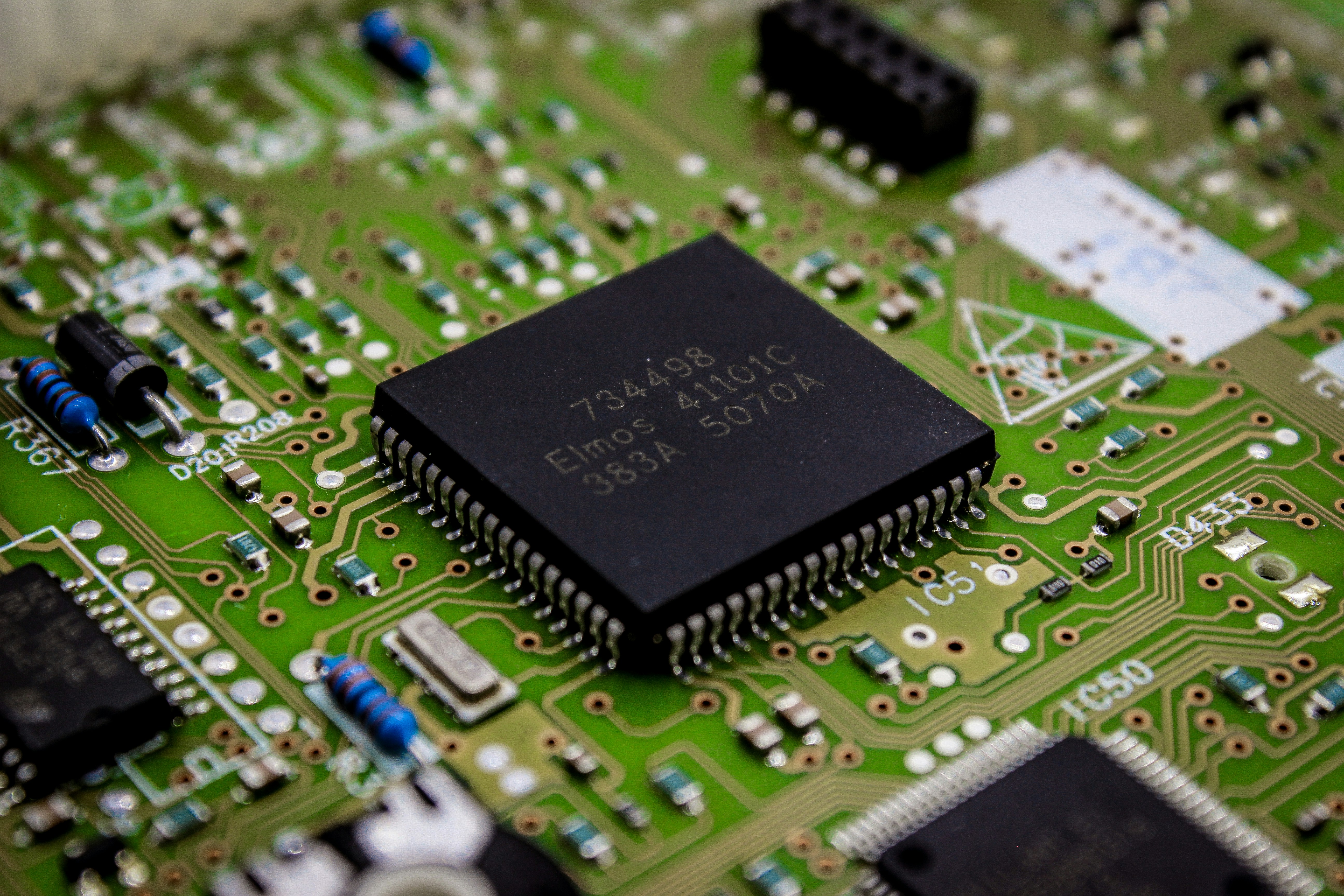
the Next Gen of Robotics Chips
The world of robotics is evolving at a breakneck pace, and at Robotic Coding™, we’re constantly looking ahead, trying to predict what the next big leap will be. One thing is certain: the
microcontrollers powering our robots are becoming smarter, faster, and more integrated. The convergence of Artificial Intelligence (AI), edge computing, and specialized hardware is set to transform how we design, build, and interact with robots. This
isn’t just about incremental improvements; it’s about a fundamental shift in what our robotic companions can achieve.
1. AI on the Edge: Smart Robots, Smarter Decisions 🧠
Traditionally, complex AI tasks like
object recognition or natural language processing were offloaded to powerful cloud servers. But what if your robot needs to make split-second decisions in the field, without an internet connection? Enter AI on the Edge, where AI computations happen directly on the robot
itself.
-
How it works: Specialized microcontroller-like chips, often called AI accelerators or Neural Processing Units (NPUs), are integrated into or alongside the main microcontroller. These are designed to efficiently run machine
learning models (like neural networks) with low power consumption. -
Impact on Robotics:
-
Faster Reaction Times: Robots can react instantly to their environment without cloud latency.
-
Enhanced Autonomy: Robots
can operate in remote areas without network access. -
Improved Privacy: Sensitive data (e.g., facial recognition) stays on the device.
-
Reduced Bandwidth: Less data needs to be sent to the cloud.
-
Examples: Chips like Google’s Edge TPU or specialized AI-enabled microcontrollers (e.g., some newer STM32 variants with integrated AI capabilities) are leading this charge. We’re already
experimenting with these to give our smaller robots basic object detection capabilities without needing a full Raspberry Pi.
This trend is directly tied to the growth of Artificial Intelligence in general. You can learn more about the broader field of AI on our site at
Artificial Intelligence.
2. More Powerful, More Integrated Microcontrollers: The SoC Evolution 🌟
The lines between microcontrollers and single-board computers are blurring. The
next generation of robotics chips will continue this trend, packing even more functionality into a single, power-efficient package.
- Multi-Core Architectures: Expect more microcontrollers with multiple processing cores (like the ESP32 and Raspberry Pi Pico’s RP2040), allowing for parallel execution of tasks – one core for motor control, another for sensor fusion, another for communication.
- Advanced Connectivity: Integrated 5G, Wi-Fi
6, and even satellite communication capabilities will become more common, enabling seamless global connectivity for robots. - Enhanced Security Features: Hardware-level security features, secure boot, and cryptographic accelerators will be standard to protect against growing cyber threats. This
builds on our earlier discussion of Security Verification. - Specialized Peripherals: More dedicated hardware accelerators for tasks like video encoding
/decoding, advanced graphics, and even specialized sensor interfaces will be integrated.
3. Robotics Operating Systems (ROS) on Microcontrollers: Bridging the Gap 🔗
ROS (Robot Operating System) has been the
de facto standard for complex robot software development, primarily on Linux-based SBCs. However, efforts like Micro-ROS are bringing the benefits of ROS to resource-constrained microcontrollers.
- How it works: Micro-ROS
allows microcontrollers to become full-fledged ROS 2 nodes, communicating with other ROS components. - Impact on Robotics:
- Unified Development: A single software framework can span from low-level motor control (on a microcontroller) to high-level navigation and AI (on an SBC).
- Modularity: Easier to integrate different hardware components and reuse software modules.
- Scalability: Projects can scale from simple
prototypes to complex systems using the same underlying ROS principles. - Our Perspective: We see Micro-ROS as a game-changer for creating truly modular and scalable robot architectures. Imagine a swarm of tiny robots, each with an ESP32
running Micro-ROS, coordinating their actions seamlessly. This is the future of distributed Robotic Simulations becoming reality.
4. Energy Harvesting and Sustainable Robotics: Powering the Future 🌿
As robots become more ubiquitous, their
environmental footprint and power demands become critical. Future microcontrollers and robotic systems will increasingly focus on energy harvesting.
- Ultra-Low Power Design: Microcontrollers will continue to push the boundaries of power efficiency, enabling robots to run on tiny
amounts of harvested energy (solar, kinetic, RF). - Advanced Power Management: More sophisticated on-chip power management units will dynamically adjust power consumption based on task load.
- Sustainable Materials: Research into more environmentally friendly materials for
both chips and robot bodies.
The future of robotics microcontrollers is bright, exciting, and full of possibilities. At Robotic Coding™, we’re not just observing these trends; we’re actively participating in them, pushing the boundaries of what’s
possible with every new chip and every line of code. The robots of tomorrow will be smarter, more autonomous, and more integrated into our world than ever before, all thanks to these tiny, powerful brains.