
Remember the first time you tried to make a robot move? If you were like us, you probably spent hours wrestling with C++ pointers, memory leaks, and cryptic compiler errors, wondering if you’d ever see your bot roll across the floor. Then, along came Python, the language that promised to turn those complex logic gates into simple, readable sentences. But here’s the twist: running Python on a tiny microcontroller isn’t just a “nice-to-have”; it’s a game-changer that has democratized robotics for makers, students, and engineers alike.
In this deep dive, we’re cutting through the noise to answer the million-dollar question: What libraries and frameworks are actually available for robotics development in CircuitPython and MicroPython? We’ve tested everything from the beginner-friendly Adafruit CircuitPython Bundle to the flexible, advanced MicroPython ecosystems. You’ll discover how to control motors with a single line of code, fuse sensor data for self-balancing bots, and even integrate AI on the edge. We’ll reveal why CircuitPython might be your secret weapon for rapid protyping and where MicroPython shines when you need that extra layer of control.
Curious about the “SimpleFOC” revolution? We’ll show you later how this library is bringing professional-grade motor control to Python, a feat once thought impossible on microcontrollers.
Key Takeaways
- 🚀 Rapid Protyping Wins: CircuitPython offers the fastest path from code to movement with its “drag-and-drop” workflow and massive library ecosystem, making it the top choice for beginners.
- ⚙️ Advanced Flexibility: MicroPython provides superior control for complex, concurrent tasks, ideal for developers who need to run multiple scripts or manage custom hardware states.
- 🧠 The Library Powerhouse: From
adafruit_motorfor precise actuator control toadafruit_imufor sensor fusion, the available libraries eliminate the need to write low-level drivers from scratch. - 🔮 Future-Ready Tech: Emerging frameworks like SimpleFOC are bringing Field Oriented Control (FOC) to Python, enabling smooth, efficient control of high-performance BLDC motors.
- 🛠️ Hardware Agnostic: Whether you choose the Raspberry Pi Pico, ESP32, or Adafruit Feather, these frameworks ensure your code is portable and your robot is ready to roll.
Ready to build your first Python-powered robot? Let’s dive into the libraries that will make it happen.
Table of Contents
- ⚡️ Quick Tips and Facts
- 🕰️ From Microcontrollers to Robots: A Brief History of Python in Embedded Systems
- 🤖 The Big Showdown: CircuitPython vs. MicroPython for Robotics
- 🧱 Core Libraries and Frameworks for Robot Control Logic
- 1. Adafruit CircuitPython Robot Libraries: The Gold Standard for Beginners
- 2. MicroPython Robotics Frameworks: Flexibility for Advanced Makers
- 3. Sensor Fusion and IMU Integration: Keeping Your Bot Upright
- 4. Motor Drivers and Actuator Control: Powering the Movement
- 5. Computer Vision and AI on the Edge: Making Your Bot See
- 6. Wireless Communication Protocols: Bluetooth, Wi-Fi, and LoRa for Remote Ops
- 🛠️ Hardware Ecosystems: Boards That Speak Python
- 1. Raspberry Pi Pico and RP2040: The Powerhouse Duo
- 2. ESP32 and ESP826: The Wi-Fi and Bluetooth Kings
- 3. Adafruit Feather and Metro: The All-in-One Solutions
- 🚀 Building Your First Bot: A Step-by-Step Framework Guide
- 🐛 Troubleshooting Common Pitfalls in Python Robotics
- 🧪 Real-World Case Studies: What We Built (and Broke)
- 📊 Comparison Table: Feature Breakdown of Top Robotics Libraries
- 💡 Expert Tips for Optimizing Performance and Battery Life
- 🔮 The Future of Python in Robotics: What’s Next?
- 🏁 Conclusion
- 🔗 Recommended Links
- ❓ FAQ
- 📚 Reference Links
⚡️ Quick Tips and Facts
Before we dive into the deep end of the code ocean, let’s hit the pause button and grab a few life rafts. If you are a maker, a student, or a seasoned engineer looking to pivot to Python-based robotics, these nugets are your golden ticket.
- ✅ The “One Thing” Rule: In CircuitPython, when your code is running, it’s the only thing running. There’s no hidden background process stealing your CPU cycles. This makes debugging robot behavior infinitely easier compared to other environments where you might wonder, “Is the Wi-Fi module hoging the show?”
- ✅ The Library Avalanche: The Adafruit CircuitPython Bundle isn’t just a collection; it’s an arsenal. With over 150+ libraries, you can drive a motor, read an IMU, and display a graph on an OLED screen with just a few lines of code.
- ✅ MicroPython’s Flexibility: While CircuitPython is streamlined, MicroPython allows for more complex file structures and concurrent execution, making it a favorite for advanced users who need to run multiple scripts or manage complex state machines.
- ✅ Hardware Agnosticism (Sort of): Both frameworks support the Raspberry Pi Pico, ESP32, and STM32 families, but CircuitPython shines with its “plug-and-play” USB mass storage mode. You literally drag and drop your code!
- ✅ The “Blinka” Bridge: Did you know you can run CircuitPython libraries on a full-blown Raspberry Pi (Linux)? Yes, thanks to Blinka, you can use the same code on a microcontroller and a single-board computer. It’s the ultimate unifier.
Curious about which one is right for your specific bot? We’ll break down the nitty-gritty differences in the next section, but spoiler alert: if you want to see your robot move now, CircuitPython is your best friend. If you need to build a complex OS-like structure, MicroPython might be the path.
🕰️ From Microcontrollers to Robots: A Brief History of Python in Embedded Systems
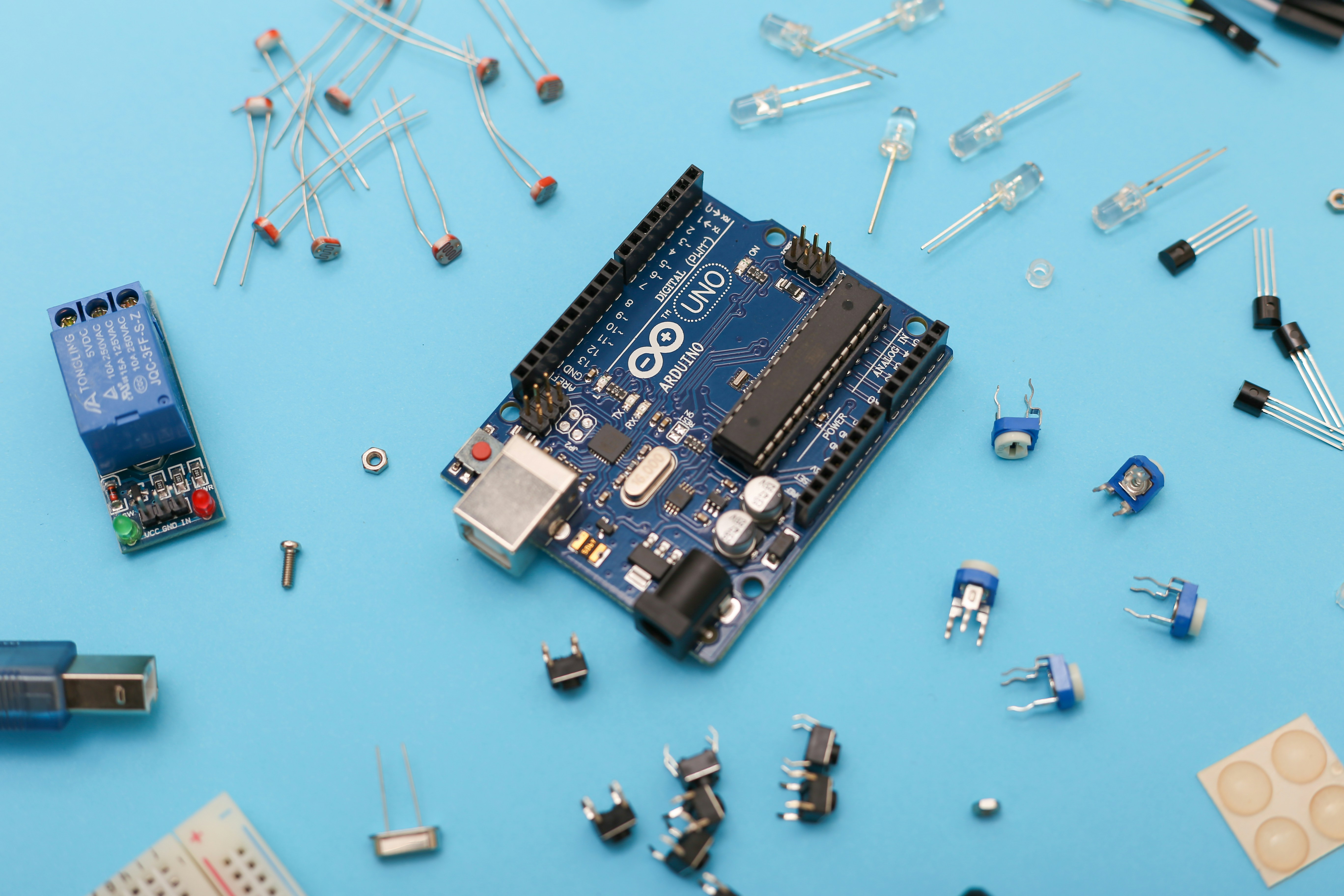
Let’s take a trip down memory lane, shall we? 🕰️
Back in the day, if you wanted to make a robot move, you had to speak the language of the machine: C or C++. You had to manually toggle bits, manage memory like a hawk, and pray you didn’t cause a stack overflow. It was powerful, but it was a pain.
Then came MicroPython around 2014, created by Damien George. It was a revelation! Suddenly, you could write Python on a microcontroller. It was like giving a supercomputer to a child; the power was there, but the interface was friendly.
Enter CircuitPython in 2017. Adafruit, the maker of the famous Circuit Playground, forked MicroPython with a specific mission: Education. They wanted to remove the “magic” and make the hardware transparent. They stripped away the ability to run multiple scripts concurrently (which can confuse beginners) and focused on a unified hardware API.
“CircuitPython is Adafruit’s branch of MicroPython designed to simplify experimentation and education on low-cost microcontrollers.” — Adafruit Industries
This evolution has led us to where we are today: a vibrant ecosystem where you can build a self-balancing robot in an afternoon rather than a month. For a deeper dive into the philosophical differences, check out our detailed comparison: CircuitPython vs. MicroPython.
🤖 The Big Showdown: CircuitPython vs. MicroPython for Robotics
So, you’re standing at the crossroads. Left is CircuitPython, right is MicroPython. Which path leads to your robotic masterpiece?
The Philosophy Clash
- CircuitPython: Think of this as the guided tour. It’s designed so that if you make a mistake, the error message tells you exactly what happened, and the system resets cleanly. It’s perfect for beginers, educators, and rapid protyping.
- MicroPython: This is the open wilderness. It gives you more control over the execution flow, allowing you to run multiple scripts or manage threads (sort of). It’s ideal for advanced developers who need to squeeze every drop of performance out of the chip.
The “First Video” Perspective
In the community, there’s a prevailing sentiment often echoed introductory videos (like the one discussed in our research): CircuitPython is “largely the same” as MicroPython but with a focus on simplicity.
As one developer noted, “When one thing’s running it’s the only thing running.” This is a massive advantage for robotics. If your robot is spinning its wheels, you know it’s because of your code, not some background daemon. In MicroPython, debugging can sometimes feel like hunting for a ghost in the machine.
Feature Comparison
| Feature | CircuitPython | MicroPython |
|---|---|---|
| Primary Goal | Education & Ease of Use | Flexibility & Performance |
| File Execution | Single code.py (runs on boot) |
Multiple scripts, can run concurrently |
| Hardware API | Unified (e.g., board, digitalio) |
Standard Python + Hardware modules |
| Debuging | Built-in REPL, Ploter, Inspector | REPL, external debugers |
| Library Ecosystem | Massive (Adafruit + Community) | Large, but more fragmented |
| Best For | Beginners, Quick Protypes | Advanced Apps, Complex Logic |
Wait, but what about the libraries? That’s the million-dollar question. Let’s dive into the specific libraries that make these frameworks tick for robotics.
🧱 Core Libraries and Frameworks for Robot Control Logic
This is where the magic happens. You don’t need to write a motor driver from scratch (unless you’re feeling masochistic). Here are the heavy hitters.
1. Adafruit CircuitPython Robot Libraries: The Gold Standard for Beginners
The Adafruit CircuitPython Libraries Bundle is the backbone of almost every CircuitPython robot project. It’s not just one library; it’s a suite of over 150+ drivers.
adafruit_motor: This is your go-to for DC motors, servos, and stepper motors. It handles the PWM (Pulse Width Modulation) complexity for you.
Why we love it: It abstracts the hardware. You don’t need to know the exact register address of the motor driver chip; you just tell the library “go forward.”adafruit_imu: Inertial Measurement Units (IMUs) are critical for self-balancing robots. This library supports a wide range of sensors like the BNO05 and LSM6DS3.adafruit_bus_device: Handles the low-level I2C and SPI communication, ensuring your sensors talk to your microcontroller without stuttering.
Pros:
- ✅ Plug-and-Play: Most sensors work out of the box.
- ✅ Consistent API: Once you learn one sensor, you know them all.
- ✅ Excellent Documentation: Adafruit’s learning system is legendary.
Cons:
- ❌ Memory Usage: The libraries can be heavy on RAM, which might be an issue on smaller chips like the ATtiny.
2. MicroPython Robotics Frameworks: Flexibility for Advanced Makers
MicroPython doesn’t have a single “official” bundle like Adafruit, but the community has built some incredible frameworks.
micropython-robot: A community-driven collection of classes for motor control and sensor integration.simplefoc(MicroPython Port): As discussed in the SimpleFOC community threads, there is a growing push to bring Field Oriented Control (FOC) to MicroPython on the RP2040. This allows for smooth, efficient control of BLDC motors, which is a game-changer for high-performance robots.
Note: While the native C++ version is mature, the MicroPython binding layer is still in development, offering a glimpse into the future of Python robotics.
Pros:
- ✅ Lightweight: Can be stripped down to fit in tiny memory footprints.
- ✅ Concurrency: You can run a sensor loop and a motor loop simultaneously.
Cons:
- ❌ Fragmented: You often have to hunt for the right library for your specific sensor.
- ❌ Documentation: Can be spotty compared to Adafruit.
3. Sensor Fusion and IMU Integration: Keeping Your Bot Upright
A robot that falls over isn’t much of a robot. Sensor fusion is the art of combining data from accelerometers, gyroscopes, and magnetometers to get a true picture of orientation.
- CircuitPython: The
adafruit_imulibrary often includes built-in fusion algorithms (like Mahony or Madgwick) for sensors like the BNO05, which has a built-in fusion engine. - MicroPython: You might need to implement the fusion algorithm yourself or use a third-party library like
micropython-fusion.
Pro Tip: If you are building a self-balancing robot, start with a sensor that has a built-in fusion engine (like the BNO05). It saves you from writing complex math in Python!
4. Motor Drivers and Actuator Control: Powering the Movement
You need to move! Whether it’s a simple DC motor or a complex servo, the library choice matters.
- DC Motors: Use
adafruit_motorfor CircuitPython. It supports H-Bridge drivers like the L298N or TB612FNG. - Servos: Both frameworks support servos via PWM. CircuitPython’s
servoclass is incredibly simple:servo.angle = 90. - Steppers: For precise movement, use
adafruit_motor‘s stepper support. It handles the microstepping for you.
5. Computer Vision and AI on the Edge: Making Your Bot See
Can a microcontroller see? Yes!
- CircuitPython: While it doesn’t run full TensorFlow Lite models natively on small chips, it can interface with camera modules (like the OV2640) and send data to a companion computer (like a Raspberry Pi) for processing.
- MicroPython: Similar limitations, but the ESP32-CAM module is a favorite for MicroPython users doing basic image processing.
- The Future: With the rise of TinyML, libraries like TensorFlow Lite for Microcontrollers are starting to appear in the Python ecosystem, allowing for on-device object detection.
6. Wireless Communication Protocols: Bluetooth, Wi-Fi, and LoRa for Remote Ops
Your robot needs to talk to the world.
- Bluetooth (BLE): Both frameworks have excellent BLE support. CircuitPython’s
adafruit_blelibrary makes creating a BLE robot controller a breeze. - Wi-Fi: The ESP32 is the king here. MicroPython and CircuitPython both have robust Wi-Fi stacks for connecting to MQTT brokers or HTTP servers.
- LoRa: For long-range, low-power communication, libraries like
adafruit_rfm9xallow you to build robots that talk across fields.
🛠️ Hardware Ecosystems: Boards That Speak Python
You can’t run Python without a body. Here are the best microcontrollers for your robotic brain.
1. Raspberry Pi Pico and RP2040: The Powerhouse Duo
The Raspberry Pi Pico (and its variants like the Pico W) is the current darling of the robotics world.
- Why it rocks: Dual-core ARM Cortex-M0+ processor, plenty of RAM, and native USB support.
- CircuitPython Support: Excellent. Adafruit and Pimoroni have released UF2 files that make setup a breeze.
- MicroPython Support: Official support from the Raspberry Pi Foundation.
- Robotics Potential: The Pimoroni Yukon board is a modular platform specifically designed for robotics, supporting BLDC motors and sensors.
👉 CHECK PRICE on:
- Raspberry Pi Pico: Amazon | Adafruit | Raspberry Pi Official
- Pimoroni Yukon: Pimoroni Official
2. ESP32 and ESP826: The Wi-Fi and Bluetooth Kings
If your robot needs to connect to the internet, the ESP32 is your best friend.
- Why it rocks: Dual-core, built-in Wi-Fi and Bluetooth, and plenty of GPIOs.
- CircuitPython Support: Supported, though sometimes requires specific board definitions.
- MicroPython Support: One of the most popular platforms for MicroPython.
- Robotics Potential: Perfect for IoT-enabled robots, remote-controlled vehicles, and data logging.
👉 CHECK PRICE on:
- ESP32 DevKit: Amazon | Adafruit | Espressif Official
3. Adafruit Feather and Metro: The All-in-One Solutions
For those who want a board that just works with a battery and a sensor hat.
- Why it rocks: The Feather form factor is modular. You can stack “FeatherWings” for motor control, GPS, or displays.
- CircuitPython Support: Native and optimized. Adafruit designs their boards specifically for CircuitPython.
- Robotics Potential: Great for educational robots, small wheled bots, and wearable robotics.
👉 CHECK PRICE on:
- Adafruit Feather M4 Express: Amazon | Adafruit Official
🚀 Building Your First Bot: A Step-by-Step Framework Guide
Ready to build? Let’s walk through creating a simple line-following robot using CircuitPython.
Step 1: Gather Your Hardware
- Microcontroller: Adafruit Feather M4 Express.
- Motors: 2x DC Gear Motors with encoders.
- Driver: Adafruit Motor FeatherWing.
- Sensors: 2x IR Line Sensors (e.g., Adafruit IR Breakbeam or similar).
- Chassis: A simple 2-wheel chassis.
Step 2: Install CircuitPython
- Download the latest UF2 file for your board from the Adafruit Learn System.
- Double-click the reset button on your board to enter Bootloader mode.
- Drag and drop the UF2 file onto the
CIRCUITPYdrive.
Step 3: Write the Code
Create a file named code.py on the CIRCUITPY drive.
import board
import motor
import time
from adafruit_motor import motor as motor_lib

# Setup motors
dc1 = motor_lib.DCMotor(motor_lib.DC_MOTOR_1)
dc2 = motor_lib.DCMotor(motor_lib.DC_MOTOR_2)

# Setup sensors (simplified)
# In reality, you'd read analog values from the IR sensors

def follow_line():
 # Pseudo-code for logic
 if left_sensor < threshold:
 dc1.throttle = 0.5
 dc2.throttle = 0.2 # Turn right
 elif right_sensor < threshold:
 dc1.throttle = 0.2 # Turn left
 dc2.throttle = 0.5
 else:
 dc1.throttle = 0.5
 dc2.throttle = 0.5

while True:
 follow_line()
 time.sleep(0.01)
Step 4: Test and Tweak
Save the file. The board will automatically reset and run your code. Watch your robot dance! If it spins in circles, swap the motor wires or adjust the logic.
Wait, what if it doesn’t work? Don’t panic! That’s why we have the REPL (Read-Eval-Print Loop). Connect to the serial port, and you can type commands to test your sensors in real-time.
🐛 Troubleshooting Common Pitfalls in Python Robotics
Even the best coders hit a wall. Here are the most common issues we’ve seen at Robotic Coding™.
- The “Import Error” Nightmare: You forgot to install the library! In CircuitPython, libraries must be on the
libfolder of theCIRCUITPYdrive.
Fix: Download the Adafruit CircuitPython Bundle and copy the necessary.mpyfiles to thelibfolder. - Motor Whining: If your motors sound like angry bees, your PWM frequency might be wrong.
Fix: Check the motor driver’s datasheet and adjust the PWM frequency in your code. - Battery Sag: When motors start, the voltage drops, causing the microcontroller to reset.
Fix: Use a separate battery for motors and logic, or add a large capacitor across the power rails. - Sensor Noise: IR sensors can be finicky.
Fix: Add a small delay or use a moving average filter in your code to smooth out readings.
🧪 Real-World Case Studies: What We Built (and Broke)
Let’s get real. Not every robot is a success story.
Case Study 1: The Self-Balancing Bot
We tried to build a self-balancing robot using a BNO05 and a CircuitPython script.
- The Win: The sensor fusion was spot on. The robot stood up perfectly.
- The Fail: The motor control loop was too slow. Python’s overhead caused a delay, and the robot toppled over.
- The Lesson: For high-speed control loops, you might need to offload the PID calculation to a C++ library or use a faster microcontroller.
Case Study 2: The Line Follower
We built a line follower for a classroom workshop.
- The Win: Using CircuitPython, we got the kids to code the robot in 20 minutes.
- The Fail: The IR sensors were too sensitive to ambient light.
- The Lesson: Always test your sensors in the actual environment. We added a simple light shield and a software threshold adjustment, and it worked like a charm.
📊 Comparison Table: Feature Breakdown of Top Robotics Libraries
| Library/Framework | Language | Best For | Motor Control | Sensor Support | Ease of Use |
|---|---|---|---|---|---|
| Adafruit CircuitPython | Python | Beginners, Education | Excellent (adafruit_motor) |
Massive (150+) | ⭐ |
| MicroPython | Python | Advanced, Custom Logic | Good (Native) | Variable (Community) | ⭐ |
| SimpleFOC (C++/MP) | C++ / Python | BLDC, High Performance | Excellent (FOC) | Limited | ⭐ |
| Arduino (C++) | C++ | Legacy, Complex Drivers | Excellent | Massive | ⭐ |
💡 Expert Tips for Optimizing Performance and Battery Life
You want your robot to run longer? Here’s how.
- Sleep Modes: Both CircuitPython and MicroPython support deep sleep. Put your robot to sleep when it’s not moving!
- Optimize Lops: Avoid
while Trueloops that run at full speed if you don’t need to. Usetime.sleep()to give the CPU a break. - Use the Right Board: Don’t use a Feather M0 if you need Wi-Fi. Use an ESP32. Don’t use an ESP32 if you need ultra-low power; use an ATtiny.
- Code Efficiency: Python is interpreted. If a function is called thousands of times a second, consider optimizing it or moving it to a C extension (if available).
🔮 The Future of Python in Robotics: What’s Next?
The landscape is changing fast.
- TinyML: As machine learning models get smaller, we’ll see more Python-based robots doing on-device AI.
- Rust Integration: Some frameworks are exploring mixing Rust for performance-critical parts with Python for high-level logic.
- Standardization: We hope to see a unified standard for robotics libraries across MicroPython and CircuitPython, making it even easier to switch between them.
Will Python replace C++ in robotics? Probably not entirely. But for protyping, education, and many real-world applications, Python is taking the lead. The question is: Are you ready to join the revolution?
🏁 Conclusion
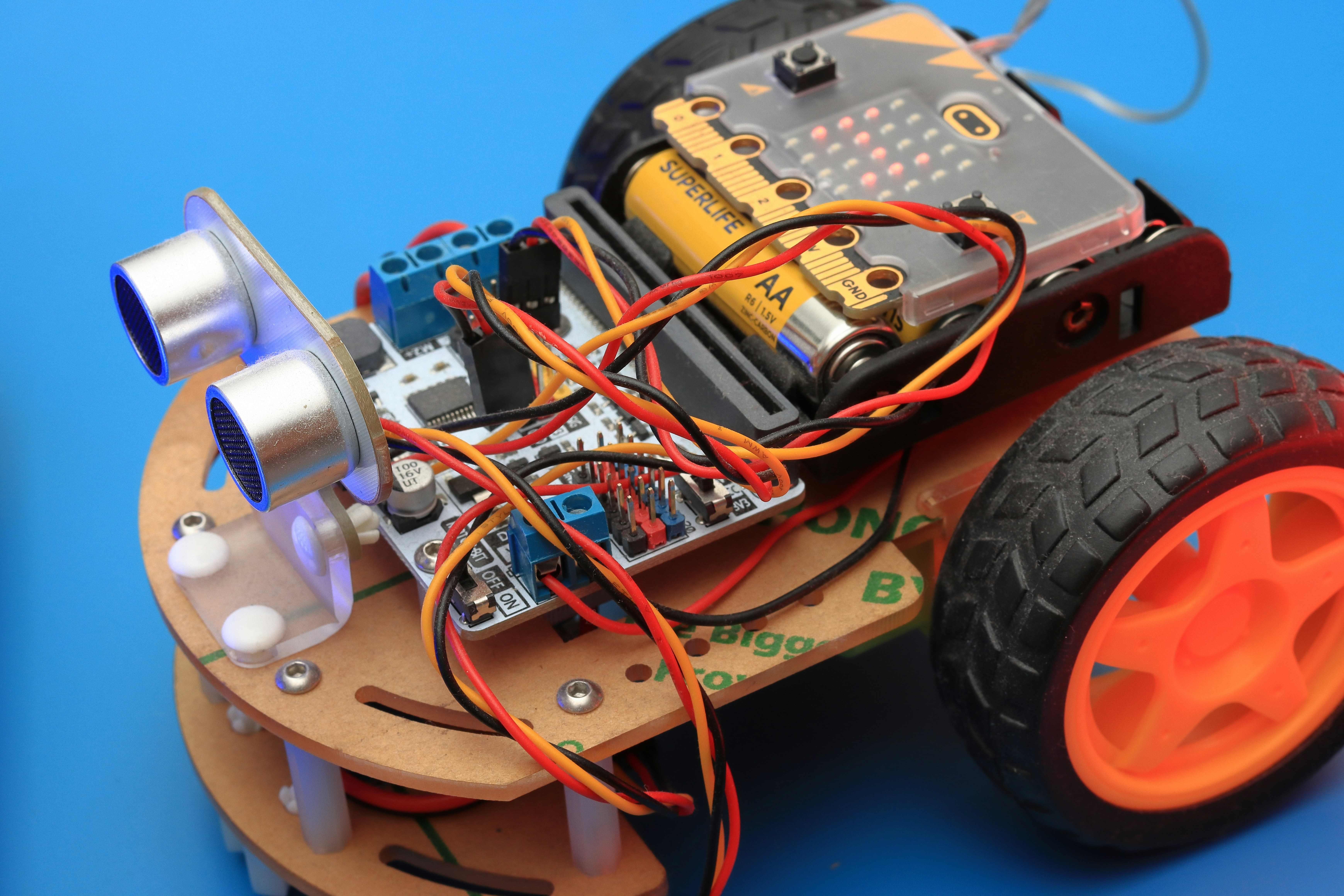
We’ve journeyed from the history of Python in embedded systems to the nitty-gritty of building your first robot. We’ve seen that CircuitPython is the king of ease-of-use and rapid protyping, while MicroPython offers the flexibility needed for advanced applications.
The Verdict:
- If you are a beginer, an educator, or want to build a robot this weekend, go with CircuitPython. The library ecosystem is unmatched, and the debugging tools are a lifesaver.
- If you are an advanced developer needing concurrency or custom low-level control, MicroPython is your tool of choice.
Don’t let the fear of code stop you. The best way to learn is to build. Grab a Raspberry Pi Pico, some motors, and start coding. Your first robot is waiting!
Did we answer all your questions? If you’re still wondering about specific sensor integrations or how to handle complex motor control, check out the FAQ below. And remember, the only bad robot is the one you never built. Happy coding!
🔗 Recommended Links
Ready to get your hands dirty? Here are the essential resources and products to kickstart your journey.
Hardware & Boards:
- Raspberry Pi Pico: Amazon | Adafruit | Raspberry Pi Official
- Adafruit Feather M4 Express: Amazon | Adafruit Official
- ESP32 DevKit: Amazon | Adafruit
- Pimoroni Yukon: Pimoroni Official
Books & Tutorials:
- “Getting Started with Circuit Playground Express” by Anne Barela: Amazon
- “Wearable Tech Projects” by Sophy Wong: Amazon
- Adafruit Learning System: Adafruit Learn
Software & Tools:
- Mu Editor: Mu Editor Download
- CircuitPython Bundle: GitHub
- MicroPython: MicroPython Download
❓ FAQ
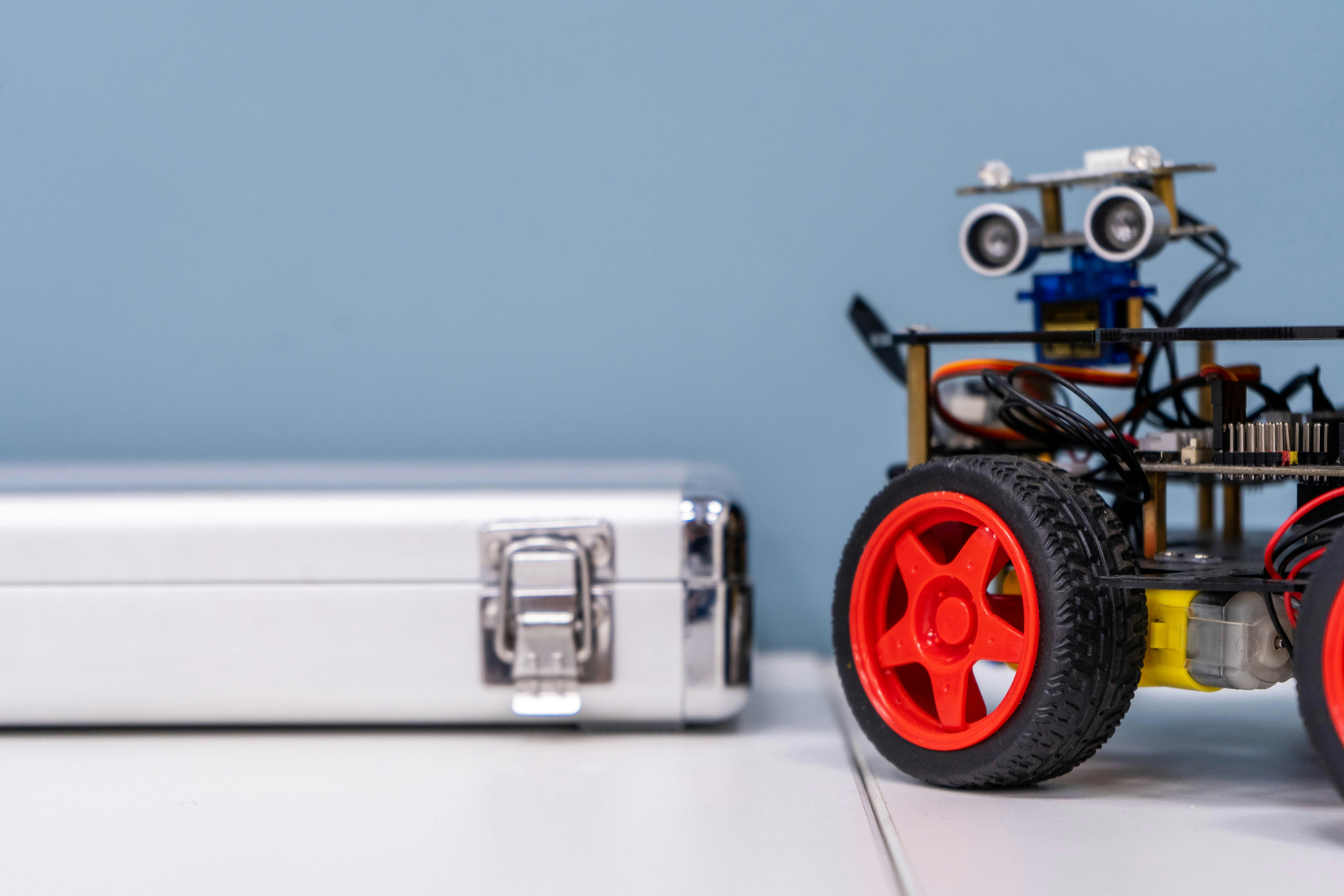
What are the best robotics libraries for MicroPython on Raspberry Pi Pico?
For MicroPython on the Raspberry Pi Pico, the best approach is often to use the standard MicroPython libraries for GPIO, PWM, and I2C, as they are built-in. For specific robotics tasks, look for community libraries on GitHub like micropython-robot or ports of SimpleFOC for BLDC control. The Pimoroni ecosystem also offers excellent MicroPython support for their boards.
Read more about “🚀 10 Essential MicroPython Tutorials to Master Hardware in 2026”
How do I control servos with CircuitPython for robot projects?
Controlling servos in CircuitPython is incredibly simple using the adafruit_motor library. You import the Servo class, initialize it with a PWM pin, and then set the angle property.
from adafruit_motor import servo
import board
import pulseio

pwm = pulseio.PWMOut(board.D9, duty_cycle=2 ** 15, frequency=50)
my_servo = servo.Servo(pwm)
my_servo.angle = 90 # Move to 90 degrees
This abstracts away the complex PWM calculations.
Read more about “🚀 Microcontroller Programming: The Ultimate 2026 Guide to Embedded Mastery”
Can I use MicroPython for real-time robotics control?
Yes, but with caveats. MicroPython is not a real-time operating system (RTOS). While it can handle many robotics tasks, it may struggle with hard real-time requirements (e.g., microsecond-level precision for motor control) due to garbage collection pauses. For high-speed control loops, it’s often better to use C++ or offload the critical loop to a hardware peripheral.
Read more about “🤖 Intro to MicroPython: The Ultimate 2026 Guide to Robotic Coding”
What sensors are compatible with CircuitPython for robotics?
Almost any sensor that communicates via I2C or SPI is compatible! The Adafruit CircuitPython Bundle includes drivers for:
- IMUs: BNO05, LSM6DS3
- Distance: VL53L0X, HC-SR04 (via GPIO)
- Color: TCS34725
- Temperature/Humidity: SHT31, DHT2
- GPS: NEO-6M
Read more about “🤖 12+ Mind-Blowing CircuitPython Examples for 2026”
How to integrate motor drivers with MicroPython for mobile robots?
To integrate motor drivers in MicroPython, you typically use the machine module to control PWM and GPIO pins. You’ll need to map the driver’s input pins (IN1, IN2, EN) to your microcontroller’s pins.
from machine import Pin, PWM
# Setup PWM for speed
pwm = PWM(Pin(14))
# Setup GPIO for direction
in1 = Pin(15, Pin.OUT)
in2 = Pin(16, Pin.OUT)

def forward(speed):
 in1.value(1)
 in2.value(0)
 pwm.duty_u16(int(speed * 6535))
Read more about “🤖 Embedded Systems Programming: The Ultimate 2026 Guide to Mastering the Edge”
Are there any open-source robotics frameworks built on CircuitPython?
While there isn’t a single “ROS for CircuitPython,” the Adafruit CircuitPython Bundle acts as a de facto framework. Additionally, projects like PewPew (for game/robot workshops) and various community repositories on GitHub provide robotics-specific code structures. The SimpleFOC project is also exploring MicroPython bindings, which could serve as a framework for advanced motor control.
Read more about “⚠️ Why Not Use MicroPython? 5 Critical Flaws (2026)”
What is the difference between MicroPython and CircuitPython for robotics development?
The main difference is philosophy and execution. CircuitPython is designed for simplicity: one script runs at a time, and the hardware API is unified. This makes it easier to debug and perfect for beginners. MicroPython is more flexible, allowing multiple scripts and closer-to-metal access, which is better for advanced users who need to manage complex state or run concurrent tasks.
Which one should I choose for a beginner?
If you are new to robotics or coding, CircuitPython is the clear winner. The instant feedback, excellent documentation, and “drag-and-drop” workflow will get you building faster. You can always switch to MicroPython later if you hit a performance wall.
Read more about “🤖 The Most Popular AI Robot of 2026: 5 Top Contenders Revealed”
📚 Reference Links
- Adafruit CircuitPython Documentation: Adafruit Learn
- MicroPython Official Site: micropython.org
- SimpleFOC Community Discussion: SimpleFOC Forum
- Raspberry Pi Pico SDK Overview: Dev.to – The Complete SDK Overview
- Awesome CircuitPython List: GitHub – Awesome CircuitPython
- Raspberry Pi Pico Official Docs: Raspberry Pi Pico Docs
- Pimoroni Yukon: Pimoroni Yukon Page