
Ever wonder how your smartwatch knows your heart rate, or how a self-driving car decides to brake in a split second? It’s not magic; it’s embedded systems programming. At Robotic Coding™, we’ve spent years soldering circuits and debugging firmware that runs on everything from humble toasters to Mars rovers. While many guides simply define the term, we’re here to show you how to build the future.
In this comprehensive guide, we dive deep into the silicon soul of modern technology. We’ll unravel the mysteries of Real-Time Operating Systems (RTOS), decode the battle between Microcontrollers and Microprocessors, and reveal the exact steps to launch a career in this high-demand field. Did you know the Apollo Guidance Computer, which landed humans on the moon, had less memory than a modern digital watch? Yet, it worked flawlessly because of efficient code. We’ll show you how to achieve that same level of reliability in your own projects.
Whether you are a student, a hobbyist, or a seasoned developer looking to pivot, this article is your roadmap. We’ll cover everything from the basics of C and C++ to the cutting-edge integration of AI on the Edge. By the end, you won’t just understand what embedded systems are; you’ll know exactly how to program them to solve real-world problems.
Key Takeaways
- Master the Core Stack: Success in embedded systems programming requires fluency in C/C++, a deep understanding of hardware constraints, and the ability to work with RTOS or bare-metal environments.
- Hardware is Non-Negotiable: Unlike web development, you must learn to read datasheets, use logic analyzers, and understand schematics to debug effectively.
- Career Growth is Explosive: With the rise of IoT and Edge AI, skilled embedded engineers are in high demand, with top roles in robotics, automotive, and aerospace offering six-figure salaries.
- Start Small, Think Big: Begin with affordable boards like the ESP32 or STM32, master communication protocols like I2C and SPI, and gradually build complex, real-time applications.
Table of Contents
- ⚡️ Quick Tips and Facts
- 🕰️ A Brief History of Embedded Systems: From Toasters to Tesla
- 🤔 What is Embedded Systems Programming? The Ultimate Definition
- 🛠️ The Embedded Engineer’s Toolkit: Languages, IDEs, and Hardware
- 🧠 Core Concepts You Must Master
- 🚀 7 Essential Steps to Becoming an Embedded Software Engineer
- 🔌 Microcontrollers vs. Microprocessors: Choosing Your Battle
- 💻 Real-Time Operating Systems (RTOS) Demystified
- 🔋 Power Management and Low-Power Design Strategies
- 🛡️ Security in Embedded Systems: Protecting the Edge
- 🤖 The Rise of AI and Machine Learning on the Edge
- 🧪 Debuging Techniques: When Things Go Wrong (And They Will)
- 📜 Industry Standards and Compliance You Can’t Ignore
- 💼 Career Paths, Salary Expectations, and Top Employers
- 🎓 Learning Resources: From Online Courses to Bootcamps
- 🏆 Conclusion
- 🔗 Recommended Links
- 📚 Reference Links
⚡️ Quick Tips and Facts
Before we dive into the deep end of the silicon ocean, let’s hit the pause button and grab a few life preservers. At Robotic Coding™, we’ve seen brilliant engineers burn out because they skipped the basics. Here are the golden rules we wish someone had shouted at us when we first started soldering our first microcontroller:
- C is King, but C++ is the Prince: While C remains the undisputed monarch of embedded systems due to its raw efficiency and direct hardware access, C++ is rapidly gaining ground, especially in complex robotics and AI-on-the-edge applications. Don’t ignore it!
- Memory is Precious: Unlike your laptop with 32GB of RAM, an embedded microcontroller might have 2KB to 512KB. Every byte counts. If you think you can just “allocate more,” think again.
- The “It Works on My Machine” Trap: Hardware is not software. Code that runs perfectly in a simulator might crash instantly on the actual board due to timing issues, voltage drops, or thermal noise. Always test on real hardware.
- Recursion is a Double-Edged Sword: As James from Zigal Studios wisely noted in our featured video, avoid recursion in deeply embedded systems unless you are absolutely certain of your stack depth. A stack overflow is a silent killer that’s hard to debug.
- Tools Matter: You can’t build a house with a butter knife. You need an oscilloscope, a logic analyzer, and a good multimeter. These aren’t luxuries; they are your eyes into the invisible world of electrons.
Did you know? The first embedded system, the Apollo Guidance Computer, used only 64KB of memory to land humans on the moon. Today, a smart toaster might have more processing power, but the constraints of reliability remain the same!
For those eager to jump straight into code, check out our deep dive into MicroPython, a fantastic bridge between high-level scripting and low-level control.
🕰️ A Brief History of Embedded Systems: From Toasters to Tesla
The story of embedded systems isn’t just about code; it’s about the evolution of human-machine interaction. It started in the 1960s, not with a smartphone, but with a rocket.
The Birth of the Embedded Era
The Apollo Guidance Computer (AGC), developed by MIT for NASA, is widely considered the first true embedded system. It was a dedicated computer designed to perform a specific function: guiding the Apollo spacecraft. It used integrated circuits (a relatively new invention at the time) and ran on a custom operating system called Luminary.
“The AGC proved that a computer could be small, reliable, and dedicated to a single task, setting the stage for everything from your microwave to your Tesla.” — Historical Tech Archives
The Microcontroller Revolution
In 1971, Intel released the 404, the first commercial microprocessor. But the real game-changer came in 1976 with the Intel 8048, the first microcontroller (a CPU, memory, and I/O on a single chip). Suddenly, you could embed a computer into a washing machine, a car engine, or a digital watch.
The Modern Era: IoT and AI
Fast forward today, and we are in the Internet of Things (IoT) era. Devices are no longer isolated; they talk to each other. We’ve moved from simple bare-metal programming to complex Real-Time Operating Systems (RTOS) and even Machine Learning on the Edge.
| Era | Key Technology | Typical Application |
|---|---|---|
| 1960s | Integrated Circuits | Apollo Guidance Computer |
| 1970s | Microcontrollers | Digital Watches, Washing Machines |
| 1980s-90s | Embedded Linux | Set-top Boxes, Industrial Controllers |
| 20s-Present | IoT, RTOS, AI | Smart Homes, Autonomous Vehicles, Drones |
🤔 What is Embedded Systems Programming? The Ultimate Definition
So, what exactly are we talking about when we say “Embedded Systems Programming”?
According to TechTarget, embedded systems programming “facilitates the development of consumer-facing devices that don’t use conventional operating systems the way that desktop computers and mobile devices do.”
But let’s break that down with some Robotic Coding™ flair.
The Core Concept
Embedded programming is the art of writing software that is tightly coupled with specific hardware. Unlike general-purpose programming (like building a website or a mobile app) where the software runs on a generic OS (Windows, macOS, Android), embedded software often runs on bare metal or a specialized RTOS.
Key Characteristics
- Dedicated Function: The software does one thing, or a set of related things, extremely well. Think of a heart rate monitor: it doesn’t need to play video games; it needs to measure a pulse accurately.
- Resource Constraints: Limited CPU speed, RAM, Flash memory, and power.
- Real-Time Requirements: Many systems must respond to events within a strict time window. If a car’s anti-lock braking system (ABS) takes 0.5 seconds to react instead of 0.1, the result could be catastrophic.
- Reliability: These systems often run 24/7 for years without a reboot. A “blue screen of death” is not an option.
The Software Stack
A typical embedded software suite includes:
- Firmware: The low-level code that talks directly to the hardware.
- Operating System (Optional): Ranging from Bare Metal (no OS) to RTOS (FreeRTOS, Zephyr) to Embedded Linux.
- Middleware: Software that bridges the OS and the application (e.g., network stacks, file systems).
- Application Logic: The actual business logic of the device.
Pro Tip: Don’t confuse Embedded Systems with Robotics. While all robots use embedded systems, not all embedded systems are robots. Robotics adds the layer of sensors, actuators, and autonomous decision-making. Check out our guide on Robotics for more on that intersection.
🛠️ The Embedded Engineer’s Toolkit: Languages, IDEs, and Hardware
You wouldn’t try to fix a jet engine with a screwdriver, and you shouldn’t try to code an embedded system without the right toolkit. Here’s what the pros at Robotic Coding™ keep in their digital and physical toolboxes.
Programming Languages: The Holy Trinity
| Language | Best For | Pros | Cons |
|---|---|---|---|
| C | Bare metal, RTOS, Drivers | Fast, Efficient, Portable, Industry Standard | Manual memory management, prone to buffer overflows |
| C++ | Complex systems, Robotics, AI | Object-Oriented, Abstraction, Modern features | Slightly larger footprint, steeper learning curve |
| Python (MicroPython/CircuitPython) | Protyping, IoT, Education | Easy to learn, Rapid development, Rich libraries | Slower execution, higher memory usage |
Note: While Assembly is still used for critical bootloaders or extreme optimization, it’s rarely the primary language for full applications today.
Integrated Development Environments (IDEs)
The IDE is your command center. Choosing the right one depends on your hardware.
- Visual Studio Code (VS Code): The modern favorite. With extensions like PlatformIO, it supports almost any microcontroller. It’s lightweight, free, and has a massive community.
- Eclipse: The classic. Heavily used in the ARM ecosystem. Powerful but can feel clunky.
- Arduino IDE: Perfect for beginners and rapid protyping. Great for Arduino and ESP32 boards, but lacks advanced debugging features for complex projects.
- Keil MDK: The industry standard for ARM Cortex-M chips. Powerful but expensive (though there’s a free version with code size limits).
- IAR Embedded Workbench: Another heavyweight for ARM, known for its optimizer and debugging capabilities.
Hardware Platforms: Where to Start?
1. The Beginner’s Playground: Arduino
- Why: Huge community, easy to use, tons of libraries.
- Best For: Learning basics, simple sensors, protyping.
- Limitations: Limited memory, not ideal for complex RTOS or high-speed processing.
2. The Powerhouse: ESP32 / ESP826
- Why: Built-in Wi-Fi and Bluetooth, dual-core, cheap.
- Best For: IoT projects, smart home devices.
- Brand: Espressif Systems
3. The Professional Standard: STM32 (ARM Cortex-M)
- Why: Industry-standard architecture, massive performance, extensive peripherals.
- Best For: Commercial products, robotics, complex control systems.
- Brand: STMicroelectronics
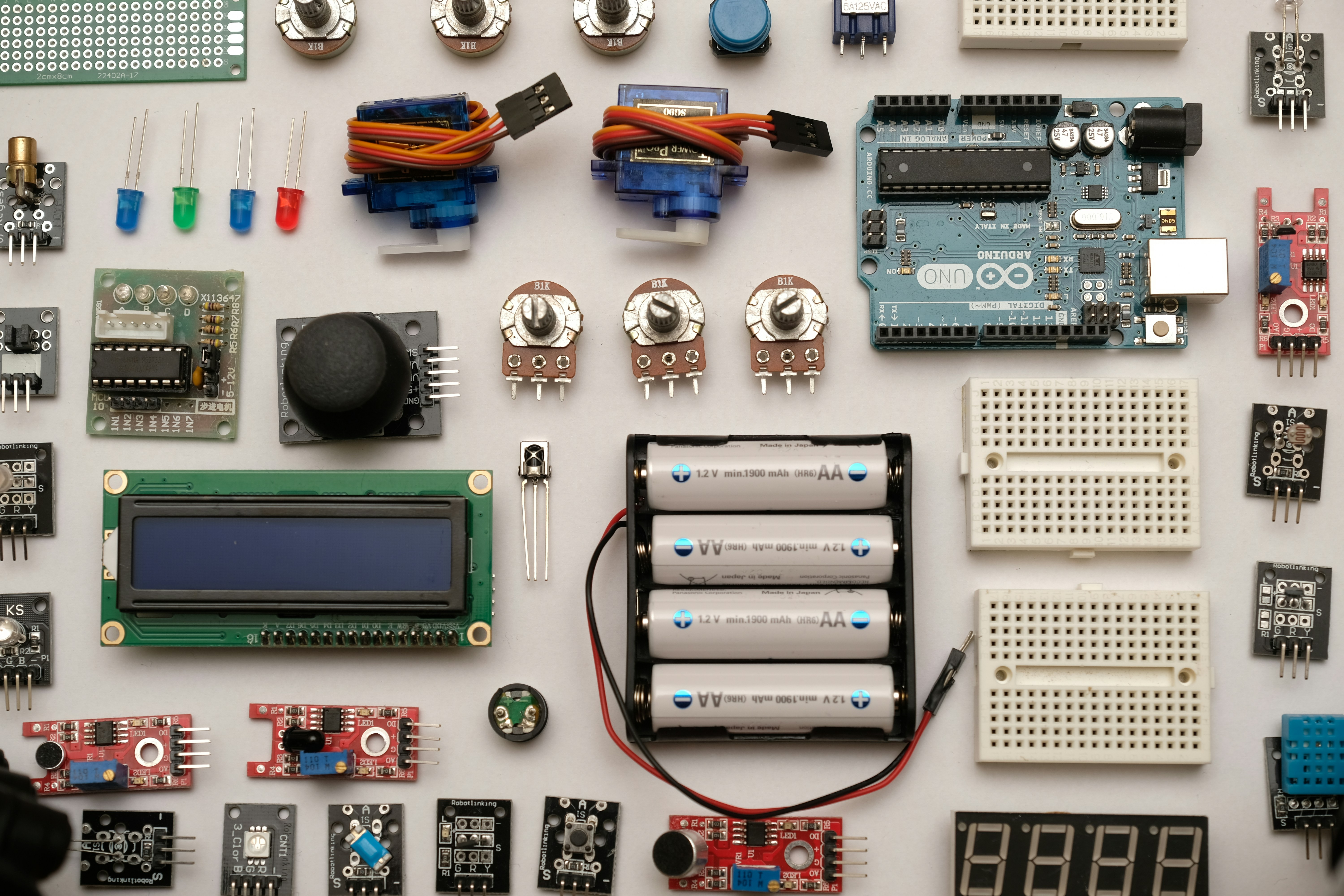
4. The Linux Beast: Raspberry Pi / BeagleBone
- Why: Runs full Linux, powerful CPU, lots of RAM.
- Best For: Image processing, AI, complex networking.
- Brand: Raspberry Pi Foundation
👉 CHECK PRICE on:
- Arduino Starter Kit: Amazon | Arduino Official
- ESP32 Development Board: Amazon | Espressif Official
- STM32 Nucleo Board: Amazon | STMicroelectronics Official
- Raspberry Pi 4/5: Amazon | Raspberry Pi Official
🧠 Core Concepts You Must Master
You can’t just write code; you must understand the physics of the machine. Here are the non-negotiable concepts that separate the hobbyists from the engineers.
1. Memory Management
In embedded systems, you don’t have a garbage collector to clean up after you. You must manually manage stack and heap.
- Stack: Used for local variables and function calls. Fixed size.
- Heap: Used for dynamic memory allocation (
malloc,free). Prone to fragmentation. - Static Allocation: The preferred method in safety-critical systems. Allocate everything at compile time to avoid runtime surprises.
2. Interrupts vs. Polling
- Polling: The CPU constantly checks a sensor. “Is the button pressed? No. Is the button pressed? No…” This wastes CPU cycles.
- Interrupts: The hardware signals the CPU when an event happens. The CPU stops what it’s doing, handles the event, and resumes. This is efficient and responsive.
3. Communication Protocols
How do chips talk to each other?
- UART: Simple, asynchronous, point-to-point. Good for debugging.
- I2C: Two-wire, multi-master, multi-slave. Great for sensors.
- SPI: Fast, full-duplex, four-wire. Used for displays and SD cards.
- CAN Bus: Robust, used in automotive and industrial robotics.
4. Digital Signal Processing (DSP)
Converting analog signals (sound, light, vibration) into digital data. You need to understand ADC (Analog-to-Digital Conversion) and DAC (Digital-to-Analog Conversion) rates, resolution, and filtering.
Curiosity Check: Why do some systems crash only when the temperature rises? It’s often a timing issue where the crystal oscillator drifts, causing the CPU to run slightly faster or slower, breaking the timing of a communication protocol. We’ll solve this mystery in the Debuging section!
🚀 7 Essential Steps to Becoming an Embedded Software Engineer
Ready to launch your career? Here is the roadmap we use at Robotic Coding™ to turn beginners into job-ready engineers.
- Master C and C++: Don’t just learn syntax; learn pointers, bitwise operations, and memory layout.
- Get Your Hands Dirty: Buy a development board (STM32 or ESP32). Blink an LED is the “Hello World,” but try to read a sensor and send data over Wi-Fi.
- Learn the Hardware: Read datasheets. Understand how to read a schematic. If you can’t read a schematic, you’re flying blind.
- Understand RTOS: Learn how to create tasks, semaphores, and mutexes. Try FreeRTOS or Zephyr.
- Master Debuging: Learn to use a logic analyzer and oscilloscope. Learn to use GDB (GNU Debugger) with a JTAG debugger.
- Build a Portfolio: Create a GitHub repository with your projects. Document them well. A video of your robot working is worth a thousand lines of code.
- Study Industry Standards: Learn about ISO 26262 (Automotive), IEC 61508 (Industrial), or DO-178C (Aviation).
🔌 Microcontrollers vs. Microprocessors: Choosing Your Battle
This is the classic debate. Which one do you need?
Microcontrollers (MCU)
- Definition: A “computer on a chip.” Contains CPU, RAM, Flash, and I/O peripherals.
- Best For: Dedicated tasks, low power, real-time control.
- Examples: Arduino (ATmega), STM32, ESP32, PIC.
- OS: Bare metal or RTOS.
Microprocessors (MPU)
- Definition: A CPU only. Requires external RAM, Flash, and peripherals.
- Best For: Complex applications, high performance, running full OS (Linux, Windows).
- Examples: Raspberry Pi (Broadcom), BeagleBone (TI), Intel Atom.
- OS: Embedded Linux, Android, Windows IoT.
| Feature | Microcontroller (MCU) | Microprocessor (MPU) |
|---|---|---|
| Integration | High (All-in-one) | Low (Needs external components) |
| Power Consumption | Low (mW range) | High (W range) |
| Cost | Low ($1 – $10) | Higher ($10 – $10+) |
| OS Support | RTOS / Bare Metal | Full OS (Linux, Windows) |
| Use Case | Sensors, Motors, Simple UI | Video, AI, Complex Networking |
Verdict: If you are building a robotic arm that needs to move with millisecond precision, use an MCU. If you are building a robotic dog that needs to process camera feeds and run AI models, you’ll likely need an MPU (or a hybrid system).
💻 Real-Time Operating Systems (RTOS) Demystified
Why do we need an OS when we can just write a while(1) loop?
The Problem with Superloops
A simple loop works fine until you have multiple tasks. What if one task takes too long? The whole system freezes. What if you need to handle an emergency interrupt while doing a long calculation?
Enter RTOS
An RTOS manages tasks based on priority and time. It ensures that critical tasks (like braking a car) get CPU time immediately, while less critical tasks (like updating a display) wait.
Key Concepts
- Premptive Scheduling: The OS can interrupt a running task to run a higher-priority task.
- Context Switching: Saving the state of one task and loading another.
- Inter-Task Communication: Using Ques, Semaphores, and Mutexes to share data safely.
Popular RTOS Options
- FreeRTOS: Open source, lightweight, widely used.
- Zephyr: Modern, scalable, backed by the Linux Foundation. Great for IoT.
- VxWorks: Commercial, used in aerospace and medical devices.
- QNX: Microkernel architecture, used in automotive and industrial systems.
Did you know? The Mars Rover uses a variant of VxWorks. If it crashes, we can’t just press Ctrl+Alt+Del!
🔋 Power Management and Low-Power Design Strategies
Battery life is the holy grail of embedded systems. How do we make a device last for 10 years on a coin cell?
Strategies
- Sleep Modes: Put the CPU and peripherals to sleep when not in use. Wake up only on an interrupt (e.g., a button press).
- Dynamic Voltage and Frequency Scaling (DVFS): Lower the CPU speed and voltage when full power isn’t needed.
- Peripheral Control: Turn off unused peripherals (UART, SPI, ADC) to save power.
- Efficient Code: Optimize loops and avoid busy-waiting.
The Trade-off
Lower power often means slower response times. You must balance latency with battery life.
🛡️ Security in Embedded Systems: Protecting the Edge
In the past, embedded devices were “air-gapped” (isolated). Now, they are connected to the internet. This makes them vulnerable.
Common Threats
- Firmware Tampering: Hackers modifying the code to steal data or take control.
- Side-Channel Attacks: Analyzing power consumption or electromagnetic emissions to extract keys.
- Physical Access: Someone plugging into the JTAG port to dump the memory.
Defense Mechanisms
- Secure Boot: Ensures only signed, trusted firmware runs.
- Encryption: Encrypt data at rest and in transit (TLS/SSL).
- Hardware Security Modules (HSM): Dedicated chips for key storage.
- Code Obfuscation: Making the code hard to reverse engineer.
Warning: A smart lock with no security is just a door with a fancy keypad. Always assume the attacker has physical access.
🤖 The Rise of AI and Machine Learning on the Edge
Why send data to the cloud when you can process it on the device? Edge AI is the future.
Benefits
- Latency: Instant response (critical for robotics).
- Privacy: Data never leaves the device.
- Bandwidth: No need to stream terabytes of video to the cloud.
Tools and Frameworks
- TensorFlow Lite for Microcontrollers: Run neural networks on MCUs.
- Edge Impulse: A platform for building and deploying ML models on embedded devices.
- CMSIS-NN: ARM’s neural network library for Cortex-M.
Real-World Example
A robotic vacuum using Edge AI can recognize a pet vs. a human and adjust its cleaning path instantly, without needing an internet connection.
🧪 Debuging Techniques: When Things Go Wrong (And They Will)
You wrote the code. You uploaded it. It doesn’t work. Now what?
The Debuging Hierarchy
- Print Statements: The oldest trick.
printfto a serial terminal. Good for simple logic, bad for timing issues. - LED Blinking: “If the LED blinks, the code reached here.” Simple but effective.
- Logic Analyzer: Visualize digital signals (I2C, SPI, UART) to see if the protocol is correct.
- Oscilloscope: Measure voltage, frequency, and noise. Essential for analog issues.
- JTAG/SWD Debugger: Step through code line-by-line, inspect variables, and set breakpoints. This is the ultimate weapon.
Common Pitfalls
- Race Conditions: Two tasks trying to access the same variable at the same time.
- Stack Overflow: Recursion or too many local variables.
- Timing Issues: Code running too slow or too fast for the hardware.
The Mystery Solved: Remember the temperature drift issue we mentioned earlier? It’s often solved by using hardware timers instead of software delays, or by calibrating the oscillator.
📜 Industry Standards and Compliance You Can’t Ignore
If you are building a product for the market, you can’t just code it and ship it. You need to comply with standards.
- ISO 26262: Functional safety for road vehicles (Automotive).
- IEC 61508: Functional safety for electrical/electronic systems (Industrial).
- DO-178C: Software considerations in airborne systems (Aviation).
- IEC 62304: Medical device software.
- MISRA C: Coding standards for safety-critical C code.
These standards ensure that your code is reliable, predictable, and safe.
💼 Career Paths, Salary Expectations, and Top Employers
Is a career in embedded systems worth it? Absolutely.
Career Paths
- Embedded Software Engineer: Focus on firmware and drivers.
- Firmware Engineer: Specialized in low-level code and bootloaders.
- Systems Engineer: Design the overall architecture.
- Robotics Engineer: Combine hardware and software for autonomous systems.
- IoT Solutions Architect: Design connected ecosystems.
Salary Expectations
Salaries vary by location and experience, but embedded engineers are in high demand.
- Entry Level: Competitive starting salaries.
- Senior Level: Often exceeds $150k, especially in automotive and aerospace.
- Top Employers: Tesla, Apple, Boeing, Amazon, NVIDIA, Siemens, Medtronic.
Stat: According to recent data, job growth for software developers in embedded fields is projected to grow by 31.6% in key tech hubs, with median salaries reaching $162,386 in states like Washington.
🎓 Learning Resources: From Online Courses to Bootcamps
Where should you go to learn?
Online Courses
- Udemy: Great for specific topics (e.g., “STM32 for Beginners”).
- Coursera/edX: University-level courses on embedded systems and IoT.
- FastBit Embedded Brain Academy: Highly recommended for deep dives into ARM and RTOS.
Books
- “Making Embedded Systems” by Elecia White: A must-read for practical insights.
- “Mastering STM32” by Carmine Noviello: The bible for STM32.
- “Efficient Embedded Systems” by Alex Dean: Balances theory and practice perfectly.
Communities
- Stack Overflow: For specific coding questions.
- Reddit (r/embeded): Great for discussions and news.
- Hackster.io: Project ideas and tutorials.
Pro Tip: Don’t just watch videos. Build something. The best learning happens when you break something and have to fix it.
🏆 Conclusion
We’ve journeyed from the Apollo Guidance Computer to the cutting edge of Edge AI, exploring the intricate world of embedded systems programming. We’ve seen that it’s not just about writing code; it’s about understanding the hardware, managing resources, and ensuring reliability in a world where software meets the physical realm.
The Big Question Resolved: Can you really master this field without a degree?
The Answer: Yes, but it requires discipline, curiosity, and a willingness to get your hands dirty. The barrier to entry is lower than ever, thanks to affordable hardware and open-source tools. Whether you are building a smart home device, a robotic arm, or an autonomous vehicle, the skills you learn here are the foundation of the future.
Our Recommendation: Start small. Grab an ESP32 or STM32 board. Learn C. Build a project that excites you. And remember, every expert was once a beginner who refused to give up.
Ready to start your journey? Dive into our Coding Languages section to pick your first language, or explore Robotic Simulations to test your code in a virtual world before buying hardware.
🔗 Recommended Links
Books & Resources
- “Making Embedded Systems: Design Patterns for Great Software” by Elecia White: Amazon
- “Mastering STM32” by Carmine Noviello: Amazon
- “Efficient Embedded Systems” by Alex Dean: Amazon
Hardware & Development Boards
- Arduino Starter Kit: Amazon | Arduino Official
- ESP32 Development Board: Amazon | Espressif Official
- STM32 Nucleo Board: Amazon | STMicroelectronics Official
- Raspberry Pi 4/5: Amazon | Raspberry Pi Official
Tools
- Logic Analyzer (Saleae): Amazon | Saleae Official
- Oscilloscope (Rigol): Amazon | Rigol Official
📚 Reference Links
- TechTarget: What is embedded systems programming?
- University of Washington: Embedded and Real-Time Systems Programming Certificate
- Arm Ltd: Efficient Embedded Systems Book
- Zigal Studios: First YouTube Video on Embedded Systems Advice
- FreeRTOS: FreeRTOS Official Website
- Zephyr Project: Zephyr Project Official Website
- STMicroelectronics: STM32 Microcontrollers
- Espressif Systems: ESP32 Series
FAQ
What programming languages are best for embedded systems in robotics?
C and C++ are the industry standards for robotics due to their performance and low-level hardware access. Python (via MicroPython or CircuitPython) is excellent for protyping and high-level logic, while Rust is emerging as a safe alternative for critical systems.
Read more about “🤖 12+ Mind-Blowing CircuitPython Examples for 2026”
How do I start learning embedded systems programming for robots?
Start by mastering C and understanding basic electronics. Purchase a development board like an STM32 Nucleo or ESP32. Follow tutorials to blink LEDs, read sensors, and control motors. Gradually move to RTOS and communication protocols like I2C and SPI.
Read more about “🤖 Arduino vs. Raspberry Pi: The Ultimate Robotics Showdown (2026)”
What is the difference between microcontrollers and microprocessors in robotics?
Microcontrollers (MCU) are all-in-one chips ideal for real-time control and low-power tasks (e.g., motor control). Microprocessors (MPU) are powerful CPUs that require external components, suitable for complex tasks like image processing and AI (e.g., running Linux on a Raspberry Pi).
Read more about “🤖 Top 10 Microcontrollers for Robotics in 2026: Build Smarter, Faster!”
Which IDEs are recommended for embedded systems development?
Visual Studio Code with the PlatformIO extension is the most versatile. Keil MDK and IAR are industry standards for ARM development. Arduino IDE is great for beginners, while Eclipse is often used in professional environments.
Read more about “🤖 Robotic Coding: 12 Best Kits & The Ultimate 2026 Guide”
How does real-time operating systems affect robotic performance?
An RTOS ensures that critical tasks (like balancing a robot) are executed within strict time limits, preventing delays that could cause failure. It manages task priorities and context switching, making the system more predictable and responsive.
What are the common challenges in debugging embedded code for robots?
Common challenges include race conditions, stack overflows, timing issues, and hardware-software mismatches. Using tools like logic analyzers, oscilloscopes, and JTAG debugers is essential for identifying these issues.
Read more about “⚠️ Why Not Use MicroPython? 5 Critical Flaws (2026)”
How can I optimize memory usage in embedded robotic applications?
Use static memory allocation instead of dynamic allocation to avoid fragmentation. Optimize code for size, remove unused libraries, and choose data types that fit the data (e.g., uint8_t instead of int). Profile your memory usage regularly.
Read more about “🤖 MicroPython vs Arduino: The Ultimate 2026 Showdown”