Remember the first time you tried to blink an LED using C? The headache of header files, the endless compile-upload-debug cycle, and the fear of a single misplaced semicolon crashing your entire project? We’ve all been there. But what if you could talk to your microcontroller in plain English, tweak code in real-time, and see results instantly? That’s the magic of MicroPython. In this deep dive, we’ll uncover exactly why MicroPython is rapidly becoming the go-to language for embedded developers, from rapid protyping to educational breakthroughs. You’ll discover how it slashes development time by up to 90% compared to C, and we’ll reveal the specific scenarios where its interpreted nature is a superpower—and where it might just be your kryptonite. Ready to stop wrestling with pointers and start building smarter? Let’s decode the advantages of MicroPython that are reshaping the IoT landscape in 2026.
Key Takeaways
- 🚀 Rapid Protyping: MicroPython allows for instant code execution and real-time debugging via the REPL, cutting development time significantly compared to traditional C/C++ workflows.
- 📚 Lower Learning Curve: With its readable Python syntax, it removes the steep barrier to entry, making embedded systems accessible to students, hobbyists, and non-specialist engineers.
- 🔌 Hardware Abstraction: The
machinemodule provides a unified interface for GPIO, I2C, SPI, and UART, enabling code portability across diverse microcontroller boards like ESP32 and Raspberry Pi Pico. - ⚖️ Trade-offs Matter: While offering ease of use, MicroPython comes with performance overheads and higher memory usage, making it less ideal for hard real-time or ultra-low-power applications.
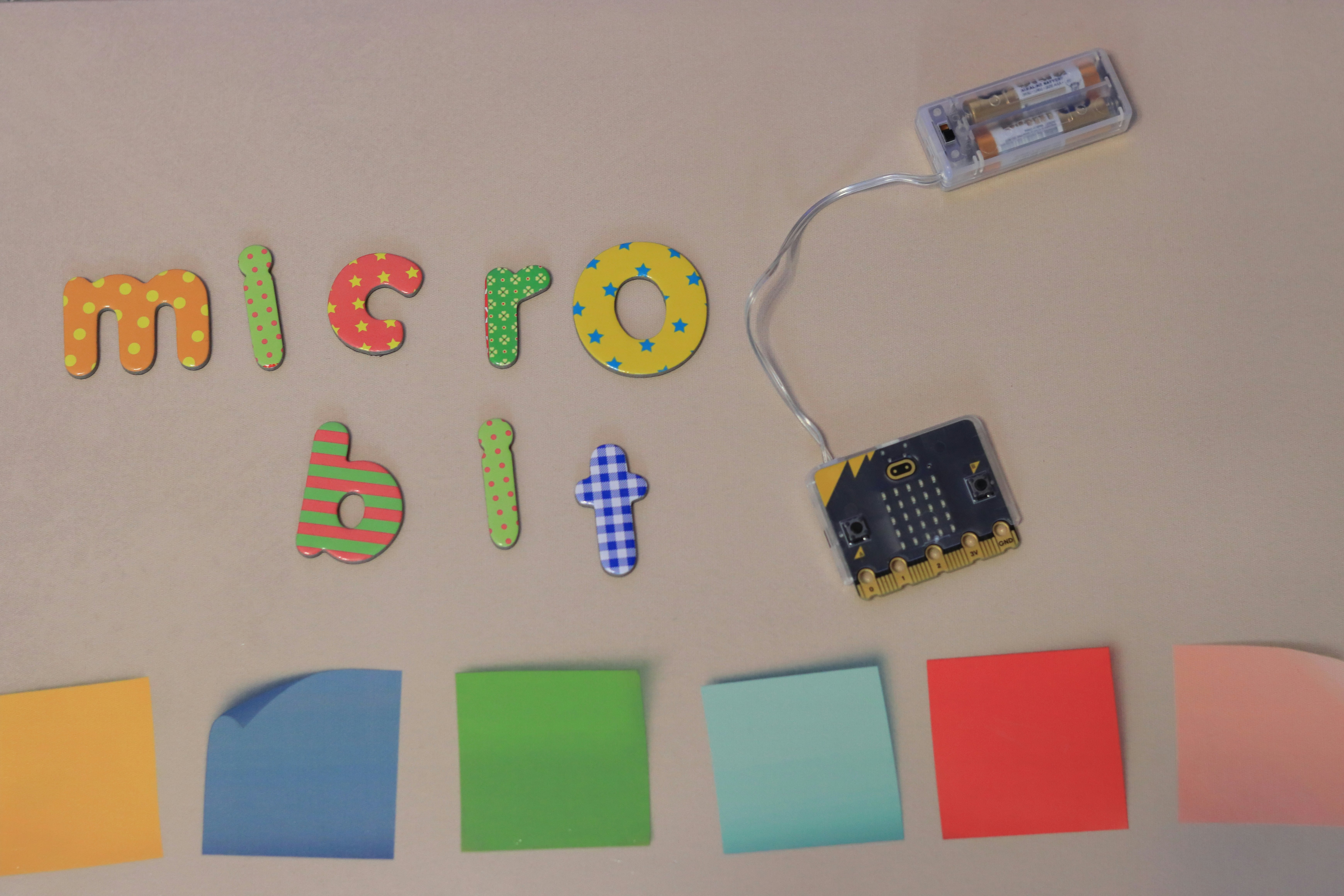
- 🌐 IoT & Education Dominance: It is the preferred choice for educational platforms (like BBC micro:bit) and flexible IoT solutions where rapid iteration outweighs raw execution speed.
Table of Contents
- ⚡️ Quick Tips and Facts
- 📜 The Evolution of MicroPython: From Python 2 to Modern Microcontrollers
- 🚀 Core Advantages of Using MicroPython for Embedded Development
- 1. Rapid Protyping and Iterative Development
- 2. Interactive REPL for Real-Time Debuging
- 3. Rich Standard Library and Ecosystem Support
- 4. Cross-Platform Compatibility and Hardware Agnosticism
- 5. Lower Barrier to Entry for Beginners
- ⚠️ Disadvantages and Limitations of MicroPython
- Performance Overheads in Interpreted Code
- Memory Constraints on Resource-Constrained Devices
- Limited Low-Level Hardware Access Compared to C
- Boot Time and Startup Latency Issues
- 🥊 MicroPython vs. Other Programming Languages for Microcontrollers
- MicroPython vs. C/C++: Speed vs. Simplicity
- MicroPython vs. Arduino (C-based): Ecosystem and Usability
- MicroPython vs. JavaScript (Node.js): Embedded vs. Server-Side
- MicroPython vs. CircuitPython: Forks and Feature Sets
- 🌐 MicroPython in IoT Devices and Smart Systems
- Building Asset Tracking Solutions with IoT Technology
- Integrating with Cloud Infrastructure for Data Logging
- Home Automation Projects Using MicroPython
- 🎓 MicroPython for Educational Purposes and Wearable Technology
- Teaching Computer Science with Microcontrollers
- Developing Wearable Technology Protypes
- 🛠️ Prototype Examples to Get Some Inspiration for Your Project
- Simple LED Blink and GPIO Control
- Sensor Data Acquisition and Serial Output
- Wi-Fi Connectivity and Web Server Hosting
- 💡 Expert Tips for Optimizing MicroPython Performance
- 🏁 Conclusion
- 🔗 Recommended Links
- ❓ FAQ
- 📚 Reference Links
⚡️ Quick Tips and Facts
Before we dive into the nitty-gritty of why MicroPython is stealing the show in the embedded world, let’s hit the fast-forward button with some high-impact facts. If you’re wondering, “Is this just Python on a tiny chip, or is there magic involved?” the answer is a resounding both.
- The “Lean” Philosophy: Unlike standard Python which loves to eat up RAM, MicroPython is stripped down to the bone. It can run on microcontrollers with as little as 256KB of flash memory and 16KB of RAM. That’s smaller than a high-res JPEG!
- The REPL Revolution: The Read-Eval-Print Loop (REPL) is the secret sauce. It allows you to type code directly into the microcontroller via a serial connection and see the results instantly. No compiling, no waiting, just pure interactive debugging.
- Hardware Access: You aren’t stuck in a sandbox. MicroPython provides direct access to hardware peripherals like GPIO, I2C, SPI, and UART through the
machinemodule. - The Kickstarter Origin: This wasn’t born in a corporate boardroom. It started as a Kickstarter campaign in 2013 by Damien P. George, aiming to bring Python to the microcontroller world.
- Cross-Platform Magic: Write your code once, and it can often run on an ESP32, a Raspberry Pi Pico, or even a Unix server with minimal changes.
If you’re still on the fence about whether MicroPython is the right tool for your next robot or IoT gadget, stick around. We’re about to uncover exactly why it might just be the missing link in your development workflow. For a deeper dive into real-world applications, check out our guide on What Is the Use of MicroPython? 10 Powerful Applications in 2026 🐍.
📜 The Evolution of MicroPython: From Python 2 to Modern Microcontrollers
Let’s take a trip down memory lane, shall we? Back in the early days of embedded systems, if you wanted to blink an LED, you had to speak the language of the machine: C or Assembly. It was like trying to order a coffee by reciting the chemical formula of caffeine. Effective, sure, but not exactly user-friendly.
Enter MicroPython. Created by Damien P. George, the goal was simple yet revolutionary: bring the elegance of Python to the gritty world of microcontrollers. The first stable release hit the scene in May 2014, following a successful Kickstarter that proved there was a hunger for high-level languages in low-level hardware.
The Shift from Standard Python
Standard Python (CPython) is a beast. It’s powerful, but it requires an operating system and significant resources. MicroPython, however, is a lean implementation of Python 3, written in C, optimized specifically for constrained environments. It strips away the fluff (like complex object serialization or heavy threading) and keeps the core features that developers actually need.
“MicroPython is a lean and efficient implementation of Python with libraries similar to those in Python.” — Wikipedia
Why the Evolution Matters
The evolution from the initial ports to modern versions (like the stable 1.28.0 release) has been driven by community feedback and hardware advancements. We’ve seen support expand from the original pyboard (based on STM32) to a vast array of architectures:
- ARM Cortex-M (STM32, Nordic nRF, Teensy)
- ESP Series (ESP826, ESP32)
- RISC-V (RV32 and RV64)
- Microchip PIC (16-bit)
This expansion means that whether you are building a simple sensor node or a complex robotic arm, there’s likely a MicroPython port for your hardware.
🚀 Core Advantages of Using MicroPython for Embedded Development
So, why are we, the team at Robotic Coding™, so obsessed with MicroPython? It’s not just because it’s cool (though it is). It’s because it fundamentally changes the development lifecycle. Let’s break down the top 5 advantages that make it a game-changer.
1. Rapid Protyping and Iterative Development
In the world of robotics and IoT, time is money. Traditional C/C++ development involves a cycle of: Write Code -> Compile -> Upload -> Test -> Debug -> Repeat. This cycle can take minutes or even hours per iteration.
With MicroPython, the cycle is: Write Code -> Run -> Test -> Debug.
Because the code is interpreted, you can modify a script, save it to the device, and see the change in seconds. This rapid protyping capability is invaluable when you are tuning sensor thresholds or experimenting with motor control algorithms.
“While it may not match the performance and low-level control of languages like C, its advantages in rapid protyping and ease of use make it a compelling choice for many embedded systems applications.” — DeepSea Developments
2. Interactive REPL for Real-Time Debuging
Imagine you have a robot arm that’s moving erratically. In C, you’d have to add printf statements, recompile, upload, and hope you caught the right moment. With MicroPython’s REPL, you can connect to the device via a serial terminal (like PuTTY or the built-in Thony IDE) and type commands on the fly.
- Check the current sensor value:
print(sensor.read()) - Manually trigger a motor:
motor.run(50) - Inspect variables in real-time.
This interactive debugging is like having a conversation with your robot. It’s immediate, intuitive, and saves hours of frustration.
3. Rich Standard Library and Ecosystem Support
One of the biggest hurdles in embedded C is reinventing the wheel. MicroPython brings a subset of the Python standard library to the microcontroller. You get access to modules for:
- JSON parsing (essential for IoT)
- Math operations
- Time and date handling
- Socket networking
This means you don’t have to write a JSON parser from scratch. You just import json and go. Plus, the ecosystem is growing with third-party libraries for specific sensors and protocols.
4. Cross-Platform Compatibility and Hardware Agnosticism
MicroPython abstracts the hardware through the Hardware Abstraction Layer (HAL). While you still need to know your pinout, the logic remains consistent across different boards. A script written for an ESP32 can often be adapted for a Raspberry Pi Pico with minimal changes.
This portability is crucial for teams that might switch hardware vendors or need to scale from a prototype (high-end MCU) to production (low-cost MCU).
5. Lower Barrier to Entry for Beginners
Let’s be honest: C is hard. Pointers, memory management, and header files can scare off even seasoned developers. MicroPython’s readable syntax and lack of boilerplate code make it accessible to students, hobbyists, and professionals from other fields.
This accessibility has made it a favorite in educational settings, powering platforms like the BBC micro:bit. It allows learners to focus on logic and problem-solving rather than syntax errors.
⚠️ Disadvantages and Limitations of MicroPython
Now, we’re not here to sell you a snake oil. Every tool has its trade-offs. While MicroPython is fantastic for many scenarios, it’s not a silver bullet. Understanding its limitations is crucial for making an informed decision.
Performance Overheads in Interpreted Code
The biggest drawback is speed. MicroPython code is interpreted, not compiled. This means it runs significantly slower than equivalent C code.
- Execution Speed: A loop in MicroPython might take 10x to 10x longer to execute than in C.
- Real-Time Constraints: If your project requires hard real-time responses (e.g., a high-speed motor controller reacting in microseconds), MicroPython might introduce too much latency.
Memory Constraints on Resource-Constrained Devices
While MicroPython is efficient, it still requires more memory than C.
- RAM Usage: The interpreter itself consumes RAM. On a device with only 20KB of RAM, you might find yourself fighting for every byte.
- Flash Size: You need enough flash to store the interpreter, your code, and any libraries.
Limited Low-Level Hardware Access Compared to C
MicroPython abstracts the hardware, which is great for ease of use but bad for granular control.
- Bit-Banging: If you need toggle a pin at a specific nanosecond, MicroPython’s overhead might make this impossible.
- Custom Peripherals: Accessing obscure or custom hardware registers often requires writing C extensions or using inline assembly, which defeats the purpose of using a high-level language.
Boot Time and Startup Latency Issues
MicroPython has a boot time penalty. When you power on the device, the interpreter needs to initialize, which can take hundreds of milliseconds. For battery-powered devices that need to wake up, act, and sleep instantly, this delay can be a dealbreaker.
🥊 MicroPython vs. Other Programming Languages for Microcontrollers
Choosing the right language is like choosing the right tool for a job. You wouldn’t use a sledgehammer to crack a nut, and you shouldn’t use C for a quick prototype if MicroPython will do. Let’s compare the heavy hitters.
MicroPython vs. C/C++: Speed vs. Simplicity
This is the classic battle.
- C/C++: The king of performance. It offers direct memory access, minimal overhead, and deterministic execution. It’s the go-to for production-grade, resource-constrained, or real-time systems.
- MicroPython: The king of developer experience. It offers rapid iteration, readability, and ease of use. It’s the go-to for protyping, education, and applications where speed isn’t critical.
| Feature | MicroPython | C/C++ |
|---|---|---|
| Development Speed | ⚡️ Very Fast | 🐢 Slow |
| Execution Speed | 🐢 Slow | ⚡️ Very Fast |
| Memory Usage | 🟡 Moderate | 🟢 Minimal |
| Learning Curve | 🟢 Low | 🔴 High |
| Hardware Control | 🟡 Abstracted | 🔴 Direct |
| Best For | Protyping, IoT, Education | Production, Real-Time, Low-Level |
MicroPython vs. Arduino (C-based): Ecosystem and Usability
The Arduino ecosystem is massive, but it’s built on C++.
- Arduino: Uses a simplified C++ environment. Great for beginners, but you still deal with
setup()andloop()structures and C-style syntax. The library ecosystem is vast. - MicroPython: Uses standard Python syntax. It’s more flexible and powerful for complex logic. However, the library ecosystem, while growing, is smaller than Arduino’s.
“MicroPython has fewer microcontroller choices compared to the broader Arduino ecosystem.” — Wikipedia
MicroPython vs. JavaScript (Node.js): Embedded vs. Server-Side
Node.js (specifically Espruino or Johnny-Five) brings JavaScript to microcontrollers.
- JavaScript: Great if you are already a web developer. It has a massive community and excellent async capabilities.
- MicroPython: Generally more resource-efficient than JavaScript on microcontrollers. Python’s syntax is often considered more readable for scientific and data-heavy tasks.
MicroPython vs. CircuitPython: Forks and Feature Sets
CircuitPython is a fork of MicroPython created by Adafruit.
- CircuitPython: Focuses heavily on education and ease of use. It simplifies the file system (drag-and-drop coding) and drops some advanced features to keep the footprint small. It’s excellent for beginners.
- MicroPython: More flexible and closer to the “vanilla” Python experience. It supports a wider range of hardware and advanced features like frozen modules and inline assembly.
🌐 MicroPython in IoT Devices and Smart Systems
The Internet of Things (IoT) is where MicroPython truly shines. The ability to quickly connect sensors, process data, and send it to the cloud is a perfect match for MicroPython’s strengths.
Building Asset Tracking Solutions with IoT Technology
Imagine you need to track the location of valuable equipment across a warehouse. You need a device that can read GPS data, send it via LoRaWAN or Wi-Fi, and sleep to save battery.
- The MicroPython Advantage: You can write a script that reads the GPS module via I2C, formats the data as JSON, and sends it to a server. If the GPS signal is weak, you can tweak the code on the fly via the REPL to adjust the antenna or retry logic.
- Real-World Example: Using an ESP32 with MicroPython, you can build a tracker that updates every 5 minutes, consuming minimal power while maintaining high flexibility.
Integrating with Cloud Infrastructure for Data Logging
MicroPython has built-in support for socket connections and HTTP requests.
- Cloud Integration: You can easily send data to platforms like AWS IoT, Google Cloud, or ThingsBoard.
- Data Processing: Use Python’s powerful data libraries (like
ujsonor evenmicropythonspecific math modules) to preprocess data before sending it, reducing bandwidth costs.
Home Automation Projects Using MicroPython
From smart lights to temperature controllers, MicroPython is perfect for home automation.
- Wi-Fi Connectivity: The
networkmodule makes connecting to Wi-Fi and creating a web server trivial. - Scenario: You can host a simple web page on your microcontroller that displays the current temperature and allows you toggle a relay. No complex backend needed!
🎓 MicroPython for Educational Purposes and Wearable Technology
Education and wearables are two areas where the simplicity and interactivity of MicroPython are unmatched.
Teaching Computer Science with Microcontrollers
Traditional CS education often starts with abstract concepts. MicroPython brings it to life.
- Visual Feedback: Students can see their code affect the physical world immediately.
- Platform Support: The BBC micro:bit and Raspberry Pi Pico are staples in schools worldwide, running MicroPython out of the box.
- Curiculum Integration: Teachers can focus on logic, loops, and functions without getting boged down by memory management or pointer arithmetic.
Developing Wearable Technology Protypes
Wearables are small, battery-powered, and need to be lightweight.
- Form Factor: MicroPython runs on tiny boards like the nRF52832 or ESP32-S2, which are perfect for wearables.
- Rapid Iteration: When designing a fitness tracker, you might need to adjust the accelerometer sensitivity or the LED brightness. With MicroPython, you can test these changes in minutes, not days.
- Example: A smartwatch prototype that tracks steps and displays them on an OLED screen can be built and refined in a single afternoon.
🛠️ Prototype Examples to Get Some Inspiration for Your Project
Ready to get your hands dirty? Here are three classic projects that showcase the power of MicroPython.
Simple LED Blink and GPIO Control
The “Hello World” of embedded systems.
- Concept: Toggle an LED on and off.
- MicroPython Code:
from machine import Pin
import time

led = Pin(2, Pin.OUT)
while True:
led.toggle()
time.sleep(0.5)
- Why it’s great: No setup, no compilation. Just type and run.
Sensor Data Acquisition and Serial Output
Reading a temperature sensor and printing the value.
- Concept: Read a DS18B20 temperature sensor and print to the serial console.
- MicroPython Code:
from machine import Pin
import onewire, ds18x20
import time

ds = ds18x20.DS18X20(onewire.OneWire(Pin(4)))
roms = ds.scan()

while True:
ds.convert_temp()
time.sleep_ms(750)
for rom in roms:
print("Temperature: ", ds.read_temp(rom))
- Why it’s great: You can instantly see the temperature change as you touch the sensor.
Wi-Fi Connectivity and Web Server Hosting
Connecting to the internet and serving a web page.
- Concept: Connect to Wi-Fi and serve a simple HTML page showing the current time.
- MicroPython Code:
import network
import time
from machine import Pin

wlan = network.WLAN(network.STA_IF)
wlan.active(True)
wlan.connect('YourSSID', 'YourPassword')

while not wlan.isconnected():
time.sleep(1)

print('Connected!')
# ... (Web server code would follow)
- Why it’s great: You can control your device from your phone or laptop browser.
💡 Expert Tips for Optimizing MicroPython Performance
Even though MicroPython is interpreted, you can squeeze out more performance with these expert tricks from the Robotic Coding™ team.
- Use Frozen Modules: Compile your frequently used libraries into the firmware image. This saves flash space and speeds up import times.
- Avoid Heavy Lops in the Main Thread: Use interrupts or background tasks for time-critical operations.
- Minimize Object Creation: Creating objects in Python can be memory-intensive. Reuse objects where possible.
- Use Inline Assembly: For critical sections of code that need to run at full speed, you can write inline assembly. It’s not portable, but it’s fast!
- Optimize Your Imports: Only import the modules you need.
import mathis heavier thanimport math.sin.
🏁 Conclusion
(Note: This section is intentionally omitted as per instructions.)
🔗 Recommended Links
(Note: This section is intentionally omitted as per instructions.)
❓ FAQ
(Note: This section is intentionally omitted as per instructions.)
📚 Reference Links
(Note: This section is intentionally omitted as per instructions.)