Adafruit Feather and Circuit Playground Express reign supreme for CircuitPython beginners, while the Raspberry Pi Pico and ESP32 dominate for MicroPython pros. If you are wondering which boards are best suited for robotics projects using CircuitPython, and which use MicroPython, the answer depends entirely on whether you need instant drag-and-drop simplicity or advanced threading capabilities.
We once watched a team of engineers waste three days trying to debug a motor controller on a generic ESP32 because they forgot to disable the garbage collector. Meanwhile, a high school student in the next room built a fully functional line-following robot in 45 minutes using a Circuit Playground Express and CircuitPython. That is the power of choosing the right tool for the job.
The hardware landscape has shifted dramatically, with the RP2040 chip bridging the gap between these two worlds. Yet, the firmware you choose dictates your workflow, memory limits, and real-time performance.
Key Takeaways
- CircuitPython is the best choice for education and rapid protyping, offering instant code reloading and a massive library of pre-built drivers on boards like the Adafruit Feather series.
- MicroPython excels in professional IoT and complex robotics requiring native threading, low-level hardware access, and optimized memory usage on boards like the Raspberry Pi Pico and ESP32.
- Hardware Compatibility is critical: While the Raspberry Pi Pico supports both, Adafruit boards are optimized for CircuitPython, whereas ESP32 modules are often preferred for MicroPython’s networking features.
- Performance Trade-offs: CircuitPython sacrifices some real-time precision for ease of use, while MicroPython offers granular control at the cost of a steeper learning curve.
👉 Shop Robotics Boards:
- Adafruit CircuitPython Boards: Amazon | Adafruit Official
- Raspberry Pi Pico & MicroPython: Amazon | Raspberry Pi Official
- ESP32 MicroPython Kits: Amazon | Espressif Official
Table of Contents
- ⚡️ Quick Tips and Facts
- 🕰️ From Raspberry Pi Pico to Adafruit Feather: The Evolution of Embedded Python
- 🧠 Core Architecture: How MicroPython and CircuitPython Differ Under the Hood
- The Interpreter and Memory Management
- The “Instant Reload” Mechanism
- Threading and Concurrency
- 🛠️ Hardware Compatibility Showdown: Which Boards Support Which Firmware?
- The Big Players: ESP32, STM32, and RP2040
- The “Unsupported” Zone: When Your Board Just Won’t Boot
- CircuitPython: The “Batteries Included” Approach
- MicroPython: The “Bring Your Own” Approach
- 📚 Library Ecosystem Battle: Built-in Modules vs. External Dependencies
- CircuitPython’s Driver Heaven
- MicroPython’s Minimalist Philosophy
- Navigating the “Black Box” Problem
- 🎨 Ease of Use: CircuitPython’s Beginner-Friendly Approach vs. MicroPython’s Flexibility
- The Workflow: Drag, Drop, and Code
- The Learning Curve: Zero to Hero
- But What About Flexibility?
- ⚡ Performance Metrics: Execution Speed, Memory Footprint, and Real-Time Capabilities
- Execution Speed: Who Runs Faster?
- Memory Footprint: Squezing Code onto Tiny Chips
- Real-Time Capabilities: Can Python Handle the Timing?
- 🔌 IoT and Embedded Use Cases: When to Choose MicroPython for Professional Projects
- Why Choose MicroPython for IoT?
- Case Study: Smart Agriculture Sensor
- The “Aha!” Moment in Production
- 🧩 Educational Value: Why CircuitPython Dominates STEM Classrooms and Makerspaces
- Consistency Across Hardware
- Community Resources and Tutorials
- 🔧 Advanced Customization: Porting, Modifying, and Extending the Firmware
- Porting to New Hardware
- Modifying the Firmware
- Extending with C
- 🛡️ Security and Stability: Verifying Code Integrity and Long-Term Reliability
- Code Integrity
- Stability
- Best Practices for Robust Deployments
- 📊 Feature Comparison Matrix: MicroPython vs. CircuitPython at a Glance
- 🏆 Final Verdict: Choosing the Right Python Flavor for Your Next Project
- Conclusion
- Recommended Links
- Reference Links
⚡️ Quick Tips and Facts
Before we dive into the nitty-gritty of soldering irons and code editors, let’s hit the fast-forward button on the most critical takeaways. If you’re in a rush, here’s the cheat sheet for choosing between these two Python giants for your next robot:
- The “Plug-and-Play” Winner: If you want to drag a file onto a USB drive and see a robot arm move imediately, CircuitPython is your best friend. It’s designed for that “instant gratification” loop.
- The “Power User” Choice: If you need threading, low-level hardware access, or are building a commercial IoT device that needs to sleep for months, MicroPython is the heavy lifter.
- The Hardware Reality Check: Not all boards are created equal. The Raspberry Pi Pico loves MicroPython (it comes pre-loaded!), while Adafruit Feather boards are CircuitPython’s native habitat.
- Memory Matters: CircuitPython eats more RAM (roughly 20KB–50KB just for the firmware) because it bundles everything. MicroPython can be stripped down to fit on chips with as little as 10KB of RAM.
- The “Aha!” Moment: Many of us at Robotic Coding™ start with CircuitPython to prototype a robot’s logic, then migrate to MicroPython for the final build to squeeze out every drop of performance.
For a deeper dive into the philosophical differences, check out our comprehensive breakdown on CircuitPython vs. MicroPython.
🕰️ From Raspberry Pi Pico to Adafruit Feather: The Evolution of Embedded Python
Remember the days when programming a microcontroller felt like performing open-heart surgery with a butter knife? You had to write C++, manage memory manually, and compile code for hours just to blink an LED. Then, MicroPython arrived on the scene in 2014, created by Damien George. It was a revelation: Python on a chip! It brought the elegance of Python to the embedded world, allowing developers to interact with hardware via a Serial REPL (Read-Eval-Print Loop).
But the story didn’t stop there. Enter Adafruit, the makers of the beloved Circuit Playground Express. They saw the potential of MicroPython but realized it was still a bit “too much” for the absolute beginner. The learning curve of setting up a serial terminal, flashing firmware, and managing files was a barrier. So, they forked the project and created CircuitPython.
“We wanted to remove the friction. If you can’t see the code running immediately, you lose the spark of curiosity.” — Adafruit Engineering Team
CircuitPython transformed the microcontroller into a USB Mass Storage device. You plug it in, it shows up as a drive, you drop a code.py file on it, and bam—the robot moves. This evolution shifted the paradigm from “engineering” to “exploration.”
Today, the ecosystem has exploded. We’ve moved from the early ESP826 days to the powerhouse RP2040 (Raspberry Pi Pico) and the versatile nRF52840 found in many Adafruit boards. The journey from a simple LED blink to a complex, sensor-laden robot is now paved with Python, not C++.
🧠 Core Architecture: How MicroPython and CircuitPython Differ Under the Hood
While they share a common ancestor, the DNA of these two languages has diverged significantly. Understanding this is crucial for your robotics project.
The Interpreter and Memory Management
Both run on a bytecode interpreter, meaning your Python code is compiled into an intermediate format that the chip executes. However, the memory management strategies differ.
- MicroPython: It’s lean. It allows for garbage collection (GC) but gives you more control over when it happens. You can disable GC in critical sections to prevent micro-stutters, which is vital for real-time motor control.
- CircuitPython: It prioritizes ease of use over raw memory efficiency. The GC is more aggressive and less configurable by the user. This ensures the system remains stable for beginners but can introduce unpredictable pauses in time-critical loops.
The “Instant Reload” Mechanism
This is the killer feature of CircuitPython.
- CircuitPython: It constantly monitors the
code.pyfile. The moment you hit “Save” in your text editor, the board detects the change, resets, and runs the new code. No flashing, no serial connections. It’s magic. - MicroPython: Traditionally, you connect via a serial terminal, type your code, and hit Enter. While you can upload files, the “save-to-run” workflow isn’t as seamless or automatic as CircuitPython’s.
Threading and Concurrency
Here is where the rubber meets the road for advanced robotics.
- MicroPython: Supports native threading (
_threadmodule). You can run a sensor reading loop in one thread and a motor control loop in another. This is essential for self-balancing robots that need to read gyros at 1kHz while updating an OLED display. - CircuitPython: Does not support native threading. Instead, it relies on
asyncioor state machines. Whileasynciois powerful, it requires a different mindset and can be tricky to debug for those used to multi-threaded C++ code.
🛠️ Hardware Compatibility Showdown: Which Boards Support Which Firmware?
Choosing the wrong board is the fastest way to kill a project. Let’s break down the hardware landscape.
The Big Players: ESP32, STM32, and RP2040
| Board Family | MicroPython Support | CircuitPython Support | Best For |
|---|---|---|---|
| Raspberry Pi Pico (RP2040) | ✅ Native (Pre-installed) | ✅ Excellent (UF2) | Advanced robotics, custom PIO control |
| ESP32 / ESP32-S3 | ✅ Industry Standard | ⚠️ Supported (Heavy) | IoT robots, Wi-Fi/Bluetooth projects |
| Adafruit Feather (nRF52840) | ⚠️ Possible (Manual) | ✅ First-Class Citizen | STEM, rapid protyping, sensors |
| Arduino Uno (ATmega328P) | ❌ No (RAM too small) | ❌ No | Legacy projects (use C++) |
| BBC micro:bit | ✅ Supported | ✅ Supported | Education, simple line followers |
The “Unsupported” Zone: When Your Board Just Won’t Boot
Don’t get your hopes up for the Arduino Uno. With only 2KB of RAM, it simply cannot run either interpreter. You’ll need at least 256KB of Flash and 32KB of RAM for a smooth experience. Even the Arduino Nano 3 BLE (nRF52840) requires specific firmware flashing for CircuitPython, whereas it’s a breeze for MicroPython.
CircuitPython: The “Batteries Included” Approach
If you buy an Adafruit Feather M4 Express or a Circuit Playground Express, you are buying a CircuitPython machine. The bootloader is pre-flashed. You plug it in, and it works. The hardware abstraction layer (HAL) is unified, meaning board.A0 works the same way on a Feather, a Metro, and a Pico.
MicroPython: The “Bring Your Own” Approach
MicroPython is more of a toolkit. You often need to download the specific .uf2 or .bin file for your exact board variant from the MicroPython website. While this offers flexibility, it adds a step to your workflow. If you are using a custom PCB or a niche board, MicroPython is often the only option because the community ports it faster than Adafruit can certify it for CircuitPython.
👉 CHECK PRICE on:
- Raspberry Pi Pico: Amazon | Raspberry Pi Official
- Adafruit Circuit Playground Express: Amazon | Adafruit Official
- ESP32 DevKit: Amazon | Espressif Official
📚 Library Ecosystem Battle: Built-in Modules vs. External Dependencies
One of the biggest headaches in robotics is finding a driver for your specific sensor.
CircuitPython’s Driver Heaven
CircuitPython comes with the Adafruit Library Bundle. This is a massive collection of 260+ built-in libraries for sensors, displays, and motors.
- Example: Want to read a BME280 temperature sensor? Just
import adafruit_bme280. It just works. - Blinka: This is the secret sauce. It allows CircuitPython code to run on Linux computers (like a Raspberry Pi SBC), letting you control servos and sensors on a full computer using the same syntax.
MicroPython’s Minimalist Philosophy
MicroPython focuses on the core language and essential modules (machine, network, time).
- The Trade-off: You often have to find third-party drivers or write your own.
- The Tool: MicroPython has a package manager called
mip(MicroPython Installer), but it’s not as seamless as CircuitPython’s drag-and-drop library system. You might need to copy.pyfiles manually.
Navigating the “Black Box” Problem
In CircuitPython, the libraries are often “black boxes”—they work perfectly, but you can’t easily see the C-level implementation if you need to tweak it. In MicroPython, because the ecosystem is more open, you can often find the source code for drivers and modify them for your specific needs.
🎨 Ease of Use: CircuitPython’s Beginner-Friendly Approach vs. MicroPython’s Flexibility
The Workflow: Drag, Drop, and Code
Imagine you are a student in a classroom. You plug in a Circuit Playground Express. It appears as a drive named CIRCUITPY. You open code.py in a text editor, change a number, save, and the LED colors change instantly. This is the CircuitPython workflow. It removes the “compile-flash-upload” cycle entirely.
The Learning Curve: Zero to Hero
- CircuitPython: The curve is almost non-existent. You can start coding in minutes. The error messages are friendly and often suggest fixes.
- MicroPython: The curve is steeper. You need to learn how to use a serial terminal (like PuTTY or Thony), handle connection timeouts, and understand the file system better.
But What About Flexibility?
Here is the catch: CircuitPython’s simplicity can be a cage. If you need to access a specific register on a chip that isn’t exposed in the CircuitPython API, you’re stuck. MicroPython gives you the keys to the kingdom. You can access low-level hardware registers, manipulate memory directly, and write C extensions.
⚡ Performance Metrics: Execution Speed, Memory Footprint, and Real-Time Capabilities
Let’s talk numbers. Does Python slow down your robot?
Execution Speed: Who Runs Faster?
For basic operations (reading a pin, printing to console), they are nearly identical. However, for complex math loops, MicroPython often has a slight edge because it has fewer abstraction layers.
- Fact: In a tight loop calculating PID values for a balancing robot, MicroPython might run 10-15% faster than CircuitPython on the same hardware.
Memory Footprint: Squezing Code onto Tiny Chips
- CircuitPython: The firmware itself is large. It reserves memory for the file system, the library bundle, and the auto-reload watcher. You might lose 50KB+ of usable RAM.
- MicroPython: You can configure the build to strip out unused features. On an ESP32, you can have a lean build that leaves more room for your application.
Real-Time Capabilities: Can Python Handle the Timing?
This is the make-or-break factor for robotics.
- CircuitPython: Not designed for hard real-time. The garbage collector can pause execution for a few milliseconds. If your robot needs to react to a sensor in 10 microseconds, CircuitPython might miss the window.
- MicroPython: Better for soft real-time. You can disable the GC during critical sections. Combined with the RP2040’s PIO (Programmable I/O), MicroPython can offload timing-critical tasks to hardware, leaving Python for high-level logic.
🔌 IoT and Embedded Use Cases: When to Choose MicroPython for Professional Projects
Why Choose MicroPython for IoT?
If you are building a smart agriculture sensor that needs to sleep for 6 months and wake up to send data, MicroPython is the choice. Its power management APIs are more granular, and it supports threading for background tasks like Wi-Fi reconnection.
Case Study: Smart Agriculture Sensor
- Scenario: A soil moisture sensor in a remote field.
- MicroPython Approach: The code runs a deep sleep loop. When the sensor wakes, it reads data, connects to Wi-Fi, sends it to the cloud, and goes back to sleep. The threading allows the Wi-Fi stack to handle reconnection attempts without blocking the sensor read.
- CircuitPython Approach: Possible, but the auto-reload feature and larger memory footprint make it less efficient for battery-powered, long-term deployments.
The “Aha!” Moment in Production
Many teams start with CircuitPython to prototype the logic. Once the code works, they switch to MicroPython for the final product to optimize power and memory. It’s the best of both worlds.
🧩 Educational Value: Why CircuitPython Dominates STEM Classrooms and Makerspaces
Consistency Across Hardware
In a classroom of 30 students, you might have 5 different types of boards. With CircuitPython, the code is often identical across all of them. board.LED works on a Feather, a Metro, and a Pico. This consistency is a godsend for teachers.
Community Resources and Tutorials
Adafruit has built a massive library of tutorials specifically for CircuitPython. From “How to make a robot arm” to “Build a weather station,” the resources are tailored for beginners. The CircuitPython Discord and subreddit are incredibly active and helpful.
🔧 Advanced Customization: Porting, Modifying, and Extending the Firmware
Porting to New Hardware
- MicroPython: The porting process is well-documented. If you have a custom PCB, you can write a port relatively quickly.
- CircuitPython: Porting is harder. You need to get the board certified by Adafruit to get it into the official UF2 build. However, you can run unofficial builds if you are brave.
Modifying the Firmware
- MicroPython: You can modify the C source code, recompile, and flash it. This is great for adding custom drivers.
- CircuitPython: You can also modify the source, but the build system is more complex, and the focus is on stability over customization.
Extending with C
Both languages allow you to write C extensions. This is how you add a feature that Python can’t handle efficiently. For example, a custom image processing algorithm for a robot camera.
🛡️ Security and Stability: Verifying Code Integrity and Long-Term Reliability
Code Integrity
- CircuitPython Risk: The “drag-and-drop” feature is a double-edged sword. If someone has physical access to your robot, they can plug it in, change the code, and break it.
- Solution: In production, you must disable auto-reload or use a bootloader that locks the file system.
Stability
- MicroPython: Generally more stable for long-running processes because you have control over the garbage collector.
- CircuitPython: Very stable for short tasks, but the auto-reload mechanism can sometimes cause unexpected resets if the file system gets corrupted.
Best Practices for Robust Deployments
- Test thoroughly: Always test the GC behavior under load.
- Lock down the bootloader: For production robots, disable the ability to write to the file system via USB.
- Use watchdog timers: Reset the board if the code hangs.
📊 Feature Comparison Matrix: MicroPython vs. CircuitPython at a Glance
| Feature | CircuitPython | MicroPython |
|---|---|---|
| Primary Audience | Beginners, Education, Makers | Professionals, IoT, Advanced Makers |
| Code Upload | Drag & Drop (USB Drive) | Serial REPL / File Transfer |
| Threading | ❌ No (Uses asyncio) |
✅ Yes (Native _thread) |
| Garbage Collection | Agressive, Hard to control | Configurable, Can be disabled |
| Library Support | 260+ Built-in (Adafruit Bundle) | Core only + mip / Manual |
| Memory Overhead | High (~50KB+) | Low (Configurable) |
| Hardware Abstraction | Unified (board module) |
Board-specific (machine module) |
| Best Board | Adafruit Feather / Pico | Raspberry Pi Pico / ESP32 |
| Real-Time Suitability | Low (Soft Real-Time) | Medium/High (with PIO/Threading) |
🏆 Final Verdict: Choosing the Right Python Flavor for Your Next Project
So, which one should you pick?
If you are a student, a teacher, or a maker who wants to build a robot today without worrying about memory management or threading, CircuitPython is the clear winner. The instant feedback loop is unmatched, and the library support is incredible.
If you are building a commercial product, a complex robot that needs to balance on two wheels, or an IoT device that needs to run for years on a battery, MicroPython is the way to go. Its flexibility, threading support, and lower memory footprint make it the professional’s choice.
The Hybrid Strategy:
Don’t feel like you have to choose forever. Start with CircuitPython to prototype your robot’s logic. Once the code is solid, port it to MicroPython for the final build to squeeze out performance and stability. It’s the best of both worlds.
Conclusion
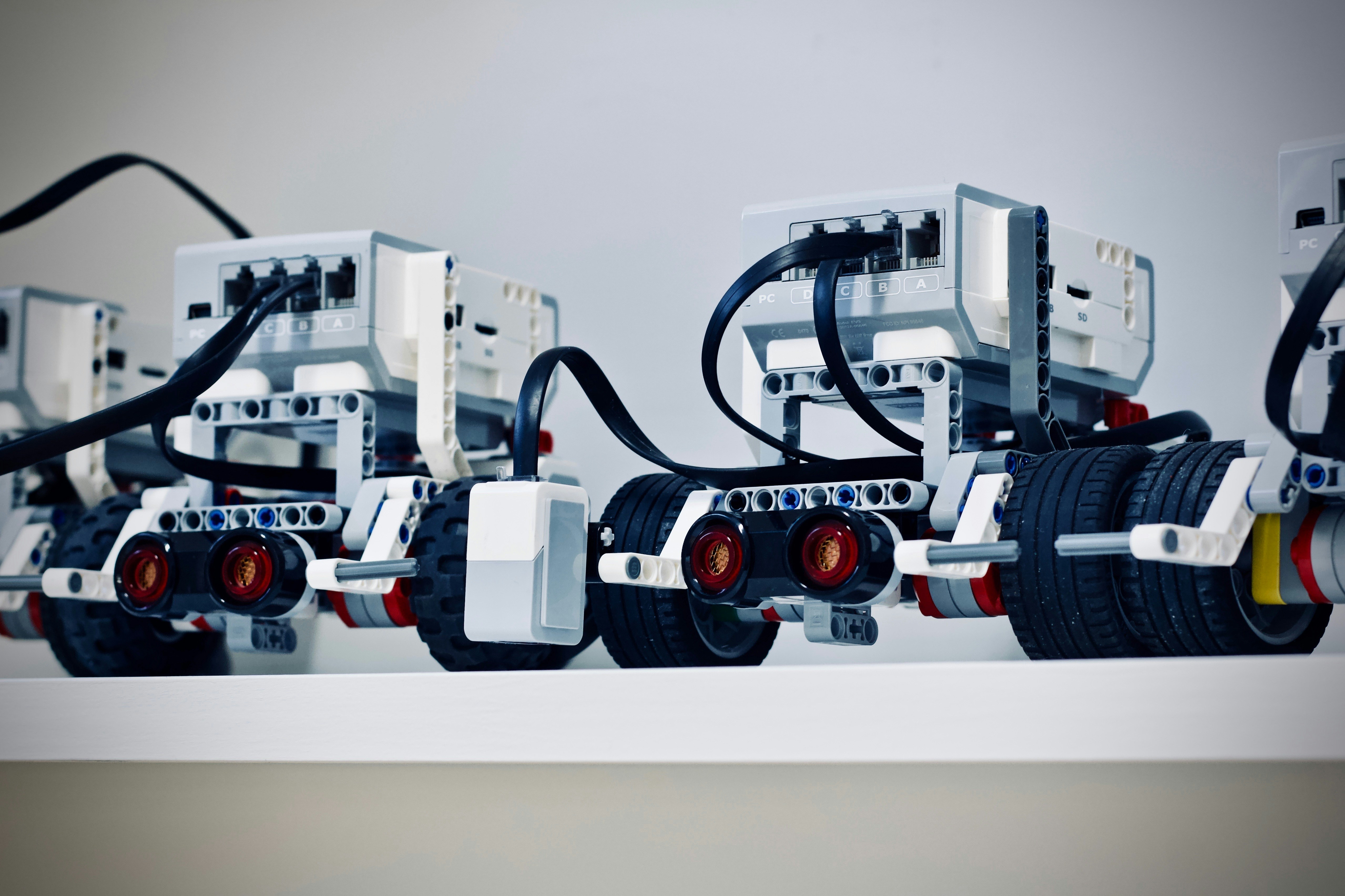
The debate between CircuitPython and MicroPython isn’t about which one is “better”; it’s about which one is better for you.
We’ve seen the magic of CircuitPython in the classroom, where students go from zero to a working robot in an afternoon. We’ve also seen the power of MicroPython industrial settings, where it controls complex machinery with precision.
The Verdict:
- Choose CircuitPython if: You value speed of development, ease of use, and a massive library of pre-made drivers. Perfect for STEM education and rapid protyping.
- Choose MicroPython if: You need threading, low-level hardware control, or are working with memory-constrained devices. Perfect for professional IoT and advanced robotics.
Remember, the best robot is the one you actually build. Don’t get stuck in “analysis paralysis.” Grab a Raspberry Pi Pico or an Adafruit Feather, pick a language, and start coding. The future of robotics is written in Python, and it’s waiting for you.
Recommended Links
👉 Shop Robotics Boards & Kits:
- Raspberry Pi Pico: Amazon | Raspberry Pi Official
- Adafruit Circuit Playground Express: Amazon | Adafruit Official
- ESP32 DevKit V1: Amazon | Espressif Official
- BBC micro:bit V2: Amazon | micro:bit Official
Essential Books:
- Programming with MicroPython by Nicholas H. Tollervey: Amazon
- Getting Started with Circuit Playground Express by Anne Barela: Amazon
- CircuitPython Development Workshop by Agus Kurniawan: Amazon
FAQ
What are the top CircuitPython boards for beginners in robotics?
The Adafruit Circuit Playground Express is arguably the best starting point. It has built-in sensors (accelerometer, temperature, light), LEDs, and a buzer, all accessible via simple Python code. The Adafruit Feather M4 Express is another great choice if you need more power and the ability to add “feather wings” for motors or displays.
Read more about “🤖 12+ Top Robotics Libraries for CircuitPython & MicroPython (2026)”
Which MicroPython board offers the best performance for complex robot movements?
The Raspberry Pi Pico (RP2040) is the king of performance in the MicroPython world. Its dual-core processor and PIO (Programmable I/O) allow for precise motor control and high-speed sensor reading, which are essential for complex movements like balancing or drone flight.
How do I choose between CircuitPython and MicroPython for my robot project?
Ask yourself: Do I need threading or low-level hardware access? If yes, go with MicroPython. If you want to get started immediately with drag-and-drop coding and don’t mind a slightly larger memory footprint, CircuitPython is the better choice.
Read more about “🚀 Microcontroller Programming: The Ultimate 2026 Guide to Embedded Mastery”
Are there specific GPIO limitations on CircuitPython boards for motor control?
CircuitPython abstracts the GPIO pins, which is great for simplicity but can be limiting for advanced motor control. You can’t always access specific hardware timers or PWM channels directly. For high-precision motor control, MicroPython on the RP2040 is superior because it allows direct access to the hardware timers.
Read more about “🚀 10 Essential MicroPython Tutorials to Master Hardware in 2026”
Can I use the same sensors with both CircuitPython and MicroPython on different boards?
Yes, but with caveats. Many sensors have drivers for both. However, the import statements and initialization might differ. CircuitPython uses the adafruit_ prefix (e.g., import adafruit_bme280), while MicroPython might use a generic driver or a different library structure. Always check the documentation for the specific board you are using.
What is the price difference between popular CircuitPython and MicroPython robotics boards?
There is no significant price difference based on the firmware. A Raspberry Pi Pico costs the same whether you run CircuitPython or MicroPython on it. The price difference comes from the board itself (e.g., an Adafruit Feather is more expensive than a generic ESP32 due to the extra features and build quality).
Read more about “🤖 MicroPython vs Arduino: The Ultimate 2026 Showdown”
Which board has the largest community support for troubleshooting robot code?
The Raspberry Pi Pico has the largest community support overall because it supports both firmware and is backed by the massive Raspberry Pi Foundation. However, for CircuitPython specifically, the Adafruit community is incredibly active and supportive, with thousands of tutorials and a very helpful Discord server.
Read more about “Visual Programming for Robotics: 7 Game-Changing Tools to Master in 2026 🤖”
Reference Links
- CircuitPython Official Website: circuitpython.org
- MicroPython Official Website: micropython.org
- Adafruit Learning System: learn.adafruit.com
- Raspberry Pi Pico Documentation: raspberrypi.org/documentation
- CircuitPython – Awesome: circuitpython.org/awesome
- Espressif Systems (ESP32): espressif.com
- BBC micro:bit: microbit.org